Introduction
This manual provides comprehensive instructions for the setup, operation, and maintenance of your Victor DCX610 Height Adjustable Compact Standing Desk. Designed to transform any traditional desk into a versatile sit-stand workstation, this 33-inch black unit offers ergonomic benefits and a spacious work surface. Please read these instructions carefully before use to ensure proper assembly and safe operation.

Figure 1: Overview of the Victor DCX610 Compact Standing Desk.
Setup and Assembly
The Victor DCX610 desk converter comes mostly pre-assembled. Only the keyboard tray requires attachment. Follow the steps below for quick setup.
Attaching the Keyboard Tray
- Carefully unpack all components from the box. Ensure all parts are present according to the packing list.
- Position the main desk unit on a stable, flat surface.
- Align the keyboard tray with the designated attachment points on the main desk unit.
- Use the provided M6*12 bolts and Allen wrench to securely fasten the keyboard tray to the main unit. Tighten all bolts firmly but do not overtighten.

Figure 2: Securely attaching the keyboard tray to the main desk unit.
Video 1: Detailed assembly instructions for the DCX610 desk converter, focusing on keyboard tray attachment.
Operating Your Standing Desk
The Victor DCX610 features a gas spring system for smooth and easy height adjustment.
Adjusting Height
- To raise the desk: Lightly squeeze the lever located on the side of the desk unit. While holding the lever, gently lift the work surface to your desired standing height. Release the lever to lock the desk in place.
- To lower the desk: Lightly squeeze the lever. While holding the lever, gently push down on the work surface to your desired sitting height. Release the lever to lock the desk in place.
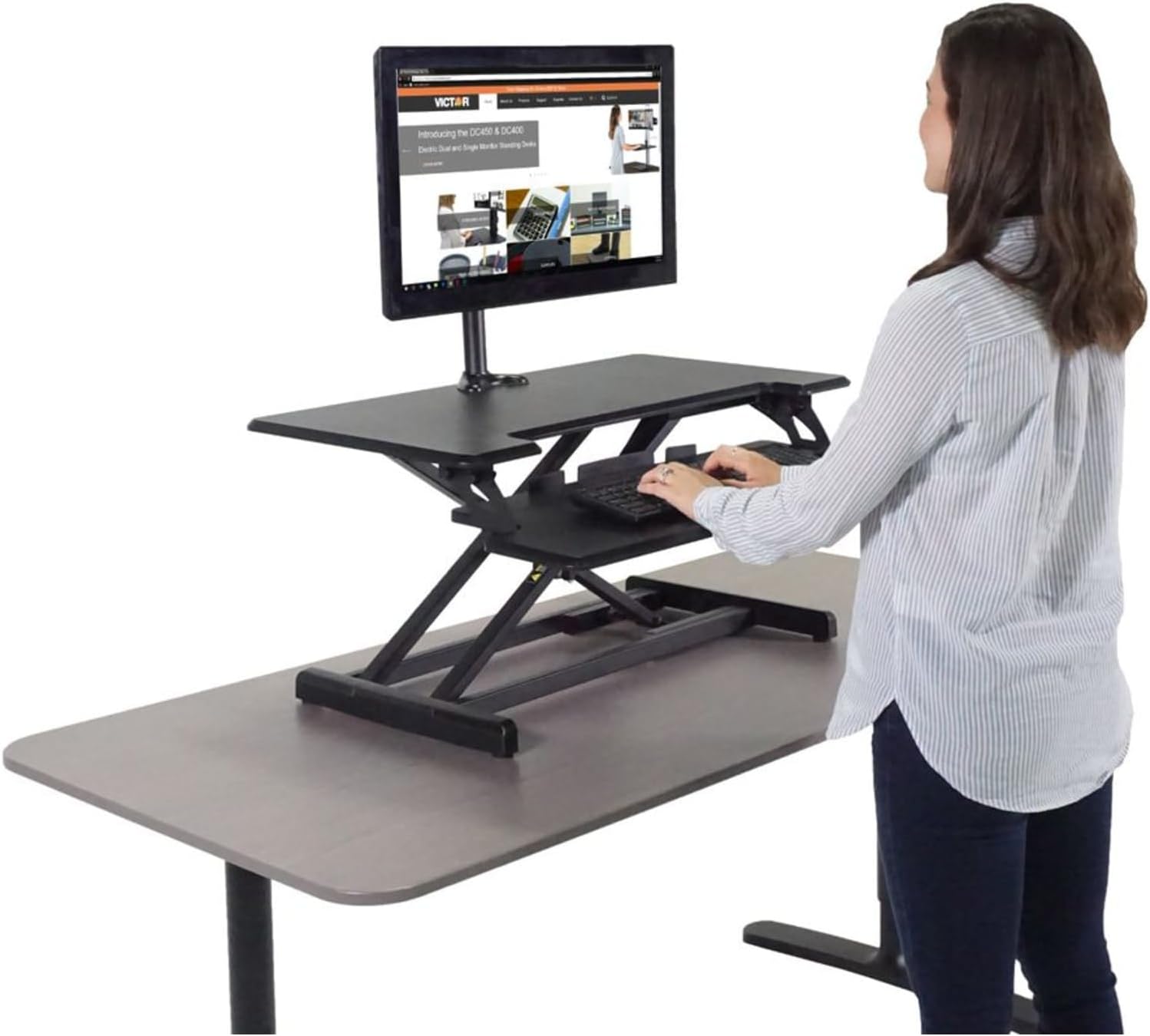
Figure 3: Demonstrating the use of the height adjustment lever.
Video 2: Demonstration of the smooth height adjustment mechanism of the Victor DCX610 desk.
Using the Keyboard Tray
The split-level keyboard tray provides ample space for your keyboard and mouse, ensuring comfortable use in both sitting and standing positions. It also features integrated slots for holding a phone, tablet, or writing utensils.

Figure 4: Detail of the spacious and functional keyboard tray.
Key Features
- Effortless Height Adjustment: Utilizes a gas spring system for smooth and easy transitions between sitting and standing positions with a single lever.
- Compact Design, Spacious Surface: The compact 16.5-inch deep frame fits most standard 24-inch deep desks, while the 33-inch wide by 18-inch deep work surface provides ample space for monitors, laptops, and accessories.
- Ergonomic Keyboard Tray: A 32-inch wide by 12.5-inch deep split-level keyboard tray offers comfortable typing and mousing, with integrated slots for devices. The tray is also removable.
- Adjustable Height Range: The work surface raises up to 20 inches and the keyboard tray up to 15 inches above the original desk, accommodating users of various heights.
- Minimal Assembly: The main unit comes fully assembled, requiring only the attachment of the keyboard tray.
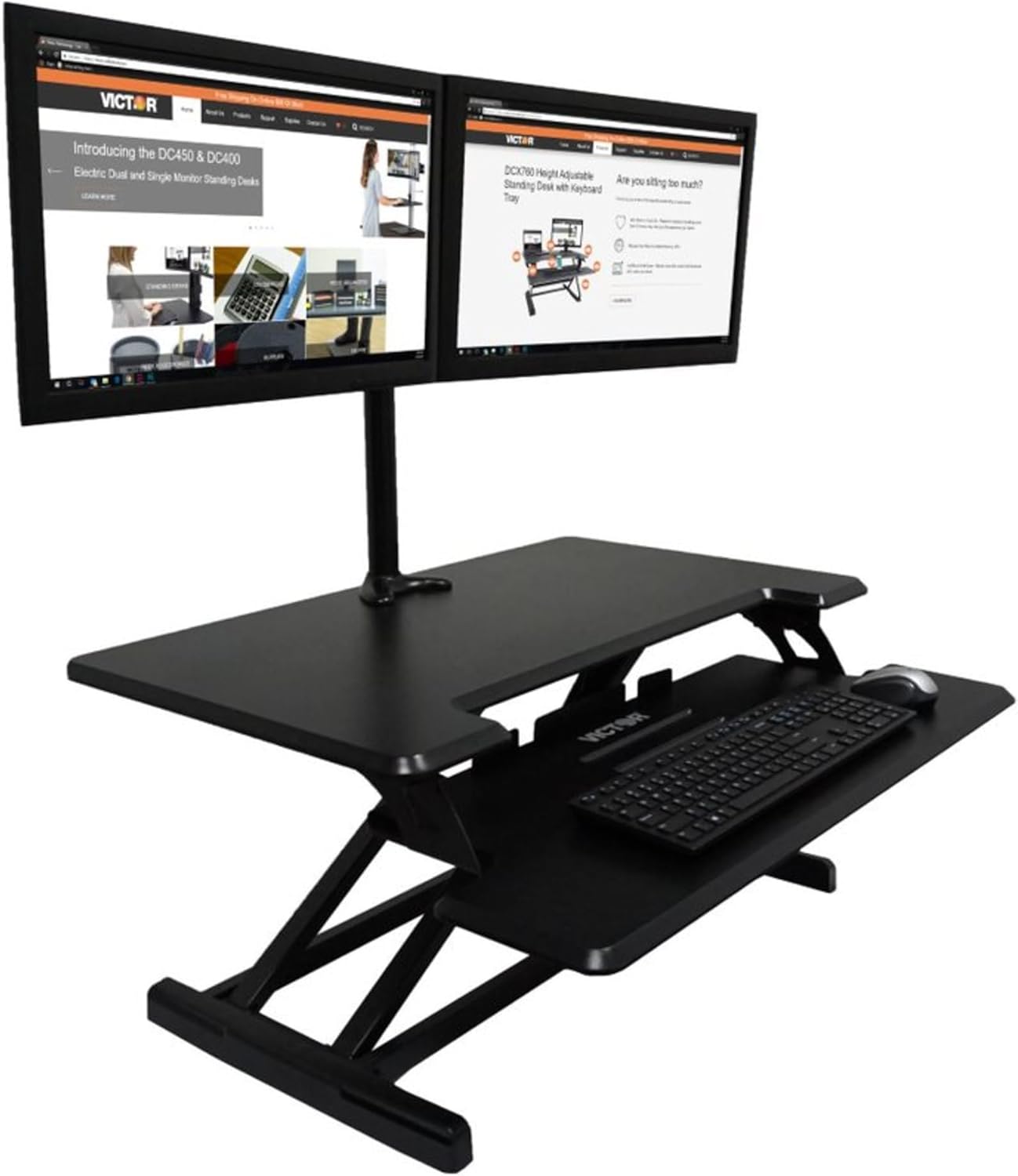
Figure 5: The desk converter accommodating multiple devices.

Figure 6: User demonstrating standing position at the desk.
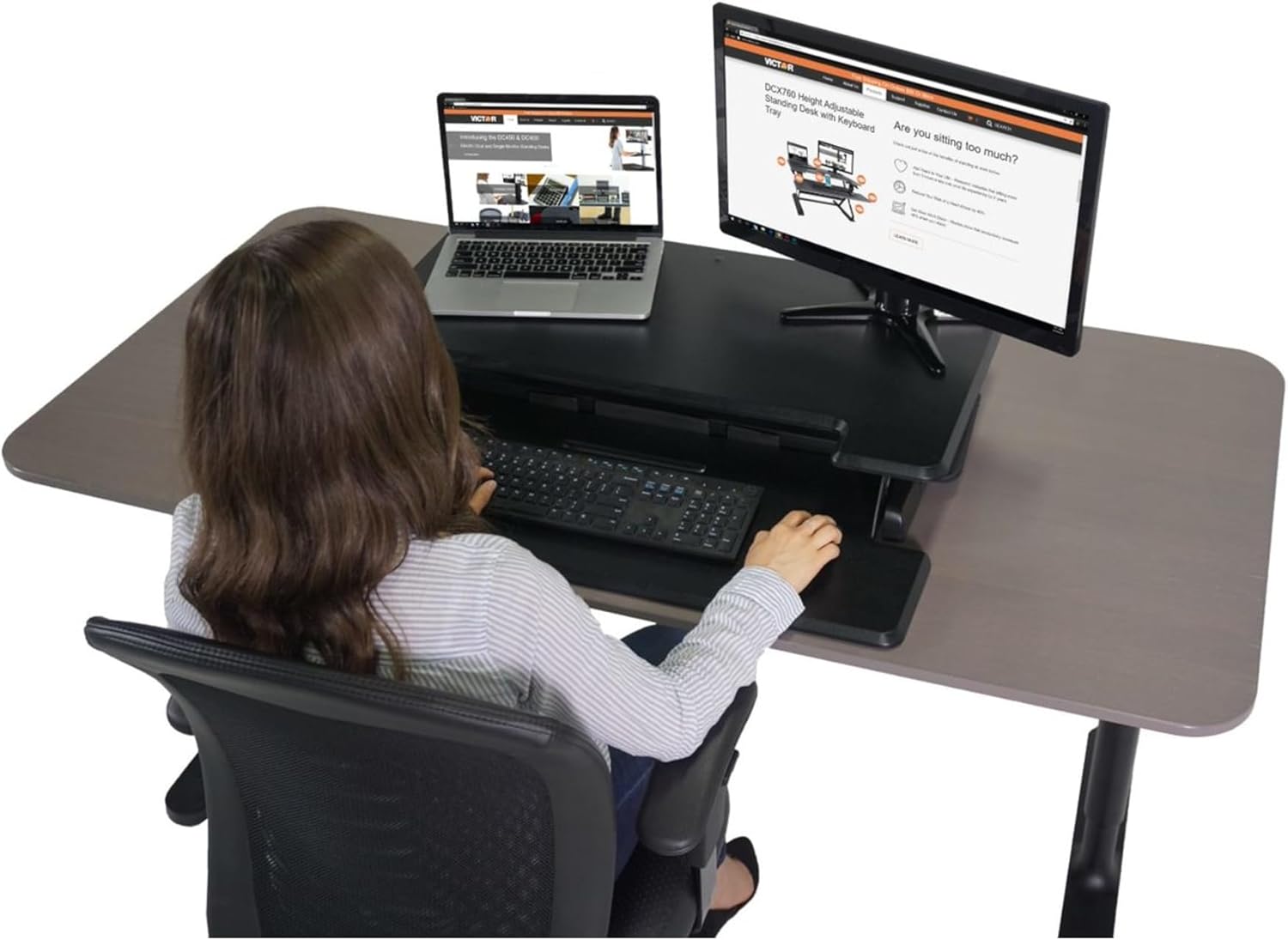
Figure 7: User demonstrating sitting position at the desk.
Video 3: Product overview of the Victor DCX610 Compact Standing Desk with Keyboard Tray.
Product Specifications
| Specification | Detail |
|---|---|
| Brand | Victor |
| Model Number | DCX610 |
| Product Dimensions (L x W x H) | 35 x 20.2 x 7 inches |
| Item Weight | 33.8 Pounds |
| Color | Black |
| Material | Alloy Steel, Wood |
| Assembly Required | Yes (Minimal) |
| Special Feature | Adjustable Height |
| UPC | 014751006105 |
Care and Maintenance
To ensure the longevity and optimal performance of your Victor DCX610 standing desk, follow these simple care and maintenance guidelines:
- Cleaning: Wipe surfaces with a soft, damp cloth. Avoid harsh chemicals or abrasive cleaners that may damage the finish.
- Inspection: Periodically check all bolts and connections to ensure they remain tight. Retighten if necessary.
- Weight Capacity: Do not exceed the recommended weight capacity for the desk surface or keyboard tray to prevent damage and ensure safe operation.
- Movement: When adjusting the height, ensure there are no obstructions above or below the desk that could impede movement or cause damage.
Troubleshooting
If you encounter any issues with your Victor DCX610 standing desk, please refer to the following common troubleshooting tips:
- Difficulty Adjusting Height: Ensure the adjustment lever is fully squeezed. Check for any obstructions preventing the desk from moving freely. Verify that the gas spring mechanism is not damaged.
- Desk Wobbles: Confirm that the desk converter is placed on a stable and level surface. Check all assembly bolts, especially those for the keyboard tray, and tighten them if loose.
- Keyboard Tray Loose: Re-tighten the M6*12 bolts connecting the keyboard tray to the main unit.
If problems persist after attempting these solutions, please contact Victor customer support for further assistance.
Warranty and Support
For warranty information, product support, or to inquire about replacement parts, please visit the official Victor website or contact their customer service department. Keep your purchase receipt as proof of purchase for any warranty claims.
Victor Customer Support: Refer to your product packaging or the official Victor website for the most current contact information.


