
1. Introduction
Welcome to the world of illuminated building! These Sawaruita Light Up Building Bricks are designed to add a vibrant, glowing dimension to your creations. Compatible with major building block brands, this set encourages creativity and enhances visual play.
2. Safety Information
WARNING: CHOKING HAZARD - Small Parts.
- Not suitable for children under 7 years.
- Adult supervision is required during use to prevent accidental ingestion of small parts.
- Keep batteries out of reach of small children.
3. Components Included
Your Sawaruita Light Up Building Bricks set includes the following:
- 16 Light Up Building Bricks (various colors and shapes: 3 white, 3 yellow, 3 blue flashing, 5 colorful flashing LED lights)
- 2 Activation Tools (small black sticks)
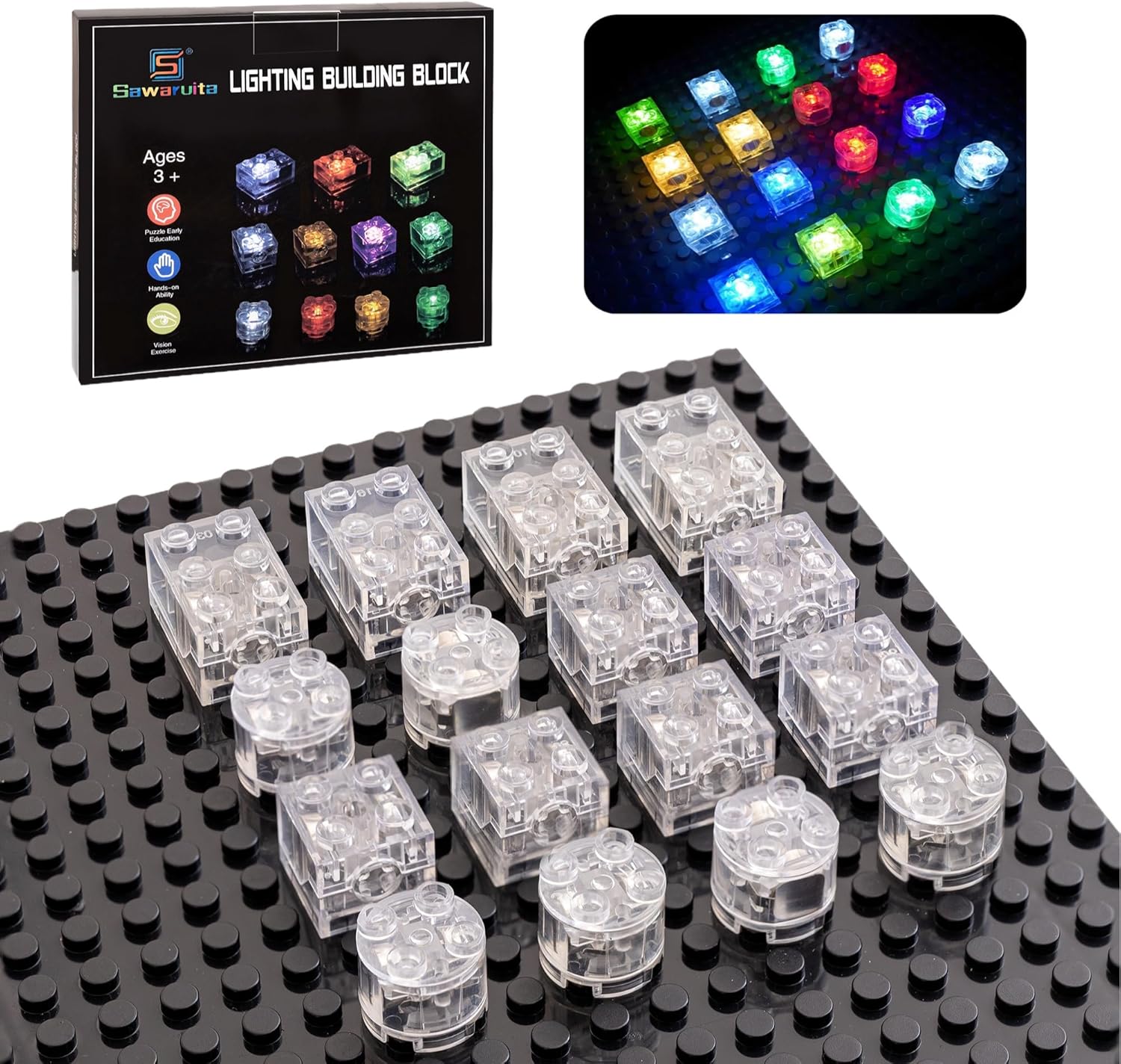
Image: The product packaging and a selection of transparent light-up building bricks on a black baseplate.

Image: Individually wrapped transparent light bricks and two black activation tools, as they appear in the package.
4. Setup
4.1 Battery Installation/Activation
Each light brick comes with pre-installed LR41 1.5V button cell batteries. To activate the light, follow these steps:
- For Square Bricks: Locate the small hole on the side of the brick. Insert the provided black activation tool into this hole and gently rotate it to turn the light on or off.
- For Round Bricks: Gently twist the top of the brick to activate or deactivate the light.
Ensure the batteries are properly seated for optimal performance.
4.2 Compatibility
These bricks are designed to be compatible with all major brands of building blocks, allowing for seamless integration into your existing collections.
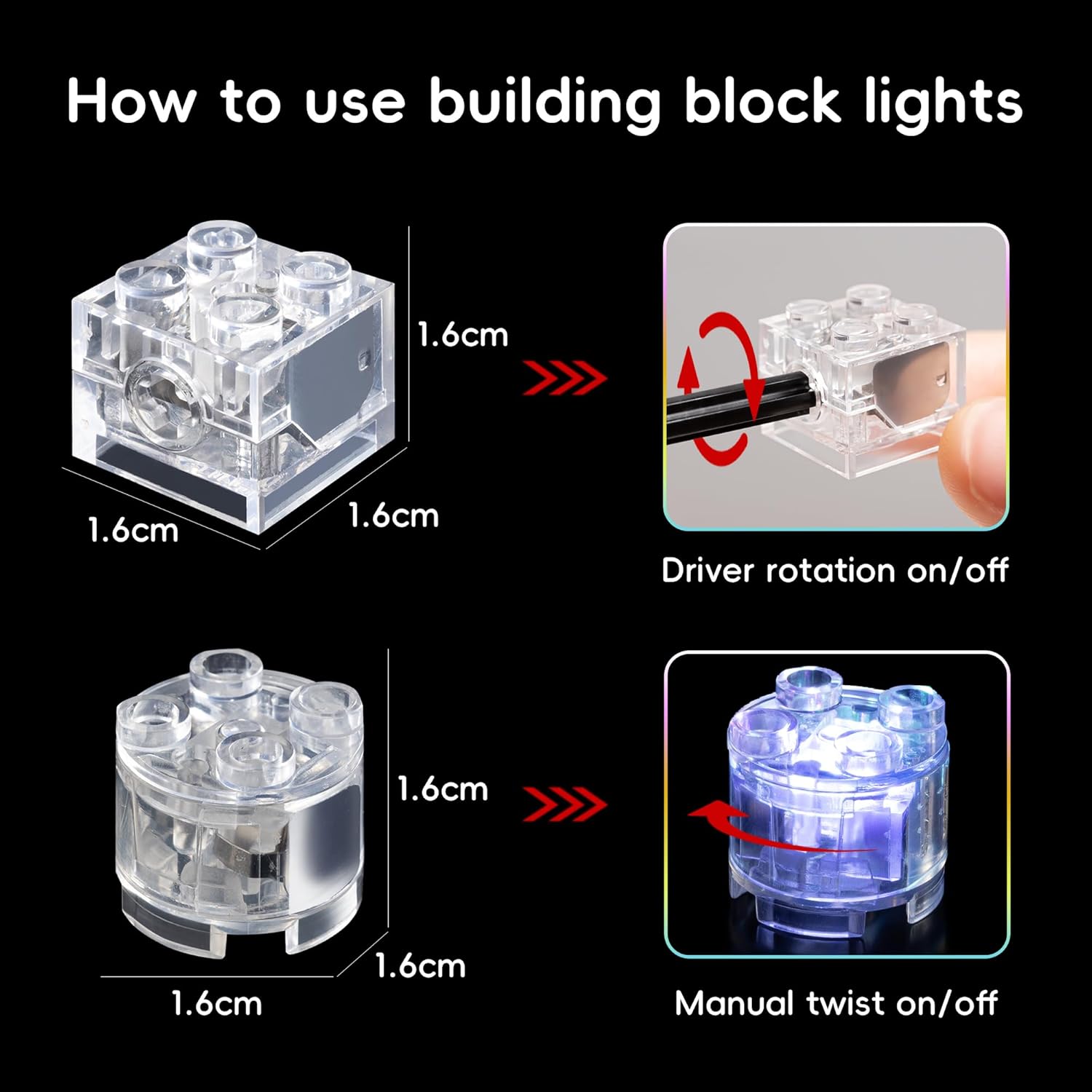
Image: A visual guide demonstrating how to turn on square light bricks using a rotation tool and round light bricks by twisting the top.
5. Operating Instructions
5.1 Turning Lights On/Off
Refer to the 'Setup' section for detailed instructions on activating and deactivating the lights in your building bricks.
5.2 Building and Creative Play
Integrate the light bricks into your existing building block creations. The transparent design allows for maximum light dispersion, bringing your structures to life with vibrant colors and flashing patterns. Experiment with different brick colors and arrangements to create unique illuminated designs.

Image: Several transparent light bricks stacked together, illuminating in different colors, demonstrating their modularity and glow.

Image: Multiple light bricks glowing in various colors on a green building baseplate, showcasing their effect in a constructed environment.

Image: A close-up view of several transparent light bricks, some square and some round, glowing in red, blue, green, and yellow on a dark surface.
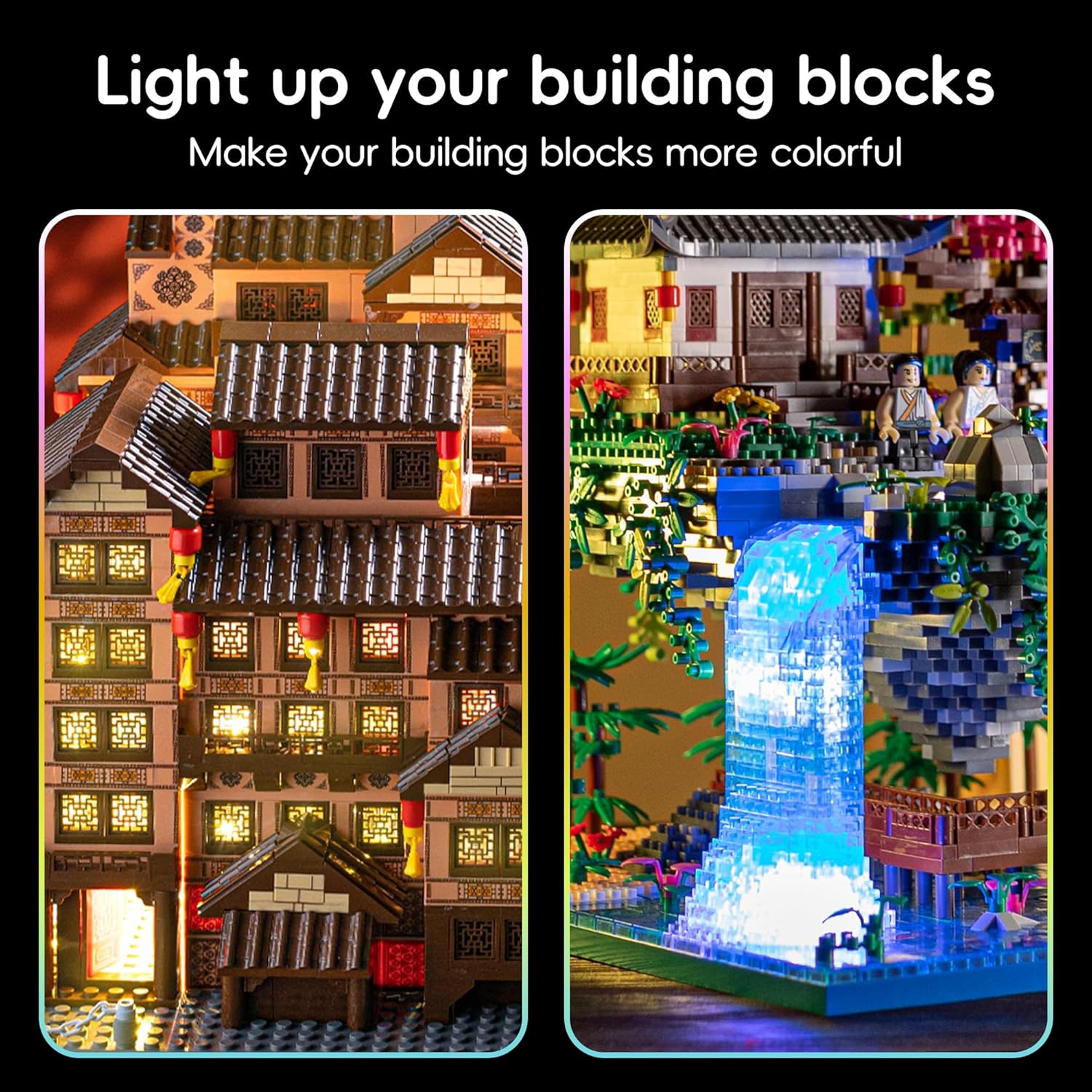
Image: A detailed building block structure, possibly a house or castle, with various light bricks integrated to illuminate its windows and features.

Image: A collage of various building block creations, including a house, a waterfall, and abstract shapes, all illuminated by the colorful light bricks.
Video: Official video demonstrating the functionality and creative possibilities of Sawaruita Light Up Building Bricks, showing how they illuminate various constructions and can be assembled into different shapes.
6. Maintenance
6.1 Cleaning
Wipe the bricks with a dry, soft cloth. Do not immerse the bricks in water or use harsh cleaning agents, as this may damage the electronic components.
6.2 Storage
Store the bricks in a cool, dry place away from direct sunlight and extreme temperatures to prolong battery life and material integrity.
6.3 Battery Replacement
When the light dims or stops working, the LR41 1.5V button cell batteries can be replaced. For square bricks, a small screw is visible on the side; use a precision screwdriver to open the compartment. Replace with new LR41 batteries, ensuring correct polarity. Dispose of old batteries responsibly according to local regulations.
7. Troubleshooting
7.1 Light Not Turning On
- Ensure the activation mechanism (twist for round bricks, tool rotation for square bricks) has been fully engaged.
- Check if the batteries are correctly installed and not depleted. Replace batteries if necessary.
7.2 Inconsistent Lighting
- Verify that the battery contacts inside the brick are clean and free from debris.
- Ensure the brick is securely connected to other blocks if it is part of a larger structure, as loose connections can sometimes affect performance.
8. Specifications
| Product Dimensions (per brick) | Approximately 0.5 x 0.5 x 0.5 inches |
| Item Weight (total package) | 2.08 ounces |
| Model Number | 337 |
| Recommended Age | 7 years and up |
| Batteries | 2 x LR41 1.5V button cell batteries (included, replaceable) |
| Material | Durable ABS Plastic |
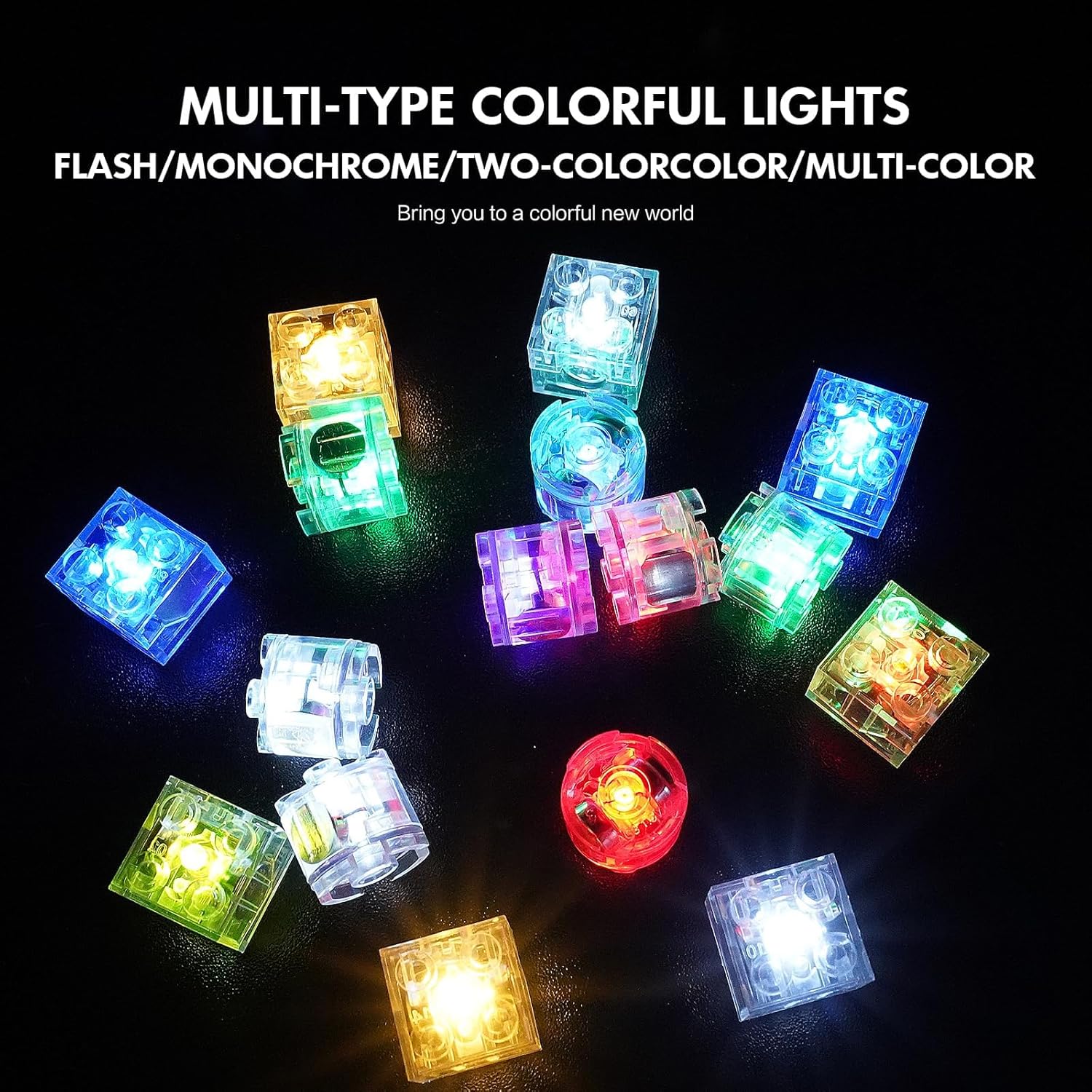
Image: A detailed view of different types of light bricks (round and square) in various colors, with text labels indicating the quantity of each color included in the set.
9. Warranty and Support
For any questions or concerns regarding your Sawaruita Light Up Building Bricks, please refer to the seller's contact information on the purchase platform. Your satisfaction is important to us.