Introduction
Thank you for choosing the GreatPowerDirect 2A AC Wall Charger Power Adapter. This adapter is designed to provide reliable power to your Curtis Klu Lt 7035-J or Lt7035J tablet. This manual provides essential information for safe and effective use, including setup, operation, maintenance, and troubleshooting.
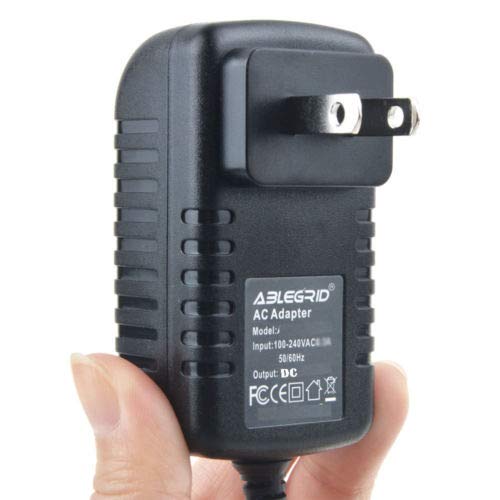
Image: The GreatPowerDirect 2A AC Wall Charger Power Adapter, showing its compact design and standard US plug.
Safety Information
Please read and understand all safety instructions before using this product. Failure to follow these instructions may result in electric shock, fire, or damage to the product or connected devices.
- Indoor Use Only: This charger is designed for indoor use in dry locations. Do not expose to rain, moisture, or extreme temperatures.
- Proper Voltage: Ensure the wall outlet voltage matches the charger's input specifications (AC 100-240V).
- Avoid Overloading: Do not overload electrical outlets or extension cords.
- Handle with Care: Do not drop, disassemble, or attempt to repair the charger. Refer servicing to qualified personnel.
- Unplug When Not in Use: Disconnect the charger from the power outlet when not in use or during electrical storms.
- Keep Away from Children: Store the charger out of reach of children.
Setup
Follow these steps for initial setup:
- Inspect the Charger: Before use, visually inspect the charger and its cable for any signs of damage. Do not use if damaged.
- Connect to Tablet: Insert the charger's output connector securely into the charging port of your Curtis Klu Lt 7035-J or Lt7035J tablet.
- Plug into Wall Outlet: Plug the AC prongs of the charger into a standard wall electrical outlet (AC 100-240V).
- Verify Charging: Confirm that your tablet indicates it is receiving power or charging.
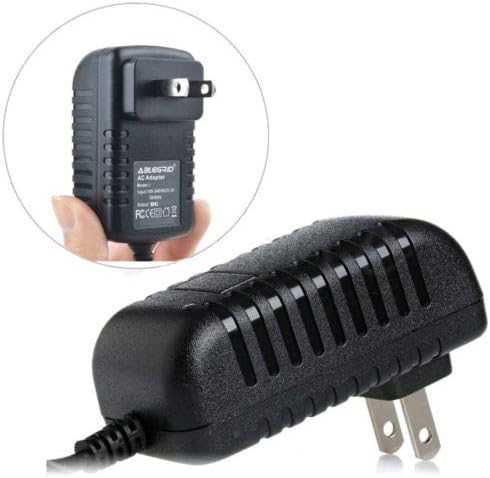
Image: The compact size of the charger, shown held in a hand, illustrating its portability.
Operating Instructions
Once connected, the charger will automatically begin supplying power to your tablet. The charging process is managed by your tablet's internal battery management system.
- Charging Time: Charging time will vary depending on the tablet's battery level and usage during charging.
- Optimal Performance: For optimal charging, avoid using the tablet for intensive tasks while it is connected to the charger.
- Disconnecting: To disconnect, first unplug the charger from the wall outlet, then remove the connector from your tablet.
Maintenance
Proper care ensures the longevity and safe operation of your charger.
- Cleaning: Disconnect the charger from all power sources before cleaning. Use a soft, dry cloth to wipe the exterior. Do not use liquid cleaners or aerosols.
- Storage: Store the charger in a cool, dry place when not in use. Avoid wrapping the cable too tightly around the adapter body to prevent damage.
- Cable Care: Do not bend, twist, or pull the cable excessively. Avoid placing heavy objects on the cable.
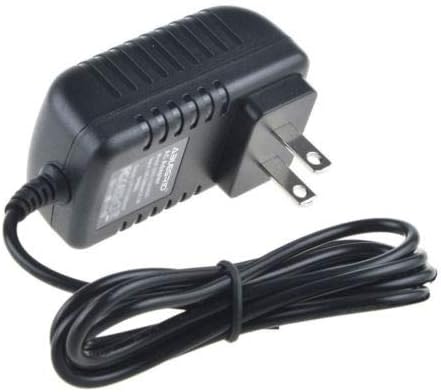
Image: The charger with its cable neatly coiled, demonstrating proper storage to prevent damage.
Troubleshooting
If you encounter issues with your charger, refer to the following common problems and solutions:
| Problem | Possible Cause | Solution |
|---|---|---|
| Tablet not charging | Loose connection, faulty outlet, damaged cable/charger, tablet issue | Ensure all connections are secure. Try a different wall outlet. Inspect cable and charger for damage. Test with another compatible device if possible. |
| Charger feels warm | Normal operation, excessive load | It is normal for chargers to become slightly warm during use. If it becomes excessively hot or emits smoke/odor, unplug immediately and discontinue use. |
| Slow charging | Tablet in heavy use, background apps, cable resistance | Close unnecessary applications on the tablet. Ensure the cable is not excessively long or damaged. |
Specifications
Technical details for the GreatPowerDirect 2A AC Wall Charger Power Adapter:
- Model Number: GPD080912-10229
- Input: AC 100-240V, 50/60Hz
- Output: 2A (Amperes)
- Compatibility: Curtis Klu Lt 7035-J, Lt7035J Tablet
- Safety Standards: FCC, CE, RoSH
- Item Weight: Approximately 8 ounces
- Manufacturer: GreatPowerDirect
- ASIN: B07H9F1995
Warranty and Support
GreatPowerDirect stands behind the quality of its products.
- Money Back Guarantee: This product includes a 30-day money-back guarantee from the date of purchase.
- Exchange Policy: A 1-year exchange warranty is provided for manufacturing defects.
- Customer Service: For support or warranty claims, please contact GreatPowerDirect customer service through your original point of purchase.


