
Introduction
This manual provides instructions for the Easytry123 replacement remote control, designed for specific Sharp 4K Smart LED HDTV models. This remote offers essential functions for operating your television without requiring complex setup or programming.
Important Note: This is a replacement remote and may not support all advanced functions present on your original television remote. Please verify your TV model number against the compatible models listed: LC-43N7000U, LC-50N5000U, LC-50N7000U, LC-55N7000U.
Setup
1. Battery Installation
The remote control requires two AAA batteries (not included). Follow these steps to install them:
- Locate the battery compartment cover on the back of the remote control.
- Slide the cover downwards or press the latch to open it.
- Insert two AAA batteries, ensuring the positive (+) and negative (-) terminals align correctly with the markings inside the compartment.
- Replace the battery compartment cover by sliding it back into place until it clicks securely.
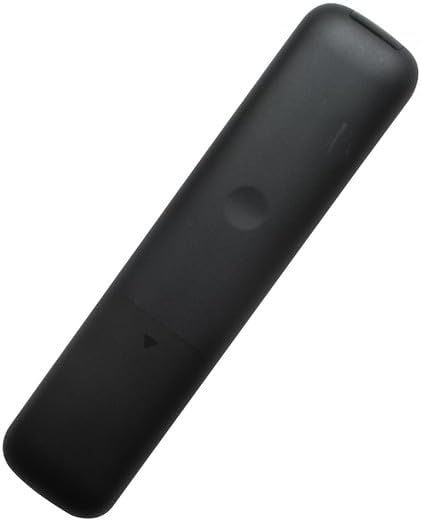
Image: Back view of the remote control, highlighting the battery compartment. The cover can be seen at the bottom, ready to be opened for battery insertion.
2. Initial Use
This replacement remote control is designed for immediate use with compatible Sharp TV models. No programming or code setup is required. Once batteries are installed, point the remote at your television and begin operation.
Operating Instructions
The Easytry123 remote control features a standard button layout for intuitive operation of your Sharp 4K Smart LED HDTV. Below is a guide to the main functions:

Image: Front view of the remote control, displaying all buttons and their labels. The power button is red at the top, and navigation buttons are centrally located.
- Power (●): Turns the television on or off.
- Input: Cycles through available input sources (HDMI, AV, etc.).
- Number Keys (0-9): Directly select channels or input numerical values.
- CC (Closed Caption): Toggles closed captions on or off.
- Settings (⚙): Accesses the TV's settings menu.
- Navigation Pad (Up, Down, Left, Right, OK): Used to navigate menus and confirm selections.
- Back: Returns to the previous menu or screen.
- Exit: Exits the current menu or application.
- Home (🏠): Returns to the TV's home screen or smart TV interface.
- Live TV: Switches to live television broadcast.
- VOL (+/-): Adjusts the volume level.
- CH (+/-): Changes the television channel.
- Mute (🔇): Mutes or unmutes the television audio.
- Playback Controls (Play, Pause, Fast Forward, Rewind, Stop): Controls media playback.
- Sleep: Sets a timer for the TV to turn off automatically.
- Vudu: Direct access button for the Vudu streaming service.
Maintenance
Cleaning the Remote Control
To ensure optimal performance and longevity of your remote control, follow these cleaning guidelines:
- Wipe the surface of the remote with a soft, dry cloth.
- For stubborn dirt, lightly dampen the cloth with water or a mild, non-abrasive cleaner. Avoid excessive moisture.
- Do not use harsh chemicals, solvents, or abrasive cleaning pads, as these can damage the remote's finish or internal components.
Battery Replacement
Replace the batteries when the remote control's response becomes sluggish or stops working. Refer to the "Battery Installation" section under Setup for detailed instructions. Always replace both batteries at the same time with new AAA batteries.
Troubleshooting
If you encounter issues with your Easytry123 replacement remote control, please consult the following common solutions:
| Problem | Possible Cause / Solution |
|---|---|
| Remote is not responding. |
|
| Some functions or buttons do not work. |
|
| Remote works intermittently. |
|
If the issue persists after trying these solutions, please refer to the Support section for further assistance.
Specifications
| Feature | Detail |
|---|---|
| Model Number | Easytry2639 |
| Brand | Easytry123 |
| Compatible Devices | Sharp 4K Smart LED HDTVs (LC-43N7000U, LC-50N5000U, LC-50N7000U, LC-55N7000U) |
| Controller Type | Button Control |
| Special Feature | Ergonomic design |
| Batteries Required | 2 x AAA (not included) |
Warranty Information
Specific warranty details for the Easytry123 replacement remote control are not provided in the product information. Please refer to the retailer's return policy or contact the manufacturer directly for any warranty-related inquiries.
Support
For further assistance or if you have questions regarding your Easytry123 replacement remote control, please contact the manufacturer, Easytry123. Specific contact information is not available in this document. Please refer to your purchase documentation or the retailer's website for customer service contact details.