
Introduction
Thank you for choosing Groov-e Bluetooth DJ Style Wireless On-Ear Headphones. These headphones are designed for young users, offering wireless freedom, comfortable wear, and an audio-sharing feature. This manual provides essential information for setting up, operating, maintaining, and troubleshooting your new headphones to ensure a safe and enjoyable listening experience.
Package Contents
Please check the box for the following items:
- 1 x Groov-e Bluetooth Kids Headphones with Audio Sharing Port
- 1 x 3.5mm Audio Jack Cable
- 1 x Micro USB Charging Cable
- 1 x User Manual (this document)
Product Overview
Familiarize yourself with the various parts and controls of your Groov-e headphones.
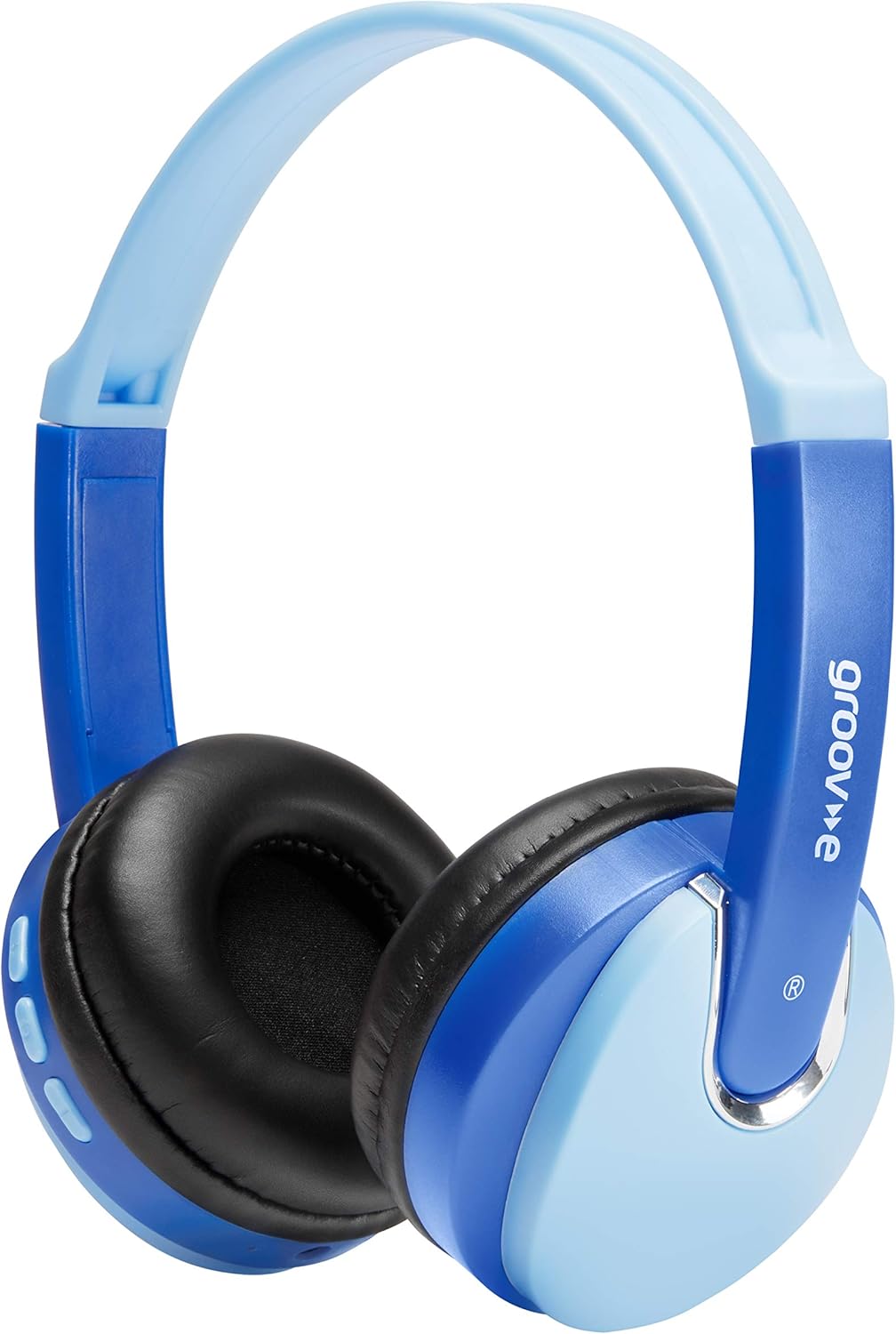
Front view of the Groov-e Bluetooth DJ Style Wireless On-Ear Headphones in blue.

Side view of the right earcup, displaying the volume and track control buttons.
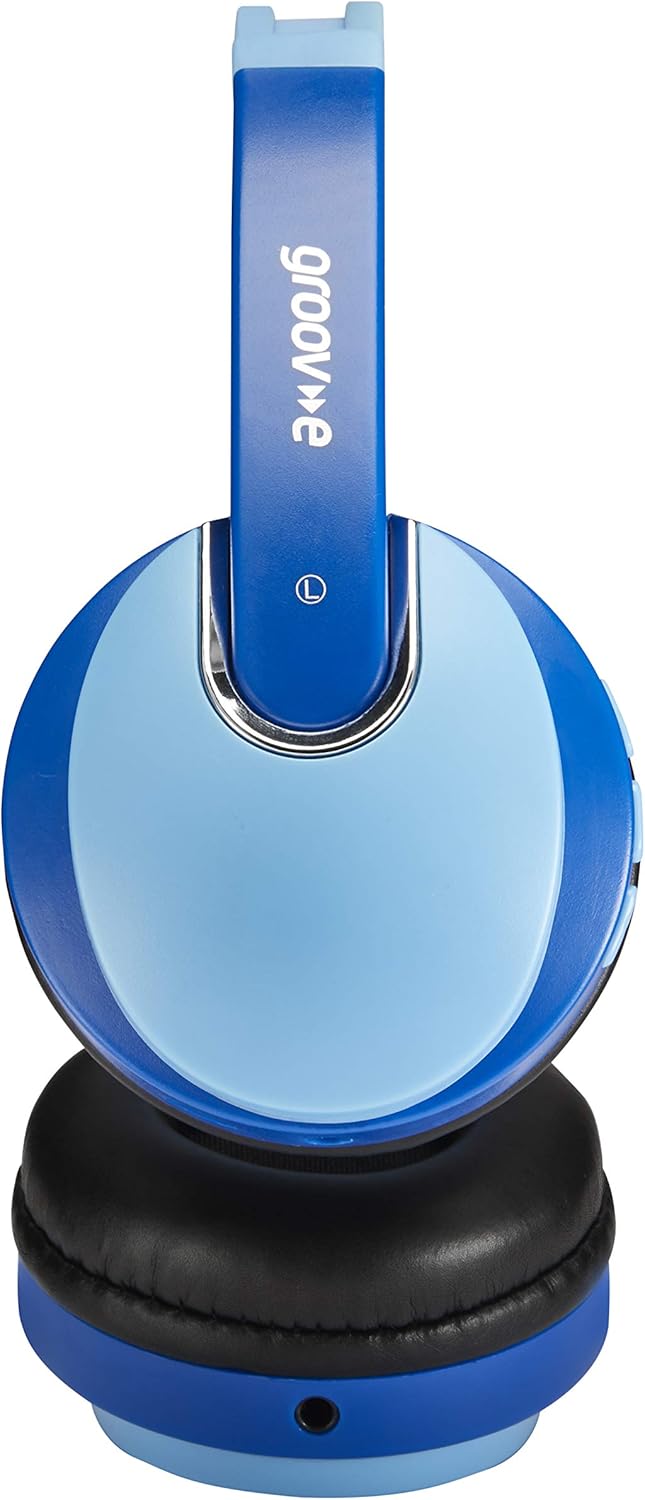
Side view of the left earcup, showing the 3.5mm audio input and the audio sharing port.
- Adjustable Headband: For a comfortable and secure fit.
- Soft Earpads: Designed for extended wear comfort.
- Control Buttons: Located on the earcup for power, volume, and track control.
- Microphone: Built-in for hands-free calls.
- 3.5mm Audio Jack: For wired connection to devices.
- Micro USB Charging Port: For recharging the internal battery.
- Audio Sharing Port: Allows another pair of headphones to connect and share audio.
Setup
Charging the Headphones
Before first use, fully charge the headphones. Connect the Micro USB charging cable to the charging port on the headphones and the other end to a USB power source (e.g., computer USB port, USB wall adapter). The LED indicator will show charging status (typically red while charging, turning off or blue when fully charged). A full charge provides up to 7.5 hours of wireless playback.
Bluetooth Pairing
- Ensure the headphones are turned off.
- Press and hold the Power button until the LED indicator flashes blue and red alternately, indicating pairing mode.
- On your device (smartphone, tablet, laptop), enable Bluetooth and search for new devices.
- Select "Groov-e Kidz DJ" (or similar name) from the list of available devices.
- Once connected, the LED indicator will typically flash blue slowly or remain solid blue.
Wired Connection
If Bluetooth is not available or the battery is depleted, you can use the included 3.5mm audio cable. Simply plug one end into the 3.5mm audio jack on the headphones and the other end into the audio output of your device.
Operating Instructions
Power On/Off
- Power On: Press and hold the Power button for approximately 3 seconds until the LED indicator lights up.
- Power Off: Press and hold the Power button for approximately 3 seconds until the LED indicator turns off.
Music Playback
- Play/Pause: Short press the Play/Pause button.
- Volume Up: Short press the "+" button.
- Volume Down: Short press the "-" button.
- Next Track: Long press the "+" button.
- Previous Track: Long press the "-" button.
Hands-Free Calling
- Answer/End Call: Short press the Play/Pause button.
- Reject Call: Long press the Play/Pause button.
- Redial Last Number: Double-press the Play/Pause button.
Audio Sharing (Daisy Chain)
The headphones feature a 'daisy chain' audio-sharing port. To share audio with another pair of headphones:
- Connect your Groov-e headphones to your audio source (via Bluetooth or 3.5mm cable).
- Plug a 3.5mm audio cable into the Audio Sharing Port on your Groov-e headphones.
- Connect the other end of the 3.5mm audio cable to the audio input of a second pair of headphones.
- Both pairs of headphones will now play the same audio.
Maintenance
Cleaning
Wipe the headphones with a soft, dry cloth. Do not use abrasive cleaners or solvents. Avoid getting moisture into any openings.
Storage
Store the headphones in a cool, dry place away from direct sunlight and extreme temperatures. Avoid placing heavy objects on them.
Battery Care
To prolong battery life, avoid fully discharging the battery frequently. If storing for a long period, charge the headphones at least once every three months.
Troubleshooting
| Problem | Possible Cause | Solution |
|---|---|---|
| Headphones do not power on. | Battery is low or depleted. | Charge the headphones fully. |
| Cannot pair via Bluetooth. | Headphones not in pairing mode; device Bluetooth off; too far from device. | Ensure headphones are in pairing mode (flashing red/blue). Turn on device Bluetooth. Move headphones closer to device (within 10 meters). |
| No sound. | Volume too low; incorrect audio source; headphones not connected. | Increase volume on headphones and device. Ensure headphones are properly connected (Bluetooth or wired). Check if the correct audio output is selected on your device. |
| Sound distortion. | Too far from device; interference. | Move closer to the Bluetooth device. Avoid strong electromagnetic interference. |
Specifications
| Feature | Detail |
|---|---|
| Model Name | GV590 KIDS DJ |
| Model Number | GVBT590BE |
| Connectivity Technology | Bluetooth, Wired (3.5mm Jack), USB (Charging) |
| Wireless Communication | Bluetooth |
| Playback Time | Up to 7.5 hours (wireless) |
| Driver Size | 40mm |
| Age Range (Description) | Kid (Suitable for children aged 3+) |
| Material | Plastic |
| Compatible Devices | All Bluetooth devices, devices with 3.5mm jacks (MP3, smartphone, tablet, PC, laptop, portable DVD) |
| Item Weight | 298 Grams (0.3 Kilograms) |
| Product Dimensions | 7.7 x 18.2 x 24 cm |
| Battery Type | 1 Lithium Ion battery (included) |
| Color | Bluetooth Blue |
| Form Factor | On Ear |
Warranty Information
Groov-e products are manufactured to high standards. For specific warranty details, please refer to the warranty card included with your purchase or visit the official Groov-e website. Keep your proof of purchase for any warranty claims.
Customer Support
If you encounter any issues not covered in this manual or require further assistance, please contact Groov-e customer support. Contact details can typically be found on the product packaging, the official Groov-e website, or through your retailer.