
Introduction
The AC Infinity AIRTAP T4 is an intelligent register booster fan designed to improve airflow from your HVAC system, helping to eliminate hot and cold spots in rooms. It features automatic open/close vents, a wireless LCD temperature controller, and smart home connectivity via a mobile app, Alexa, or Google Home. This manual provides instructions for proper installation, operation, and maintenance of your AIRTAP T4.
Safety Information
Please read all safety instructions before installation and use.
- Ensure the power supply is disconnected before installation or maintenance.
- This product is designed for indoor use only.
- Do not operate the fan with a damaged cord or plug.
- Keep fingers and foreign objects away from the fan blades during operation.
- Do not immerse the unit in water or expose it to excessive moisture.
- Refer to the Safety Information (PDF) for detailed warnings.
Package Contents
Your AC Infinity AIRTAP T4 package should include:
- AC Infinity AIRTAP T4 Register Booster Fan
- IR Remote Control
- Power Cord
- AAA Batteries (x2) for remote
- Instruction Manual
Setup and Installation
1. Measure Your Register Opening
The AIRTAP T4 is designed exclusively for 4 x 12 inch duct openings. It is crucial to measure the actual opening hole of your duct, not the existing register cover, to ensure proper fit.

Image: Correctly measuring your register opening (4x12 inches) by removing the old vent and measuring the duct itself.
2. Installation Steps
- Remove your existing register vent from the duct opening.
- Carefully place the AC Infinity AIRTAP T4 into the duct opening. Ensure it sits flush with the floor or wall surface.
- Connect the power cord to the fan unit and then plug it into a standard electrical outlet.
- The unit will power on and display the current room temperature.
Video: An overview of the AIRTAP T4, demonstrating its features and installation process.
Operating Instructions
1. LCD Display and Controls
The AIRTAP T4 features an LCD display that shows real-time room temperature and allows access to various settings. Control buttons are located next to the display.

Image: Intelligent Programming features including temperature trigger modes, 10-level PWM fan speeds, and electronic vent controls.
2. Automatic Vent Operation
The electronic vents automatically open when your HVAC system activates, maximizing boosted airflow. They close when inactive to prevent dust, pests, and debris from entering your ductwork.

Image: Adaptive Venting mechanism, showing how vents open and close automatically.
3. Temperature Trigger Modes
Set custom temperature triggers for cooling and heating. The fan will automatically activate when the room temperature reaches your set point, ensuring consistent comfort.
4. Fan Speed Control
Adjust the fan speed across 10 levels using the control buttons or remote. The dual-ball bearing PWM fans provide powerful yet quiet airflow.

Image: Internal components demonstrating the brushless DC motor and PWM control for quiet operation.
5. Remote and App Control
Use the included IR remote for quick adjustments. For advanced control, connect the AIRTAP T4 to the AC Infinity app via WiFi. The app allows for smart alerts, data charts, and advanced automations. It also supports voice commands through Alexa and Google Home, and integrates with Apple Home and Samsung SmartThings.
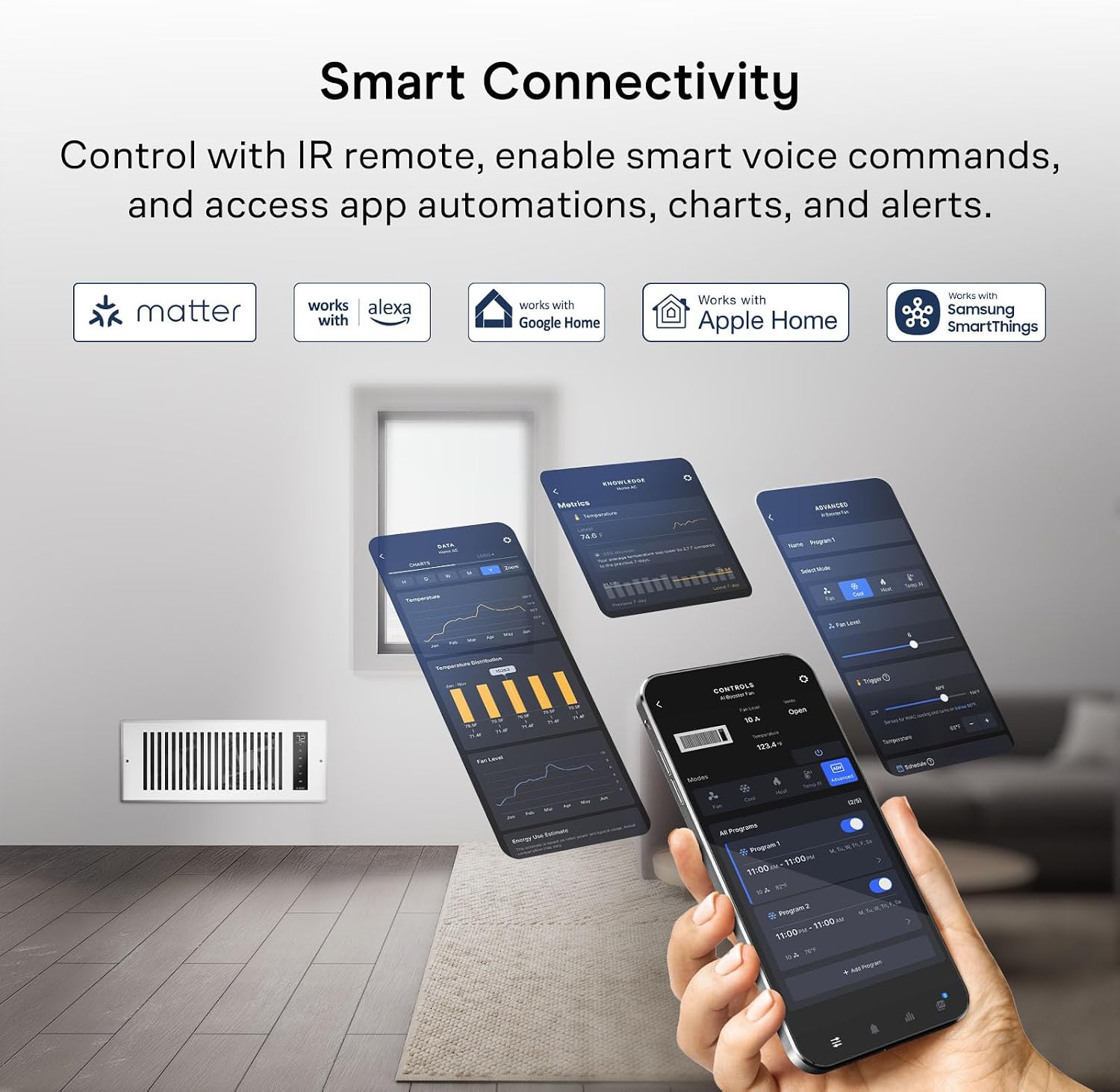
Image: Smart Connectivity options, including IR remote, app control, and integration with various smart home platforms.
Maintenance
Regular maintenance ensures optimal performance and longevity of your AIRTAP T4.
- Cleaning: Periodically wipe the exterior of the unit with a soft, dry cloth. Ensure the unit is unplugged before cleaning. Do not use harsh chemicals or abrasive cleaners.
- Vent Cleaning: The electronic vents help prevent debris, but occasional inspection and gentle cleaning of the vent slats may be necessary. Use a soft brush or vacuum with a brush attachment.
- Fan Blades: If dust accumulates on the fan blades, carefully remove the unit from the register opening (after unplugging) and gently clean the blades with a soft brush or compressed air.
Troubleshooting
| Problem | Possible Cause | Solution |
|---|---|---|
| Fan not turning on. | No power, power cord loose, temperature not met. | Check power connection. Ensure the temperature trigger is set correctly and the room temperature meets the trigger condition. |
| Vents not opening/closing. | Obstruction, motor issue, incorrect settings. | Check for any physical obstructions. Verify settings in the app or on the unit. |
| Fan is noisy. | Obstruction, fan speed too high, unit not seated properly. | Check for debris in fan blades. Reduce fan speed. Ensure the unit is securely installed in the register opening. |
| Remote control not working. | Dead batteries, obstruction, out of range. | Replace batteries. Ensure clear line of sight to the unit. Move closer to the unit. |
| App connectivity issues. | WiFi signal, incorrect setup. | Ensure your WiFi network is stable. Follow the app's pairing instructions carefully. Restart the unit and your router if necessary. |
Specifications

Image: Detailed product dimensions and technical specifications.
| Feature | Detail |
|---|---|
| Model Number | AC-RBF42-W |
| Dimensions (D x W x H) | 1.96"D x 13.77"W x 5.51"H |
| Register Opening Size | 4" x 12" |
| Color | White |
| Air Flow Capacity | 130 CFM |
| Noise Level | 18 dBA |
| Number of Speeds | 10 |
| Voltage | 12 Volts |
| Wattage | 6 Watts |
| Material | Aluminum |
| Control Method | Button Control, App Control |
Warranty and Support
AC Infinity products are designed for quality and durability. For warranty information and customer support, please refer to the official AC Infinity website or contact their customer service directly.
- Online Resources: Visit the AC Infinity Store on Amazon for product information and support.
- User Manual (PDF): A downloadable PDF version of the user manual is available here.
- Instructions for Use (PDF): Additional instructions can be found here.


