
1. Introduction
Thank you for choosing the Onforu 4 Pack 42W LED Black Lights. This manual provides essential information for the safe and effective use of your new blacklight bars. These powerful blacklights are designed to illuminate a wide area, making them ideal for various applications requiring a fluorescent effect. Please read this manual thoroughly before installation and operation, and retain it for future reference.
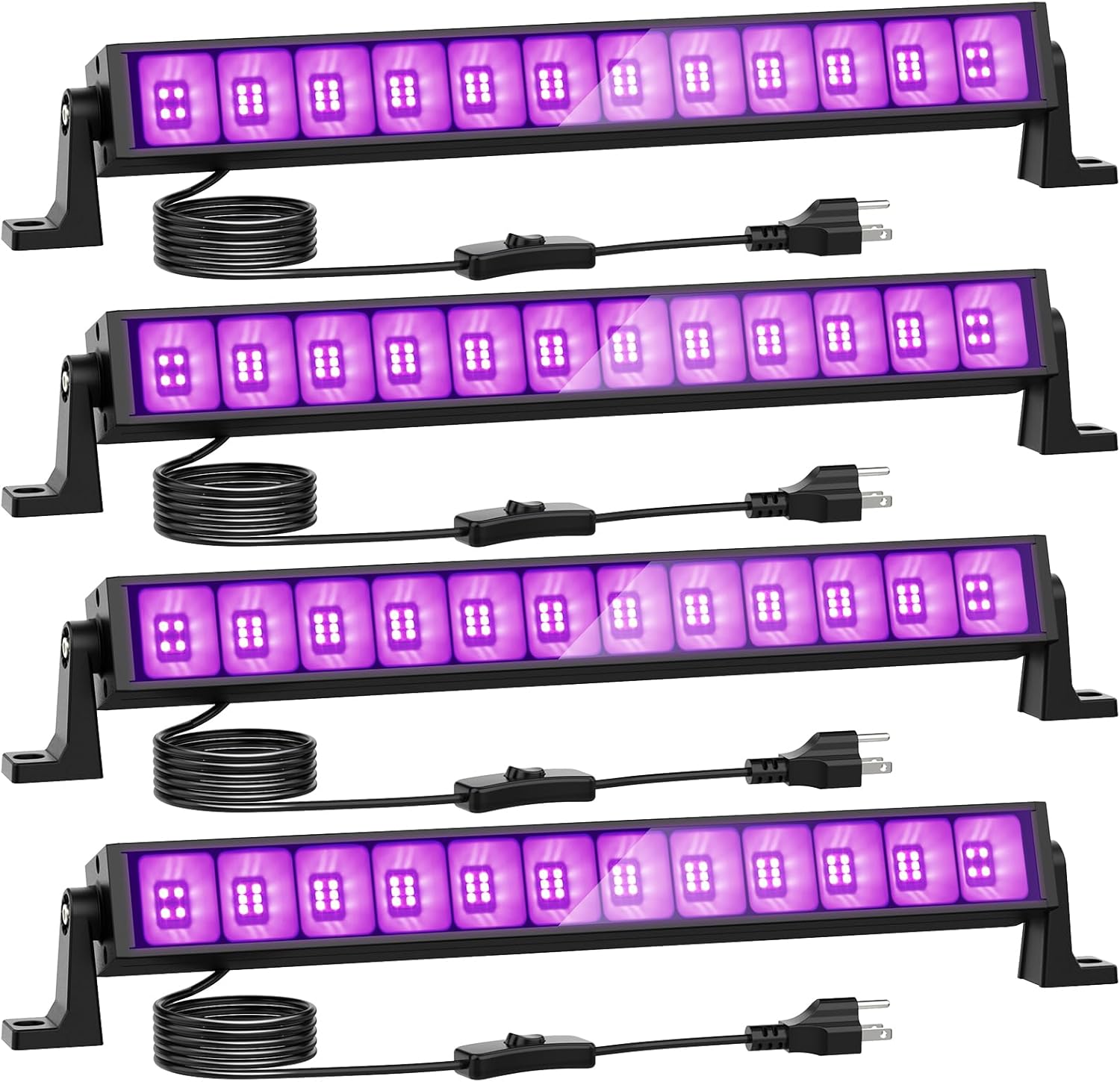
Image 1.1: Onforu 4 Pack 42W LED Black Lights. Each bar is equipped with a power cord and an inline switch for convenient operation.
2. Safety Information
To ensure safe operation and prevent damage, please adhere to the following safety guidelines:
- Electrical Safety: Ensure the power source matches the specified voltage (AC 100V-120V). Do not overload electrical outlets. Always plug the light into a grounded outlet.
- UV Light Exposure: The blacklights emit UVA-level light with a wavelength of 385-400 nm. While considered safe for general use, prolonged direct exposure to the eyes or skin should be avoided.
- Age Restriction: These products are not suitable for individuals under 15 years of age due to the nature of UV light.
- Ventilation: Ensure adequate airflow around the blacklight bars to facilitate heat dissipation. Do not cover the lights or install them in enclosed spaces without proper ventilation.
- Installation: Install the lights securely using the provided mounting hardware. Ensure the mounting surface can support the weight of the fixtures.
- Water and Moisture: Although the product has an IP66 rating, avoid submerging the lights in water or exposing them to extreme moisture. Ensure the plug and switch remain dry.
- Maintenance: Disconnect power before cleaning or performing any maintenance. Do not attempt to open or modify the light fixture. Refer all servicing to qualified personnel.

Image 2.1: Wavelength and Beam Angle Information. The lights operate within the UVA spectrum (385-400 nm) and offer a wide 120-degree beam angle.
3. Package Contents
Upon opening the package, verify that all components are present and undamaged:
- 4 x Onforu 42W LED Black Light Bars
- Mounting Brackets (pre-attached or included separately)
- Mounting Screws and Wall Anchors
- Hex Key (for bracket adjustment)
- Instruction Manual (this document)
4. Installation
The Onforu blacklight bars are designed for easy installation and flexible positioning.
4.1 Mounting the Blacklight Bar
Each blacklight bar comes with adjustable mounting brackets that allow for 180-degree rotation, enabling you to direct the light as needed. The brackets can be used for wall, ceiling, or floor mounting.
- Choose Location: Select a suitable location for installation, ensuring it is a stable surface and within reach of a power outlet.
- Mark Drilling Points: Use the mounting bracket as a template to mark the drilling points on the desired surface.
- Drill Holes: Drill holes at the marked points. For drywall or masonry, insert the provided wall anchors.
- Secure Brackets: Attach the mounting brackets to the surface using the provided screws.
- Attach Light Bar: If not already attached, secure the blacklight bar to the brackets using the screws and hex key.
- Adjust Angle: Loosen the screws on the side of the brackets, adjust the light bar to the desired angle (up to 180 degrees), and then tighten the screws to secure it.

Image 4.1: Installation and Adjustment. The blacklight features an inline ON/OFF switch and a 180-degree adjustable bracket for versatile positioning.
4.2 Power Connection
The blacklight bars come with a 5.0ft/1.5m long cord and a standard US power plug.
- Ensure the light is securely mounted.
- Plug the power cord into a standard AC 100V-120V electrical outlet.
- Use the inline switch on the power cord to turn the light ON or OFF.
5. Operation
Operating your Onforu blacklight bars is straightforward.
5.1 Turning On/Off
Locate the inline switch on the power cord. Toggle the switch to the 'ON' position to activate the blacklight and to the 'OFF' position to turn it off.

Image 5.1: Effect of Blacklight. The blacklight illuminates fluorescent materials, making them glow brightly in the dark.
5.2 Applications
These blacklight bars are designed to work effectively with most fluorescent reactive pigments, dyes, and paints. They are ideal for:
- Halloween Decorations
- Glow Parties
- Body Painting
- Fluorescent Posters and Artworks
- Birthday Parties and Weddings
- Stage Lighting and Special Events

Image 5.2: Versatile Applications. The blacklights are suitable for various events and decorative purposes, enhancing fluorescent effects.
6. Care and Maintenance
Proper care and maintenance will prolong the lifespan of your Onforu blacklights.
- Cleaning: Disconnect the power before cleaning. Use a soft, dry cloth to wipe the surface of the light bar. Do not use abrasive cleaners or solvents.
- Heat Dissipation: The blacklights feature a special fin-type heat sink design and high-quality aluminum housing for efficient heat dissipation. Ensure these areas are not obstructed to prevent overheating and ensure safe use.
- Storage: When not in use for extended periods, store the blacklights in a cool, dry place away from direct sunlight and extreme temperatures.
- Inspection: Periodically inspect the power cord and plug for any signs of damage. If damage is found, discontinue use and contact customer support.
7. Troubleshooting
If you encounter issues with your Onforu blacklights, refer to the following common problems and solutions:
| Problem | Possible Cause | Solution |
|---|---|---|
| Light does not turn on. | No power supply. Loose connection. Faulty switch. | Check if the power plug is fully inserted into a working outlet. Ensure the inline switch is in the 'ON' position. Try plugging into a different outlet. |
| Light is dim or flickering. | Unstable power supply. Environmental factors. | Ensure the power supply is stable and within the specified voltage range. Ensure the operating environment is not excessively hot or cold. |
| Light is not producing expected fluorescent effect. | Objects are not fluorescent reactive. Too much ambient light. | Ensure the materials you are trying to illuminate are indeed fluorescent. Operate the blacklight in a dark or dimly lit environment for best results. |
If the problem persists after attempting these solutions, please contact Onforu customer support for further assistance.
8. Technical Specifications
Detailed specifications for the Onforu 42W LED Black Light Bar:
| Specification | Value |
|---|---|
| Model Number | CTC42UV |
| Power Source | Corded Electric |
| Wattage | 42 Watts (each bar) |
| Voltage | 100-120 Volts AC |
| Light Source Type | LED (Light Emitting Diode) |
| Number of Light Sources | 68 LEDs (per bar) |
| Wavelength | 385-400 nm (UVA-Level) |
| Beam Angle | 120 Degrees |
| Material | Aluminum, Plastic |
| Finish Type | Unfinished |
| Color | Black |
| Shape | Square Bar |
| Mounting Type | Table Mount (with adjustable brackets for wall/ceiling) |
| Cord Length | 1.5m / 4.92ft |
| Item Weight | 3.78 pounds (for 4-pack) |
| Package Dimensions | 16.93 x 8.74 x 4.13 inches |
| Lifespan | 50,000 hours |
| Certifications | FCC, IP66 |

Image 8.1: Product Dimensions. Detailed measurements of the blacklight bar and power cord.
9. Warranty and Customer Support
Onforu products are manufactured to high-quality standards. While specific warranty details are not provided in this manual, Onforu typically offers a limited warranty on its products. Please refer to the product packaging or the official Onforu website for the most current warranty information.
For any questions, technical assistance, or warranty claims, please contact Onforu customer support through their official channels. Have your product model number (CTC42UV) and purchase information ready when contacting support.
Onforu Official Website: Visit the Onforu Store on Amazon