
ROMOSS PH80 Pro
ROMOSS 20000mAh 18W PD Fast Charge Power Bank (Model: PH80 Pro) User Manual
Comprehensive instructions for setup, operation, and maintenance.
1. Introduction
Thank you for choosing the ROMOSS 20000mAh 18W PD Fast Charge Power Bank, model PH80 Pro. This portable charger is designed to provide reliable and efficient power for your smart devices on the go. With its high capacity and fast charging capabilities, it ensures your devices stay powered throughout your travels and daily use. Please read this manual carefully before using the product to ensure proper operation and to maximize its lifespan.
2. Product Overview
The ROMOSS PH80 Pro power bank features a 20000mAh capacity, 18W Power Delivery (PD) fast charging, and multiple input/output ports for versatile compatibility. It is equipped with advanced charging technology to optimize charging speed for various devices.
Package Contents:
- ROMOSS 20000mAh Power Bank (PH80 Pro)
- USB Charging Cable
- User Manual
Product Features:
- 20000mAh High Capacity: Provides multiple charges for smartphones and tablets.
- 18W PD Fast Charging: Supports rapid charging for compatible devices and quick recharging of the power bank itself.
- Multiple Input Ports: Micro USB, Type-C, and Lightning inputs for convenient recharging with various cables.
- Multiple Output Ports: USB-A (Quick Charge compatible) and Type-C outputs for charging multiple devices simultaneously.
- Sense6+ Fit-charge Technology: Automatically detects and delivers optimal charging current for connected devices.
- LED Indicator: Displays remaining battery level.
Component Identification:
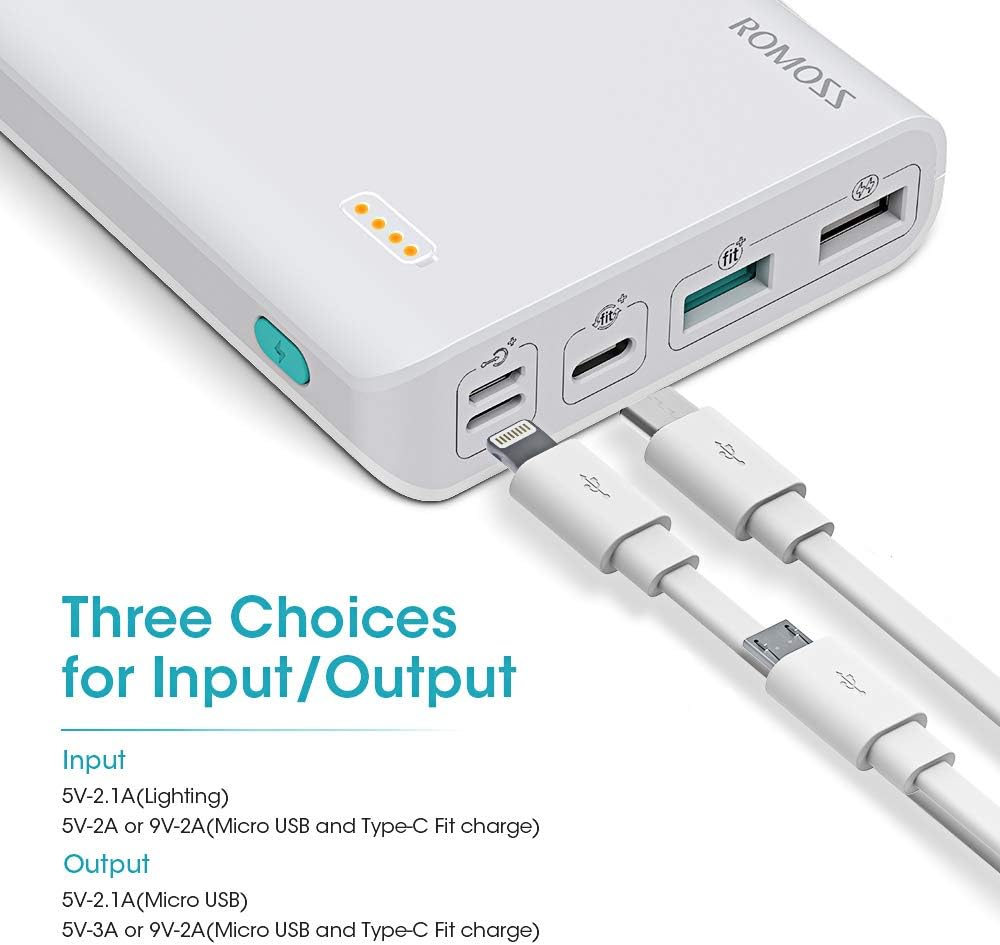
The image above illustrates the different ports available on your power bank. These include three input ports (Micro USB, Lightning, Type-C) for recharging the power bank, and three output ports (two USB-A, one Type-C) for charging your devices.
3. Setup
Initial Charge:
Before first use, fully charge your ROMOSS power bank. This ensures optimal battery performance and longevity. The power bank is not pre-charged upon purchase.
- Connect the provided USB charging cable to one of the input ports on the power bank (Micro USB, Type-C, or Lightning).
- Connect the other end of the cable to a compatible USB wall charger (18W PD charger recommended for fastest charging).
- The LED indicators on the power bank will illuminate to show the charging progress. All four LEDs will be solid when fully charged.

Using an 18W fast charger, the power bank can be fully recharged in approximately 7-8 hours. The "One Cable for All" design allows you to use the same cable for charging your phone and recharging the power bank, whether it's an iPhone (Lightning), Android (Micro USB), or a device with USB-C.
Video: This video demonstrates the fast charging capabilities of the ROMOSS 20000mAh power bank, showing how quickly it can charge a smartphone and how it can be recharged using an 18W adapter. It also highlights the "One Cable for All" feature, allowing the use of different cable types for recharging the power bank.
4. Operating Instructions
Charging Your Devices:
The power bank can charge up to three devices simultaneously using its USB-A and Type-C output ports.
- Connect your device's charging cable to one of the output ports on the power bank (USB-A or Type-C).
- Connect the other end of the cable to your device.
- The power bank will automatically begin charging your device. The LED indicators will show the remaining battery level.
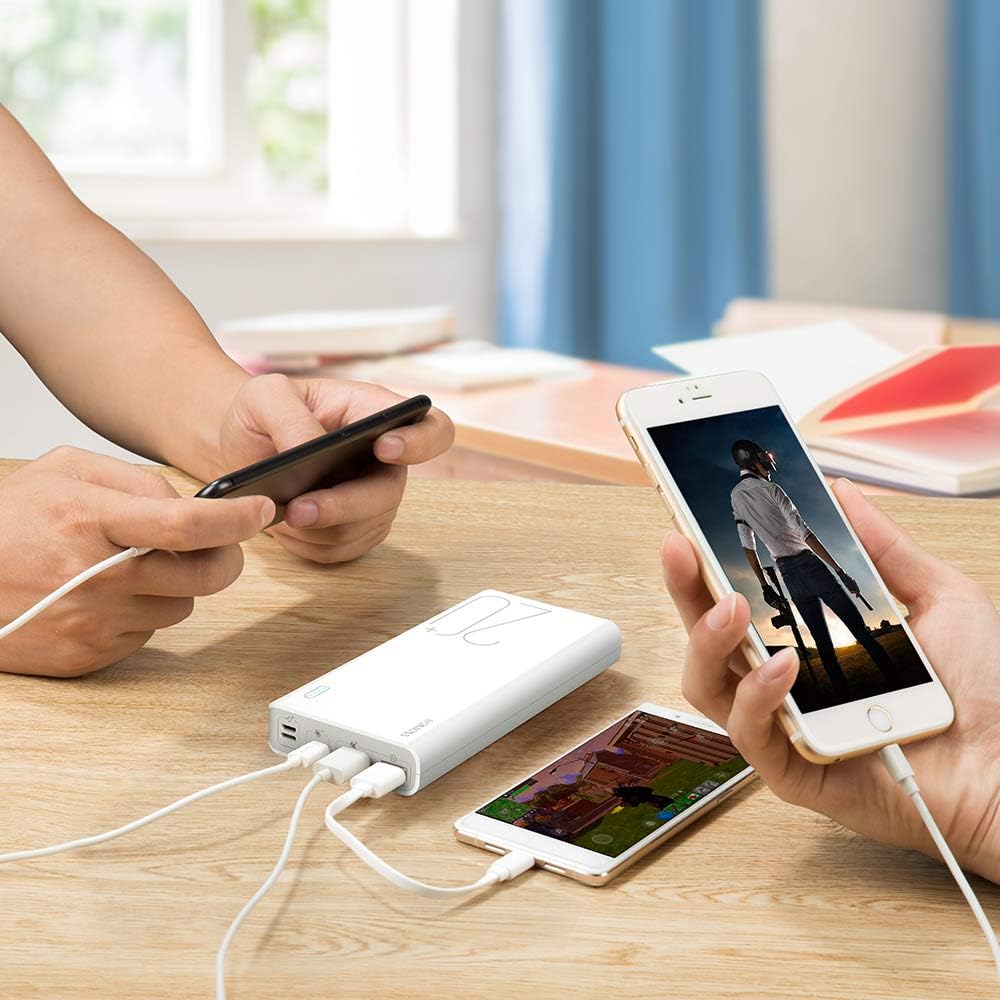
The power bank's intelligent charging technology (Sense6+ Fit-charge) automatically detects the connected device and delivers the optimal charging current, ensuring fast and safe charging.
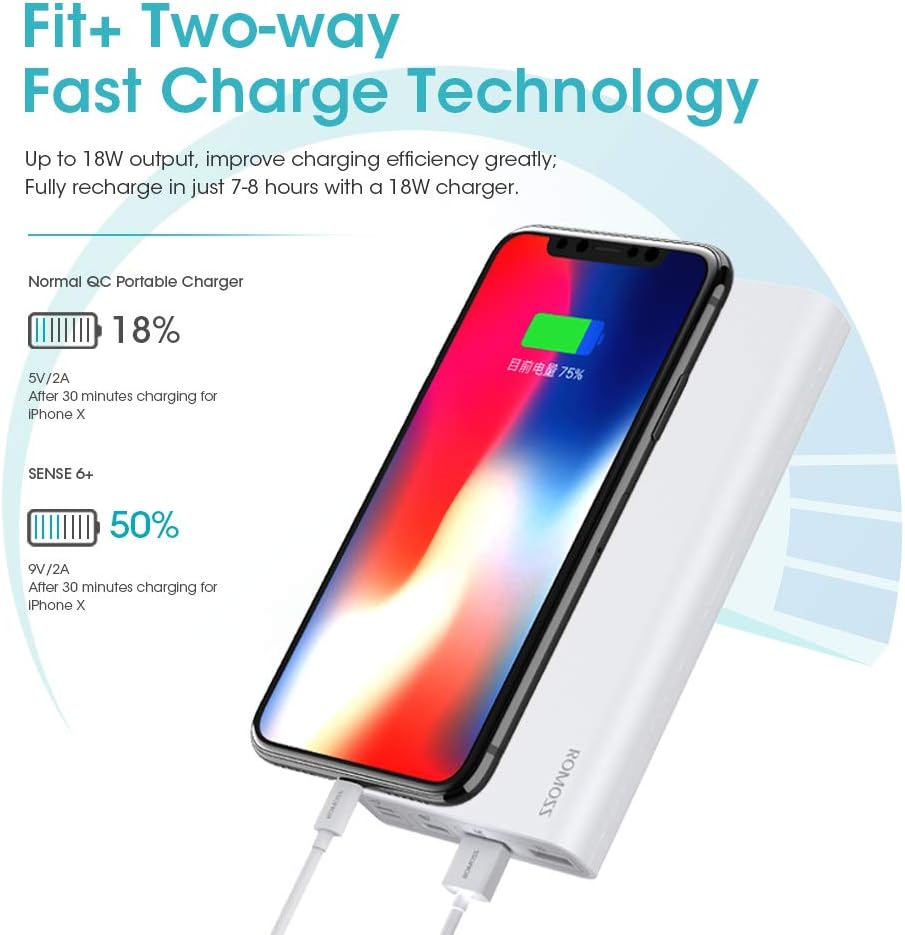
For devices like the iPhone X, the 18W PD output can charge up to 50% in just 30 minutes, significantly faster than standard chargers.
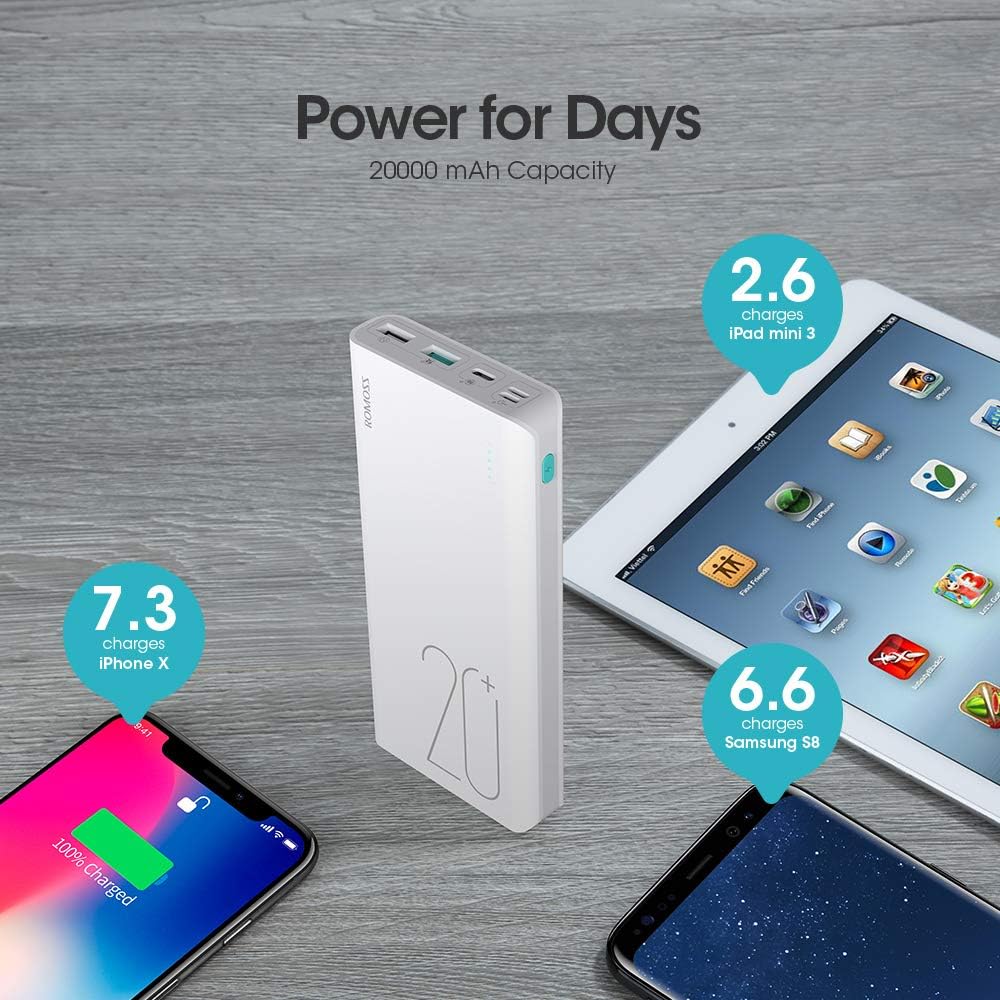
The 20000mAh capacity allows for multiple charges: approximately 7.3 charges for an iPhone X, 6.6 charges for a Samsung S8, and 2.6 charges for an iPad mini 3.
Checking Battery Level:
Press the power button once to check the remaining battery level. The LED indicators will light up, with each light representing approximately 25% of the battery capacity.
- 1 LED: 0-25%
- 2 LEDs: 25-50%
- 3 LEDs: 50-75%
- 4 LEDs: 75-100%
5. Maintenance
- Store the power bank in a cool, dry place away from direct sunlight and extreme temperatures.
- Avoid dropping or subjecting the power bank to strong impacts.
- Do not expose the power bank to water or moisture.
- Clean the exterior with a soft, dry cloth. Do not use harsh chemicals or abrasive materials.
- For optimal battery health, fully charge and discharge the power bank at least once every three months if not in regular use.
6. Troubleshooting
Power Bank Not Charging:
- Ensure the charging cable is securely connected to both the power bank's input port and the wall charger.
- Verify that the wall charger is functioning correctly and plugged into a live power outlet.
- Try using a different charging cable or wall adapter to rule out cable/adapter issues.
Device Not Charging from Power Bank:
- Check if the power bank has sufficient charge (refer to LED indicators).
- Ensure the charging cable is securely connected to both the power bank's output port and your device.
- Try using a different charging cable or a different output port on the power bank.
- Some devices may require pressing the power button on the power bank to initiate charging.
Slow Charging:
- Ensure you are using a fast-charging compatible cable and device for optimal speed.
- If charging multiple devices, the total output current is shared, which may reduce individual charging speeds.
- Environmental factors like temperature can affect charging efficiency.
7. Specifications
| Model Number | PH80 Pro |
| Battery Capacity | 20000mAh (74Wh) |
| Input (Micro USB) | 5V/2A, 9V/2A |
| Input (Lightning) | 5V/2.1A |
| Input (Type-C) | 5V/2A, 9V/2A |
| Output (USB-A 1) | 5V/2.1A |
| Output (USB-A 2) | 5V/3A, 9V/2A, 12V/1.5A (Quick Charge) |
| Output (Type-C) | 5V/3A, 9V/2A, 12V/1.5A (Power Delivery) |
| Dimensions | 6.57 x 3.15 x 0.91 inches |
| Weight | 1.03 pounds |
| Battery Type | Lithium Polymer |
| Manufacturer | ROMOSS |
8. Safety Information
To ensure safe operation and prevent damage to the product or injury to yourself, please observe the following safety precautions:
- Do not disassemble, open, or shred the battery pack.
- Do not expose the power bank to heat or fire. Avoid storage in direct sunlight.
- Do not short-circuit the power bank.
- Do not expose the power bank to mechanical shock.
- In case of a battery leak, do not allow the liquid to come into contact with skin or eyes. If contact has occurred, wash the affected area with copious amounts of water and seek medical advice.
- Keep the power bank out of reach of children.
- Use only the charging cables and adapters recommended by the manufacturer.
- Do not use the power bank if it has been damaged or modified.
- Dispose of the power bank responsibly according to local regulations.
9. Warranty and Support
ROMOSS products are designed and manufactured to the highest quality standards. For information regarding warranty coverage, technical support, or customer service, please refer to the official ROMOSS website or contact their customer support directly. Keep your purchase receipt as proof of purchase for warranty claims.
Official ROMOSS Store: Visit the ROMOSS Store on Amazon
Related documentsPH80 Pro


Ask a question about this manual
Ask about setup, troubleshooting, compatibility, parts, safety, or missing instructions. Manuals+ will review the question and use this page’s manual context to help answer it.