
Product Overview
The Sonew IP67 RFID Card Door Access Controller Keypad is a multi-functional access control system designed for secure entry management. It supports access via PIN codes (4-6 digits), RFID cards, or a combination of both. The system features an administrator card for efficient user management, anti-stress and anti-submarine back functions, and intelligent keyboard lighting. Its robust zinc alloy electroplated anti-vandal case ensures durability and resistance against explosion and prying. This device is suitable for various applications including homes, offices, and residential areas.
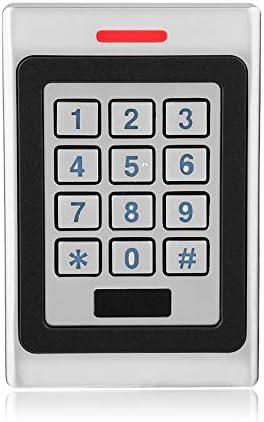
Figure 1: Front view of the Sonew IP67 RFID Card Door Access Controller Keypad.
Package Contents
Upon opening the package, verify that all components are present and undamaged:
- 1 x Metal Access Controller Keypad
- 1 x Access Controller Card (Admin Card)
- 1 x Set of Installation Accessories (screws, anchors, hex key)
- 1 x English User Manual (this document)

Figure 2: Included components: the access controller, admin card, installation accessories, and user manual.
Setup and Installation
1. Physical Installation
The Sonew Access Controller is designed for both indoor and outdoor use with its IP67 waterproof rating. Choose a suitable mounting location near the door or gate where access control is required.
- Prepare the Mounting Surface: Ensure the surface is flat and stable.
- Mark Drilling Points: Use the back plate of the controller as a template to mark the positions for drilling holes.
- Drill Holes: Drill holes at the marked positions for the mounting screws and for routing the wiring.
- Secure the Back Plate: Attach the back plate to the wall using the provided screws and anchors.
- Route Wiring: Pass the necessary wiring through the designated opening in the back plate. Refer to the wiring diagram in the manual for correct connections.
- Attach the Controller: Carefully align the controller with the back plate and secure it using the small hex screw at the bottom.

Figure 3: Rear view of the access controller, indicating wiring connections and mounting points.
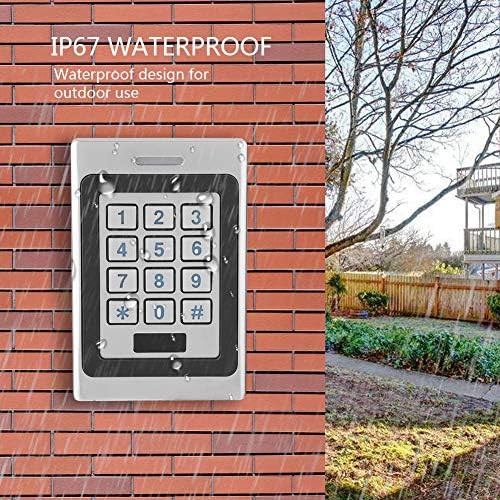
Figure 4: The IP67 waterproof design allows for reliable outdoor installation.
2. Electrical Connections
The device operates on DC 12V. Ensure proper polarity and secure connections to avoid damage.
- Power Supply: Connect the DC 12V power supply to the designated power input terminals.
- Electric Lock: Connect the electric lock to the lock output terminals. The open time is adjustable from 0-120 seconds.
- Alarm Output: If an external alarm device is used, connect it to the alarm output terminals.
- Doorbell: Connect an external doorbell to the bell button interface.
- Wiegand Output: For integration with other access control systems, connect the Wiegand output (Wg26 card number or Wg4 buttons) to the external reader.
Important: Always disconnect power before making any electrical connections. Consult a qualified electrician if you are unsure about the wiring process.
Operating Instructions
1. Initial Power-Up and Admin Card
Upon first power-up, the system will be in its default state. The administrator card is crucial for initial setup and user management.
- Activate Admin Card: Present the provided "Admin Card" to the keypad. This registers it as the master administrator card.
- Enter Programming Mode: Once the Admin Card is registered, you can use it to enter programming mode for adding or deleting users.
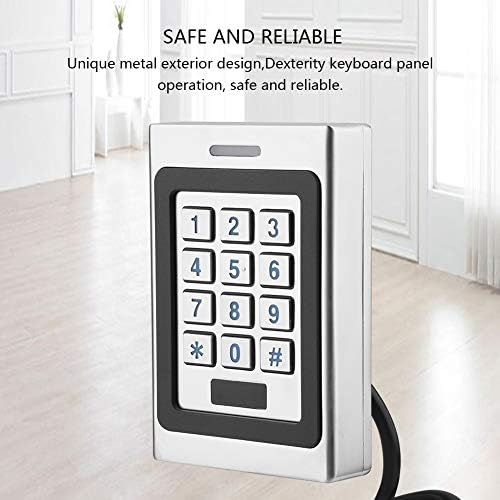
Figure 5: The keypad offers a dexterity panel for secure and reliable operation.
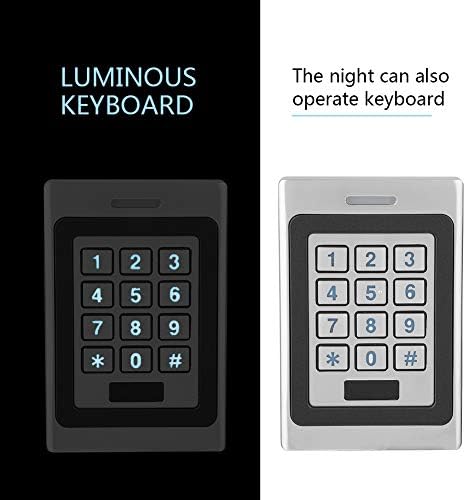
Figure 6: The luminous keyboard ensures visibility and usability in low-light conditions.
2. User Management
The system supports up to 3000 users. Users can be added or deleted using the administrator card or directly via the keypad.
- Adding Users (Card): Enter programming mode, present the new user card to the keypad. The card will be registered.
- Adding Users (PIN): Enter programming mode, input a 4-6 digit PIN, then press #. The PIN will be registered.
- Deleting Users (Card): Enter programming mode, present the card to be deleted. The card will be removed from the system. This is useful if a card is lost.
- Deleting Users (PIN): Enter programming mode, input the PIN to be deleted, then press #. The PIN will be removed.
- User Modification Password: Users can revise their door password independently.
3. Access Methods
The system offers three methods for door access:
- Card Access: Present a registered RFID card to the keypad. The door will unlock if the card is valid.
- Code Access: Enter a registered 4-6 digit PIN code on the keypad, then press #. The door will unlock if the code is valid.
- Card + Code Access: Present a registered RFID card, then immediately enter the associated PIN code and press #. This method provides an additional layer of security.
The search speed to open the door is less than 0.1 seconds.
Maintenance
Regular maintenance ensures the longevity and optimal performance of your access controller.
- Cleaning: Wipe the keypad surface with a soft, damp cloth. Avoid abrasive cleaners or solvents that could damage the finish or electronics.
- Inspect Wiring: Periodically check all wiring connections for any signs of wear, corrosion, or loose connections. Ensure all connections are secure.
- Environmental Check: Although IP67 rated, ensure the unit is not constantly submerged or exposed to extreme conditions beyond its specified operating temperature and humidity ranges.
Troubleshooting
If you encounter issues with your Sonew Access Controller, refer to the following common problems and solutions:
| Problem | Possible Cause | Solution |
|---|---|---|
| Keypad unresponsive / No power | No power supply; Loose wiring; Faulty power adapter. | Check DC 12V power connection. Ensure all wires are securely connected. Test power adapter. |
| Access denied (valid card/code) | Card/code not properly registered; Incorrect access mode (e.g., expecting card+code); System error. | Re-register the card/code. Verify the access mode setting. Power cycle the device. |
| Door does not unlock | Electric lock wiring issue; Lock mechanism fault; Incorrect open time setting. | Check electric lock connections. Ensure the lock is functional. Adjust the open time setting (0-120 seconds). |
| Alarm sounds unexpectedly | Tampering detected (demolition alarm); Short circuit in alarm output. | Check for physical tampering. Inspect alarm output wiring for short circuits. The system has an output short circuit protection. |
| Keyboard lights not working | Intelligent keyboard lamp feature not activated; Power issue. | Ensure the machine operation activates the digital light. Check power supply. |
Video 1: Demonstration of the Access Control System Kit, showing keypad interaction and internal components.
Specifications
Detailed technical specifications for the Sonew IP67 RFID Card Door Access Controller Keypad:
| Feature | Value |
|---|---|
| Item Type | Access Controller |
| Color | Silver |
| Work Voltage | DC 12V |
| Static Current | ≤40mA |
| Reading Range | ≥30mm |
| User Capacity | 3000 users |
| Ambient Temperature | -40℃ to 60℃ (-40°F to 140°F) |
| Ambient Humidity | 10%-98% |
| Electricity Lock Output | ≤2A |
| Alarm Output | ≤500mA |
| Open Time (Adjustable) | 0-120 seconds |
| Item Size (L*W*H) | 11 x 7.5 x 2.2 cm (4.33 x 2.95 x 0.86 inches) |
| Item Weight | 522g (18.41 oz) |
| Protection Rating | IP67 Waterproof |
| Wiegand Output | Wg26 card number or Wg4 buttons |
Warranty and Support
Sonew products are manufactured to high-quality standards. For specific warranty details, please refer to the warranty information provided with your purchase documentation or contact Sonew customer support directly.
For technical assistance, troubleshooting beyond this manual, or inquiries regarding product functionality, please contact Sonew customer support through their official channels. Keep your product model number (AF00052) and purchase details ready when contacting support.