
1. Introduction
This manual provides essential instructions for the safe and effective use, setup, operation, and maintenance of your Glovii GLG Heated Universal Gloves. Please read this manual thoroughly before using the product and retain it for future reference.
2. Safety Information
Always observe the following safety precautions to prevent injury or damage to the product:
- Do not use the gloves if they are wet or damp.
- Do not puncture, cut, or modify the heating elements or wiring.
- Keep batteries away from fire, water, and extreme temperatures.
- Use only the charger provided by Glovii for charging the batteries.
- If you experience discomfort, excessive heat, or skin irritation, discontinue use immediately.
- Not suitable for individuals with pacemakers or other medical implants without consulting a doctor.
- Store batteries in a cool, dry place when not in use.
3. Package Contents
Verify that all items are present in your package:
- Glovii GLG Heated Universal Gloves (1 pair)
- Li-Poly Batteries (2 units, 2100mAh / 15.54Wh)
- Battery Charger (8.4V, 1A)
- Extension Cable
- Storage Case
4. Product Overview
The Glovii GLG Heated Universal Gloves are designed to provide thermal comfort in cold conditions. Key features include:
- Carbon Fiber Heating Elements: Located around all fingers for consistent warmth.
- Li-Poly Battery: Provides power for the heating system with an integrated energy gauge.
- Battery Pocket: Conveniently located in the glove cuff for secure storage.
- Touchscreen Compatibility: Conductive material on the thumb and index finger allows for use with touchscreens.
- Adjustable Heat Modes: Three heat settings (LO, MED, HI) for customized warmth.
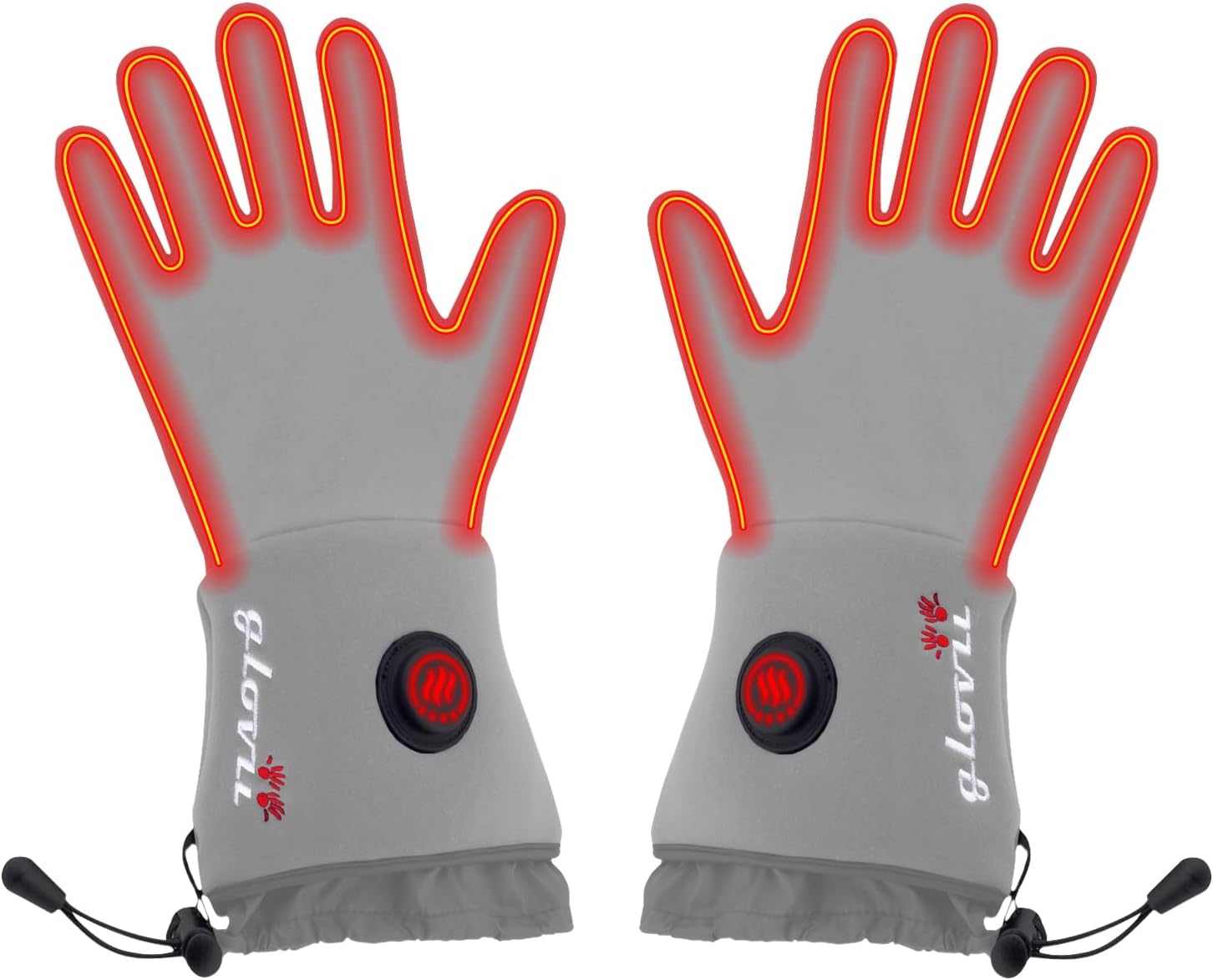
This image displays the Glovii GLG Heated Universal Gloves, illustrating the internal heating elements glowing red, indicating active warmth. The gloves are grey with the Glovii logo on the cuff and a control button.

A front view of the Glovii GLG Heated Universal Gloves in grey, showing the overall design, the Glovii logo, and the power/heat control button on the cuff. The drawstring at the wrist is also visible.

A thermal imaging photograph of the Glovii GLG Heated Universal Gloves, illustrating the heat distribution across the fingers and palm in warm yellow and orange tones against a cooler purple background, demonstrating the effectiveness of the heating elements.
5. Setup
5.1. Charging the Batteries
- Connect the provided charger to a power outlet.
- Connect each Li-Poly battery to the charger. The indicator light on the charger will show charging status.
- Charge batteries fully before first use. Charging time may vary.
- Disconnect batteries once fully charged to prolong battery life.
5.2. Inserting Batteries into Gloves
- Locate the battery pocket inside the cuff of each glove.
- Carefully insert a charged battery into each pocket.
- Connect the battery cable from the glove to the battery. Ensure a secure connection.
- If using the extension cable, connect it between the glove's cable and the battery, allowing the battery to be stored in an inside jacket pocket.
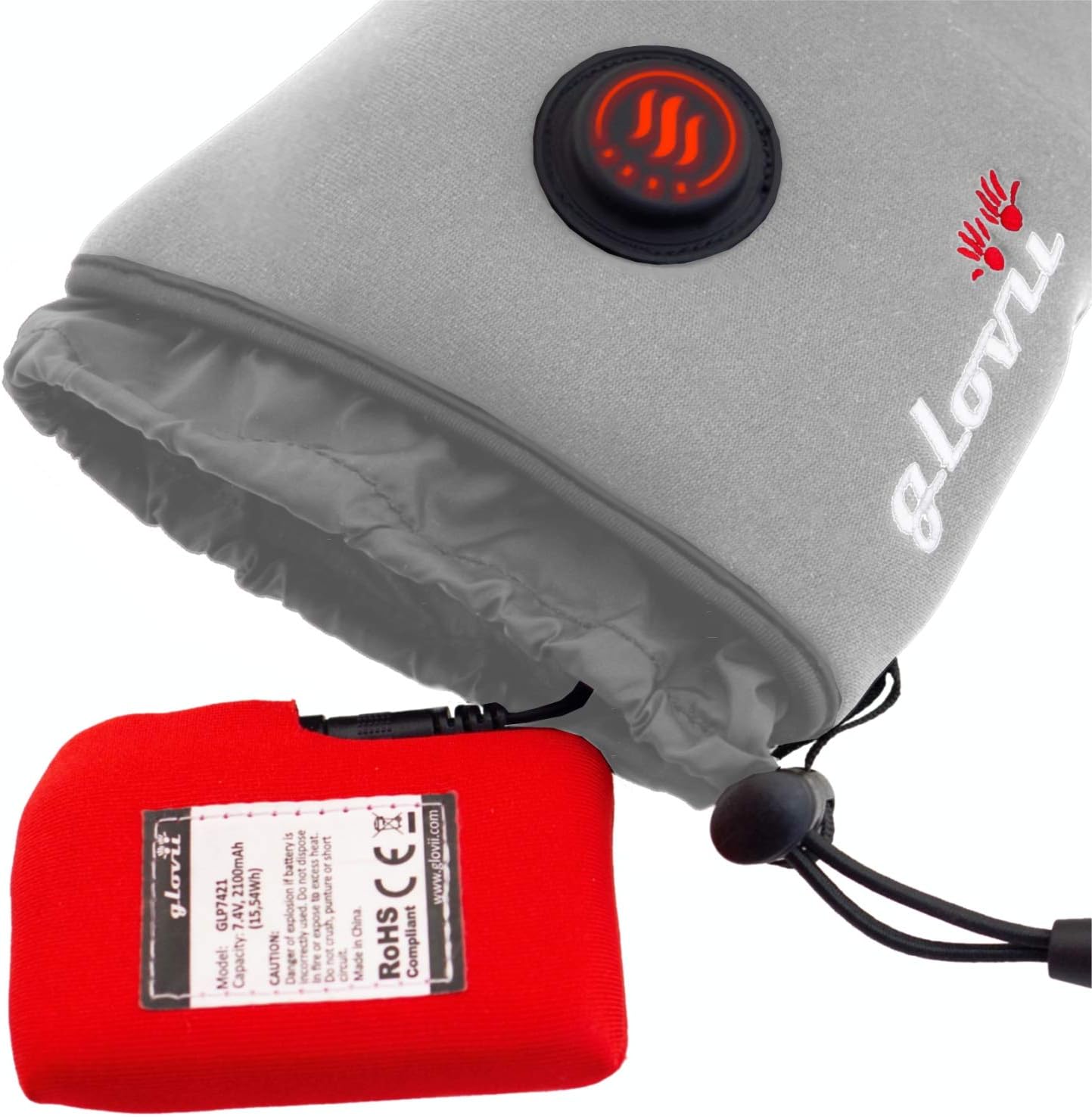
This image shows the cuff of the Glovii GLG Heated Universal Glove pulled back to reveal the internal pocket where the red Li-Poly battery is inserted. The battery is connected to the glove's heating system.
6. Operating Instructions
6.1. Powering On/Off
- To power on, press and hold the control button on the glove cuff for approximately 3 seconds until the indicator light illuminates.
- To power off, press and hold the control button for approximately 3 seconds until the indicator light turns off.
6.2. Adjusting Heat Modes
Once powered on, short press the control button to cycle through the heat settings:
- High (HI): Indicator light will be brightest. Provides maximum heat. (Approx. 2 hours operating time)
- Medium (MED): Indicator light will be at a medium brightness. (Approx. 3 hours operating time)
- Low (LO): Indicator light will be dimmest. Provides gentle warmth. (Approx. 6 hours operating time)

A detailed view of the power and heat setting control button on the cuff of the Glovii GLG Heated Universal Glove. The button is black with a red illuminated heating symbol, indicating the glove is active.
6.3. Touchscreen Functionality
The special conductive material on the thumb and index finger of each glove allows you to operate touchscreen devices without removing your gloves. Ensure the conductive tips make full contact with the screen.

This image highlights the index finger and thumb of a Glovii GLG Heated Universal Glove, which feature dark grey conductive material for touchscreen compatibility. The glove is grey with a drawstring cuff.
7. Maintenance
7.1. Cleaning Instructions
- Always remove batteries before cleaning.
- Hand wash the gloves gently in cold water with mild detergent.
- Do not bleach, iron, or dry clean.
- Hang to air dry completely before reinserting batteries or storing. Do not tumble dry.
7.2. Battery Care and Storage
- Charge batteries at least once every 3-6 months, even if not in use, to maintain battery health.
- Store batteries in a cool, dry place, away from direct sunlight and extreme temperatures.
- Do not store batteries connected to the gloves for extended periods.
8. Troubleshooting
- Gloves not heating:
- Ensure batteries are fully charged and correctly inserted.
- Check that the battery cable is securely connected to the glove.
- Press and hold the power button for 3 seconds to ensure the gloves are powered on.
- Battery not charging:
- Verify the charger is properly connected to a power outlet and the battery.
- Ensure the charger is the original Glovii charger.
- Short operating time:
- Operating time varies significantly with the selected heat mode (HI mode consumes more power).
- Ensure batteries are fully charged before use.
- Battery performance can decrease in extremely cold temperatures.
9. Specifications
| Model | GLG |
| Battery | 2100mAh (15.54Wh) Li-Poly, with built-in energy gauge |
| Heating Element | 7W - Carbon Fiber, located all around the hand |
| Heat Modes | 33% (LO), 66% (MED), 100% (HI) |
| Working Time | 6h (LO), 3h (MED), 2h (HI) |
| Charger | 8.4V, 1A |
| Fabric | 5% Spandex, 95% Polyester |
| Touchscreen Compatibility | Yes (thumb and index finger) |
| Product Dimensions | 9.45 x 27.17 x 0.98 inches |
| Weight (without batteries) | 150g (approx. 5.29 ounces) |
| Weight (with battery) | 320g |
10. Warranty and Support
For warranty information or technical support, please refer to the documentation included with your purchase or contact Glovii customer service directly. Keep your proof of purchase for any warranty claims.


