1. Introduction
Thank you for choosing the Rowenta Silence Steam Pro DG9248 Steam Generator Iron. This appliance is designed to provide powerful and efficient ironing with exceptional quietness. Please read this manual carefully before using your appliance for the first time and keep it for future reference. Proper use and maintenance will ensure optimal performance and longevity of your steam generator iron.
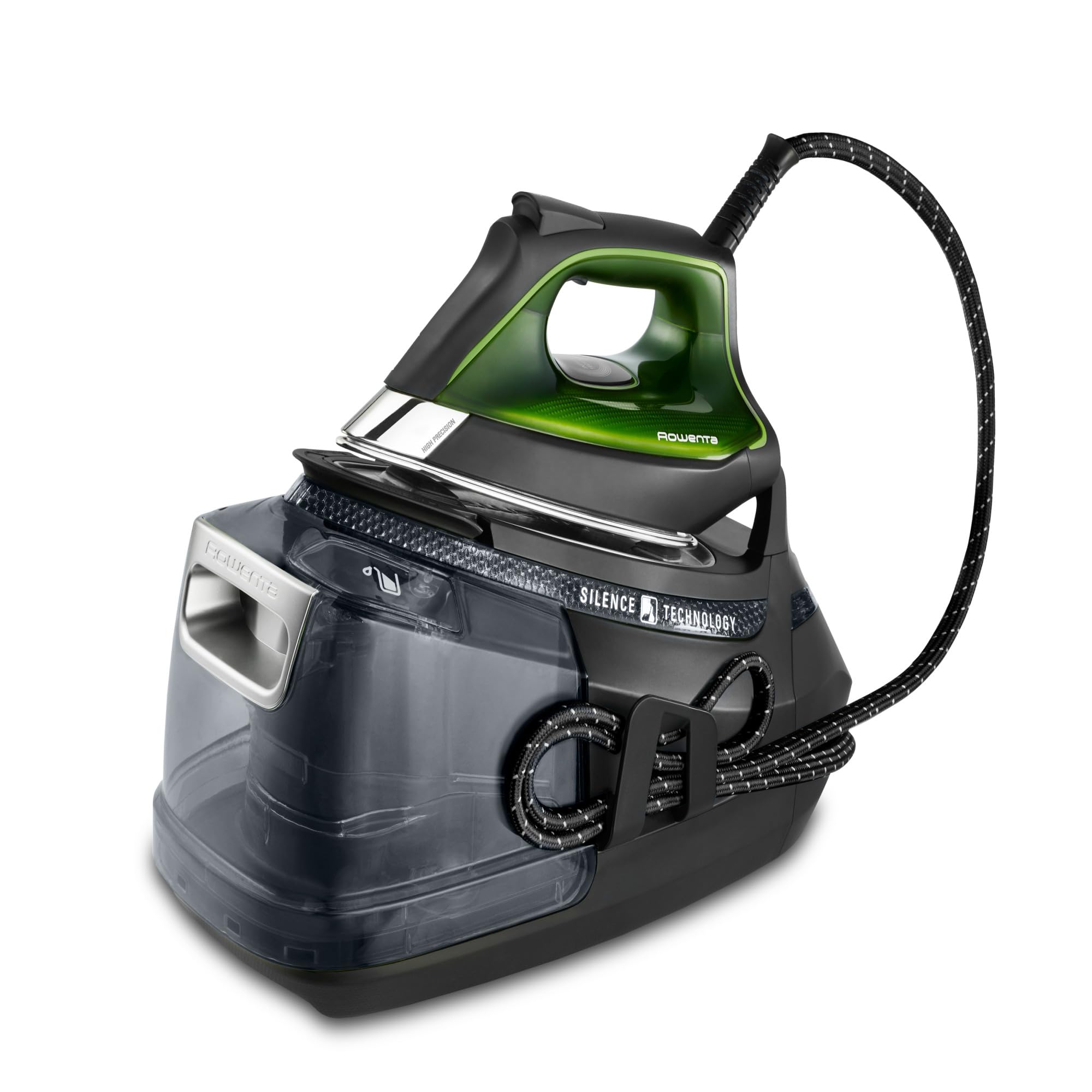
Image 1: The Rowenta Silence Steam Pro DG9248 Steam Generator Iron, showcasing its sleek design and integrated water tank.
Key Features:
- High-Pressure Steam: Up to 8 bars of pressure for efficient wrinkle removal.
- Powerful Steam Boost: 600 g/min steam boost to tackle stubborn creases.
- Continuous Steam Output: 150 g/min for consistent performance.
- Microsteam 400 HD Laser Soleplate: Patented soleplate with 400 micro-holes for optimal steam distribution and scratch resistance.
- Silent Technology: Designed for significantly quieter operation.
- Removable Water Tank: Large 1.3 L capacity for extended ironing sessions.
- Integrated Anti-Calc Collector: Easy maintenance for lasting steam performance.
- Eco Mode: Reduces energy consumption by up to 30%.
2. Important Safety Instructions
When using electrical appliances, basic safety precautions should always be followed to reduce the risk of fire, electric shock, and injury to persons. Read all instructions before using this steam generator iron.
- Always plug the appliance into a grounded outlet.
- Do not leave the iron unattended while it is connected to the power supply.
- Unplug the iron from the outlet before filling with water, cleaning, or when not in use.
- Do not operate any appliance with a damaged cord or plug, or after the appliance malfunctions or has been dropped or damaged in any manner.
- To protect against a risk of electric shock, do not immerse the iron or its base in water or other liquids.
- Always place the iron on a stable, heat-resistant surface when resting.
- Do not touch hot surfaces. Use handles or knobs.
- Steam is hot and can cause burns. Keep hands and face away from steam.
- This appliance is not intended for use by persons (including children) with reduced physical, sensory or mental capabilities, or lack of experience and knowledge, unless they have been given supervision or instruction concerning use of the appliance by a person responsible for their safety.
- Children should be supervised to ensure that they do not play with the appliance.
3. Package Contents
Please check that all items are present and in good condition:
- Rowenta Silence Steam Pro DG9248 Steam Generator Base Unit
- Iron with attached steam hose
- User Manual
4. Setup
4.1 Unpacking
Carefully remove all components from the packaging. Retain the packaging for future storage or transport if needed. Remove any protective films or stickers from the appliance.
4.2 Placing the Unit
Place the steam generator base unit on a stable, flat, and heat-resistant surface, such as an ironing board designed for steam generators. Ensure there is enough space around the unit for ventilation.
4.3 Filling the Water Tank
- Ensure the appliance is unplugged from the power outlet.
- Remove the removable 1.3 L water tank from the base unit. The tank is designed for easy removal and refilling.
- Fill the water tank with tap water. If your tap water is very hard, it is recommended to use a mixture of 50% tap water and 50% distilled water, or solely distilled water to prevent limescale buildup. Do not use scented water, water from tumble dryers, or chemically descaled water.
- Replace the water tank securely into the base unit.

Image 2: A hand demonstrating the removal of the 1.3L water tank for refilling, highlighting the transport lock system.
4.4 Connecting to Power
Plug the power cord into a suitable grounded electrical outlet. The appliance will typically emit a short beep or light up to indicate it is receiving power.
4.5 First Use / Priming
During the first use, or after a long period of inactivity, the pump may need to be primed. Press the steam trigger several times until steam is consistently produced. A slight noise from the pump is normal during this process.
5. Operating Instructions
5.1 Powering On and Heating Up
Press the On/Off button. The indicator light will flash, indicating that the iron is heating up. Once the desired temperature is reached, the light will become steady, and the iron is ready for use. This process usually takes a few minutes.
5.2 Selecting Temperature and Steam Settings
The Silence Steam Pro features 5 electronic presets to automatically adjust the optimal combination of steam and temperature for different fabric types. Select the appropriate setting on the control panel based on your garment's care label.
5.3 Ironing Techniques
- Horizontal Ironing: Place the garment on the ironing board. Press the steam trigger under the handle to release continuous steam as you glide the iron over the fabric.
- Vertical Steaming: For delicate fabrics or to refresh hanging garments, hold the iron vertically a few centimeters away from the fabric and press the steam trigger.
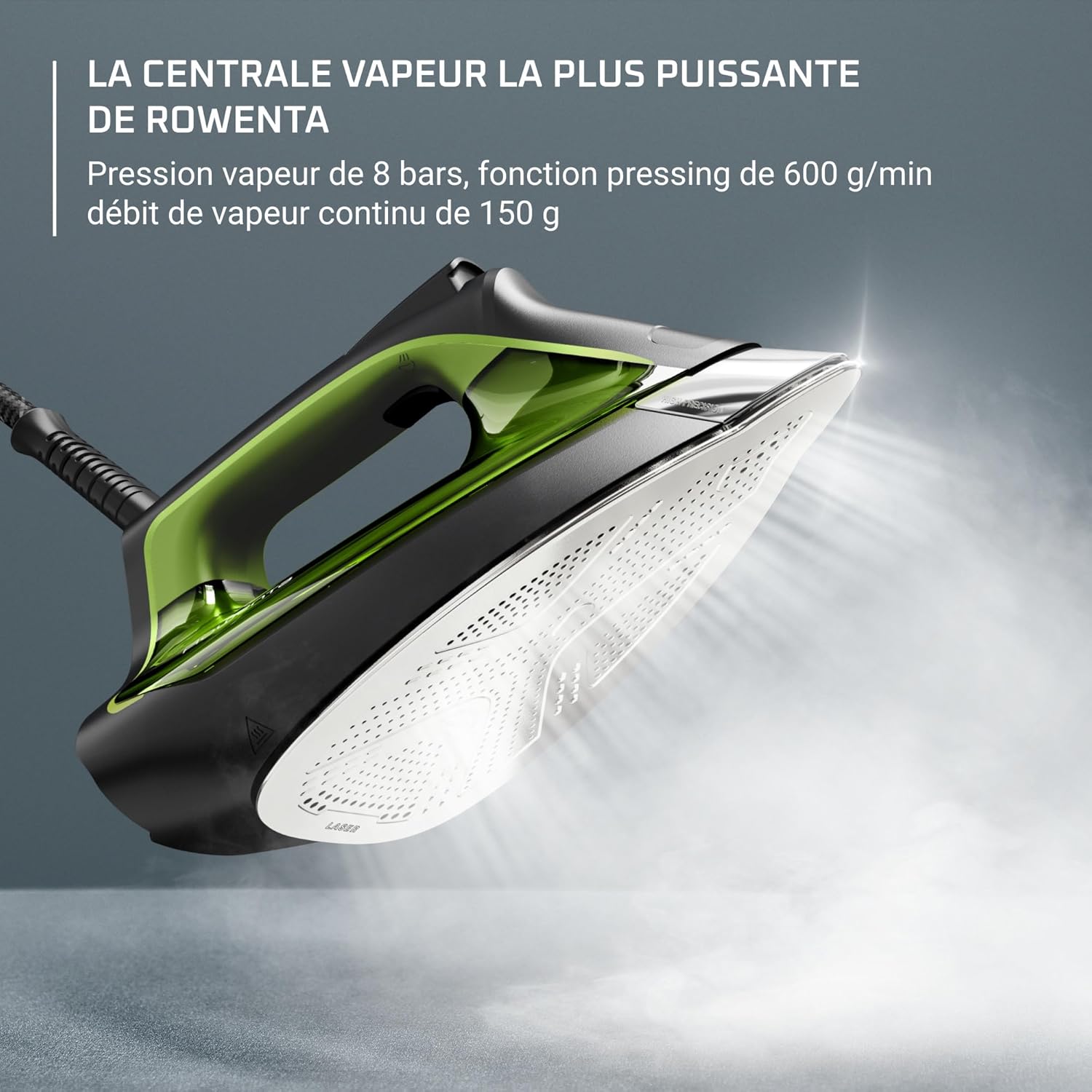
Image 3: The iron in action, demonstrating its powerful steam output for effective wrinkle removal.
5.4 Steam Boost Function
For particularly stubborn creases, press the steam boost button (often located on the underside of the handle) to release an extra burst of 600 g/min steam. This is ideal for thick fabrics or deep wrinkles.
5.5 Eco Mode
Activate the Eco mode to reduce energy and water consumption by up to 30% while still achieving excellent ironing results. This mode is suitable for most everyday fabrics.

Image 4: The 'Save up to 30% Energy' logo, illustrating the efficiency of the Eco mode.
5.6 Silence Technology
The Rowenta Silence Steam Pro is engineered to be significantly quieter than previous models, allowing for a more peaceful ironing experience. This feature minimizes operational noise, making it possible to iron without disturbance.

Image 5: An image depicting a person sleeping, symbolizing the quiet operation of the Rowenta Silence Steam Pro.
6. Maintenance and Care
Regular maintenance ensures the optimal performance and extends the lifespan of your Rowenta Silence Steam Pro.
6.1 Emptying the Water Tank
After each ironing session, or when storing the appliance, it is recommended to empty any remaining water from the tank. Unplug the iron, remove the water tank, and pour out the water. This prevents stagnant water and potential mineral buildup.
6.2 Cleaning the Soleplate
Allow the soleplate to cool completely. Clean the Microsteam 400 HD Laser soleplate with a damp cloth or a non-abrasive liquid cleaner specifically designed for iron soleplates. Do not use abrasive pads or metallic objects as they can scratch the soleplate's laser finish.
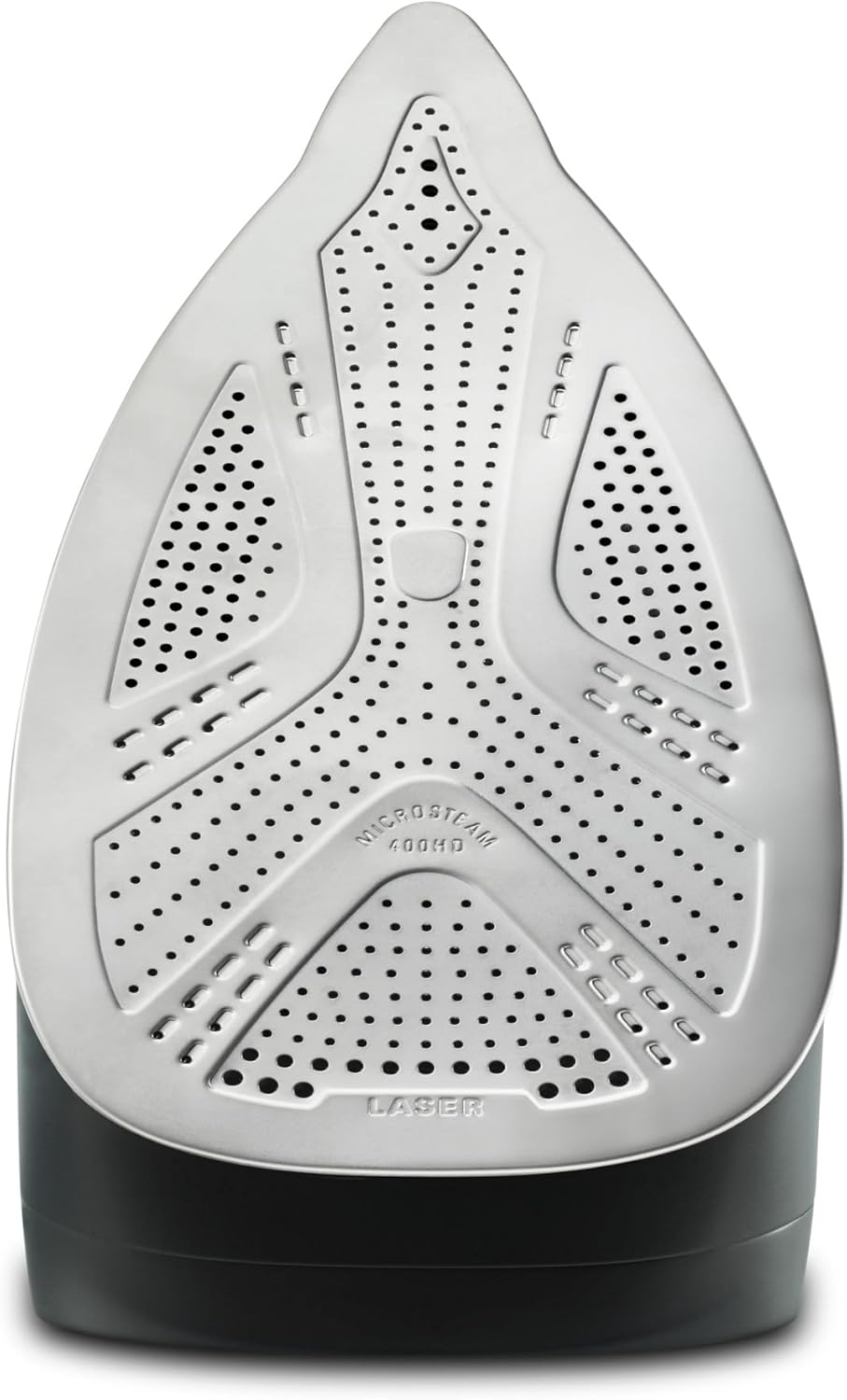
Image 6: A detailed view of the Microsteam 400 HD Laser soleplate, highlighting its numerous steam holes and precision tip.
6.3 Descaling (Anti-Calc Collector)
The appliance features an integrated anti-calc collector to capture limescale particles. To clean the collector:
- Ensure the iron is unplugged and completely cool.
- Locate the anti-calc collector rod, usually found on the side or front of the base unit.
- Remove the rod by twisting or pulling it out as indicated in the appliance's markings.
- Rinse the collector rod thoroughly under running tap water to remove any accumulated limescale.
- Reinsert the clean collector rod firmly back into its position.
Regular cleaning of the anti-calc collector is crucial for maintaining consistent steam performance and preventing limescale buildup in the steam chamber.
6.4 Storage
Once the iron has cooled down and the water tank is emptied, you can store the appliance. The integrated locking system allows for easy and secure transport of the iron and base unit together. Wrap the power cord and steam hose neatly around the designated storage areas on the base unit.
7. Troubleshooting
If you encounter issues with your Rowenta Silence Steam Pro, refer to the following common problems and solutions:
| Problem | Possible Cause | Solution |
|---|---|---|
| No steam is produced. | Water tank is empty; appliance not heated; steam trigger not pressed; pump not primed. | Fill water tank; wait for heating indicator to stabilize; press steam trigger; press steam trigger repeatedly to prime pump. |
| Water leaks from the soleplate. | Temperature too low for steam; soleplate dirty; water tank not properly seated. | Increase temperature setting; clean soleplate; ensure water tank is securely in place. |
| Iron is not heating up. | Appliance not plugged in; power button not pressed; electrical outlet malfunction. | Check power connection; press power button; test outlet with another appliance. |
| White flakes or particles coming from the soleplate. | Limescale buildup. | Clean the anti-calc collector as described in the maintenance section. Use distilled water if tap water is very hard. |
| Unusual noise during operation. | Normal pump operation; air in the system. | A slight humming or gurgling sound is normal. If noise is excessive or persistent, ensure water tank is full and pump is primed. If problem persists, contact support. |
If the problem persists after trying these solutions, please contact Rowenta customer support.
8. Technical Specifications
| Feature | Specification |
|---|---|
| Brand | Rowenta |
| Model Number | DG9248F0 |
| Power | 2800 Watts |
| Steam Pressure | 8 Bars |
| Continuous Steam Output | 150 g/min |
| Steam Boost | 600 g/min |
| Water Tank Capacity | 1.3 Liters |
| Soleplate Type | Microsteam 400 HD Laser |
| Noise Level | 44 Decibels |
| Dimensions (L x W x H) | 44 x 25 x 23 cm (approximate, based on image) |
| Weight | 6.3 Kilograms |
| Voltage | 220V |

Image 7: Visual representation of the Rowenta Silence Steam Pro with its key dimensions.
9. Warranty and Support
9.1 Repairability Commitment
Rowenta is committed to offering repairability for this product for 15 years at a fair price. This commitment ensures that spare parts are available through a network of 6,200 repair centers worldwide, helping to extend the product's lifespan and reduce environmental impact.
9.2 Customer Support
For any questions, technical assistance, or warranty claims, please refer to the official Rowenta website or contact their customer service directly. Contact information can typically be found on the Rowenta website or on the product packaging.


