
Timex TW5M23500
Timex DGTL Mako Digital Watch User Manual
Model: TW5M23500
Introduction
This manual provides essential information for the operation, maintenance, and care of your Timex DGTL Mako Digital Watch, model TW5M23500. This timepiece combines a sporty design with practical digital features, suitable for various activities.
Key features include a durable silicone strap, 50-meter water resistance, chronograph, daily alarm, two time zones, 24-hour military time mode, and the Indiglo light-up watch dial.
Setup
Your Timex DGTL Mako Digital Watch comes with a pre-installed lithium metal battery. No initial battery installation is typically required. The watch features an adjustable blue 16mm silicone strap designed to fit wrist circumferences up to 7.5 inches. Adjust the buckle to ensure a comfortable and secure fit on your wrist.

Image: Front view of the Timex DGTL Mako Digital Watch, showcasing the digital display, blue case, and silicone strap.
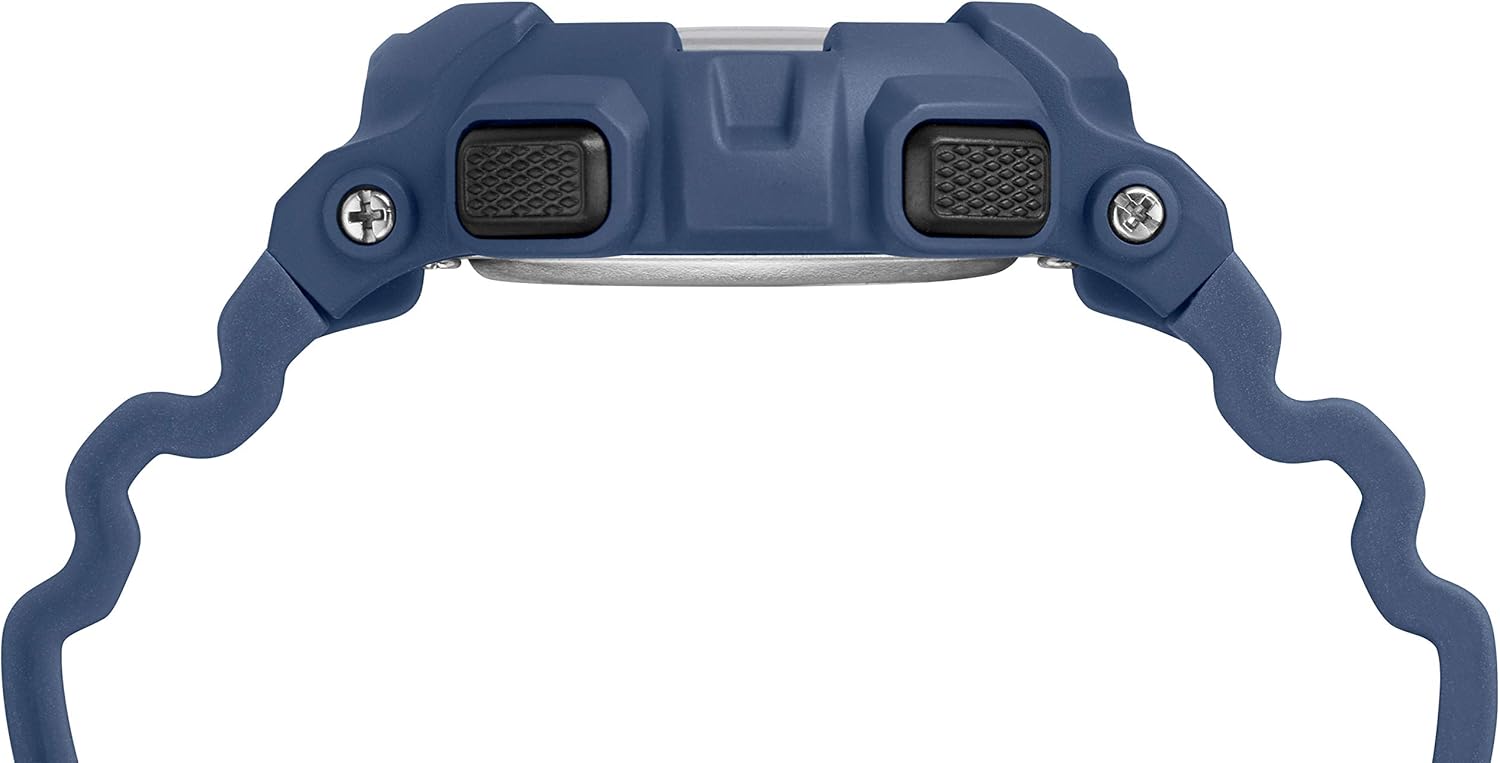
Image: Side view of the watch, highlighting the control buttons used for setting and mode selection.
Operating Instructions
Setting Time and Date
To set the time, date, and other basic functions, press the 'MODE' button to cycle through the different modes (Time, Chronograph, Alarm, Timer). When in the desired setting mode (e.g., Time setting), use the 'SET' button to select the digit or setting to adjust, and the 'ST/STP' button to change the value. The watch supports 24-hour military time mode, which can be toggled in the time setting menu.
Chronograph Function
The 24-hour chronograph offers 1/100-second resolution. To use, navigate to the chronograph mode. Press 'ST/STP' to start and stop the timer. Press 'SET' to reset the chronograph.
Daily Alarm
Set a daily alarm to alert you at a specific time. In alarm mode, use the 'SET' and 'ST/STP' buttons to set the alarm time. Ensure the alarm is activated once set.
Indiglo Night-Light
Press the 'INDIGLO' button (typically located on the side or front of the watch) to illuminate the watch dial for easy viewing in low-light conditions.
For detailed step-by-step instructions on all functions, please refer to the official user manual PDF: Timex DGTL Mako User Manual (PDF).
Maintenance
Water Resistance
This watch is water resistant to 50 meters (165 feet). This rating means it is generally suitable for short periods of recreational swimming. It is not suitable for diving or snorkeling. Avoid pressing buttons underwater to prevent water ingress.
Cleaning
To clean your watch, wipe the case and strap with a soft, damp cloth. For silicone straps, mild soap and water can be used. Ensure the watch is completely dry before wearing again.
Battery Replacement
The watch uses 1 Lithium Metal battery. When the display dims or functions become erratic, it may be time to replace the battery. It is recommended to have battery replacement performed by a qualified watch technician to ensure proper sealing and water resistance.

Image: Back view of the watch strap and buckle, illustrating the silicone material and metal clasp.
Troubleshooting
- Watch Resets Itself: If the watch frequently resets or displays incorrect time, this could indicate a low battery. Replace the battery as described in the Maintenance section. If the issue persists, contact Timex customer support.
- Difficulty Setting Time/Functions: Ensure you are pressing the buttons firmly and correctly. Refer to the detailed instructions in the official user manual PDF for specific button sequences for each function.
- Display Issues: A dim or flickering display often points to a low battery. If the display is completely blank, check the battery or consult a technician.
Specifications
| Item Model Number | TW5M23500 |
| Department | womens (unisex design) |
| Batteries | 1 Lithium Metal batteries required (included) |
| Material | Resin case, Silicone strap |
| Water Resistance | 50 meters (165 feet) |
| Case Diameter | 44mm |
| Strap Width | 16mm |
| Package Dimensions | 4.25 x 3.15 x 3.11 inches |
| Item Weight | 1.6 ounces |
Warranty and Support
For warranty information, product registration, or further technical assistance, please visit the official Timex website or contact Timex customer service directly. Keep your purchase receipt as proof of purchase for warranty claims.
You can also download the comprehensive user manual in PDF format for detailed instructions and troubleshooting tips:
Related documentsTW5M23500

Ask a question about this manual
Ask about setup, troubleshooting, compatibility, parts, safety, or missing instructions. Manuals+ will review the question and use this page’s manual context to help answer it.