
Logitech C922/960-001088
Logitech HD Pro Webcam C922 Instruction Manual
Model: C922 / 960-001088
Introduction
This manual provides detailed instructions for the setup, operation, maintenance, and troubleshooting of your Logitech HD Pro Webcam C922. Please read this manual thoroughly before using the product to ensure optimal performance and longevity.
The Logitech C922 HD Pro Webcam is designed for high-definition video calls and streaming, offering clear 1080p video capture and reliable performance.
Product Overview
Familiarize yourself with the components of your Logitech C922 Webcam.

Figure 1: Front view of the Logitech C922 HD Pro Webcam, showing the lens and "HD 1080p" branding.

Figure 2: Logitech C922 HD Pro Webcam with its adjustable clip extended, suitable for mounting on monitors or laptops.
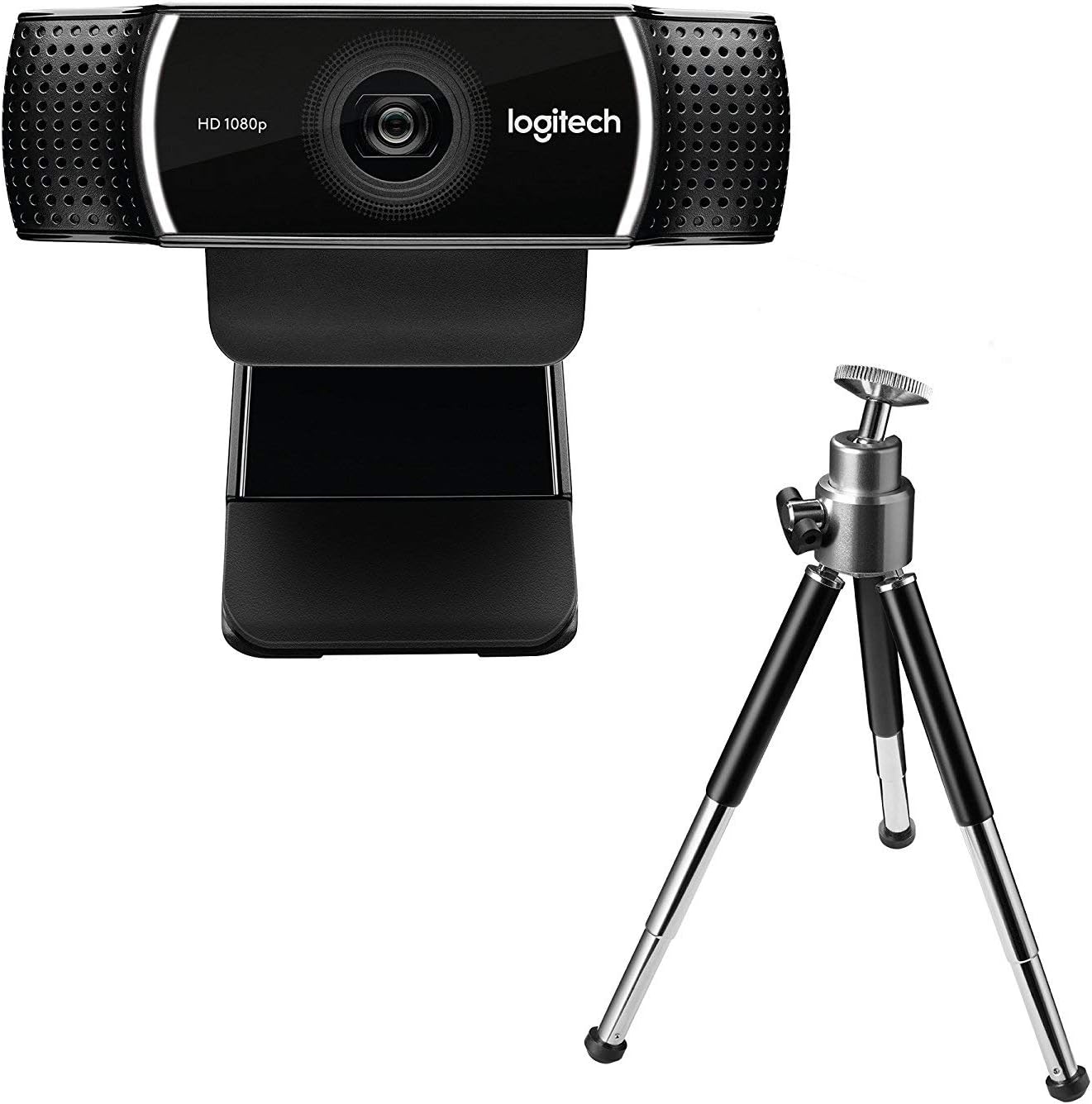
Figure 3: Logitech C922 HD Pro Webcam shown with its included mini-tripod, offering alternative placement options.
Setup
System Requirements
- Windows 7 or later
- macOS 10.10 or later
- Chrome OS
- USB 2.0 port
- Internet connection for software download
Installation Steps
- Unpack the Webcam: Carefully remove the C922 webcam and any accessories from its packaging.
- Connect to Computer: Plug the USB cable of the C922 webcam into an available USB 2.0 or 3.0 port on your computer.
- Position the Webcam:
- On a Monitor/Laptop: Open the flexible clip base and place it over the top edge of your monitor or laptop screen. Adjust the front part of the clip so the webcam sits securely.
- On a Tripod: If using the included tripod, screw the webcam onto the tripod mount. Place the tripod on a stable, flat surface.
- Software Installation: Your operating system should automatically detect and install basic drivers. For full functionality, including advanced settings and features, download and install the Logitech G HUB software from the official Logitech website (www.logitech.com/ghub).
- Test the Webcam: Open a video conferencing application (e.g., Zoom, Skype, Google Meet) or your computer's camera application to verify the webcam is working correctly.
Operating Instructions
Basic Operation
- Once connected and drivers are installed, the C922 webcam is ready for use with most video applications.
- Select "Logitech C922 Pro Stream Webcam" as your video device within your chosen application's settings.
- The integrated dual microphones will automatically be selected as the audio input.
Using Logitech G HUB Software
The Logitech G HUB software provides advanced control over your C922 webcam:
- Resolution and Frame Rate: Adjust video resolution (up to 1080p) and frame rate (up to 60fps at 720p, 30fps at 1080p).
- Field of View: Customize the field of view.
- Autofocus: Enable or disable autofocus.
- Exposure and White Balance: Manually adjust exposure, white balance, and other image settings for optimal lighting conditions.
- ChromaCam (Background Replacement): Utilize the ChromaCam feature for virtual background replacement (requires compatible system).
- Profiles: Create and save custom profiles for different applications or lighting scenarios.
Maintenance
- Cleaning the Lens: Use a soft, lint-free cloth specifically designed for optics to gently wipe the webcam lens. Avoid abrasive materials or harsh chemicals.
- Cleaning the Body: Wipe the body of the webcam with a soft, damp cloth. Do not submerge the webcam in water or use excessive moisture.
- Storage: When not in use, store the webcam in a clean, dry place away from extreme temperatures and direct sunlight.
- Cable Care: Avoid bending or crimping the USB cable excessively to prevent damage.
Troubleshooting
| Problem | Solution |
|---|---|
| Webcam not detected by computer. |
|
| No video or black screen. |
|
| Poor video quality (blurry, dark, grainy). |
|
| No audio or poor audio quality. |
|
Specifications
| Feature | Detail |
|---|---|
| Model Number | 960-001088 |
| Brand | Logitech |
| Video Capture Resolution | 1080p (Full HD) at 30fps, 720p (HD) at 60fps |
| Image Sensor Technology | CMOS |
| Maximum Aperture | 1.8 F |
| Maximum Focal Length | 52 millimeters |
| Connectivity Technology | USB 2.0 |
| Supported Audio Format | AAC |
| Video Capture Format | MP4 |
| Color | Black |
| Shipping Dimensions | 12.8 x 8.6 x 5.2 cm; 162 grams |
| First Available Date | February 11, 2019 |
Note: Some specifications from the source data (e.g., "Removable Memory Type: SD", "Connectivity Technology: Wi-Fi") appear to be generic or incorrect for this specific webcam model and have been omitted or corrected for accuracy. The C922 is a wired USB webcam.
Warranty and Support
Logitech products typically come with a limited hardware warranty. For specific warranty details, registration, and technical support, please visit the official Logitech support website:
You can also find FAQs, driver downloads, and community forums on their support page.
Related documentsC922/960-001088


Ask a question about this manual
Ask about setup, troubleshooting, compatibility, parts, safety, or missing instructions. Manuals+ will review the question and use this page’s manual context to help answer it.