
DALI Oberon 5
DALI Oberon 5 Hi-Fi Floorstanding Tower Speakers - User Manual
Model: Oberon 5
Introduction
The DALI OBERON 5 is a compact and elegant floor-standing speaker designed to deliver exceptional audio performance. Featuring 2 x 5¼” wood fibre SMC-based woofers and a 29 mm ultra-lightweight soft dome tweeter, this speaker provides a deep, firm bass, clear and well-defined mid-range, and airy high frequencies. Its design ensures a wide dispersion pattern for optimal sound integration in any room, minimizing harmonic distortion and frequency distortion even at off-axis listening angles.
What's in the Box
Please verify that all components are present before proceeding with setup.
- 2 x DALI Oberon 5 LO Speakers
- Rubber Feet (for hard floors)
- Solid Spikes (for carpeted floors)
Setup
Proper setup is crucial for optimal sound performance. Follow these steps to prepare your DALI Oberon 5 speakers.
1. Unpacking and Placement
Carefully remove the speakers from their packaging. Place them in your desired listening area, ensuring adequate space around them for proper sound dispersion. For stereo listening, position the speakers equidistant from your primary listening position, forming an equilateral triangle.
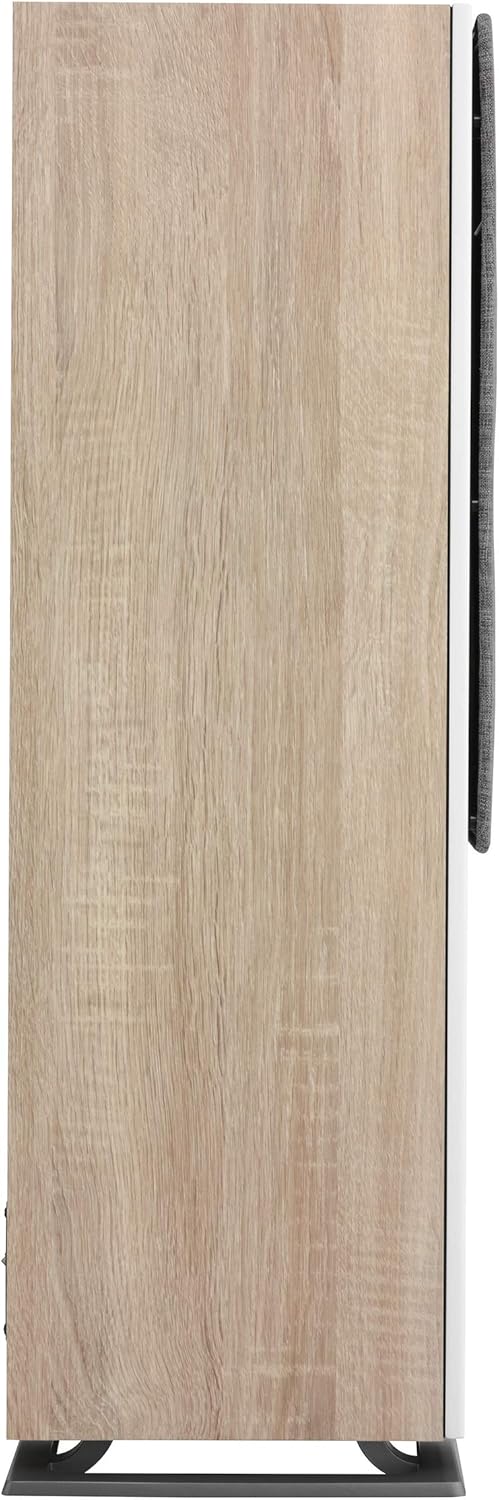
Image: DALI Oberon 5 speakers positioned in a living room, demonstrating ideal placement for a stereo setup. The speakers are light oak with grey grilles, flanking a media console.
2. Attaching Feet/Spikes
Depending on your floor type, attach either the rubber feet (for hard surfaces) or the solid spikes (for carpeted surfaces) to the base of each speaker. This provides stability and helps decouple the speaker from the floor, improving sound clarity.
3. Connecting to Amplifier
Connect the speakers to your amplifier using high-quality speaker cables. Ensure correct polarity: connect the positive (+) terminal on the speaker to the positive (+) terminal on the amplifier, and the negative (-) terminal on the speaker to the negative (-) terminal on the amplifier. The DALI Oberon 5 features gold-plated terminals for optimal signal transmission.

Image: Front view of the DALI Oberon 5 speaker in light oak finish with its grey fabric grille attached, showcasing its elegant design.

Image: Front view of the DALI Oberon 5 speaker without its grille, revealing the two 5.25-inch wood fiber woofers and the 29mm soft dome tweeter.
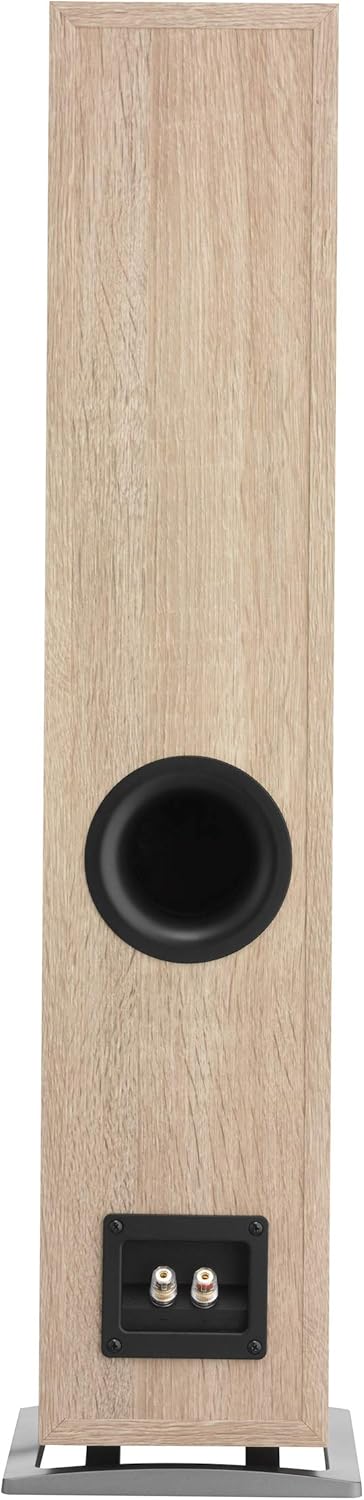
Image: Rear view of the DALI Oberon 5 speaker, showing the bass reflex port and the gold-plated speaker terminals at the bottom.
Operating Instructions
Once connected, your DALI Oberon 5 speakers are ready for use. Ensure your amplifier is powered on and set to the correct input source.
- Power On: Turn on your amplifier and source components (e.g., CD player, streamer).
- Volume Control: Start with the amplifier volume at its lowest setting and gradually increase it to a comfortable listening level.
- Break-in Period: Like all high-quality speakers, the DALI Oberon 5 will benefit from a break-in period of approximately 50-100 hours of normal use. During this time, the drivers will loosen up, and the sound quality will further improve.
- Listening Position: Experiment with your listening position and speaker toe-in (angle towards the listener) to find the optimal soundstage and imaging for your room. DALI speakers are designed for wide dispersion, so significant toe-in is generally not required.
Maintenance
To ensure the longevity and optimal performance of your DALI Oberon 5 speakers, follow these maintenance guidelines:
- Cleaning: Gently wipe the cabinet surfaces with a soft, dry, lint-free cloth. Avoid using abrasive cleaners, solvents, or polishes, as these can damage the finish.
- Grilles: The fabric grilles can be carefully removed for cleaning or if you prefer the aesthetic of the exposed drivers. Use a soft brush or a lint roller to remove dust.
- Environment: Keep the speakers away from direct sunlight, excessive heat sources, and high humidity. Ensure good ventilation around the speakers.
- Driver Protection: Avoid touching the speaker drivers (woofers and tweeter) directly, as this can cause damage.
Troubleshooting
If you encounter any issues with your DALI Oberon 5 speakers, refer to the following common troubleshooting steps:
| Problem | Possible Cause | Solution |
|---|---|---|
| No Sound |
|
|
| Distorted Sound |
|
|
| Weak Bass |
|
|
Specifications
| Feature | Detail |
|---|---|
| Model Name | Oberon 5 |
| Speaker Type | Tower |
| Material | Wood |
| Color | Light Oak |
| Product Dimensions | 13"D x 40"W x 8"H |
| Item Weight | 27.2 Pounds |
| Impedance | 6 Ohm |
| Speaker Maximum Output Power | 150 Watts |
| Connectivity Technology | Wired |
| Audio Output Mode | Stereo |
| Woofer Diameter | 5 Inches |
| Tweeter Diameter | 2.9 Centimeters |
| Signal-to-Noise Ratio | 110 dB |
| Recommended Uses For Product | Music |
| Included Components | 2 x DALI Oberon 5 LO Speakers, Rubber Feet, Solid Spikes |
Warranty and Support
DALI products are manufactured to the highest quality standards. For specific warranty information and support, please refer to the warranty card included with your product or visit the official DALI website. Keep your proof of purchase for warranty claims.
For technical assistance or service inquiries, please contact DALI customer support or your authorized DALI dealer.
Related documentsOberon 5


Ask a question about this manual
Ask about setup, troubleshooting, compatibility, parts, safety, or missing instructions. Manuals+ will review the question and use this page’s manual context to help answer it.