
KATCHY Midnight w/ Auto Mode
Katchy Midnight Indoor Insect Trap User Manual
Model: Midnight w/ Auto Mode | Brand: KATCHY
1. Setup
1.1 Unboxing and Initial Placement
Upon opening the package, you will find the Katchy Midnight Indoor Insect Trap and four complimentary sticky glue boards. The device is designed for indoor use and should be placed on a solid, stable surface.
For optimal effectiveness, position the trap in areas where flying insects are most prevalent. Common locations include kitchens, entryways, offices, near drains, plants, or fruit bowls. Ensure the device is placed away from direct sunlight during automatic mode operation to allow the light sensor to function correctly.
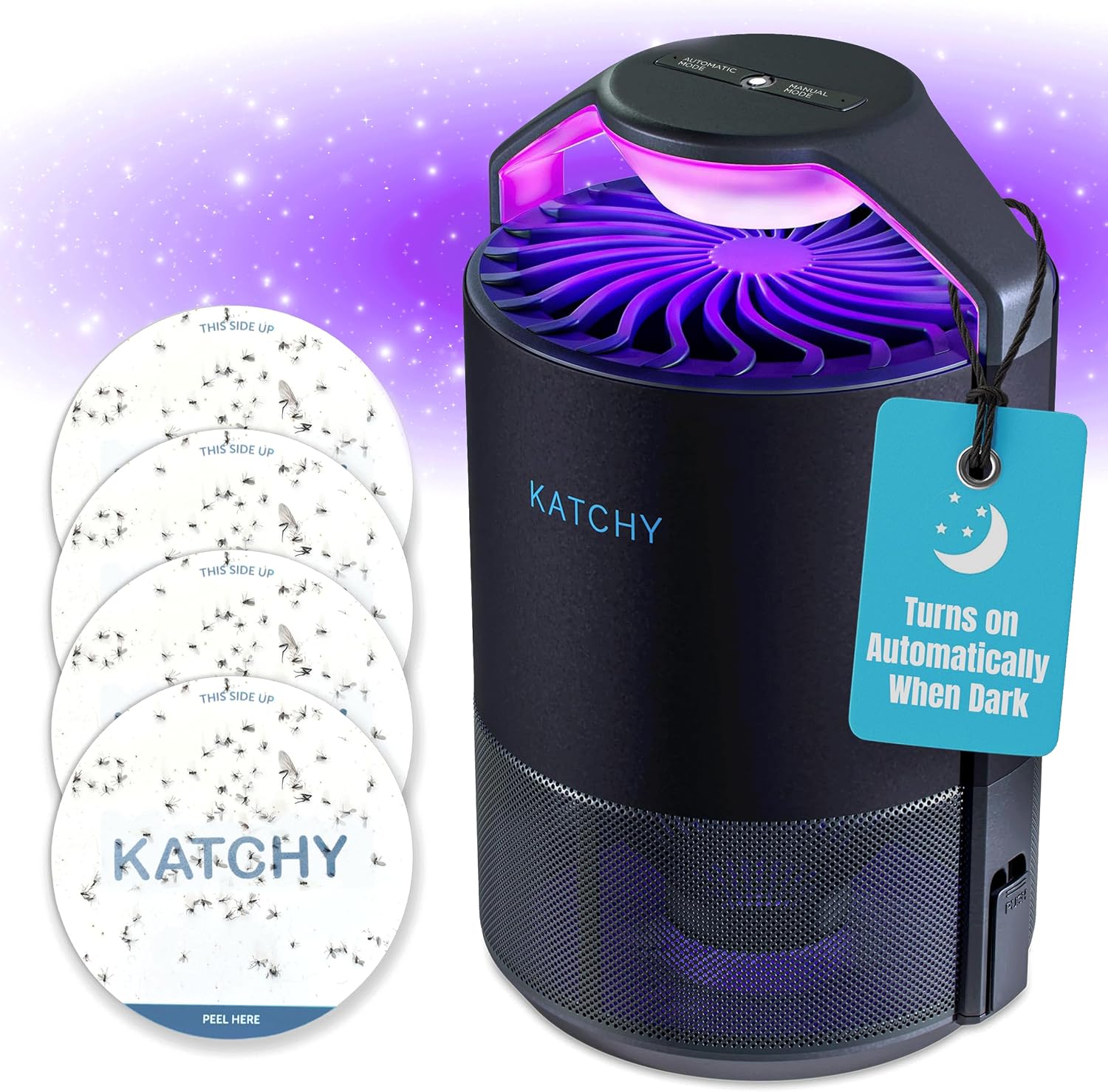
Image: Katchy Midnight Insect Trap shown with four circular sticky glue boards, highlighting the product's components.
1.2 Power Connection
Connect the provided USB power cable to the port on the side of the Katchy device. Plug the USB end into a compatible USB power adapter (not included) and then into a standard electrical outlet. The device will illuminate, indicating it is powered on and ready for operation.
2. Operation
2.1 Modes of Operation
The Katchy Midnight offers two primary operating modes: Automatic and Manual. Use the switch on the top of the device to select your desired mode.
- Automatic Mode: In this mode, the device utilizes a light sensor to automatically activate the UV light and fan when the surrounding environment becomes dark. It will automatically turn off when sufficient light is detected, conserving energy and ensuring operation during peak insect activity times. This is an ideal "set it and forget it" solution.
- Manual Mode: This mode allows for continuous operation of the UV light and fan, regardless of ambient light conditions. Select Manual Mode for targeted pest control during daytime hours or in brightly lit areas where insects are a persistent issue.

Image: Close-up view of the Katchy Midnight's top panel, clearly showing the "Automatic Mode" and "Manual Mode" switch for user selection.
2.2 Fan Settings
The Katchy Midnight features two fan settings to accommodate different needs for effectiveness and noise level. Refer to the device's controls for adjusting the fan speed.
2.3 How the Trap Works
The Katchy Midnight employs a triple-trapping power system:
- UV Light Attraction: A UV light emits a wavelength specifically designed to attract various flying insects, including fruit flies, gnats, mosquitoes, and moths.
- Powerful Fan Suction: Once attracted, insects are drawn into the device by a powerful, yet quiet, fan.
- Sticky Glue Board Capture: Inside the trap, a replaceable sticky glue board captures the insects, ensuring contact-free disposal.

Image: An illustrative diagram detailing the internal mechanism of the Katchy trap, showing the UV light, fan, and sticky glue board working in sequence to capture insects.
2.4 Initial Use Recommendation
For best results, allow the Katchy device to operate continuously for at least 3 days upon initial setup to effectively reduce the insect population in your desired area. During this period, it is recommended to minimize other light sources in the room, especially at night, to maximize the UV light's attraction.

Image: A graphic illustrating various tips for effective use of the Katchy trap, including turning off other lights, using indoors, proper placement, closing doors and windows, and allowing 3 days for initial results.
3. Maintenance
3.1 Replacing Glue Boards
The sticky glue boards are designed for contact-free insect disposal. When a glue board is full, simply remove it and replace it with a new one. It is recommended to replace glue boards every 3-4 weeks for best results, or sooner if heavily covered with insects.

Image: Two hands holding circular Katchy glue boards, one showing a fresh board and the other a board covered with captured insects, demonstrating the effectiveness of the trap.
3.2 Cleaning the Device
Periodically inspect the fan area and the exterior of the device for dust or debris. Use a soft, dry cloth to gently wipe down the surfaces. Ensure the device is unplugged before performing any cleaning.
4. Troubleshooting
4.1 Device Not Attracting/Catching Bugs
- Check Placement: Ensure the trap is located in an area with high insect activity and away from competing light sources, especially in Automatic Mode.
- Verify Glue Board Stickiness: Replace the sticky glue board if it appears full or has lost its adhesive quality.
- Confirm Power: Ensure the device is properly plugged in and the UV light is active.
- Allow Time: It may take up to 3 days for the trap to significantly reduce the insect population.
4.2 Ineffective on House Flies
Please note that the Katchy Midnight Indoor Insect Trap is specifically designed for smaller flying insects such as fruit flies, gnats, mosquitoes, and moths. It is not recommended or effective for catching larger house flies.

Image: An infographic illustrating the types of flying insects that the Katchy trap is effective against, including fruit flies, gnats, mosquitoes, and no-see-ums, with a note that it is not recommended for house flies.
4.3 Video Demonstrations and Tips
For visual guidance on setup, operation, and troubleshooting, please refer to the official product videos below. These videos provide practical demonstrations and additional tips for maximizing the effectiveness of your Katchy device.
Video: "Katchy | Indoor Insect Trap" - An official product video from the seller demonstrating the features and benefits of the Katchy Indoor Insect Trap.
Video: "KATCHY Insect Trap for catching Fruit Flies, Gnats, Mosquitoes and Moths." - A seller-provided video showcasing the Katchy Insect Trap's effectiveness against various flying pests.
5. Specifications
| Brand | KATCHY |
| Model | Midnight w/ Auto Mode |
| Color | Black |
| Material | Plastic |
| Product Dimensions | 4.3"L x 4.3"W x 0.2"H |
| Item Weight | 15.9 ounces (450 Grams) |
| Number of Pieces | 1 |
| Recommended Uses | Indoor |
| Is Electric | Yes |
| Unit Count | 1.0 Count |
| UPC | 742833225617 |
| Manufacturer | KATCHY |
6. Warranty & Support
For detailed warranty information and customer support, please refer to the official KATCHY website or contact their customer service directly. Keep your purchase receipt for any warranty claims.
You can visit the KATCHY Store for more information and to purchase additional glue boards: KATCHY Store
Related Documents - Midnight w/ Auto Mode
 |
Livarno Home Self-Adhesive Fly Screen Installation and User Manual Guide for installing, using, and maintaining the Livarno Home self-adhesive fly screen. Covers assembly steps, safety, cleaning, and warranty information for model HG09112A/HG09112B. |
 |
KEMI MOTO Soundbar Audio System Product Manual - Midnight Series 80/60/40 Comprehensive product manual for the KEMI MOTO Soundbar Audio System, covering installation, features, playback controls, Bluetooth and USB connectivity for Midnight series 80, 60, and 40 models. |
 |
THIRDREALITY Smart Blind FAQ: Troubleshooting and Setup Guide This FAQ guide for THIRDREALITY Smart Blinds provides comprehensive answers for setup, operation, and troubleshooting. Learn about ZigBee connectivity, motorized blackout features, automatic height settings, and seamless integration with Alexa and SmartThings for your cordless window coverings. |
 |
VEVOR Auto-feed Trap With Wheel NH114-W Installation and Safety Manual Comprehensive guide for the VEVOR Auto-feed Trap With Wheel (Model NH114-W/NH114-L), covering installation instructions, technical specifications, safety warnings, parts list, and warranty information. |
 |
Swatch Chronograph User Manual A comprehensive user manual for Swatch chronograph watches, detailing display functions, time setting, date setting, split time, timing modes, add functions, tachymeter usage, and readjustment procedures for various models. |
 |
Beurer BR 90 Insect Bite Healer Instructions for Use Comprehensive instructions for the Beurer BR 90 insect bite healer, detailing its purpose, application, contraindications, and safety guidelines. Learn how to effectively treat insect bites and stings with heat therapy. |
Ask a question about this manual
Ask about setup, troubleshooting, compatibility, parts, safety, or missing instructions. Manuals+ will review the question and use this page’s manual context to help answer it.