
Introduction
This manual provides comprehensive instructions for the installation, operation, and maintenance of your SOLEM Smart-IS6 Wi-Fi/Bluetooth 6-Station Irrigation Programmer. Please read this manual thoroughly before using the device to ensure proper functionality and longevity.
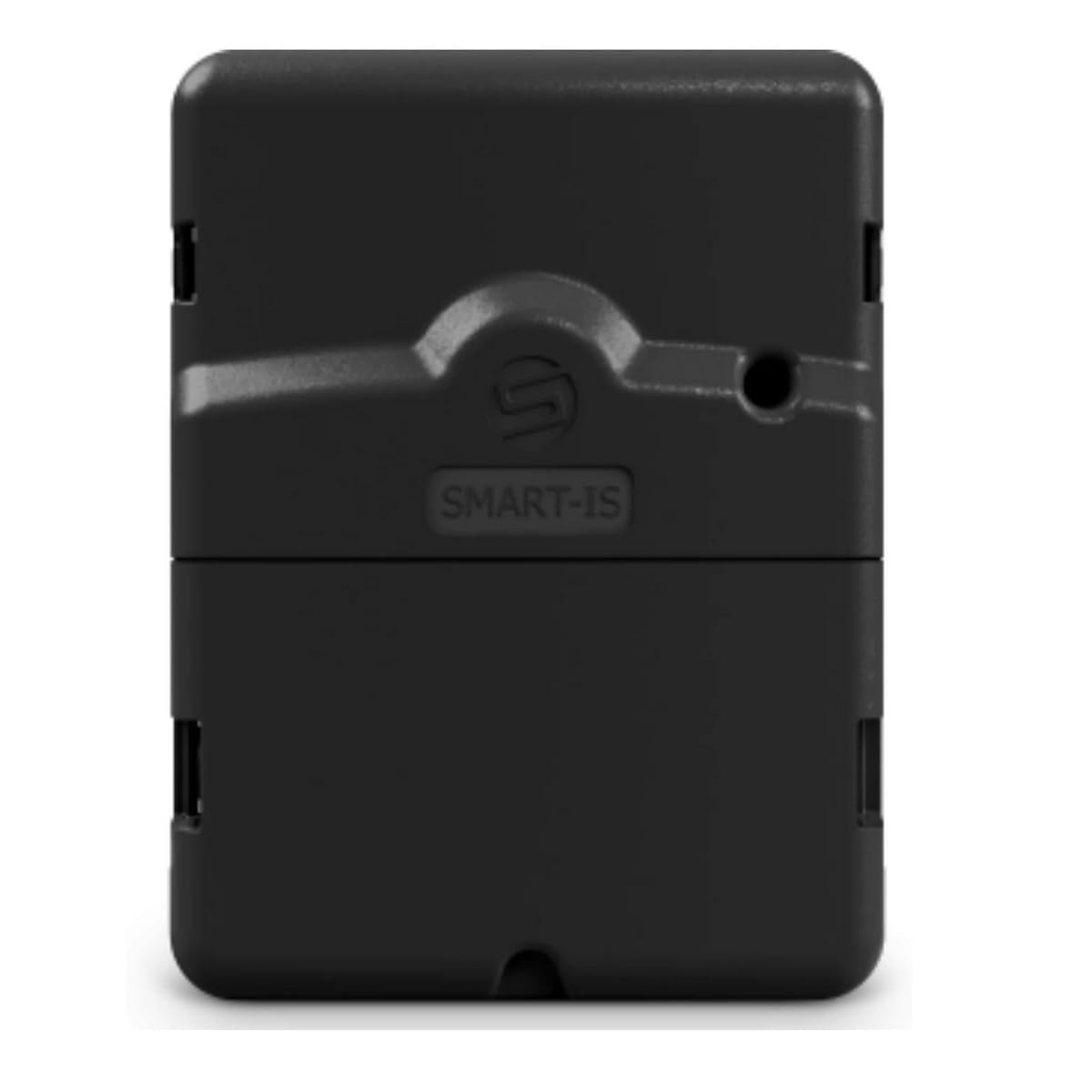
Image: The SOLEM Smart-IS6 irrigation programmer, a black rectangular device, shown next to a smartphone displaying its control application. The image highlights the device's Wi-Fi and Bluetooth connectivity features.
Product Overview
The SOLEM Smart-IS6 is an advanced irrigation programmer designed for automatic control of up to six independent irrigation zones. It features Wi-Fi and Bluetooth connectivity, allowing convenient management via a dedicated smartphone or tablet application. This device is compatible with standard 24V solenoid valves and supports additional sensors for intelligent irrigation.
Key Features:
- Control up to 6 independent irrigation zones.
- Wi-Fi and Bluetooth connectivity for remote management.
- Smartphone/tablet app for flexible programming.
- Compatibility with standard 24V solenoid valves.
- Support for external sensors (rain, flow meter, consumption).
- Internal clock backup for power outages.
Setup
1. Unpacking and Inspection
Carefully remove the Smart-IS6 programmer from its packaging. Inspect the device for any signs of damage. Ensure all components listed in the packaging are present.
2. Mounting the Programmer
Choose a suitable location for mounting the programmer. It should be protected from direct sunlight and extreme weather conditions. Use appropriate screws and anchors to securely mount the device to a wall or sturdy surface.
3. Wiring Connections
- Power Connection: Connect the 24V AC power supply to the designated terminals on the programmer. Ensure the power is off before making any connections.
- Solenoid Valve Connections: Connect each 24V solenoid valve to its corresponding zone terminal on the Smart-IS6. Connect the common wire from all valves to the common terminal.
- Sensor Connections (Optional): If using external sensors (e.g., rain sensor), connect them to the dedicated sensor terminals as per the sensor's instructions.
4. Initial Power-Up and App Installation
Once all wiring is complete, turn on the 24V AC power supply. Download the SOLEM app from your smartphone's app store (iOS or Android). Follow the in-app instructions to pair your Smart-IS6 programmer via Bluetooth and then configure its Wi-Fi connection.
Operating Instructions
1. App Interface Overview
The SOLEM app provides a user-friendly interface for managing your irrigation system. Key sections typically include:
- Dashboard: Quick overview of system status, next scheduled irrigation, and current weather.
- Zones: Manage individual irrigation zones, including names, types, and manual control.
- Programs: Create, edit, and delete irrigation schedules.
- Settings: Configure Wi-Fi, Bluetooth, sensor settings, and other system parameters.
2. Creating an Irrigation Program
- Open the SOLEM app and select the "Programs" section.
- Tap "Add New Program" or similar option.
- Select Zones: Choose which of the 6 zones will be part of this program.
- Set Start Times: Define the desired start times for the irrigation cycles. Multiple start times per day can be configured.
- Set Run Durations: Specify the watering duration for each selected zone within the program.
- Set Frequency: Choose the days of the week or interval (e.g., every 2 days) for the program to run.
- Save Program: Review your settings and save the program.
3. Manual Operation
To manually operate a zone:
- Navigate to the "Zones" section in the app.
- Select the desired zone.
- Tap the "Manual Start" or "Run Now" button.
- Specify the desired run duration.
- Confirm to start manual irrigation.
4. Sensor Integration
If external sensors are connected, configure their settings in the app's "Settings" or "Sensors" section. For example, a rain sensor can be set to suspend irrigation when rain is detected, preventing overwatering.
Maintenance
The SOLEM Smart-IS6 programmer requires minimal maintenance. Follow these guidelines to ensure optimal performance:
- Cleaning: Periodically wipe the exterior of the programmer with a soft, damp cloth. Do not use abrasive cleaners or solvents.
- Firmware Updates: Check the SOLEM app regularly for available firmware updates for your device. Install updates to ensure you have the latest features and bug fixes.
- Environmental Protection: Ensure the programmer remains protected from direct water exposure, extreme temperatures, and physical impact.
- Wiring Inspection: Annually inspect all wiring connections for corrosion or loose terminals. Tighten connections as needed.
Troubleshooting
| Problem | Possible Cause | Solution |
|---|---|---|
| Programmer not powering on. | No power supply, loose wiring, faulty power adapter. | Check 24V AC power connection. Ensure power outlet is functional. Inspect wiring for secure connections. |
| Cannot connect via Bluetooth/Wi-Fi. | Bluetooth/Wi-Fi off on phone, programmer out of range, incorrect Wi-Fi password, network issues. | Ensure Bluetooth is enabled on your device. Move closer to the programmer. Verify Wi-Fi network name and password. Restart your router and the programmer. If issues persist, try re-adding the device in the app. |
| Zones not watering. | Solenoid valve issue, wiring problem, program not active, rain sensor activated. | Check solenoid valve wiring. Verify program schedule and activation. Check if a rain sensor is suspending irrigation. Manually test the zone via the app. |
| Inaccurate watering times. | Incorrect program settings, clock synchronization issue. | Review and adjust program run durations and start times in the app. Ensure the programmer's internal clock is synchronized (usually automatic with app connection). |
Specifications
| Model Number | Smart-IS6 |
| Brand | SOLEM |
| Control Type | Wi-Fi, Bluetooth (via mobile app) |
| Number of Stations | 6 |
| Operating Voltage | 24 Volt AC |
| Product Dimensions | 16 x 3.6 x 14.5 cm |
| Item Weight | 400 g |
| Color | Black |
| Material | Steel (as per manufacturer specifications) |
| Compatibility | Standard 24V AC solenoid valves |
| Sensor Support | Rain sensor, flow meter, consumption sensor |
| Included Components | Irrigation Programmer (power adapter not included) |
Warranty and Support
Warranty Information
Specific warranty details for the SOLEM Smart-IS6 programmer are typically provided at the point of purchase or on the manufacturer's official website. Please retain your proof of purchase for warranty claims. The warranty generally covers defects in materials and workmanship under normal use.
Customer Support
For technical assistance, troubleshooting beyond this manual, or warranty inquiries, please contact SOLEM customer support. Refer to the SOLEM official website for the most up-to-date contact information, including phone numbers, email addresses, and support portals.
Note: The manufacturer's website is the primary resource for detailed support and warranty terms.


