
Introduction
The eufy Security Floodlight Camera provides enhanced outdoor surveillance and lighting for your home. This device integrates a 1080p HD camera with powerful 2,500-lumen motion-activated floodlights, offering clear visibility and security day and night. It features built-in AI for human detection, real-time communication via 2-way audio, and a smart siren to deter intruders. Designed for convenience and privacy, it offers local storage without any monthly fees.
What's in the Box
- Floodlight Camera (Wired)
- Mounting Kit
- Screw Packs
- Quick Start Guide
Setup
Pre-installation Requirements
- Existing outdoor wiring and a weatherproof junction box are required for installation.
- Ensure your Wi-Fi network is 2.4GHz, as the camera only connects to 2.4GHz networks.
Mounting the Camera
The eufy Security Floodlight Camera is designed for hardwired installation. It can be mounted to a wall or a ceiling. The mounting bracket allows for flexible positioning of the camera and lights.

Figure 1: Hardwired Installation. Connect the camera's wires (ground, neutral, live) to your existing outdoor wiring within a weatherproof junction box.
App Setup and Connection
- Download the eufy Security app from your device's app store.
- Follow the in-app instructions to add your Floodlight Camera.
- Ensure your smartphone is connected to a 2.4GHz Wi-Fi network during the setup process.
Operating the Camera
Live View and Recording
Access live 1080p HD video streams anytime through the eufy Security app. The camera records in full 1080p HD, ensuring clear footage of detected events.

Figure 2: Stream in Full HD. The eufy Security camera provides crisp 1080p video, allowing for clear identification of details like license plates.
Motion Detection and Alerts
The built-in AI detects human motion, sending instant alerts to your smartphone. You can customize activity zones and adjust sensitivity levels within the app to minimize false alarms.
Motion-Activated Floodlights
The 2,500-lumen super-bright floodlights activate upon motion detection, illuminating the area and deterring intruders. This also enables detailed, full-color recordings even at night.

Figure 3: Motion Activated Brightness. The floodlights automatically adjust brightness based on detected motion.

Figure 4: Full-Color Recordings Even at Night. The powerful floodlights enable the camera to capture events in full color after dark.
Smart Siren
A high-volume alarm can be triggered manually or automatically to scare off unwanted visitors. Note: This feature is not compatible with HomeBase.
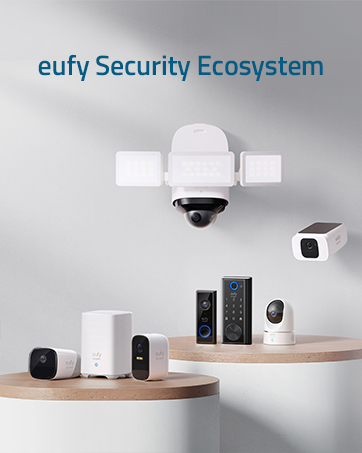
Figure 5: A Harsh Warning to Unwanted Guests. The smart siren provides an audible deterrent.
2-Way Audio
Communicate with visitors or deter intruders using the built-in 2-way audio feature directly from your smartphone.
Local Storage
The camera stores recordings locally, eliminating the need for cloud subscriptions and associated monthly fees. This ensures your data remains private and secure.

Figure 6: Free Secure Local Storage. All recordings are stored directly on the device.
Smart Home Integration
The eufy Security Floodlight Camera is compatible with Amazon Alexa, allowing for voice control of certain functions.
Maintenance
Weather Resistance
The camera is weatherproof with an IP65 rating, designed to withstand various outdoor conditions.

Figure 7: Weatherproof Design. The camera is built to endure outdoor elements.
Cleaning
Periodically clean the camera lens and floodlight surfaces with a soft, damp cloth to ensure optimal performance and image clarity. Avoid using harsh chemicals.
Troubleshooting
- Connectivity Issues: Ensure your Wi-Fi network is 2.4GHz. The camera does not support 5GHz networks.
- Siren Compatibility: The smart siren feature is not compatible with eufy HomeBase devices.
- Excessive Motion Alerts: Adjust the motion detection sensitivity and configure activity zones within the eufy Security app to reduce unwanted notifications.
- Poor Night Vision: Ensure the floodlights are clean and unobstructed. Check app settings for full-color night recording options.
Specifications
| Feature | Detail |
|---|---|
| Model Number | T8420S |
| Indoor/Outdoor Usage | Outdoor |
| Video Capture Resolution | 1080 Pixels (Effective), 2K (Marketing) |
| Lumen Output | 2500 Lumens |
| Power Source | Corded Electric |
| Connectivity Protocol | Wi-Fi (2.4GHz only) |
| Compatible Devices | Alexa, Google Assistant |
| Mounting Type | Wall Mount |
| Water Resistance Level | IP65 (Waterproof) |
| Item Weight | 3.02 pounds |
| Product Dimensions | 7.09 x 7.87 x 12.2 inches |
| Material | Plastic |
| Control Method | App |
Warranty and Support
For warranty information, technical support, or further assistance, please refer to the official eufy Security website or contact their customer service directly. Details can typically be found in the Quick Start Guide included with your product.


