
1. Product Overview
This manual provides instructions for the Kratos Refrigeration Model 69K-770 Commercial Sandwich/Salad Prep Table. This unit is designed for commercial food service applications, offering refrigerated storage and a preparation surface for sandwiches and salads. It features a durable stainless steel exterior, forced air refrigeration, and a capacity for multiple food pans.
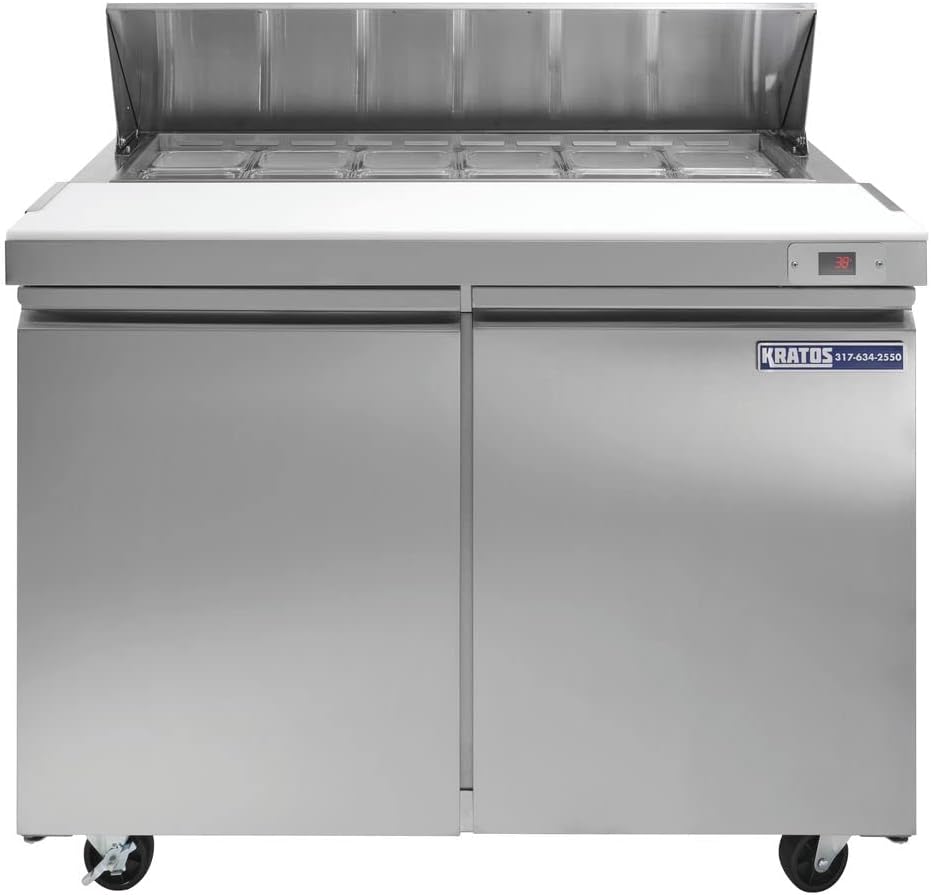
Figure 1: Front view of the Kratos 69K-770 Commercial Sandwich/Salad Prep Table. This image displays the stainless steel exterior, two access doors, and the top prep area with a digital temperature display.
2. Safety Information
Read all safety instructions before operating the appliance. Failure to follow these instructions may result in property damage, injury, or death.
- Ensure the unit is properly grounded to prevent electrical shock.
- Do not store explosive substances such as aerosol cans with a flammable propellant in this appliance.
- Keep ventilation openings in the appliance enclosure or in the built-in structure clear of obstruction.
- Do not use mechanical devices or other means to accelerate the defrosting process, other than those recommended by the manufacturer.
- Do not damage the refrigerant circuit.
- Only authorized service personnel should perform repairs.
- Disconnect power before cleaning or servicing the unit.
3. Setup and Installation
3.1 Unpacking
- Carefully remove all packaging materials, including tape and protective film.
- Inspect the unit for any shipping damage. Report any damage immediately to the carrier and supplier.
- Retain packaging materials for future transport or if the unit needs to be returned.
3.2 Placement
- Place the unit on a strong, level surface capable of supporting its weight (approximately 256 lbs / 116 kg).
- Ensure adequate ventilation around the unit. Maintain a minimum of 6 inches (15 cm) clearance from walls or other obstructions on all sides, especially the rear where the compressor is located.
- Avoid direct sunlight or proximity to heat-generating equipment.
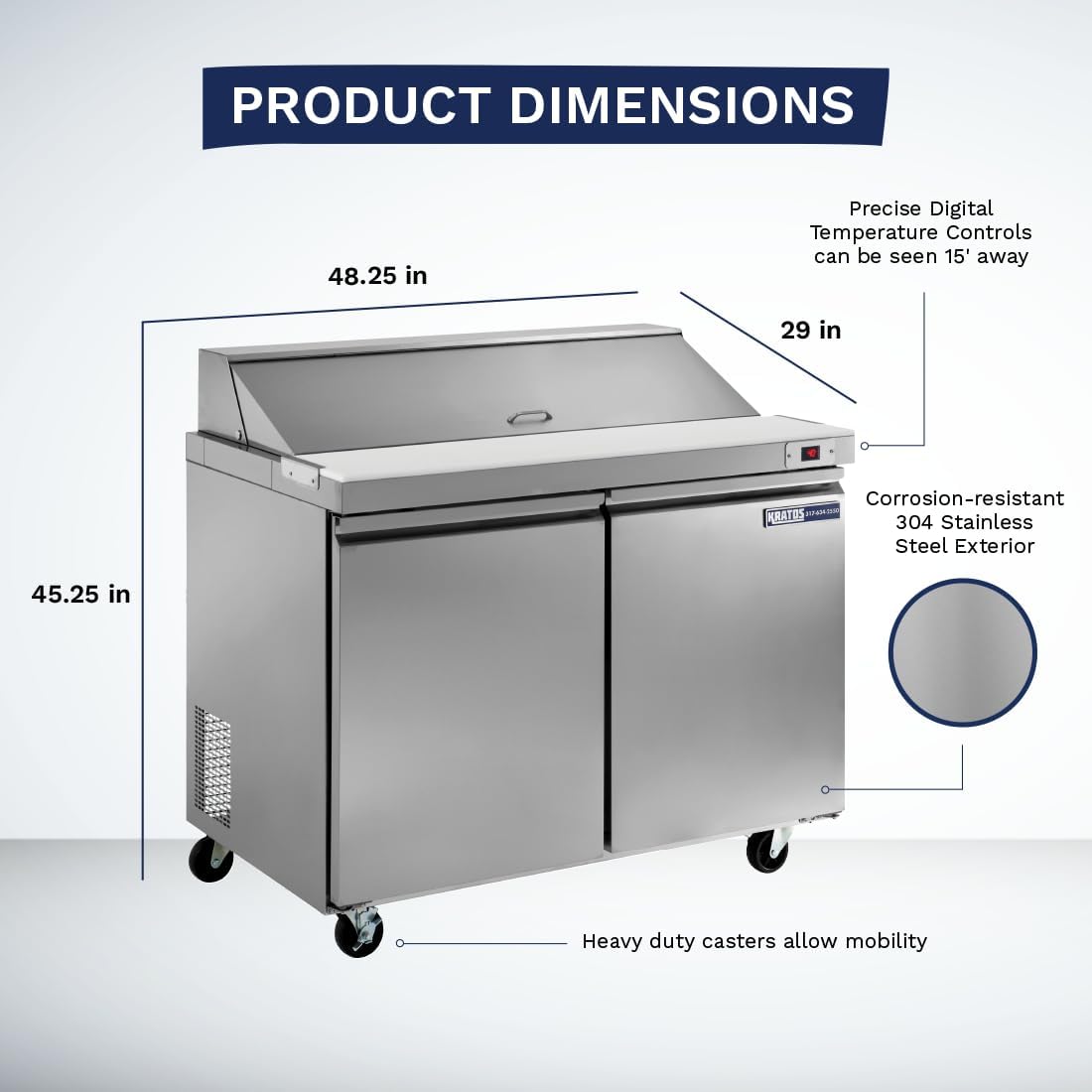
Figure 2: Product dimensions of the Kratos 69K-770. The unit measures approximately 48.25 inches wide, 29 inches deep, and 45.25 inches high, including casters.
3.3 Caster Installation
The unit comes with heavy-duty casters for mobility. Two casters are locking, and two are non-locking.
- Carefully tilt the unit to access the bottom. It is recommended to have at least two people for this task.
- Screw the casters into the threaded holes at each corner of the unit's base. Ensure they are securely tightened.
- Place the locking casters at the front of the unit for stability during use.
- Once all casters are installed, carefully lower the unit to its upright position.
3.4 Electrical Connection
- Connect the unit to a dedicated 120 Volt, 60 Hz, single-phase electrical outlet.
- Do not use extension cords or adapter plugs.
- Ensure the electrical supply matches the requirements listed on the unit's data plate.
4. Operation
4.1 Initial Startup
- After connecting to power, allow the unit to sit for at least 2 hours before turning it on. This allows the refrigerant to settle.
- Turn on the unit using the power switch, typically located near the compressor compartment.
- Allow the unit to run for several hours (e.g., 4-6 hours) to reach its operating temperature before loading with food products.
4.2 Temperature Control
The unit features precise digital temperature controls, visible on the front panel.
- The digital display shows the current internal temperature.
- Refer to the control panel instructions (usually located near the display) for adjusting the set temperature.
- Recommended operating temperature for food safety is typically between 33°F and 41°F (0.5°C and 5°C).
4.3 Food Pan Usage and Cutting Board
The prep table comes standard with (6) 1/3 size food pans and a reversible full-length cutting board.
- Place food pans into the top well. The intuitive open well design accommodates 1/3, 1/2, or full-size pans without adapter bars.
- Ensure food products in pans do not exceed the top edge of the pan to allow proper lid closure and temperature maintenance.
- The cutting board provides a sanitary surface for food preparation. It is reversible and removable for cleaning.

Figure 3: A user preparing food on the cutting board of the Kratos 69K-770, with various ingredients stored in the top pans.
5. Maintenance and Cleaning
Regular maintenance and cleaning are essential for optimal performance and longevity of your unit.
5.1 Daily Cleaning
- Clean the interior and exterior surfaces with a mild soap and warm water solution. Wipe dry with a soft cloth.
- Remove and clean the cutting board and food pans daily. They can be washed with warm, soapy water and sanitized.
- Wipe down door gaskets to ensure a tight seal.
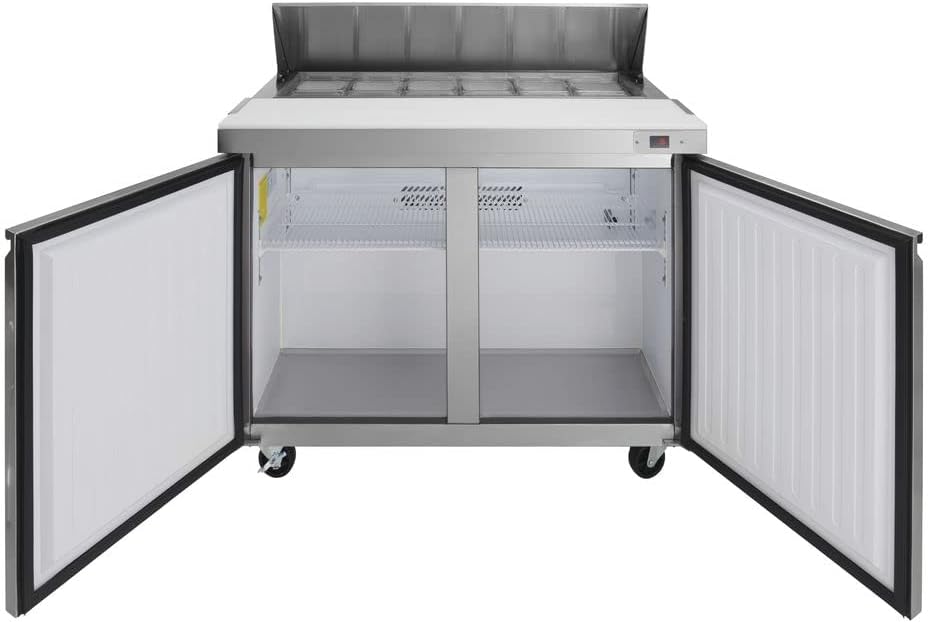
Figure 4: Interior view of the Kratos 69K-770 showing the two adjustable epoxy-coated steel shelves and the spacious refrigerated compartment.
5.2 Condenser Coil Cleaning (Monthly)
The condenser coil should be cleaned monthly to maintain efficiency and prevent compressor failure.
- Disconnect the unit from the power supply.
- Locate the condenser coil, typically at the rear or side of the unit near the compressor.
- Use a stiff brush or vacuum cleaner with a brush attachment to remove dust and debris from the coil fins.
- Ensure all debris is removed to allow for proper airflow.
- Reconnect power after cleaning.
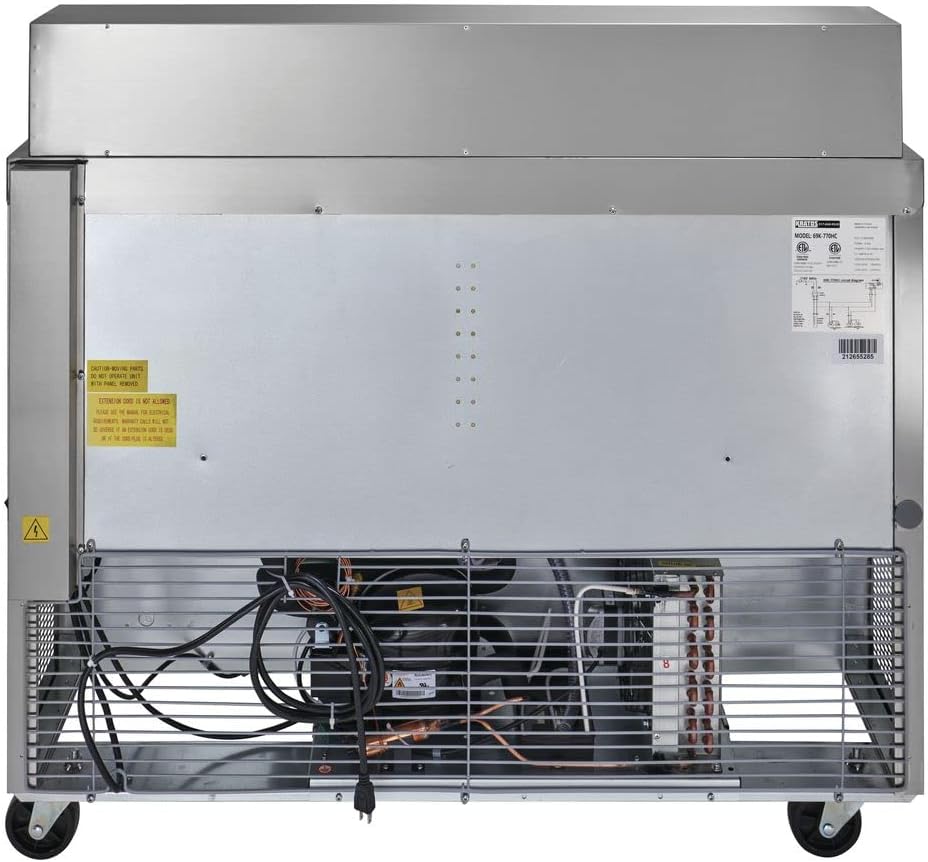
Figure 5: Rear view of the Kratos 69K-770, illustrating the location of the compressor and condenser coil for maintenance access.
5.3 Gasket Maintenance
- Inspect door gaskets regularly for cracks or tears.
- Clean gaskets with warm, soapy water.
- Replace damaged gaskets promptly to maintain energy efficiency and proper temperature.
6. Troubleshooting
Before contacting service, review the following common issues and solutions:
| Problem | Possible Cause | Solution |
|---|---|---|
| Unit not running | No power supply; Power switch off; Circuit breaker tripped. | Check power cord connection; Ensure power switch is ON; Reset circuit breaker. |
| Unit not cooling properly | Dirty condenser coil; Blocked airflow; Door left open; Gasket leak; Overloaded with warm product. | Clean condenser coil; Ensure proper clearance; Close door completely; Inspect/replace gaskets; Reduce product load. |
| Excessive noise | Loose components; Unit not level; Fan obstruction. | Check for loose screws/parts; Level the unit; Clear any obstructions from fan blades. |
| Water on floor (leak) | Clogged drain line; Drain pan overflow. | Clear drain line; Ensure drain pan is correctly positioned and not overflowing. |
7. Specifications
| Feature | Detail |
|---|---|
| Brand | Kratos |
| Model Number | 69K-770 |
| Item Weight | 256 Pounds (116 kg) |
| Product Dimensions (D x W x H) | 30.3 x 48.4 x 45.4 inches (77 x 123 x 115 cm) |
| Capacity | 13.77 Cubic Feet |
| Installation Type | Freestanding |
| Material Type | Stainless Steel |
| Number of Doors | 2 |
| Shelves | 2 (Adjustable, epoxy-coated steel) |
| Voltage | 120 Volts |
| Wattage | 1200 watts |
| Defrost System | Automatic |
| Special Feature | Quiet Operation |
| Certification | NSF, UL |
8. Warranty and Support
8.1 Warranty Information
This Kratos Refrigeration unit comes with a:
- One-year parts and labor warranty for commercial applications.
- Five-year compressor warranty for commercial applications.
Please retain your proof of purchase for warranty claims. Warranty terms and conditions apply.
8.2 Customer Support
For technical assistance, parts, or warranty inquiries, please contact Kratos customer support. Refer to the contact information provided with your purchase documentation or visit the official Kratos website for current support details.
When contacting support, please have your model number (69K-770) and serial number ready.