
1. Introduction
Thank you for choosing the Kratos Commercial 2-Door Solid Reach-in Refrigerator. This manual provides essential information for the safe and efficient operation, installation, maintenance, and troubleshooting of your new appliance. Please read this manual thoroughly before installation and use, and retain it for future reference.
2. Safety Information
To ensure safe operation, always follow these basic precautions:
- Ensure the unit is properly grounded before use.
- Do not store explosive substances such as aerosol cans with a flammable propellant in this appliance.
- Keep ventilation openings in the appliance enclosure or in the built-in structure clear of obstruction.
- Do not use mechanical devices or other means to accelerate the defrosting process, other than those recommended by the manufacturer.
- Do not damage the refrigerant circuit.
- Only qualified service personnel should perform repairs. Improper repairs can lead to hazards.
3. Product Overview
The Kratos Commercial 2-Door Solid Reach-in Refrigerator (Model 67K-002) is designed for commercial kitchen environments, offering 49 cubic feet of storage capacity. It features a durable stainless steel interior and exterior, self-closing doors, and adjustable shelving for versatile storage.
Key Features:
- Construction: Stainless steel interior and exterior for superior corrosion resistance and durability.
- Capacity: 49 cubic feet.
- Doors: Two solid, self-closing doors with recessed handles. Features a 90-degree stay-open function for easy loading and unloading, and integrated locks for security.
- Shelving: Six corrosion-resistant epoxy-coated adjustable shelves, each capable of holding up to 89 lbs and accommodating a full-size sheet pan.
- Mobility: Heavy-duty casters for convenient movement during cleaning and maintenance.
- Refrigeration System: Environmentally friendly R290A refrigerant, automatic defrost, and digital temperature control with LED display.
- Power: NEMA 5-15P plug, 115V, 516W, 1/2HP, 60-HZ, 1 Phase, with an 8-foot power cord.
- Certifications: ETL certified.
Product Dimensions:
Overall unit dimensions: 54"W x 32.2"D x 82.5"H.

Image: Front-side view of the Kratos Commercial Refrigerator with key dimensions (height, width, depth) indicated by arrows and numerical values.
4. Setup & Installation
Proper installation is crucial for optimal performance and longevity of your refrigerator.
4.1 Unpacking
- Carefully remove all packaging materials.
- Inspect the unit for any shipping damage. Report any damage immediately to the carrier and supplier.
4.2 Placement
- Place the unit on a strong, level surface capable of supporting its weight when fully loaded.
- Ensure adequate clearance around the unit for proper ventilation (at least 6 inches from walls). Avoid placing near heat sources or in direct sunlight.
- The heavy-duty casters allow for easy positioning. Engage the caster brakes once the unit is in its final location to prevent movement.

Image: The Kratos Commercial Refrigerator positioned in a kitchen, highlighting its stainless steel finish and mobile casters.
4.3 Electrical Connection
- Connect the unit to a dedicated 115V, 60Hz, 1 Phase electrical outlet. The unit comes with a NEMA 5-15P plug.
- Do not use extension cords or adapter plugs.
4.4 Initial Startup
- After plugging in, allow the refrigerator to operate for at least 2-4 hours empty to reach its set temperature before loading with products.
5. Operating Instructions
5.1 Digital Temperature Control
The unit is equipped with a digital temperature control system located on the top front panel. The LED display shows the current internal temperature.

Image: A close-up of the digital temperature control panel, showing the display and adjustment buttons.
- Press the 'SET' button to view the set temperature.
- To adjust the temperature, press and hold 'SET' until the display flashes. Use the up/down arrows to change the value, then press 'SET' again to confirm.
5.2 Loading Products
- Distribute products evenly on the shelves to allow for proper air circulation. Do not block the internal air circulation fans.
- The self-closing doors feature a 90-degree stay-open mechanism, which is useful during loading and unloading.
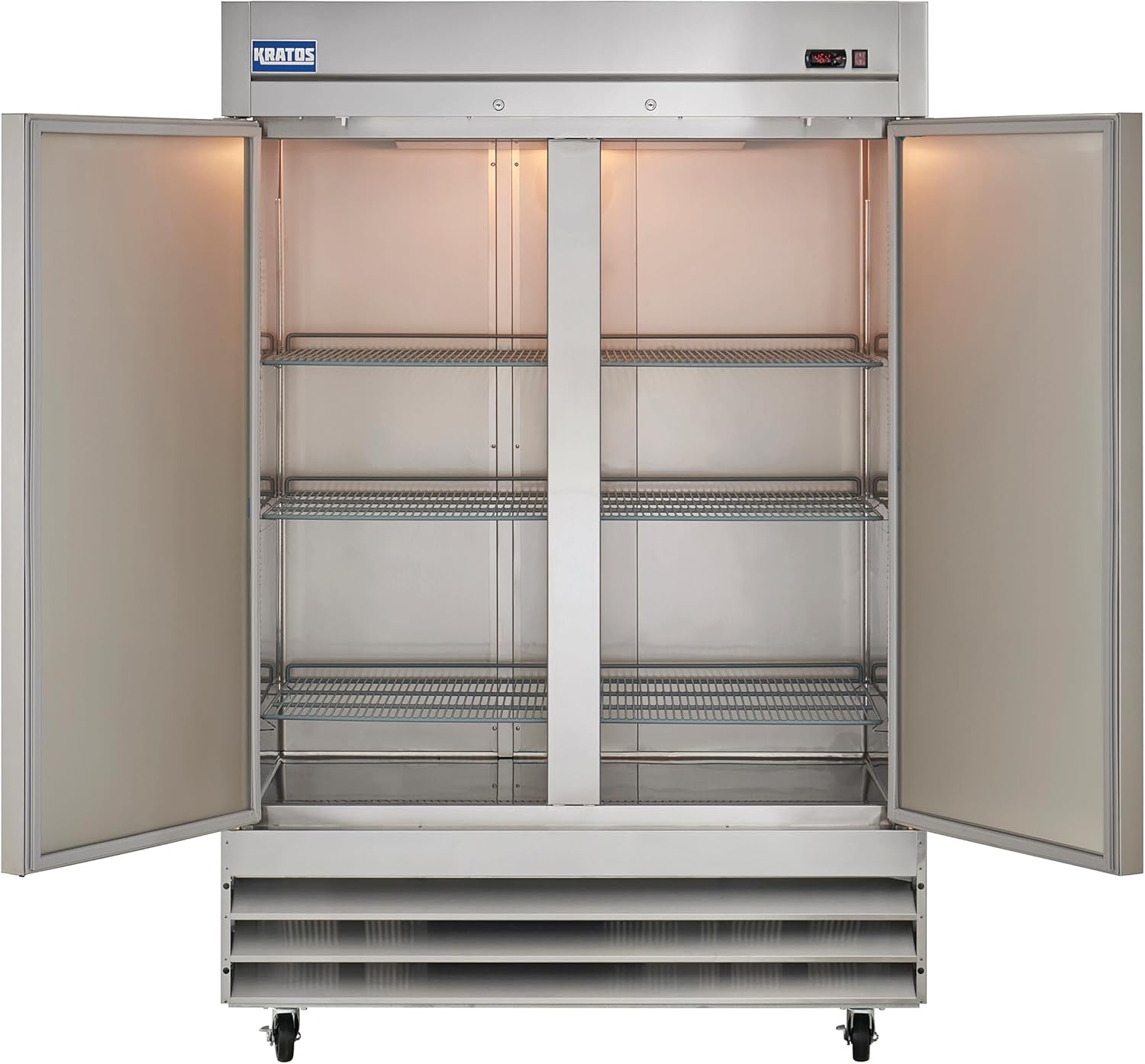
Image: Interior view of the refrigerator with both doors open, revealing the adjustable, epoxy-coated shelves.
5.3 Door Locks
Each door is equipped with a lock for securing contents when the unit is not in use.
6. Maintenance
Regular maintenance ensures the longevity and efficiency of your Kratos refrigerator.
6.1 Cleaning
- Exterior: Clean the stainless steel exterior regularly with a soft cloth and mild detergent. Avoid abrasive cleaners.
- Interior: Clean the interior surfaces and shelves with a mild, food-safe cleaning solution. Remove shelves for thorough cleaning.
- Door Gaskets: Inspect and clean door gaskets regularly to ensure a tight seal. Replace worn or damaged gaskets promptly.
6.2 Defrost System
This unit features an automatic defrost system, minimizing the need for manual defrosting. Ensure the drain pan is clear and functioning correctly.
6.3 Condenser Coil Cleaning
The condenser coils should be cleaned every 30 days or as needed to maintain optimal cooling performance and energy efficiency. Refer to the video below for a visual guide on product features, including internal components.
Video: An overview of Kratos Reach-in Refrigerators, demonstrating key features, dimensions, and internal components. This video is provided by Central Restaurant.
7. Troubleshooting
Before contacting service, review the following common issues and solutions:
| Problem | Possible Cause | Solution |
|---|---|---|
| Unit not cooling | Power supply issue, thermostat setting, dirty condenser, door not sealing. | Check power, adjust thermostat, clean condenser, inspect door gaskets. |
| Excessive noise | Loose components, fan obstruction, unit not level. | Tighten components, clear fan, level the unit. |
| Water on floor | Clogged drain line, excessive humidity. | Clear drain line, ensure proper door closure. |
8. Specifications
| Feature | Detail |
|---|---|
| Brand | Kratos |
| Model Info | 67K-002 |
| Item Weight | 412 pounds |
| Product Dimensions | 32.2"D x 54"W x 82.5"H |
| Capacity | 47 Cubic Feet |
| Installation Type | Freestanding |
| Special Features | Automatic Defrost, Digital Temperature Control, Door Lock, LED Display, Large Capacity |
| Color | Silver |
| Voltage | 115 Volts |
| Wattage | 516.00 |
| Racks/Shelves | 6 |
| Defrost System | Automatic |
| Door Material Type | Stainless Steel |
| Material Type | Stainless Steel |
| Number Of Doors | 2 |
| Certification | ETL |
9. Warranty & Support
Your Kratos Commercial 2-Door Solid Reach-in Refrigerator comes with the following warranty:
- 2-Year Parts and Labor Warranty
- 5-Year Compressor Warranty
- A 90-day limited warranty applies for food trucks or mobile applications.
- The warranty is void if the unit is used in a residential setting.
For warranty claims, technical assistance, or any product-related inquiries, please contact Kratos customer support. Ensure you have your model number (67K-002) and purchase information available.