
Introduction
This manual provides instructions for the Muse ML-35 BT Bluetooth Alarm Clock Radio. This device features an FM/MW radio, an alarm clock with light and nature sounds, multicolor ambient lighting, adjustable white light brightness, an automatic stop function with progressive light dimming, dual alarm, snooze, sleep, and calendar functions. It also includes an LCD screen with LED backlight and an AUX input.

Image: Muse ML-35 BT product packaging, showing the device and its features.
Product Features
- Bluetooth alarm clock radio
- FM/MW radio alarm clock with light and nature sounds
- Multicolor ambient light with color selection
- White light with brightness adjustment
- Automatic stop function with progressive light intensity reduction
- Dual alarm, snooze, sleep, and calendar functions
- LCD screen with LED backlight
- AUX input
- Requires 2xAAA batteries (not included)
Setup
Unpacking
Carefully remove the Muse ML-35 BT from its packaging. Ensure all components are present: the main unit and power adapter.
Power Connection
Connect the power adapter to the DC input port on the back of the unit, then plug it into a standard wall outlet. The unit will power on and the display will illuminate.
Battery Installation (Backup)
For time and alarm settings backup during power outages, insert 2xAAA batteries (not included) into the battery compartment located at the bottom of the unit. Ensure correct polarity.
Initial Time Setting
Upon first power-on or after a power reset without backup batteries, the display may flash. Refer to the 'Setting Time and Date' section for detailed instructions.
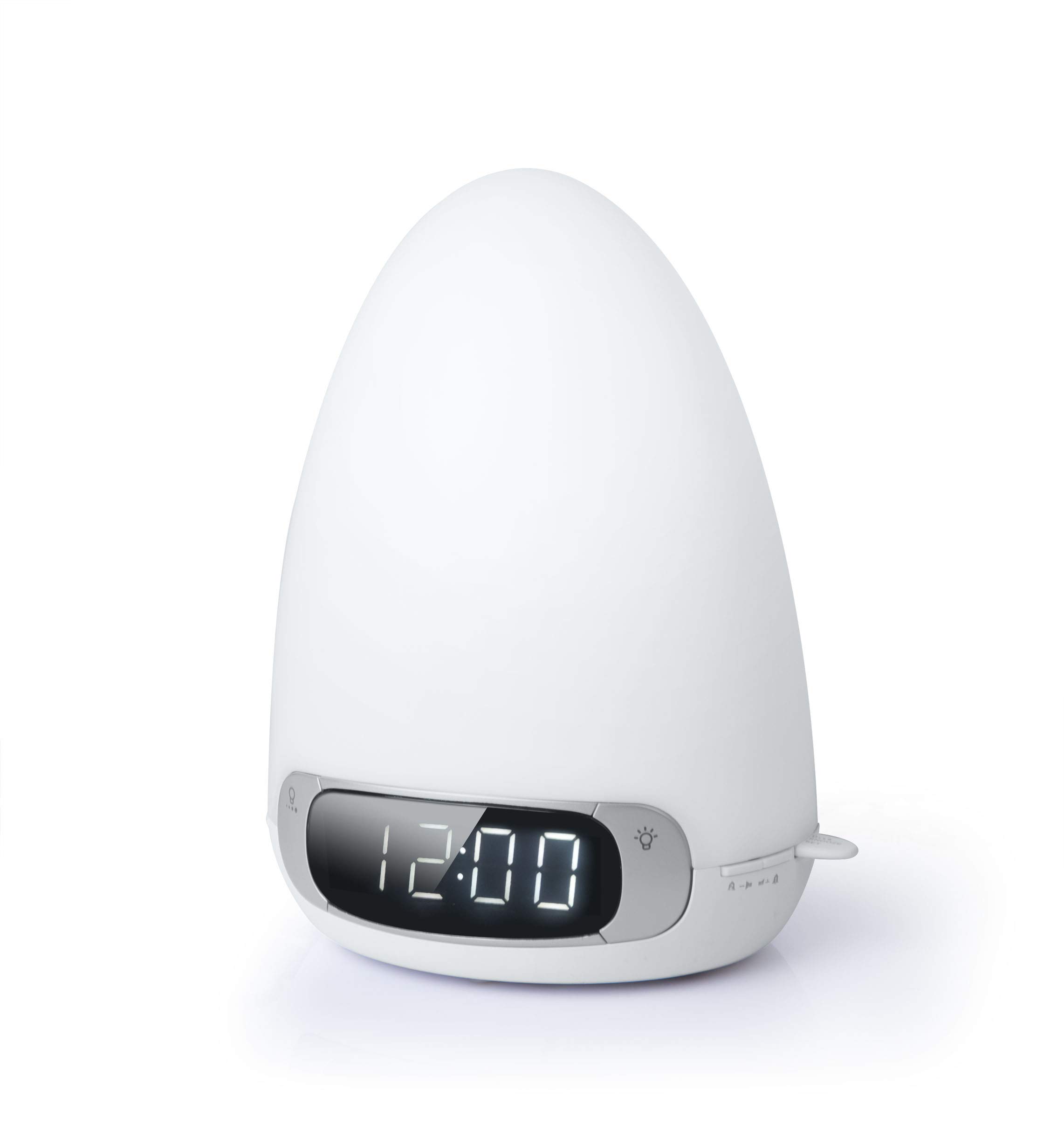
Image: The Muse ML-35 BT alarm clock radio, white, with a smartphone connected via cable, displaying '12:00'.
Operating Instructions
Setting Time and Date
Press and hold the TIME SET button. Use the +/- buttons to adjust the hour, then press TIME SET again to confirm. Repeat for minutes, year, month, and day. Press TIME SET one last time to exit.
Radio Operation (FM/MW)
Press the RADIO button to turn on the radio. Press again to switch between FM and MW bands. Use the TUNE +/- buttons to manually tune to a station. Press and hold TUNE +/- for automatic scanning. To save a preset, press and hold the PRESET button, use +/- to select a preset number, then press PRESET again to confirm.
Bluetooth Pairing
Press the MODE button until "BT" appears on the display. The unit will enter pairing mode, indicated by a flashing Bluetooth icon. On your mobile device, search for "ML-35 BT" in the Bluetooth settings and select it to pair. A confirmation tone will sound upon successful connection.
Alarm Settings (Dual Alarm)
The unit supports two independent alarms. Press and hold ALARM 1 or ALARM 2. Use +/- to set the alarm time, then press the respective alarm button to confirm. Select the alarm source (radio, buzzer, nature sound) and light intensity. Press the alarm button again to save and exit.
Light Functions (Multicolor & White)
Press the LIGHT button to cycle through light modes: white light, multicolor ambient light, and off. When in white light mode, use the BRIGHTNESS dial or buttons to adjust intensity. In multicolor mode, press COLOR to select a specific color or enable color cycling.
Sleep Function
Press the SLEEP button to activate the sleep timer. Repeatedly press to cycle through available sleep durations (e.g., 15, 30, 60, 90 minutes). The unit will automatically turn off after the selected duration, with progressive light dimming.
Snooze Function
When an alarm sounds, press the SNOOZE button to temporarily silence it. The alarm will sound again after a short interval (typically 9 minutes).
AUX Input
Connect an external audio device to the AUX IN port using a 3.5mm audio cable. Press the MODE button until "AUX" appears on the display. Audio from the connected device will play through the unit's speaker.

Image: The Muse ML-35 BT alarm clock radio placed on a bedside table in a bedroom, displaying '12:00'.
Maintenance
Cleaning
Wipe the unit with a soft, dry cloth. Do not use abrasive cleaners, waxes, or solvents as they may damage the surface. Ensure the unit is unplugged before cleaning.
Storage
If storing the unit for an extended period, disconnect it from the power source and remove the backup batteries. Store in a cool, dry place away from direct sunlight and extreme temperatures.
Battery Replacement
Replace backup batteries (2xAAA) annually or when the display shows signs of power loss during outages. Dispose of old batteries responsibly.
Troubleshooting
No Power / Display Off
- Ensure the power adapter is securely plugged into both the unit and a working wall outlet.
- Check if the wall outlet is functional by plugging in another device.
- If using backup batteries, ensure they are correctly installed and not depleted.
No Radio Reception / Poor Sound Quality
- Extend the FM antenna fully for better reception.
- Reposition the unit to a location with better signal.
- Try tuning to different stations.
- Ensure no other electronic devices are causing interference nearby.
Bluetooth Pairing Issues
- Ensure the unit is in Bluetooth pairing mode (flashing BT icon).
- Make sure Bluetooth is enabled on your mobile device.
- Move your mobile device closer to the unit.
- If previously paired, try unpairing and re-pairing the device.
- Restart both the unit and your mobile device.
Alarm Not Sounding
- Verify that the alarm is activated (alarm icon visible on display).
- Check that the alarm volume is not set to minimum.
- Ensure the alarm time is correctly set.
Specifications
| Feature | Detail |
|---|---|
| Model Number | ML-35 BT |
| Brand | Muse |
| Dimensions | 23.6 x 14 x 17.4 cm |
| Weight | 970 g |
| Power Source | Electric (AC adapter) |
| Backup Batteries | 2xAAA (not included) |
| Display Type | Digital LCD with LED backlight |
| Radio Bands | FM/MW |
| Connectivity | Bluetooth, AUX In |
| Light Features | Multicolor ambient light, adjustable white light |
Warranty and Support
For warranty information and technical support, please refer to the documentation provided with your purchase or visit the official Muse website. Keep your proof of purchase for warranty claims.


