Introduction
Thank you for purchasing the KENWOOD M-EB50-S Compact Hi-Fi System. This system offers versatile audio playback options including CD, USB, FM/AM radio, and seamless wireless streaming via Bluetooth. Designed with a sleek aluminum front panel and powerful 25W+25W output, it delivers high-quality sound for an enhanced listening experience. This manual provides essential information for setting up, operating, and maintaining your new audio system.
Safety Information
- Ensure proper ventilation around the unit to prevent overheating.
- Do not expose the unit to rain or moisture to avoid fire or electric shock.
- Do not open the cabinet. Refer servicing to qualified personnel only.
- Keep the unit away from direct sunlight, heat sources, and excessive dust.
- Use only the power supply specified for this unit.
Package Contents
Please check that all items listed below are included in your package:
- Main Unit (M-EB50-S)
- Speaker Units (x2)
- Remote Control (RC-MEB50)
- FM Antenna Cable
- User Manual (this document)
- Power Cord
Setup
1. Connecting the Speakers
Connect the speaker cables from the speaker units to the corresponding speaker terminals on the rear of the main unit. Ensure correct polarity (+ to + and - to -) for optimal sound quality.

Image: The KENWOOD M-EB50-S main unit positioned between its two accompanying speakers, illustrating a typical setup configuration.
2. Connecting the FM Antenna
Connect the supplied FM antenna cable to the FM antenna terminal on the rear panel. Extend the antenna for better reception.
3. Power Connection
Plug the power cord into the AC inlet on the rear of the main unit, then plug the other end into a wall outlet. The unit is designed for AC power operation.

Image: Rear view of the KENWOOD M-EB50-S main unit, highlighting the speaker terminals, FM antenna input, and power cord connection point.
Operating Instructions
Power On/Off
Press the POWER button on the front panel or remote control to turn the unit on or off.
Volume Control
Rotate the VOLUME knob on the front panel or use the VOL +/- buttons on the remote control to adjust the volume level.
Source Selection
Press the SOURCE button on the front panel or remote control to cycle through available input sources: CD, USB, Bluetooth, FM, AM, AUX.
CD Playback
- Press the CD button on the remote or select CD source.
- Press the OPEN/CLOSE button to open the disc tray.
- Place a CD with the label side up on the disc tray.
- Press OPEN/CLOSE again to close the tray. Playback will start automatically.

Image: The KENWOOD M-EB50-S main unit with its CD tray extended, showing a compact disc being inserted for playback.
USB Playback
- Insert a USB memory device into the USB port on the front panel.
- Select the USB source. The unit will automatically detect and play compatible MP3 files.

Image: The KENWOOD M-EB50-S main unit with a USB flash drive inserted into the front USB port, indicating readiness for digital audio playback.
Bluetooth Connection
- Select the Bluetooth source. The display will show "PAIRING".
- On your smartphone or Bluetooth device, enable Bluetooth and search for "KENWOOD M-EB50-S".
- Select the unit from the list to pair. Once connected, you can stream audio wirelessly.
FM/AM Radio
- Select the FM or AM source.
- Press the TUN +/- buttons to manually tune to a station, or press AUTO to automatically scan for stations.
- The unit supports Wide FM, allowing you to listen to AM radio broadcasts via FM.
Sound Modes (Equalizer)
Press the EQ button on the remote control to cycle through preset sound modes: FLAT, JAZZ, CLASSIC, ROCK, POP. Choose the mode that best suits your music genre.
Remote Control
The supplied remote control provides full functionality for operating the system from a distance. Ensure batteries are correctly inserted (not supplied, typically AAA x2).
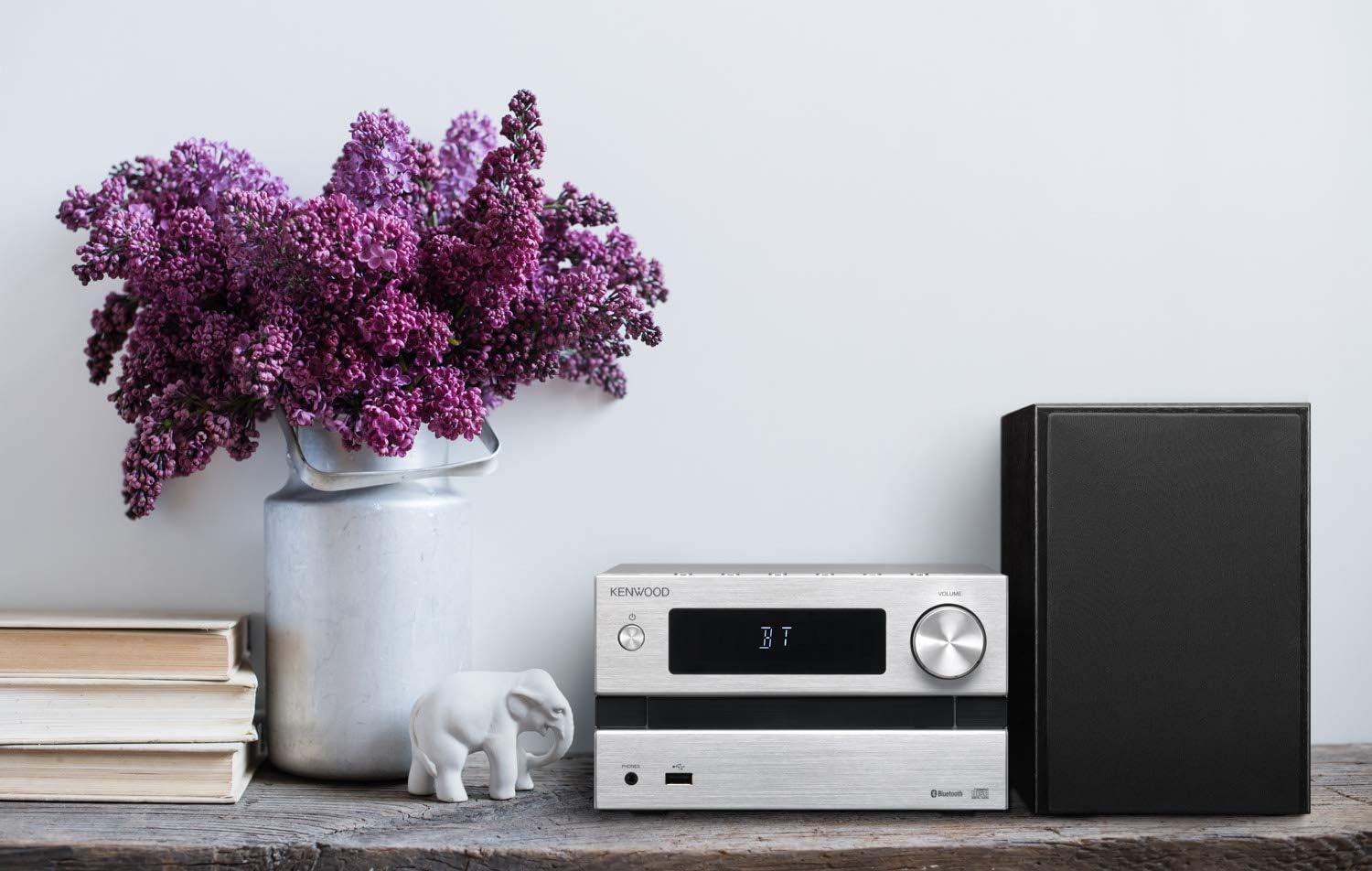
Image: The KENWOOD RC-MEB50 remote control, displaying various function buttons for system operation, alongside the included FM antenna cable.
Maintenance
- Cleaning the Unit: Wipe the unit with a soft, dry cloth. For stubborn stains, dampen the cloth with a mild detergent solution and wipe gently, then dry thoroughly. Do not use abrasive cleaners or solvents.
- Disc Tray: Keep the disc tray clean and free of dust.
- Speaker Grilles: Gently vacuum or brush the speaker grilles to remove dust.
Troubleshooting
| Problem | Solution |
|---|---|
| No power | Check if the power cord is securely plugged into the unit and the wall outlet. |
| No sound | Check speaker connections. Ensure volume is not set to minimum or muted. Verify correct audio source is selected. |
| CD not playing / "Error" displayed | Ensure the CD is clean and inserted correctly. Try a different CD. |
| Bluetooth pairing fails | Ensure the unit is in Bluetooth pairing mode. Make sure your device's Bluetooth is on and within range. Try restarting both devices. |
| Poor radio reception | Adjust the position of the FM antenna. Try moving the unit to a different location. |
Specifications
| Feature | Detail |
|---|---|
| Model Number | M-EB50-S |
| Brand | KENWOOD (JVCKENWOOD Corporation) |
| Output Power | 50 Watts (25W + 25W) |
| Speaker Configuration | 2-way speakers with 11cm woofer (x2) |
| Connectivity | Bluetooth, USB, AUX |
| Supported Media | CD, MP3 (via USB) |
| Radio Tuner | FM / AM (Wide FM compatible) |
| Bluetooth Frequency Band | 2.4GHz (2.4000GHz-2.4835GHz) |
| Compatible Devices | Headphones, Smartphones |
| Power Source | AC Power (Main Unit) |
| Approximate Product Weight | 0.5 kg (Main Unit) |
Warranty and Support
This product comes with a manufacturer's warranty. Please refer to the warranty card included in your package for specific terms and conditions, including warranty period and coverage details. For technical support, service, or inquiries regarding your product, please contact KENWOOD customer service or visit the official JVCKENWOOD website for support resources.
You can find more information and support at the JVCKENWOOD Brand Store on Amazon.