
Makita XFD131
Makita XFD131 18V LXT® Lithium-Ion Brushless Cordless 1/2" Driver-Drill Kit (3.0Ah)
Model: XFD131 | Brand: Makita
Introduction
The Makita XFD131 18V LXT Lithium-Ion Brushless Cordless 1/2" Driver-Drill Kit is engineered for users seeking a powerful yet lightweight drilling and driving solution. This tool combines 440 in. lbs. of max torque with an efficient Brushless motor, delivering enhanced performance, speed, and extended tool life. Its design focuses on user comfort and productivity, making it suitable for a wide range of applications from heavy-duty fastening to delicate tasks.
This manual provides essential information for the safe and effective operation, maintenance, and troubleshooting of your Makita XFD131 Driver-Drill.
Important Safety Information
WARNING: Cancer and Reproductive Harm - www.P65Warnings.ca.gov
Always read and understand all safety warnings, instructions, illustrations, and specifications provided with this power tool. Failure to follow all instructions listed below may result in electric shock, fire, and/or serious injury.
Battery Safety:
Only use genuine Makita Lithium-Ion batteries and chargers. The use of non-genuine ("knock-off") Makita Lithium-Ion Batteries may burst, causing fires, personal injuries, or property damage. Makita's Star Protection Computer Controls technology protects against overloading, over-discharging, and overheating when used with genuine Makita batteries.

Image: Illustration showing a damaged battery and charger with a warning against using non-genuine Makita batteries.
What's in the Box
Your Makita XFD131 Kit includes the following components:
- 18V LXT Compact Brushless 1/2" Driver-Drill (XFD13Z)
- 18V LXT Lithium-Ion 3.0Ah Battery (BL1830B)
- 18V LXT Lithium-Ion Charger (DC18SD)
- Tool Bag

Image: The complete Makita XFD131 kit, including the driver-drill, 3.0Ah battery, charger, and tool bag.
Setup
1. Charging the Battery
Before first use, fully charge the 18V LXT Lithium-Ion 3.0Ah Battery (BL1830B) using the provided 18V LXT Lithium-Ion Charger (DC18SD). The charger is designed for efficient charging, with a full charge typically achieved in approximately 30 minutes for the 3.0Ah battery.
Image: The Makita charger and battery, ready for charging.
2. Attaching and Detaching the Battery
- To attach: Align the battery with the grooves in the tool's handle and slide it in until it clicks into place. Ensure it is securely latched.
- To detach: Press the release button on the battery pack and slide the battery out of the tool.

Image: Side view of the Makita XFD131 Driver-Drill with the 18V LXT battery securely attached.
3. Installing and Removing Drill Bits
- To install: Rotate the chuck counter-clockwise to open the jaws. Insert the drill bit or driver bit into the chuck as far as it will go. Rotate the chuck clockwise to tighten the jaws securely around the bit.
- To remove: Rotate the chuck counter-clockwise to loosen the jaws and pull the bit out.

Image: Close-up view of the 1/2-inch keyless chuck on the Makita XFD131 Driver-Drill.
Operating Instructions
1. Power and Speed Control
The Makita XFD131 features a mechanical 2-speed transmission for versatile applications:
- Low Speed (Gear 1): Ideal for heavy-duty applications requiring high torque, such as driving large fasteners or drilling large holes. (0-500 RPM)
- High Speed (Gear 2): Suitable for faster drilling and lighter fastening tasks. (0-1,900 RPM)
To switch between speeds, use the speed selector slide switch located on top of the tool. Ensure the tool is stopped before changing speeds.

Image: A hand adjusting the 2-speed selector switch on the top of the Makita XFD131 Driver-Drill.
The variable speed trigger allows for precise control over the rotational speed. Press the trigger lightly for slower speeds and increase pressure for higher speeds.
2. Torque Adjustment
The adjustable torque settings provide greater control for a full range of applications. Rotate the clutch ring to select the desired torque setting (1-21) for driving screws, or select the drill mode for drilling applications. This prevents over-tightening or stripping screws.
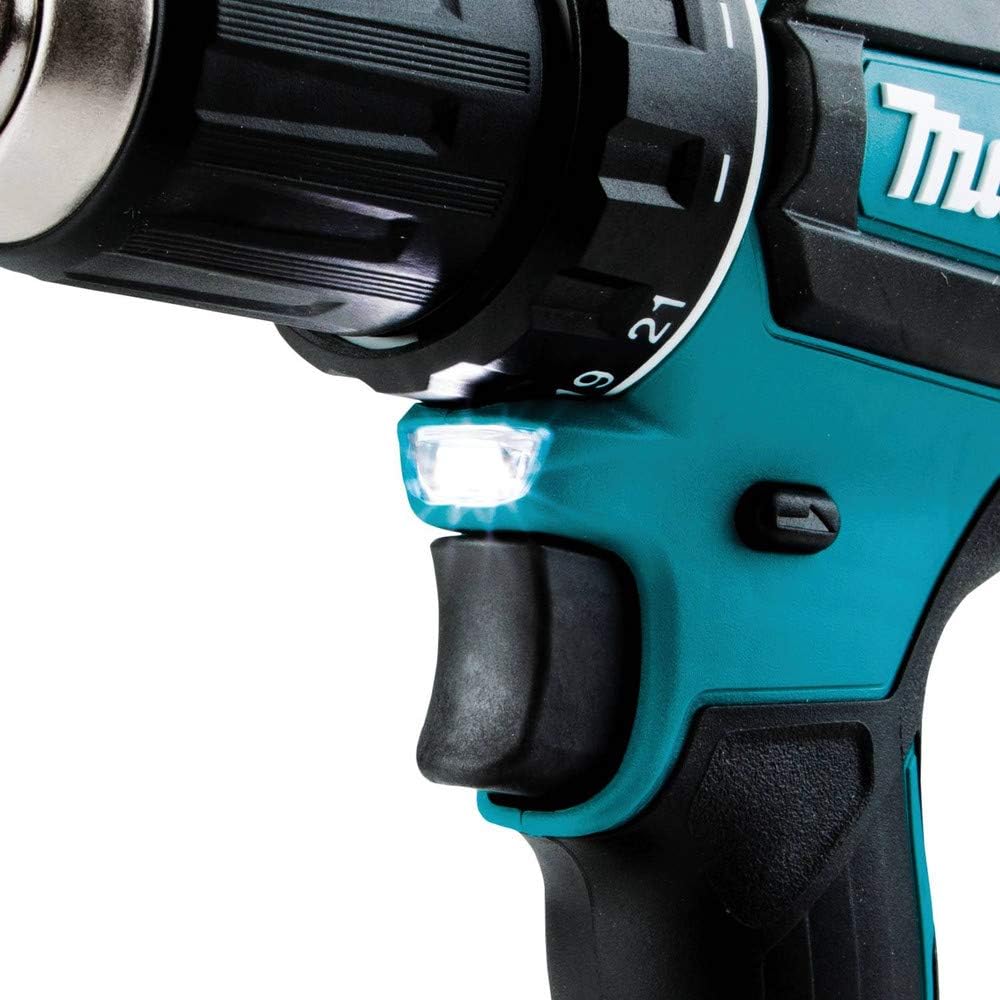
Image: Close-up view of the torque adjustment ring and drill mode setting on the Makita XFD131 Driver-Drill.
3. Integrated LED Light
The built-in LED light illuminates the work area for improved visibility, especially in dimly lit conditions. The light activates when the trigger is pressed.

Image: Close-up of the integrated LED light on the Makita XFD131 Driver-Drill, showing it illuminated.
4. Brushless Motor Technology
The efficient BL Brushless motor is electronically controlled to optimize battery energy use, providing up to 50% longer run time per charge, increased power, and speed, and a longer tool life compared to brushed motors.

Image: Infographic detailing the LXT Advantage, highlighting the benefits of Makita's brushless motor and battery technology.
Maintenance
1. Cleaning
Regularly clean the tool's ventilation openings to prevent overheating. Use a soft, dry cloth to wipe down the tool. Do not use strong solvents or abrasive cleaners.
2. Battery Care
To ensure optimal battery life and performance, store batteries in a cool, dry place away from direct sunlight. Avoid fully discharging the battery before recharging. Makita's Star Protection Computer Controls technology helps protect the battery against overloading, over-discharging, and overheating, extending its overall lifespan.
3. Chuck Maintenance
Keep the chuck jaws clean and free of debris to ensure proper bit gripping. Periodically apply a small amount of light machine oil to the chuck jaws for smooth operation.
Troubleshooting
| Problem | Possible Cause | Solution |
|---|---|---|
| Tool does not operate | Battery not charged or improperly installed. | Ensure battery is fully charged and properly inserted until it clicks. |
| Reduced power or run time | Battery charge is low or battery is aging. | Recharge battery. If problem persists, consider replacing the battery. |
| Bit slips in chuck | Chuck not tightened sufficiently or jaws are dirty. | Tighten chuck firmly. Clean chuck jaws. |
| Tool overheats | Overloading the tool or blocked ventilation. | Reduce load. Clear ventilation openings. Allow tool to cool. |
For more detailed troubleshooting or issues not listed here, please refer to the official user manual or contact Makita customer support.
Specifications
| Feature | Detail |
|---|---|
| Brand | Makita |
| Model Number | XFD131 |
| Power Source | Battery Powered |
| Voltage | 18V |
| Battery Type | Lithium-Ion |
| Battery Capacity | 3.0Ah |
| Maximum Rotational Speed | 1900 RPM |
| Maximum Torque | 440 Inch Pounds |
| Chuck Size | 1/2 inch (13 mm) |
| Number of Speeds | 2 (Mechanical) |
| Item Weight | 3.8 lbs (with 3.0Ah battery) / 7.25 lbs (package) |
| Product Dimensions | 15.08"L x 10.16"W x 6.06"H |
| Special Feature | Variable Speed, Brushless Motor, LED Light |
Warranty and Support
The Makita XFD131 Driver-Drill, battery, and charger are covered by a 3-year limited warranty. For detailed warranty terms and conditions, please refer to the official documentation included with your product or visit the Makita website.
For additional support, including detailed user guides and service information, please refer to the following resources:
- User Manual (PDF)
- User Guide (PDF)
- Makita Customer Service: 1-800-4-MAKITA (1-800-462-5482)
Related documentsXFD131


Ask a question about this manual
Ask about setup, troubleshooting, compatibility, parts, safety, or missing instructions. Manuals+ will review the question and use this page’s manual context to help answer it.