
eufy T9149
Contents
eufy Digital Bathroom Scale P2 Pro User Manual
Model: T9149
Introduction
The eufy Digital Bathroom Scale P2 Pro is an advanced smart scale designed to provide comprehensive insights into your body composition. Utilizing Wi-Fi and Bluetooth connectivity, it tracks 16 detailed measurements, including weight, body fat, BMI, muscle mass, and more. This manual will guide you through the setup, operation, and maintenance of your new smart scale to help you achieve your health and fitness goals.
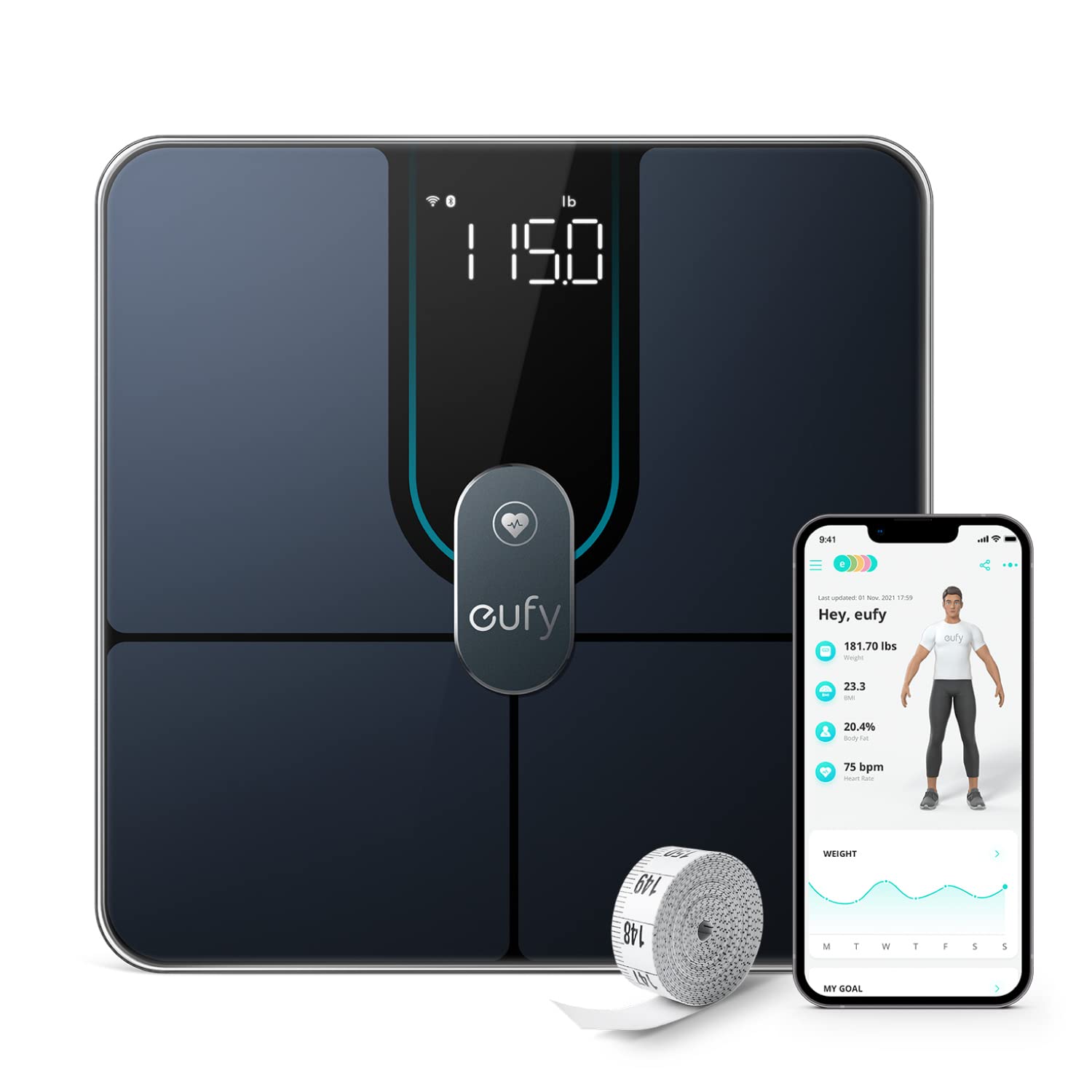
The eufy Smart Scale P2 Pro, designed for comprehensive body composition analysis, shown alongside its companion smartphone app and a measuring tape.
Setup
1. Battery Installation
Your eufy Smart Scale P2 Pro comes with 4 AAA batteries. Locate the battery compartment on the underside of the scale. Open the cover and insert the batteries, ensuring correct polarity (+/-). Close the battery compartment securely.
2. App Download and Connection
Download the EufyLife App from your device's app store (available for iOS and Android). Once installed, open the app and follow the on-screen instructions to create an account or log in. Ensure your phone's Bluetooth and Wi-Fi are enabled. The app will guide you through pairing the scale via Bluetooth and connecting it to your home Wi-Fi network for automatic data uploads.

The eufy Smart Scale P2 Pro is compatible with both Wi-Fi and Bluetooth for seamless data synchronization with the EufyLife app.
Operating Instructions
1. Taking a Measurement
Place the scale on a hard, flat surface. Step onto the scale barefoot and stand still. The display will show your weight. For full body composition analysis, ensure your feet are properly positioned on the electrodes. The data will automatically sync to the EufyLife app.
2. Understanding Your Measurements
The EufyLife app provides 16 detailed body composition measurements. These include:
- Weight
- Body Fat
- BMI (Body Mass Index)
- Muscle Mass
- Bone Mass
- Water
- Protein
- BMR (Basal Metabolic Rate)
- Visceral Fat
- Body Fat Mass
- Lean Body Mass
- Body Age
- Body Type
- Skeletal Muscle Mass
- Subcutaneous Fat
- Standing Heart Rate

The eufy Smart Scale P2 Pro provides 16 comprehensive body composition measurements for a holistic view of your health.
3. 3D Virtual Body Model
The app features a unique U-Body 3D virtual model that visually represents your body's progress. Your avatar will adapt to reflect changes in your body proportions based on the measurements you input, offering a detailed visual of your fitness journey.
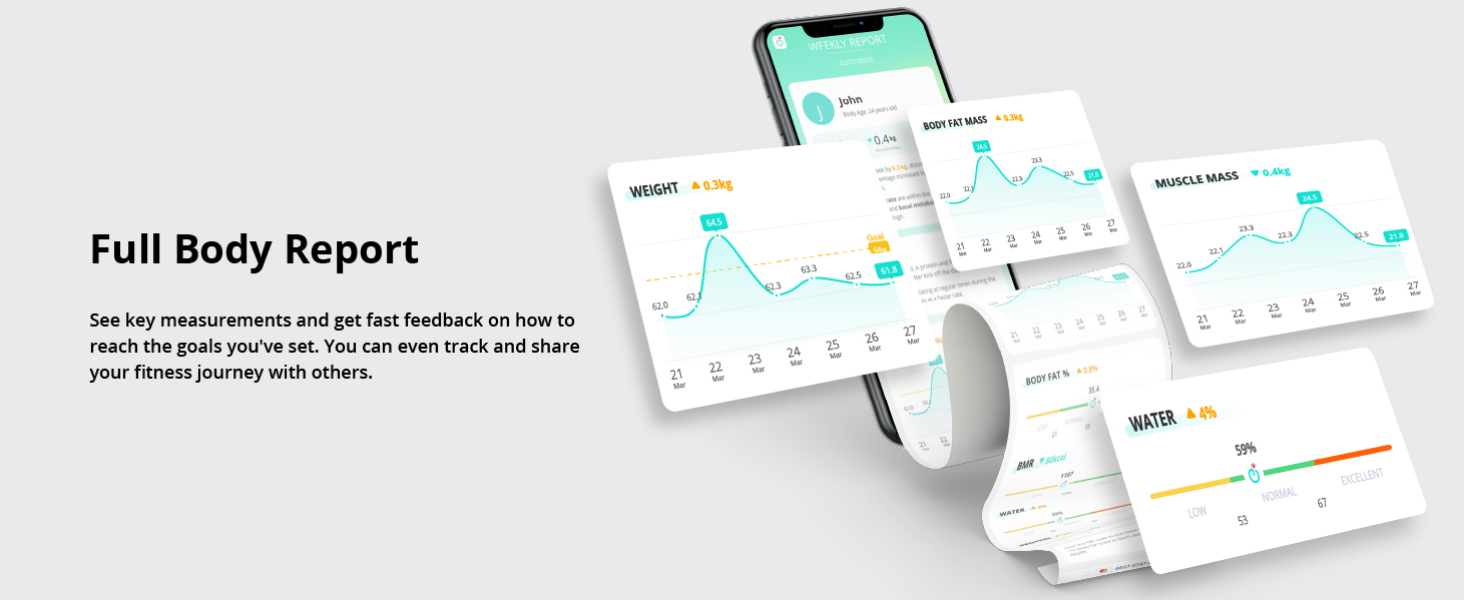
Track your progress visually with the U-Body 3D model in the EufyLife app, showing changes over time.
4. Third-Party App Syncing
The EufyLife app can sync your data with popular third-party health platforms such as Apple Health, Google Fit, and Fitbit. This allows you to consolidate all your health and fitness data in one place for a comprehensive overview.

Seamlessly integrate your eufy Smart Scale P2 Pro data with Apple Health, Google Fit, or Fitbit for centralized health tracking.
5. Family and Baby/Pet Modes
The EufyLife app supports unlimited users, allowing each family member to track their individual fitness journey. Additionally, the Baby mode and Pet mode enable you to monitor the healthy growth of your infants or pets by accurately weighing them while you hold them.

The EufyLife app allows for unlimited users, making it suitable for tracking the health of the entire family.

Utilize Baby Mode and Pet Mode to track the growth and weight of your youngest family members and furry companions.
Maintenance
Cleaning and Storage
The eufy Smart Scale P2 Pro is IPX5 waterproof, meaning it can withstand wet conditions and can be stored in a humid bathroom without worry. It can also be rinsed clean with water. To clean, wipe the surface with a damp cloth and mild detergent if necessary. Avoid using abrasive cleaners or submerging the scale in water.

The IPX5 waterproof rating ensures the eufy Smart Scale P2 Pro can be safely used and stored in bathroom environments.
Troubleshooting
If you encounter issues with your eufy Smart Scale P2 Pro, consider the following:
- Scale not turning on: Check if the batteries are correctly installed and have sufficient charge. Replace if necessary.
- Inaccurate readings: Ensure the scale is placed on a hard, flat surface. Avoid carpets or uneven flooring. Step onto the scale barefoot for accurate body composition measurements.
- App connectivity issues: Verify that Bluetooth and Wi-Fi are enabled on your smartphone. Restart the EufyLife app and the scale. Ensure the scale is within range of your Wi-Fi router.
- Data not syncing: Confirm the scale is connected to Wi-Fi. Check your internet connection.
- Display errors: Refer to the EufyLife app or the full user manual for specific error codes and their solutions.
Specifications
| Feature | Detail |
|---|---|
| Product Dimensions | 11 x 11 x 1 inches; 2.8 Pounds |
| Item Model Number | T9149 |
| Batteries | 4 AAA batteries required (included) |
| Manufacturer | eufy |
| Color | Black |
| Recommended Uses | Humans, Babies |
| Special Features | Bone Mass, Heart Rate, Muscle Mass, 16 Body Composition Measurements, 3D Virtual Body Mode, Wi-Fi & Bluetooth Connectivity, Third-Party App Syncing, Multi-User Support, Baby/Pet Mode, IPX5 Waterproof |
| Display Type | Digital |
Warranty and Support
For detailed warranty information and customer support, please refer to the official eufy website or the full User Manual provided with your product. You can also find the User Manual (PDF) here.
Ask a question about this manual
Ask about setup, troubleshooting, compatibility, parts, safety, or missing instructions. Manuals+ will review the question and use this page’s manual context to help answer it.