Introduction
Thank you for choosing the BLACK+DECKER BEH710K-QS 710W Hammer Drill. This powerful and versatile tool is designed for various drilling tasks in wood, metal, and masonry. This manual provides essential information for safe operation, maintenance, and troubleshooting to ensure optimal performance and longevity of your drill.
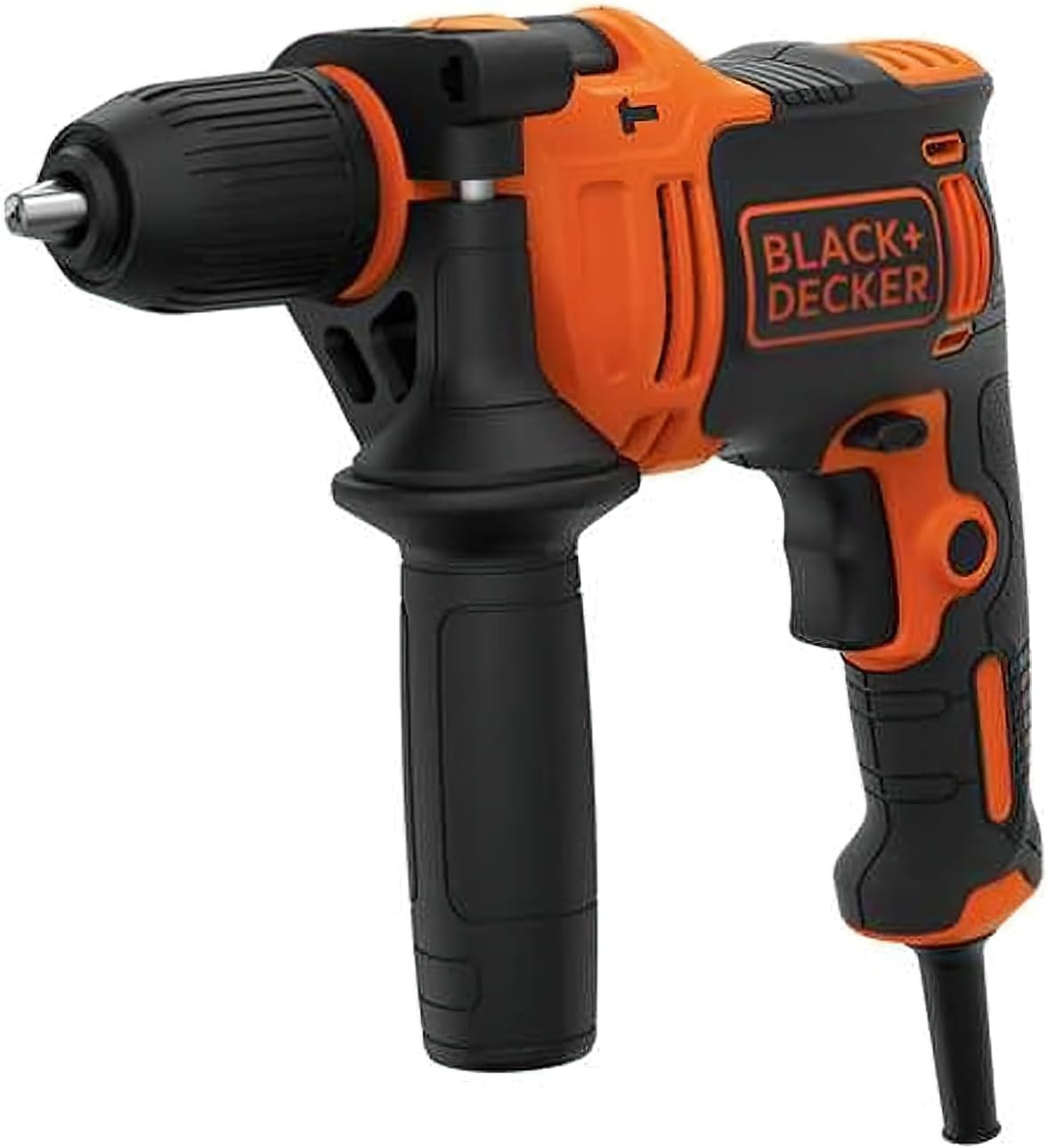
Image: Front view of the BLACK+DECKER BEH710K-QS 710W Hammer Drill, showcasing its orange and black design with the chuck and auxiliary handle visible.
General Safety Information
Always observe basic safety precautions when using power tools to reduce the risk of fire, electric shock, and personal injury. Keep this instruction manual for future reference.
- Work Area Safety: Keep your work area clean and well-lit. Cluttered or dark areas invite accidents. Do not operate power tools in explosive atmospheres, such as in the presence of flammable liquids, gases, or dust.
- Electrical Safety: Power tool plugs must match the outlet. Never modify the plug in any way. Do not abuse the cord. Never use the cord for carrying, pulling, or unplugging the power tool. Keep cord away from heat, oil, sharp edges, or moving parts.
- Personal Safety: Always wear eye protection. Use safety glasses, goggles, or a face shield. Wear hearing protection when operating the drill for extended periods. Dress properly; do not wear loose clothing or jewelry. Keep your hair, clothing, and gloves away from moving parts.
- Tool Use and Care: Do not force the power tool. Use the correct power tool for your application. Disconnect the plug from the power source before making any adjustments, changing accessories, or storing power tools.
Components Overview
Familiarize yourself with the main components of your BLACK+DECKER BEH710K-QS Hammer Drill.
- Chuck: Holds the drill bit securely.
- Mode Selector: Switches between drilling and hammer drilling modes.
- Auxiliary Handle: Provides additional grip and control.
- Depth Stop: Used to set the desired drilling depth.
- Trigger Switch: Activates the drill and controls speed.
- Lock-on Button: For continuous operation.
- Forward/Reverse Switch: Changes the direction of rotation.
- Power Cord: Connects the drill to the power supply.

Image: Side view of the BLACK+DECKER BEH710K-QS 710W Hammer Drill, showing the main body, chuck, and auxiliary handle from a different angle.

Image: The BLACK+DECKER BEH710K-QS 710W Hammer Drill resting on a surface next to several drill bits, illustrating the accessories that can be used with the tool.
Setup
Attaching the Auxiliary Handle
The auxiliary handle can be rotated 360 degrees to suit left or right-handed use or specific applications.
- Loosen the auxiliary handle by turning it counter-clockwise.
- Slide the handle onto the front of the drill body.
- Rotate the handle to the desired position.
- Tighten the handle by turning it clockwise until secure.
Inserting and Removing Drill Bits
Ensure the drill is unplugged from the power source before changing bits.
- To insert a bit, rotate the chuck collar counter-clockwise until the jaws are open wide enough to accept the bit.
- Insert the drill bit fully into the chuck.
- Rotate the chuck collar clockwise to tighten the jaws around the bit. Ensure the bit is centered and securely clamped.
- To remove a bit, rotate the chuck collar counter-clockwise to loosen the jaws and pull the bit out.
Setting the Depth Stop
The depth stop allows you to drill holes to a precise depth.
- Insert the depth stop into the hole on the auxiliary handle.
- Adjust the depth stop to the desired drilling depth by sliding it forward or backward.
- Ensure the depth stop is securely positioned before drilling.
Operating Instructions
Powering On/Off and Speed Control
- To start the drill, press the trigger switch.
- The drill features variable speed control; the further you press the trigger, the faster the drill rotates.
- For continuous operation, press the lock-on button while the trigger is fully depressed. To release, press the trigger again.
- To stop the drill, release the trigger switch.
Selecting Drilling Mode
The mode selector allows you to switch between standard drilling and hammer drilling.
- Drilling Mode (Drill Icon): For drilling in wood, metal, plastics, and for screwdriving.
- Hammer Drilling Mode (Hammer Icon): For drilling in masonry, concrete, and brick.
Forward/Reverse Rotation
The forward/reverse switch is located above the trigger switch.
- Push the switch to the left for forward rotation (clockwise, for drilling and tightening screws).
- Push the switch to the right for reverse rotation (counter-clockwise, for removing screws or freeing jammed bits).

Image: A person wearing gloves using the BLACK+DECKER BEH710K-QS hammer drill to drill into a wooden beam, with wood chips visible.

Image: A person wearing safety glasses and gloves using the BLACK+DECKER BEH710K-QS hammer drill to drill into a brick wall, demonstrating its hammer action capability.
Maintenance
Regular maintenance ensures the longevity and safe operation of your drill.
- Cleaning: Keep the ventilation slots of the drill clean to prevent overheating. Use a soft, damp cloth to wipe down the exterior. Do not use harsh chemicals or abrasive cleaners.
- Chuck Maintenance: Periodically clean the chuck jaws to ensure proper gripping of drill bits.
- Cord Inspection: Regularly inspect the power cord for any signs of damage, cuts, or fraying. If damaged, have it repaired by a qualified service technician.
- Storage: When not in use, store the drill in its carry case in a dry, secure place out of reach of children.

Image: The BLACK+DECKER BEH710K-QS 710W Hammer Drill neatly packed inside its black carry case, highlighting its portability and ease of storage.
Troubleshooting
| Problem | Possible Cause | Solution |
|---|---|---|
| Drill does not start. | No power supply. Faulty power cord/plug. | Check power outlet and circuit breaker. Inspect cord for damage; have it repaired by a professional. |
| Drill bit slips in chuck. | Chuck not tightened sufficiently. Bit shank is dirty or damaged. | Retighten chuck firmly. Clean or replace the drill bit. |
| Excessive vibration or noise. | Damaged drill bit. Internal component issue. | Replace the drill bit. Contact customer support for inspection. |
| Overheating. | Blocked ventilation slots. Prolonged heavy use. | Clean ventilation slots. Allow the drill to cool down. Avoid continuous heavy loads. |
Specifications
| Feature | Detail |
|---|---|
| Model Number | BEH710K-QS |
| Power Input | 710 Watts |
| Voltage | 230 Volts |
| Amperage | 710 Amps |
| No-Load Speed | 0-2800 RPM |
| Chuck Size | 13mm (Metal Drilling Capacity) |
| Drill Type | Hammer Drill |
| Item Weight | 2 Kilograms (approx. 4.4 pounds) |
| Product Dimensions | 11.61 x 3.94 x 11.42 inches |
| Power Source | Corded Electric |
Warranty and Support
BLACK+DECKER products are manufactured to high quality standards and are guaranteed for professional use. While specific warranty details are not provided in this manual, generally, BLACK+DECKER offers a limited warranty against defects in materials and workmanship.
For detailed warranty information, service, or technical support, please visit the official BLACK+DECKER website or contact their customer service department. Keep your proof of purchase for warranty claims.
Official BLACK+DECKER Store: Visit Store
GTIN (Global Trade Identification Number): 05035048681343
Additional product information may be available via QR code: SN240122FASE-0100000431


