
1. Overview
The TYT TH-350 is a versatile tri-band analog two-way radio designed for communication across 2 Meter (136-174MHz), 1.25 Meter (220-260MHz), and 70 cm (400-480MHz) bands. It features a tri-display and tri-standby capability, allowing monitoring of three frequencies simultaneously. This manual provides essential information for setting up, operating, and maintaining your radio.
2. Package Contents
- 1 x TYT TH-350 Tri-Band Analog Radio
- 1 x USB Programming Cable and Software CD
- 1 x Shengda Tri-Band 144/220/430 MHz 13 inch Antenna
- 2 x TYT Antennas (1 x 144/430 MHz, 1 x 220 MHz)
- 1 x Li-ion Battery 1600mAh
- 1 x Belt Clip
- 1 x Charger
- 1 x Adapter (Input: 110-250V 50Hz)
- 1 x User's Manual

Image: TYT TH-350 radio with all included accessories, including multiple antennas, battery, charger, programming cable, and user manual.
3. Product Features
- TX/RX across 2 Meter (136-174MHz), 1.25 Meter (220-260 MHz), and 70 cm (400-480 Mhz) bands
- Tri-Display: Shows three frequencies simultaneously.
- Tri-Standby: Allows monitoring of three frequencies on the same or different bands at the same time (does NOT receive simultaneously).
- 128 Channel Memory
- Wide/Narrow bandwidth (25kHz/12.5 kHz)
- VOX (Voice Operated Exchange)
- CTCSS/DCS (Continuous Tone-Coded Squelch System / Digital-Coded Squelch)
- Emergency Alarming
- Scrambler
- DTMF (Dual-Tone Multi-Frequency)
- Scan Function
- Battery Saving Function
- Low Battery Alert

Image: Detailed list of the main functions of the TYT TH-350 radio.

Image: Technical specifications for the TYT TH-350 radio's general, receiver, and transmitter characteristics.
4. Setup
4.1 Battery Installation
To install the Li-ion battery, align the battery pack with the grooves on the back of the radio and slide it upwards until it clicks into place. To remove, press the release latch (if present) and slide the battery downwards.
4.2 Antenna Attachment
Carefully screw the desired antenna (either the 144/430 MHz, 220 MHz, or Shengda Tri-Band antenna) onto the antenna connector at the top of the radio. Ensure it is securely fastened but do not overtighten.

Image: Top view of the TYT TH-350 radio, highlighting the antenna connector.

Image: The Shengda Tri-Band antenna, which is included with the radio.
5. Operating Instructions
5.1 Power On/Off and Volume
Turn the top-most rotary knob clockwise to power on the radio and adjust the volume. Turn counter-clockwise to decrease volume and power off.
5.2 Frequency/Channel Mode
Use the V/M button to switch between Frequency (VFO) mode and Channel (Memory) mode. In VFO mode, you can manually input frequencies. In Channel mode, you can select pre-programmed channels using the up/down arrow keys.
5.3 Push-to-Talk (PTT) Button
The large button on the left side of the radio is the PTT button. Press and hold it to transmit, and release to receive.
5.4 Flashlight
The radio includes a built-in flashlight. Refer to the user manual for specific button assignments to activate the flashlight and any strobe functions.
5.5 FM Radio
The TYT TH-350 can also receive FM broadcast radio. Consult the user manual for instructions on how to switch to FM radio mode and tune to stations.
6. Programming
To fully utilize all the features and customize channels, the TYT TH-350 requires programming via Windows PC software. A USB programming cable and software CD are included in the package. This radio is NOT compatible with CHIRP or RT systems software.
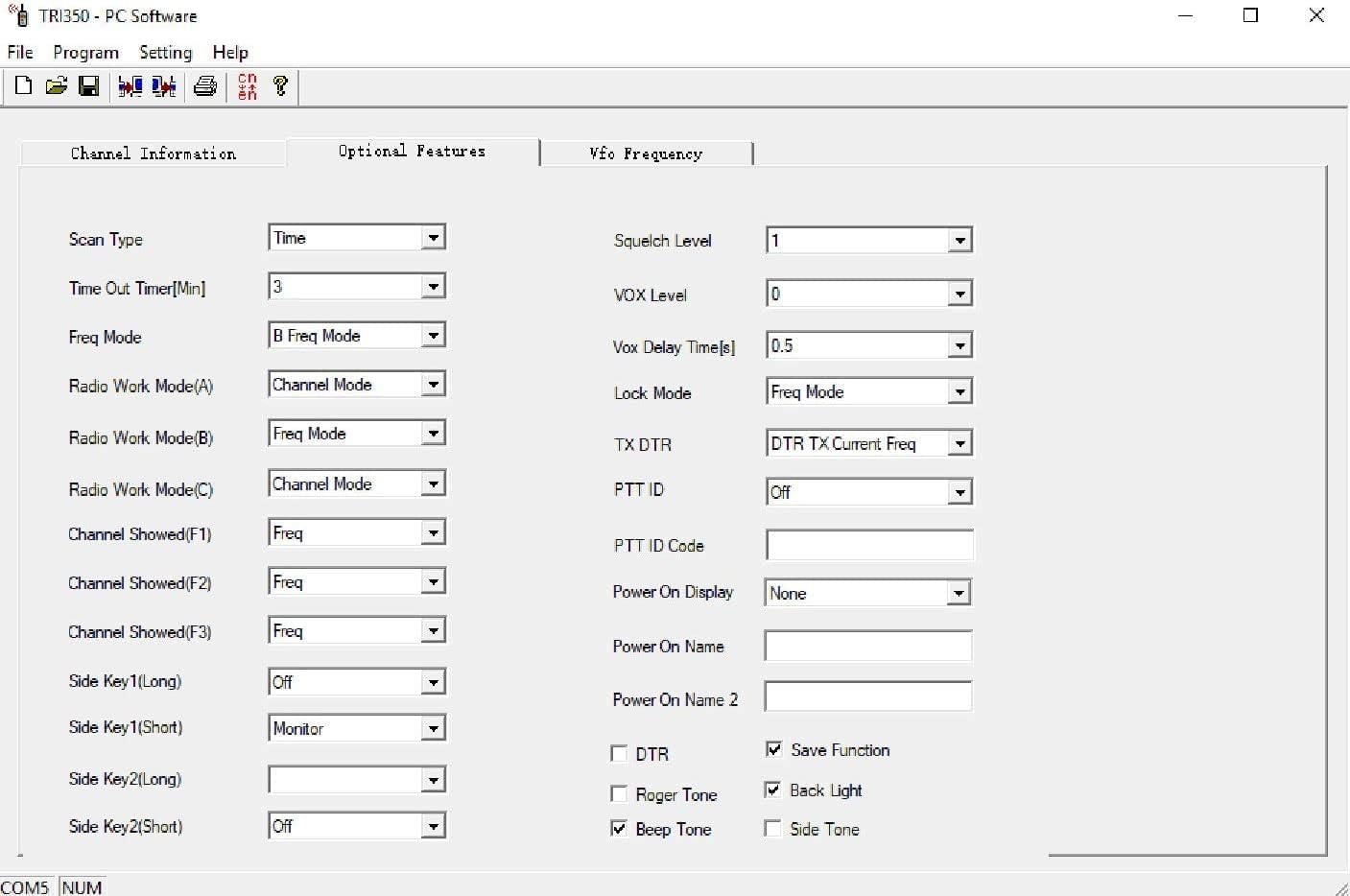
Image: TYT TH-350 PC Software interface for configuring optional features.
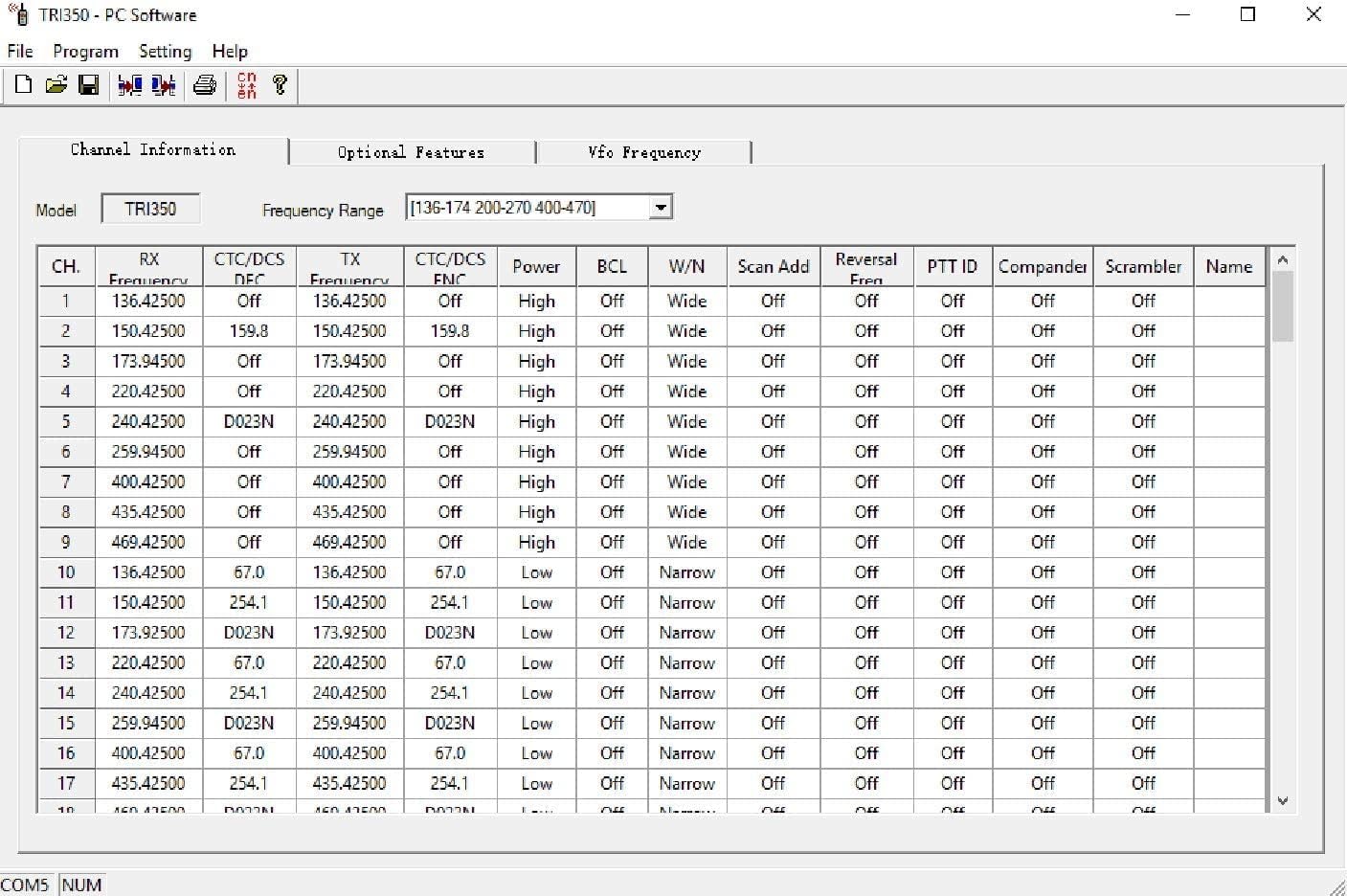
Image: TYT TH-350 PC Software interface for managing channel information.
7. Specifications
| Feature | Specification |
|---|---|
| Frequency Range | TX/RX 2 Meter (136-174MHz), 1.25 Meter (220-260 MHz), 70 cm (400-480 Mhz) |
| Number of Channels | 128 |
| Output Power | 5W |
| Operating Voltage | 7.4V DC |
| Battery Type | Li-ion Battery 1600mAh |
| Dimensions | 116 x 53 x 36 mm |
| Item Weight | 1.76 ounces (approx. 50g) |
| Water Resistance Level | Not Water Resistant |
| Special Features | Emergency Alarm, Tri-Display, Tri-Standby, VOX, CTCSS/DCS, Scrambler, DTMF, Scan, Battery Saving, Low Battery Alert |
8. Maintenance
8.1 Battery Care
To maximize battery life, fully charge the Li-ion battery before first use. Avoid overcharging or completely draining the battery. Store the battery in a cool, dry place when not in use for extended periods.
8.2 Cleaning
Clean the radio's exterior with a soft, damp cloth. Do not use harsh chemicals or abrasive cleaners. Ensure the microphone and speaker grilles are free from dust and debris.
8.3 Storage
When storing the radio for long periods, remove the battery. Store the radio and accessories in a dry, dust-free environment away from direct sunlight and extreme temperatures.
9. Troubleshooting
- Radio does not power on: Ensure the battery is correctly installed and fully charged. Check the power/volume knob.
- No signal reception: Verify the antenna is securely attached. Check the frequency/channel settings. Ensure you are within range of a transmitting station or repeater.
- Cannot transmit: Confirm the PTT button is functioning. Ensure you have the correct transmit frequency and any necessary tone settings (CTCSS/DCS).
- Programming issues: Ensure the correct Windows PC software is installed and the USB programming cable is properly connected. Refer to the software's instructions for troubleshooting specific programming errors.
10. Warranty and Support
For detailed warranty information, technical support, or service inquiries, please refer to the official TYT user manual included in your package or visit the TYT manufacturer's website.


