
Introduction
This manual provides detailed instructions for the installation, operation, and maintenance of your Decdeal WiFi Smart Gas Boiler Thermostat. This device is designed to provide efficient and comfortable temperature control for gas boiler heating systems, featuring a round LCD touchscreen, WiFi connectivity, and voice control capabilities.
Key features include a backlit LCD display for clear data visibility, weekly programming with 5+2 six-period settings, 0.5°C accuracy, data memory during power loss, and a key lock function. It supports remote control via a mobile application and is compatible with Amazon Echo, Google Home, and IFTTT for voice commands.

Image: Front view of the Decdeal WiFi Smart Gas Boiler Thermostat, displaying a temperature of 25.0°C and current time.
Setup
1. Package Contents
Before installation, ensure all components are present:
- Decdeal WiFi Smart Gas Boiler Thermostat
- Mounting Screws (2x)
- User Manual

Image: The thermostat unit, two mounting screws, and the instruction manual as typically found in the product package.
2. Installation and Wiring
Installation should be performed by a qualified professional to ensure safety and proper functionality. The thermostat is designed for gas boiler heating systems.
- Power Off: Disconnect power to the heating system at the main circuit breaker before beginning installation.
- Mounting: The thermostat is designed to fit standard electrical boxes. Secure the backplate to the wall using the provided screws.
- Wiring: Connect the wires from your gas boiler and power supply to the appropriate terminals on the thermostat's backplate. Refer to the wiring diagram below.
- Attach Thermostat: Once wiring is complete, carefully attach the thermostat display unit to the backplate.
- Power On: Restore power to the heating system.

Image: A technical diagram showing the dimensions of the thermostat (90mm x 90mm front, 50mm x 24mm depth) and the wiring terminals on the back for power and boiler connections.
3. WiFi and App Connection
The thermostat connects to your home WiFi network, allowing remote control via a smartphone application. It is compatible with apps like Tuya Smart and Smart Life.
- Download App: Download and install the "Tuya Smart" or "Smart Life" app from your mobile device's app store.
- Register/Login: Create an account or log in to the app.
- Add Device: Follow the in-app instructions to add a new device. This typically involves putting the thermostat into pairing mode (refer to the thermostat's display for pairing indicators, often a flashing WiFi icon).
- Connect to WiFi: Select your 2.4GHz WiFi network and enter the password when prompted by the app.
- Confirmation: Once connected, the WiFi icon on the thermostat display will become solid, and the device will appear in your app.

Image: The thermostat display alongside logos indicating compatibility with Tuya, Smart Life, Amazon Alexa, Google Home, and IFTTT.
Operating Instructions
1. Basic Operation
The thermostat features a round LCD touchscreen with intuitive controls.
- Power Button (⏻): Press to turn the thermostat On or Off.
- Mode Button (M): Cycle through different operating modes (e.g., Manual, Programmed).
- Time/Clock Button (⏱): Access time and date settings or programming schedules.
- Up Button (▲): Increase temperature setting or navigate menu options.
- Down Button (▼): Decrease temperature setting or navigate menu options.
The LCD display shows the current temperature, set temperature, operating mode, time, and WiFi connection status.

Image: The thermostat with an overlay indicating its key features: App Control, Voice Control, High-efficiency, Flame Retardant Material, and WiFi connectivity.
2. Programming Schedules
The thermostat supports weekly programming with 5+2 (weekday/weekend) six-period settings. This allows you to customize heating schedules for maximum comfort and energy efficiency.
- Access Program Mode: Press the Mode (M) button until the program icon appears, or use the Time/Clock (⏱) button to enter programming settings.
- Set Periods: Use the Up (▲) and Down (▼) buttons to adjust the start time and temperature for each of the six daily periods.
- Weekday/Weekend: Configure separate schedules for weekdays (Monday-Friday) and weekends (Saturday-Sunday).
- Save Settings: Confirm and save your programmed schedule. Detailed programming steps are best performed via the mobile application for ease of use.
3. Remote Control via App
Once connected to WiFi, you can control your thermostat from anywhere using the mobile application (Tuya Smart or Smart Life).
- Adjust temperature settings.
- Change operating modes.
- View current room temperature.
- Modify or activate programming schedules.
- Create thermostat groups for centralized control of multiple devices.

Image: A hand holding a smartphone displaying the control app, with the thermostat mounted on a wall in the background, illustrating remote control functionality.
4. Voice Control
The thermostat is compatible with popular voice assistants, including Amazon Alexa, Google Home, and IFTTT.
- Link Account: In your Alexa or Google Home app, enable the "Tuya Smart" or "Smart Life" skill/service and link your account.
- Discover Devices: Allow the voice assistant to discover your thermostat.
- Voice Commands: Use commands such as:
- "Alexa, set [Thermostat Name] to 22 degrees."
- "Hey Google, what's the temperature in [Room Name]?"
- "Alexa, turn on [Thermostat Name]."
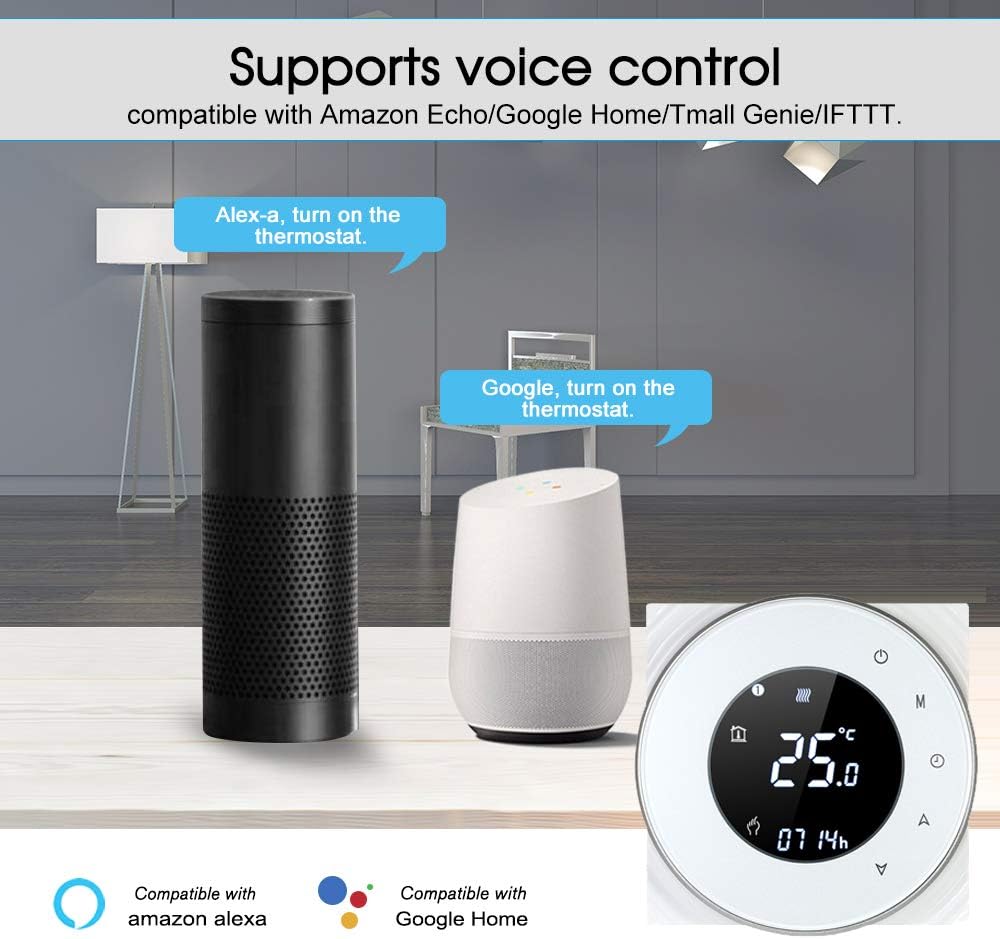
Image: An Amazon Echo speaker and a Google Home speaker positioned near the thermostat, with speech bubbles illustrating voice commands like "Alexa, turn on the thermostat" and "Google, turn on the thermostat."
Maintenance
The Decdeal WiFi Smart Gas Boiler Thermostat requires minimal maintenance.
- Cleaning: Wipe the display and casing with a soft, dry cloth. Do not use abrasive cleaners or solvents.
- Avoid Obstructions: Ensure the thermostat is not covered by furniture, curtains, or other objects that could obstruct its temperature sensor.
- Software Updates: Keep the mobile application updated to ensure optimal performance and access to new features.
Troubleshooting
If you encounter issues with your thermostat, refer to the following common troubleshooting steps:
- No Power/Display Off:
- Check the main circuit breaker for your heating system.
- Ensure the thermostat is properly seated on its backplate and all wiring connections are secure.
- WiFi Disconnected:
- Verify your home WiFi network is operational and the router is powered on.
- Ensure the thermostat is within range of your WiFi router.
- Attempt to re-pair the thermostat with the mobile application.
- Incorrect Temperature Readings:
- Ensure the thermostat is not exposed to direct sunlight, drafts, or heat sources.
- Verify the thermostat is mounted at an appropriate height (typically 1.5 meters from the floor).
- Heating System Not Responding:
- Check the boiler's power supply and ensure it is functioning correctly.
- Verify the wiring connections between the thermostat and the boiler.
- Ensure the thermostat is set to a temperature higher than the current room temperature when in heating mode.
- Key Lock Function: If the keys are unresponsive, check if the key lock function is activated. Refer to the app or the full manual for instructions on how to unlock the device.
For persistent issues, contact customer support or consult a qualified technician.
Specifications
| Feature | Specification |
|---|---|
| Brand | Decdeal |
| Model Number | FBO4382362725198NH |
| ASIN | B07GSZHCV9 |
| Specific Use | Gas Boiler Heating |
| Connectivity Technology | WiFi |
| Voltage | 240 Volts |
| Wattage | 1.5 Watts |
| Accuracy | 0.5 °C |
| Display | LCD with Backlight |
| Control Type | Touchscreen, App, Voice |
| Material | ABS |
| Item Weight | 135 Grams |
| Dimensions (Front) | 90mm x 90mm (approx.) |
| Dimensions (Depth) | 14mm (visible), 24mm (recessed) (approx.) |
| Batteries Required | No |
Warranty and Support
For warranty information, please refer to the documentation included with your purchase or contact the retailer. For technical support, please reach out to Decdeal customer service through their official website or the contact information provided in your product packaging.
Always ensure you have your product model number (FBO4382362725198NH) and purchase details available when seeking support.