
1. Introduction
This manual provides essential information for setting up, operating, and maintaining your TCL 43P30FS 43-inch Full HD LED Android Smart TV. Please read it thoroughly before using the product to ensure safe and optimal performance. Keep this manual for future reference.
2. What's in the Box
Upon unpacking, verify that all items listed below are present and in good condition:
- 1 LED TV
- 1 Table Top Stand
- 1 Wall Mount Bracket
- 1 User Manual
- 1 Warranty Card
- 1 Remote Control
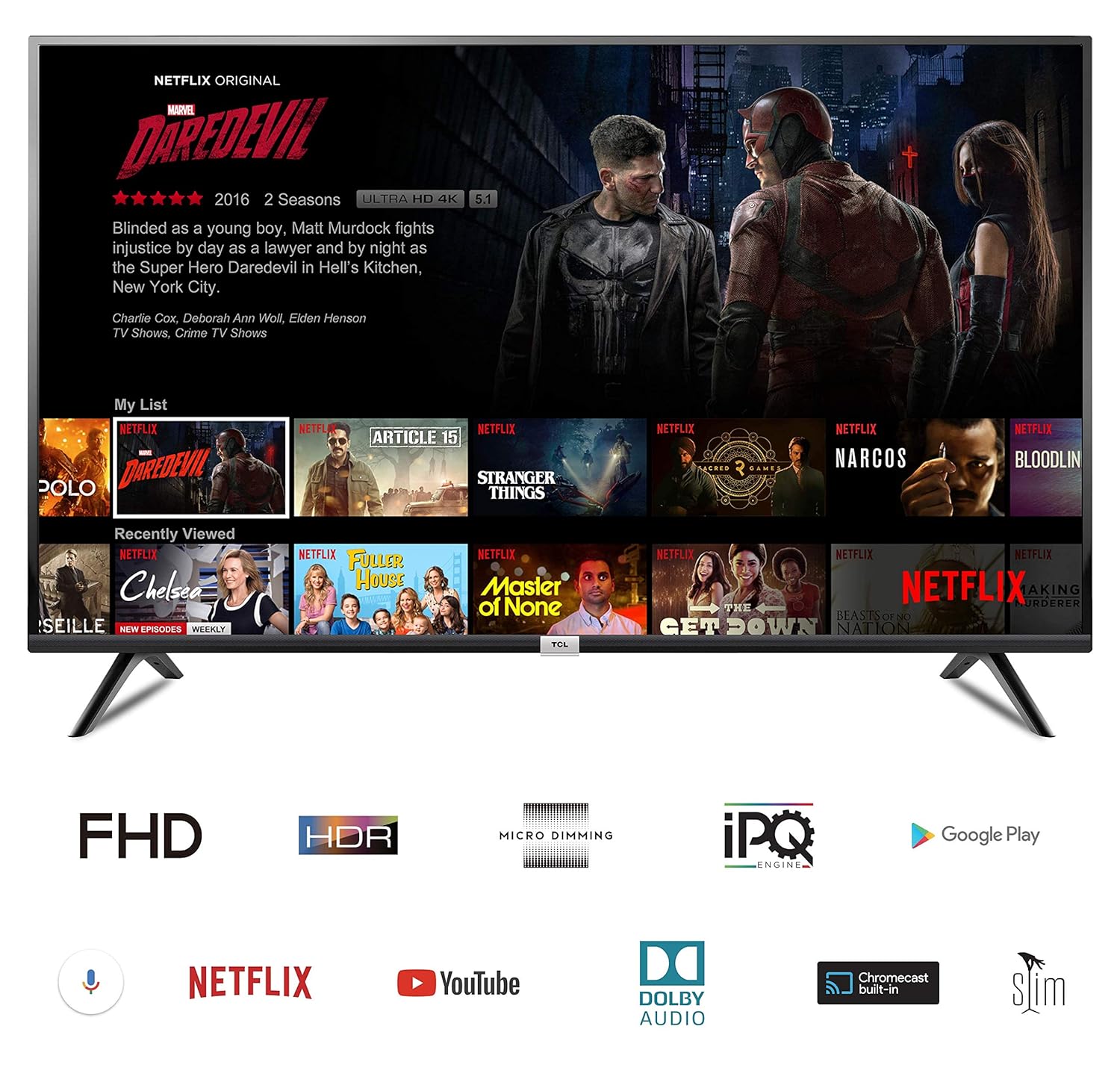
Image: The TCL 43P30FS Smart TV displaying its Android interface, with icons for Full HD, HDR, Micro Dimming, IPQ Engine, Google Play, Voice Search, Netflix, YouTube, Dolby Audio, Chromecast built-in, and Slim Design.
3. Setup
3.1. Stand Installation
To install the table top stand:
- Carefully place the TV screen-down on a soft, flat surface to prevent damage.
- Attach the stand bases to the bottom of the TV using the provided screws. Ensure they are securely fastened.
3.2. Wall Mount Installation
If you prefer wall mounting, use the included wall mount bracket. Professional installation is recommended for safety.
- Refer to the separate wall mount installation guide for detailed instructions.
- Ensure the wall can support the weight of the TV and the mount.

Image: Diagram showing the dimensions of the TCL 43P30FS TV: 97.00 cm width, 62.30 cm height, 18.70 cm depth (with stand), and 109.22 cm diagonal screen size.
3.3. Connectivity
Connect your external devices to the TV using the available ports:
- HDMI Ports: 2 HDMI ports are available to connect set-top boxes, Blu-Ray players, and gaming consoles.
- USB Port: 1 USB port is available to connect hard drives and other USB devices.
- Wi-Fi: Built-in Wi-Fi for internet connectivity.

Image: Close-up view of the rear panel of the TCL 43P30FS TV, highlighting the various connectivity ports including HDMI, USB, LAN, and antenna input.
4. Operating the TV
4.1. Basic Operations
Use the provided remote control to navigate the TV's features. The remote includes navigation keys for easy access to functions.
4.2. Smart TV Features (Android OS)
Your TCL 43P30FS TV runs on Android O (Certified by Google), offering a wide range of smart features:
- Built-in Wi-Fi: Connect to your home network for internet access.
- Dual Core MALI 470 Graphics Processor: Ensures smooth performance for apps and games.
- Voice Control: Use voice commands for search and navigation (requires compatible remote).
- Chromecast Built-in: Cast content from your mobile devices directly to the TV.
- Access to Apps: Download and enjoy various applications from the Google Play Store, including Netflix, YouTube, and more.
4.3. Picture Settings
The TV features advanced picture technologies for an enhanced viewing experience:
- Resolution: Full HD (1920 x 1080 pixels) for clear and detailed images.
- Refresh Rate: 60 hertz for smooth motion.
- A+ Grade LED Panel: High-quality display panel.
- Dynamic Picture Enhancement: Optimizes picture quality in real-time.
- Sports Mode: Enhances sports content for a more immersive experience.
- Micro Dimming: Analyzes TV content in hundreds of separate zones to adjust brightness and darkness independently, improving contrast.
4.4. Sound Settings
- Sound Output: 20 Watts Output.
- Speakers: 2 Channel speakers.
- Dolby Audio: Provides rich, clear, and powerful sound.
4.5. Product Features Overview Video
Video: This video demonstrates key features of the TCL Smart TV, including HDR, Micro Dimming, Android TV interface, Google Play Store for apps and games, voice control, Chromecast functionality, Google Play Music, Netflix, and YouTube integration.
5. Maintenance
To ensure the longevity and optimal performance of your TV, follow these maintenance guidelines:
- Cleaning: Use a soft, dry cloth to clean the screen and TV cabinet. Do not use liquid cleaners or sprays directly on the screen.
- Ventilation: Ensure adequate ventilation around the TV to prevent overheating. Do not block ventilation openings.
- Power: Unplug the TV from the power outlet during lightning storms or when it will be unused for extended periods.
- Location: Avoid placing the TV in direct sunlight, near heat sources, or in environments with high humidity.
6. Troubleshooting
If you encounter issues with your TV, refer to the following common troubleshooting steps:
| Problem | Possible Solution |
|---|---|
| No power | Check if the power cord is securely plugged into the TV and the wall outlet. Ensure the wall outlet is functioning. |
| No picture, but sound is present | Check the input source. Ensure external devices are properly connected and powered on. |
| No sound, but picture is present | Check the volume level and mute settings. Ensure audio cables are correctly connected. |
| Remote control not working | Replace the batteries in the remote control. Ensure there are no obstructions between the remote and the TV's IR sensor. |
| Wi-Fi connection issues | Restart your router and modem. Reconnect the TV to the Wi-Fi network in the settings menu. |
For more complex issues, please contact customer support.
7. Specifications
| Feature | Detail |
|---|---|
| Brand | TCL |
| Model | 43P30FS |
| Screen Size | 43 Inches (107.86 cm) |
| Resolution | Full HD (1920 x 1080 Pixels) |
| Display Technology | LED |
| Refresh Rate | 60 Hz |
| Operating System | Android O (Certified by Google) |
| Graphics Coprocessor | Dual Core MALI 470 |
| Connectivity | 2 HDMI, 1 USB, Wi-Fi |
| Sound Output | 20 Watts (2 Channel speakers) |
| Image Aspect Ratio | 16:9 |
| Viewing Angle | 178 Degrees |
| Product Dimensions (LxWxH) | 97 x 18.7 x 62.3 cm |
| Item Weight | 7.5 kg |
| Batteries | 2 AAA batteries (included) |
8. Warranty and Support
Your TCL 43P30FS TV comes with a manufacturer's warranty:
- Warranty Information: 1 Year Warranty on Product + 1 Year Additional on Panel from the date of purchase.
- Easy Returns: This product is eligible for replacement within 10 days of delivery in case of any product defects, damage, or features not matching the description provided.
- Toll-Free Support: 18004190622, 18001020622
- Email Support: Indiasupport@tcl.com
For further assistance or to claim warranty services, please contact TCL customer support using the details above.


