
AILKIN PT-WC-13
AILKIN USB MultiPort Charging Block (Model PT-WC-13) Instruction Manual
Your guide to safe and efficient charging.
1. Introduction
Thank you for choosing the AILKIN USB MultiPort Charging Block. This device is designed to provide convenient and efficient charging for your mobile devices. Please read this manual carefully to ensure proper use and to maximize the lifespan of your charger.
This dual-USB wall charger features a total output of 5V/2.1A, allowing you to charge two devices simultaneously. It incorporates a protection system to safeguard against overcharging, overcurrents, and overheating.

Image 1.1: The AILKIN USB MultiPort Charging Block, a compact black wall charger with two USB-A ports.
2. Setup
Setting up your AILKIN USB MultiPort Charging Block is straightforward:
- Unpack the Charger: Carefully remove the charging block from its packaging.
- Locate a Power Outlet: Find a standard wall power outlet (100-240V) that is easily accessible.
- Plug in the Charger: Insert the prongs of the AILKIN charging block firmly into the wall outlet. Ensure it is securely seated.
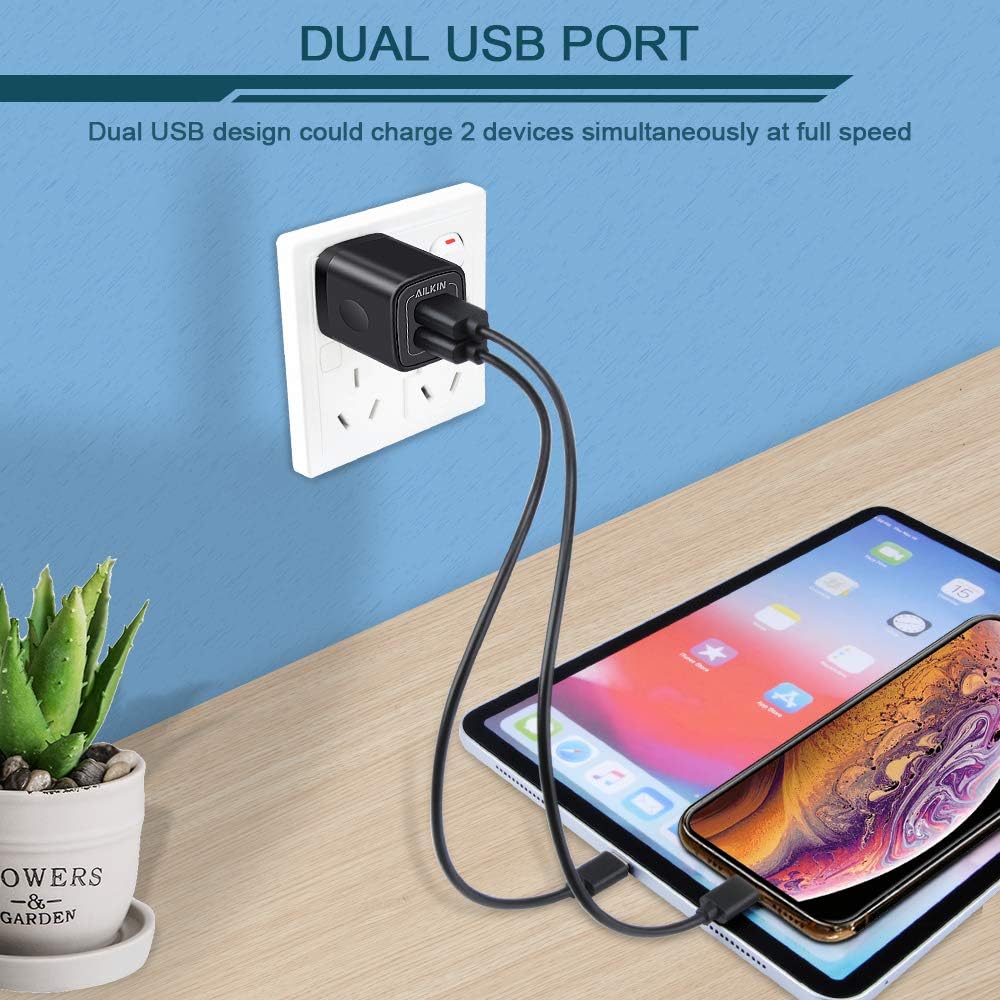
Image 2.1: The AILKIN charger plugged into a wall outlet, demonstrating its dual USB ports in use for charging multiple devices.
3. Operating Instructions
To charge your devices using the AILKIN USB MultiPort Charging Block:
- Connect USB Cable: Obtain a compatible USB-A charging cable for your device.
- Insert into Charger: Plug the USB-A end of your charging cable into one of the two USB ports on the AILKIN charging block.
- Connect to Device: Plug the other end of the charging cable into your mobile device (smartphone, tablet, camera, etc.).
- Verify Charging: Your device should indicate that it is charging. The charger provides a total output of 2.1A, which is shared between the two ports.
The charger is designed for wide compatibility with various USB-powered devices, including iPhones, iPads, Samsung Galaxy phones, Google Pixel phones, Kindle Fire, and more. It does not support Qualcomm Quick Charge but offers faster charging than standard wall chargers, typically charging an iPhone fully in about 2 hours and an iPad in about 2.8 hours.

Image 3.1: The AILKIN charger featuring Smart IC technology, which intelligently recognizes connected devices to deliver optimal charging speed.

Image 3.2: An illustration of the AILKIN charger's broad compatibility with a range of USB-powered devices.
4. Care and Maintenance
To ensure the longevity and optimal performance of your AILKIN USB MultiPort Charging Block, follow these maintenance guidelines:
- Keep Dry: Avoid exposing the charger to water or excessive moisture.
- Clean Gently: Disconnect the charger from the power outlet before cleaning. Use a soft, dry cloth to wipe the surface. Do not use liquid cleaners or aerosols.
- Avoid Extreme Temperatures: Do not operate or store the charger in extremely hot or cold environments.
- Handle with Care: Avoid dropping or subjecting the charger to strong impacts.
- Store Properly: When not in use, store the charger in a cool, dry place away from direct sunlight. Its compact size makes it easy to store and transport.

Image 4.1: The compact design of the AILKIN charger, highlighting its portability and ease of storage.
5. Troubleshooting
If you encounter issues with your AILKIN USB MultiPort Charging Block, refer to the following common problems and solutions:
- Device Not Charging:
- Ensure the charger is securely plugged into a live wall outlet.
- Check if the USB cable is properly connected to both the charger and your device.
- Try using a different USB cable to rule out a faulty cable.
- Test the charger with a different device to confirm the charger's functionality.
- Try a different wall outlet.
- Slow Charging:
- Ensure your device and cable support the charging speed.
- The total 2.1A output is shared between the two ports. If two devices are connected, the current is distributed, which may result in slower charging for each device compared to charging a single device.
- Close background applications on your device that consume significant power.
- Charger Overheating:
- The charger has built-in protection against overheating. If it feels excessively hot, disconnect it immediately and allow it to cool down.
- Ensure adequate ventilation around the charger; do not cover it while in use.
- Avoid charging in direct sunlight or enclosed spaces.
For further assistance, please refer to the warranty and support section.
6. Specifications
| Model Number | PT-WC-13 |
| Input Voltage | 100-240V |
| Output Amperage | 2.1 Amps (Total) |
| Total USB Ports | 2 (USB-A) |
| Product Dimensions | 1.26 x 1.26 x 2.17 inches |
| Item Weight | 0.317 ounces |
| Color | Black |
| Manufacturer | Shenzhen Putuo Technology Co.,Ltd |
| Compatible Devices | Smartphones, Tablets, Cameras, Headphones, Speakers |

Image 6.1: The AILKIN charger highlighting its built-in safety assurance system against overcharging, overcurrents, and overheating.
7. Warranty and Support
The AILKIN USB MultiPort Charging Block comes with a 12-Month warranty from the date of purchase. This warranty covers manufacturing defects and issues arising from normal use.
For warranty claims, technical support, or any questions regarding your product, please contact AILKIN customer service through the retailer where the product was purchased or visit the official AILKIN store page on Amazon:
Visit the AILKIN Store on Amazon
Please have your purchase receipt and product model number (PT-WC-13) available when contacting support.
Ask a question about this manual
Ask about setup, troubleshooting, compatibility, parts, safety, or missing instructions. Manuals+ will review the question and use this page’s manual context to help answer it.