
Introduction
This manual provides detailed instructions for the setup, operation, and maintenance of your GATEXPERT RC3B17 3-button remote control. This remote is designed for use with compatible GATEXPERT 433.92MHz sliding gate openers. Please read this manual thoroughly before use to ensure proper functionality and safety.
Product Overview
The GATEXPERT RC3B17 remote control features a durable ABS plastic shell and three distinct buttons for controlling your gate opener. It includes a convenient metal clip for easy mounting in a vehicle.
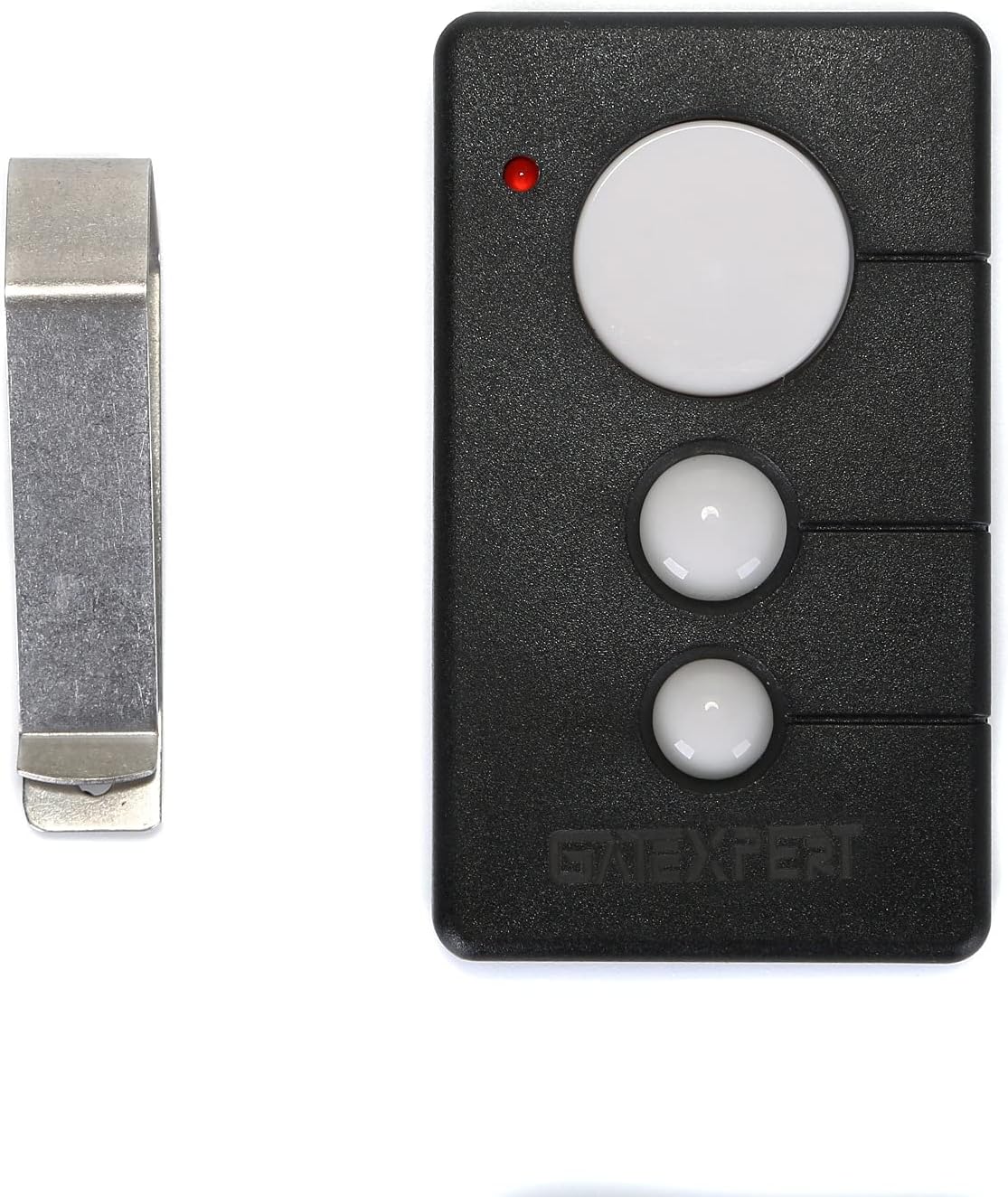
Image 1: Front view of the GATEXPERT RC3B17 remote control alongside its metal visor clip.

Image 2: The GATEXPERT RC3B17 remote control displaying its dimensions: 3.15 inches length, 1.77 inches width, and 0.59 inches thickness.
Compatibility
This remote control is specifically designed to be compatible with GATEXPERT 433.92MHz gate openers. It is not guaranteed to work with other brands or frequencies.

Image 3: The GATEXPERT RC3B17 remote control with a clear note indicating compatibility exclusively with GATEXPERT gate openers.
Setup: Adding and Deleting Remote Controls
The gate opener system can learn up to 25 remote controls. Follow these steps to program your GATEXPERT RC3B17 remote control to your gate opener unit.
Learning a Remote Control
- Locate the control board of your GATEXPERT gate opener.
- Press the learning button, typically labeled AN1, on the control board. The indicator light LED2 will illuminate.
- While LED2 is on, press any button on your GATEXPERT RC3B17 remote control twice.
- The LED2 light will flash repeatedly and then turn off, indicating that the remote control learning process is complete.
Deleting All Remote Controls
- Locate the learning button, AN1, on the control board of your GATEXPERT gate opener.
- Press and hold the AN1 button. The LED2 light will turn on.
- Continue to hold the AN1 button until the LED2 light turns off. This indicates that all previously learned remote controls have been deleted from the system.
Video 1: This video demonstrates the process of learning and deleting remote controls for a GATEXPERT gate opener, showing how to interact with the control board's learning button and LED indicator.
Operating the Remote Control
The GATEXPERT RC3B17 remote control operates in a single-button mode. All three buttons on the remote control perform the same function, allowing for sequential control of the gate opener.
Single Button Mode Operation
- First Press: Initiates the gate to OPEN.
- Second Press: Commands the gate to STOP at its current position.
- Third Press: Initiates the gate to CLOSE.
- Fourth Press: Commands the gate to STOP at its current position.
This cycle repeats with subsequent presses.
Maintenance
Battery Replacement
The remote control is powered by one 12V/27A alkaline battery. If the remote's range decreases or it becomes unresponsive, the battery may need replacement. To replace the battery:
- Carefully open the remote control casing.
- Remove the old 12V/27A battery.
- Insert a new 12V/27A alkaline battery, ensuring correct polarity.
- Securely close the remote control casing.
General Care
- Keep the remote control dry and away from extreme temperatures.
- Avoid dropping the remote control or subjecting it to strong impacts.
- Clean the remote with a soft, dry cloth. Do not use harsh chemicals or abrasive cleaners.
Troubleshooting
| Problem | Possible Cause | Solution |
|---|---|---|
| Remote not operating gate. | Remote not programmed or battery is dead. | Verify programming steps (see Setup section). Replace battery if necessary. |
| Reduced operating range. | Low battery or environmental interference. | Replace battery. Ensure no large metal objects or strong radio signals are obstructing the signal path. |
| Gate operates intermittently. | Weak battery or signal interference. | Replace battery. Reposition yourself closer to the gate opener. |
Specifications
| Feature | Detail |
|---|---|
| Model Number | RC3B17 |
| Brand | GATEXPERT |
| Material | ABS Plastic Shell |
| Dimensions | 3.15 x 1.77 x 0.59 inches |
| Item Weight | 1.41 ounces |
| Power Source | Battery |
| Battery Type | 1 x 12V/27A Alkaline (included) |
| Frequency | 433.92MHz |
| Switch Style | Push button |
Warranty and Support
For warranty information or technical support, please contact GATEXPERT customer service directly. Refer to the product packaging or the official GATEXPERT website for contact details.