
1. Introduction
Thank you for choosing the K&F Concept T255A4+BH-28L Camera Tripod. This instruction manual provides detailed guidance on the proper setup, operation, and maintenance of your tripod to ensure optimal performance and longevity. This versatile aluminum tripod features a horizontal center column, a detachable monopod, and a 360-degree ball head, designed for various photography needs including DSLR cameras.

Image 1.1: K&F Concept T255A4+BH-28L Camera Tripod with ball head and horizontal column.
2. Safety Information
Please read and understand all safety instructions before using this product. Failure to follow these instructions may result in injury or damage to your equipment.
- Do not exceed the maximum load capacity of 10 kg (22 lbs).
- Ensure all locking mechanisms are securely tightened before mounting a camera or adjusting the tripod.
- Avoid placing the tripod on unstable or uneven surfaces.
- Keep hands and fingers clear of moving parts when adjusting the tripod.
- Do not leave the tripod unattended with a camera mounted, especially in windy conditions.
- Clean the tripod regularly to prevent dust and debris from affecting its operation.
3. Setup
3.1 Unpacking and Initial Inspection
Carefully remove all components from the packaging. Verify that all parts are present and undamaged. The package typically includes the tripod, ball head, quick release plate, and a carrying bag.
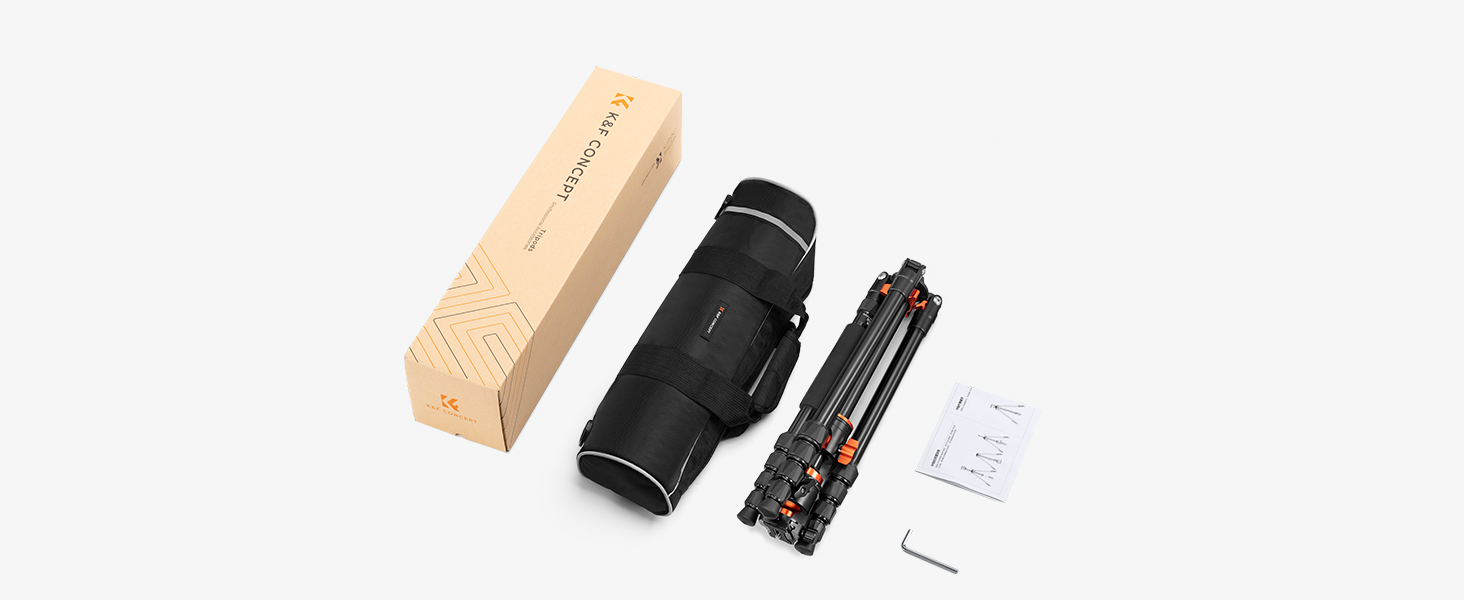
Image 3.1: Contents of the K&F Concept T255A4+BH-28L tripod package.
3.2 Extending Tripod Legs
- Unfold the tripod legs from their collapsed position.
- Twist the leg locks counter-clockwise to loosen each section of the leg.
- Extend the legs to the desired height. The tripod features 5-section legs for flexible height adjustment.
- Twist the leg locks clockwise to securely tighten each section.
- Adjust the leg angles using the angle adjustment tabs at the top of each leg. There are three adjustable angles for stability on various terrains.

Image 3.2: Illustration of various height configurations and leg angles.
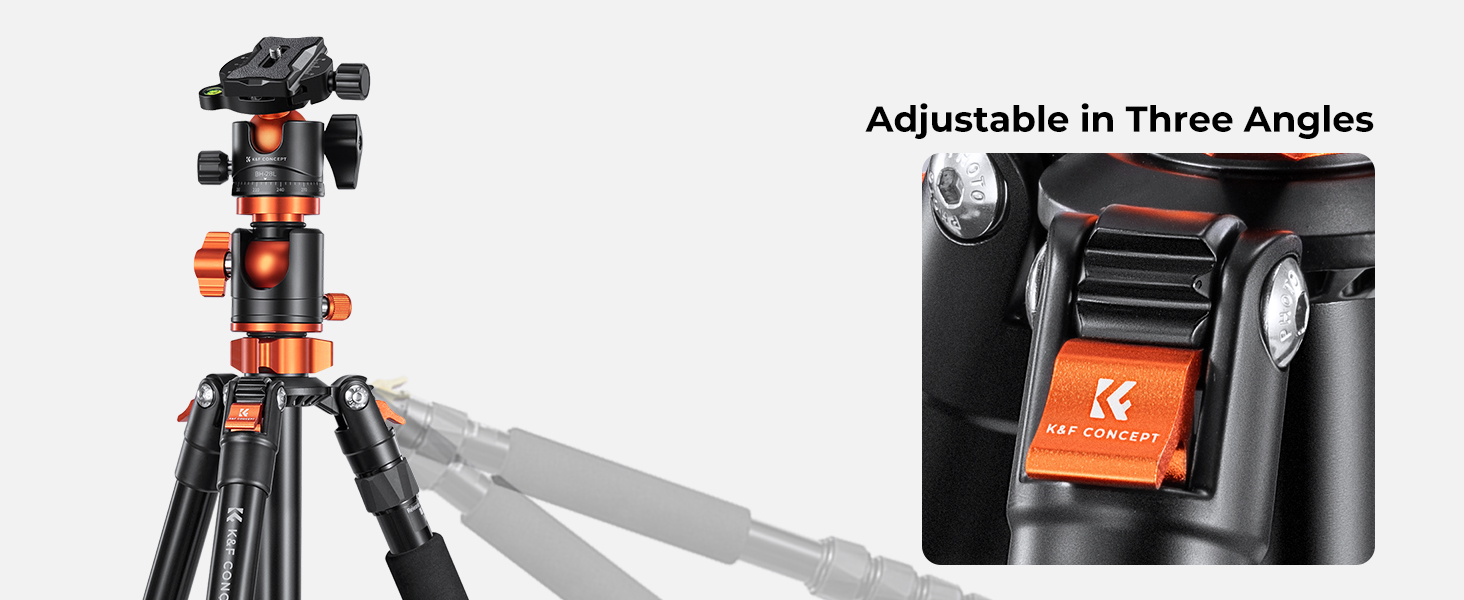
Image 3.3: Detail of the three-angle leg adjustment mechanism.
3.3 Attaching the Ball Head and Camera
- Ensure the ball head is securely screwed onto the tripod's center column.
- Attach the quick release plate to the bottom of your camera by screwing it into the camera's tripod socket.
- Open the quick release clamp on the ball head.
- Slide the quick release plate with your camera into the clamp and secure it by tightening the clamp lever.

Image 3.4: Detailed view of the BH-28L ball head with quick release plate.
4. Operating Instructions
4.1 Adjusting the Ball Head
The BH-28L ball head allows for flexible camera positioning:
- Ball Lock Knob: Loosen this knob to adjust the angle of your camera. Tighten to secure the camera in position.
- Panoramic Base Lock Knob: Loosen this knob to rotate the camera 360 degrees horizontally for panoramic shots. The integrated bubble level assists in achieving a level horizon.
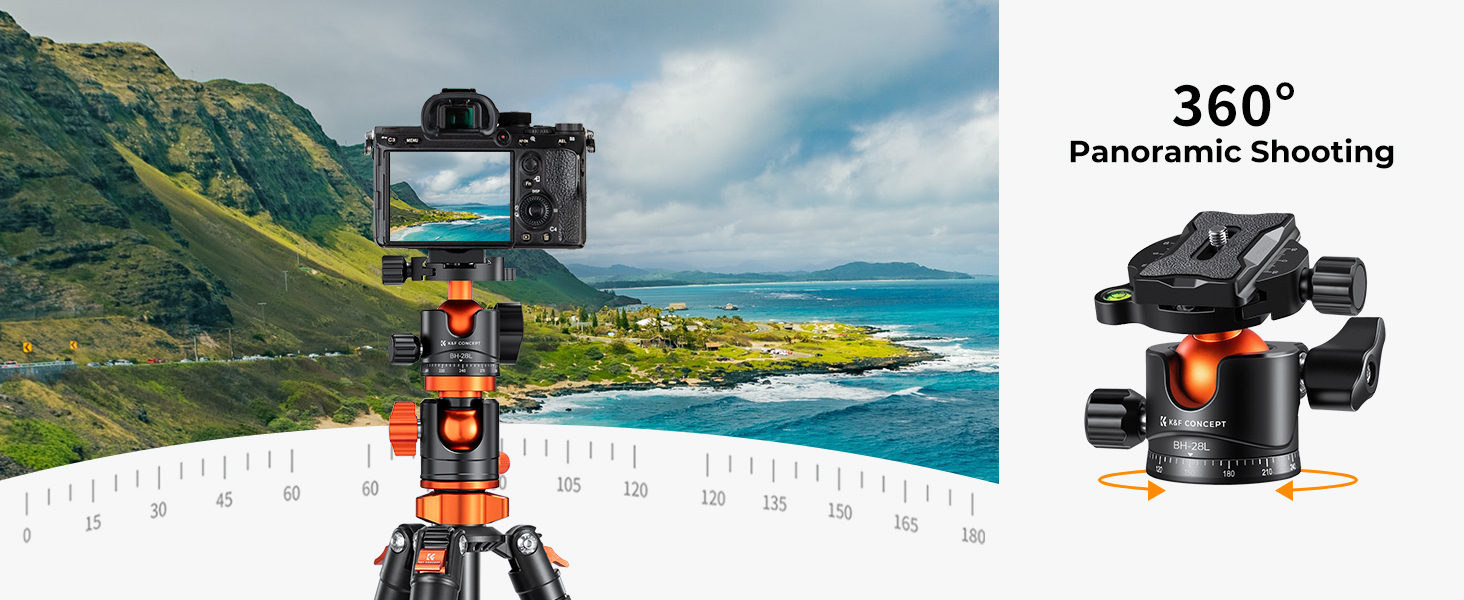
Image 4.1: Demonstrating 360-degree panoramic shooting with the ball head.
4.2 Using the Horizontal Center Column
The unique horizontal center column allows for versatile shooting angles:
- To Position Horizontally: Loosen the center column locking knob. Pull the center column upwards, then tilt it 90 degrees to a horizontal position. Secure it by tightening the locking knob.
- Adjusting Length: The horizontal column can be extended or retracted. Loosen the twist lock on the column, adjust to the desired length, and tighten.
- Rotation: The horizontal column can rotate 360 degrees, enabling precise positioning for overhead, low-angle, or macro photography.

Image 4.2: The tripod configured with the center column in a horizontal position.
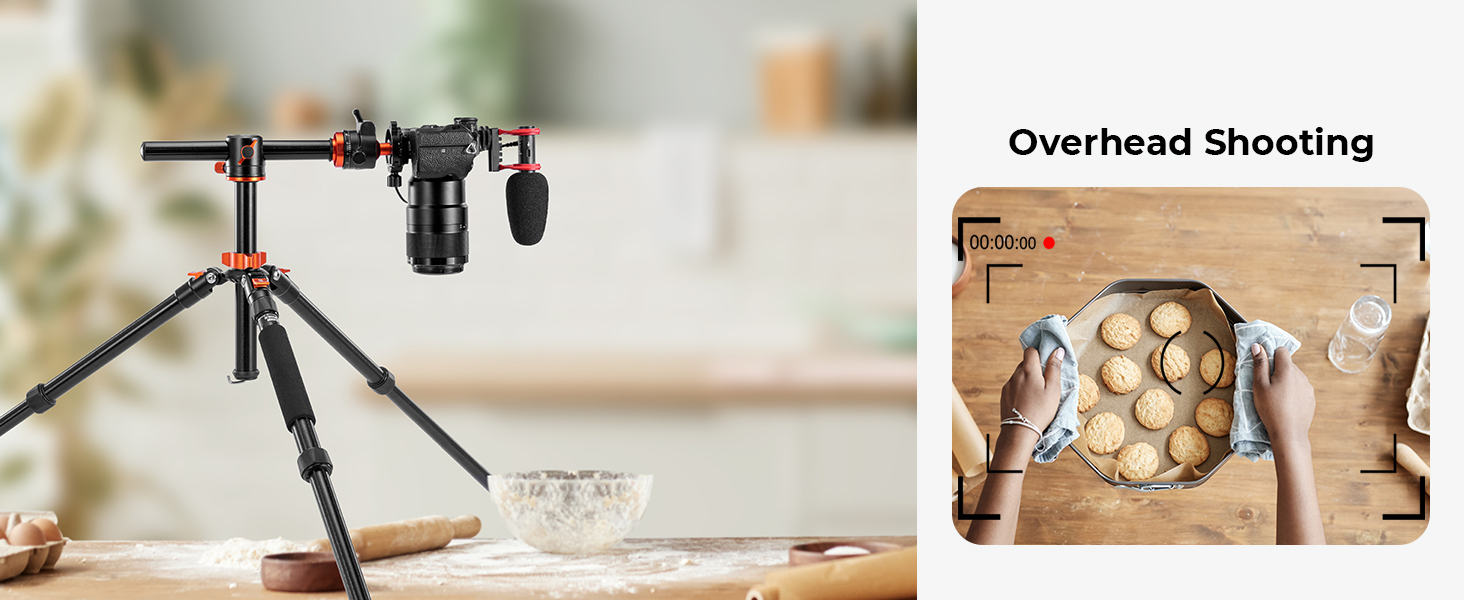
Image 4.3: Example of overhead shooting using the horizontal center column.
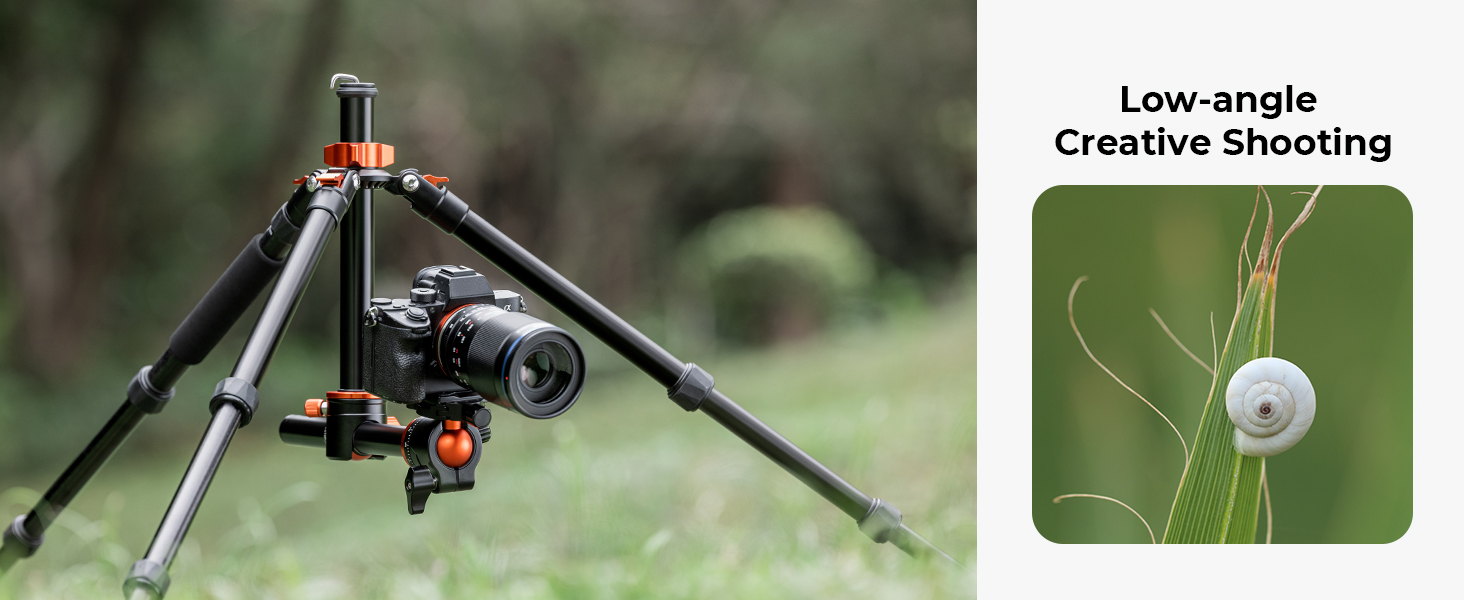
Image 4.4: Example of low-angle creative shooting with the horizontal center column.
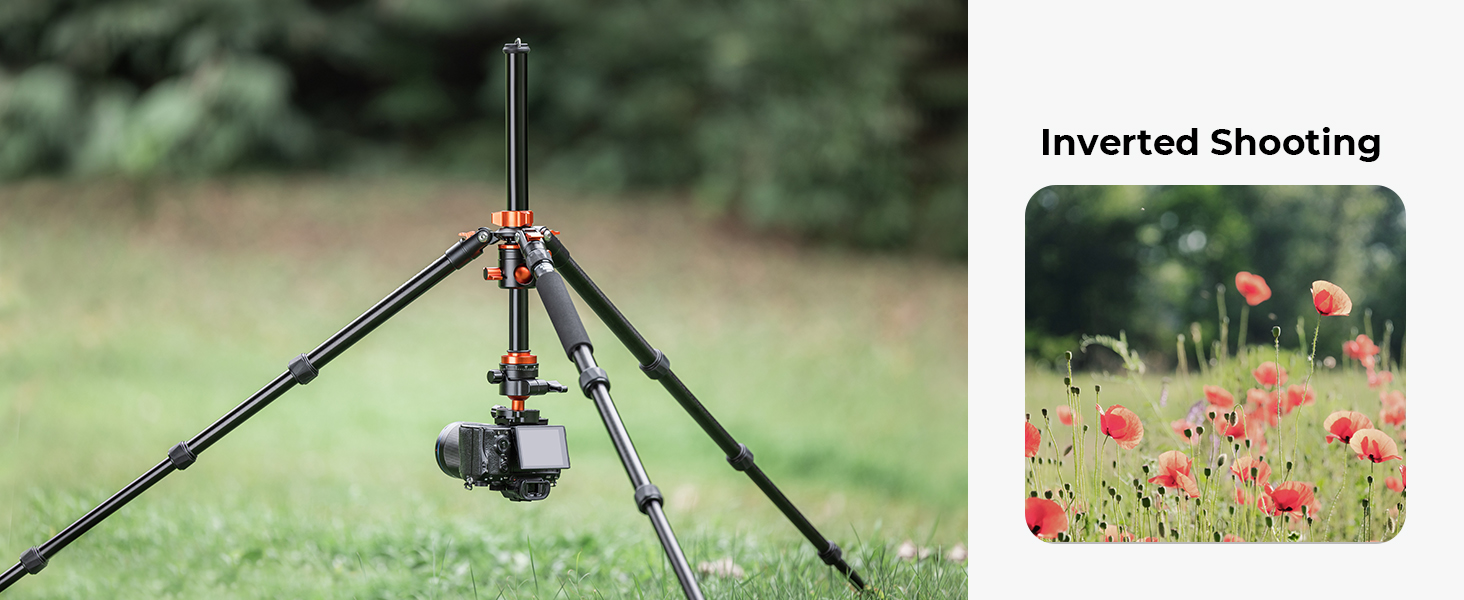
Image 4.5: Example of inverted shooting for extreme low angles or macro photography.
4.3 Detachable Monopod Function
One of the tripod legs can be detached and combined with the center column and ball head to form a monopod.
- Identify the leg with the foam grip. This leg is designed to be detachable.
- Unscrew this leg from the tripod chassis.
- Unscrew the center column from the tripod chassis.
- Screw the detached leg onto the bottom of the center column.
- Ensure the ball head is attached to the top of the center column.
- The monopod is now ready for use.
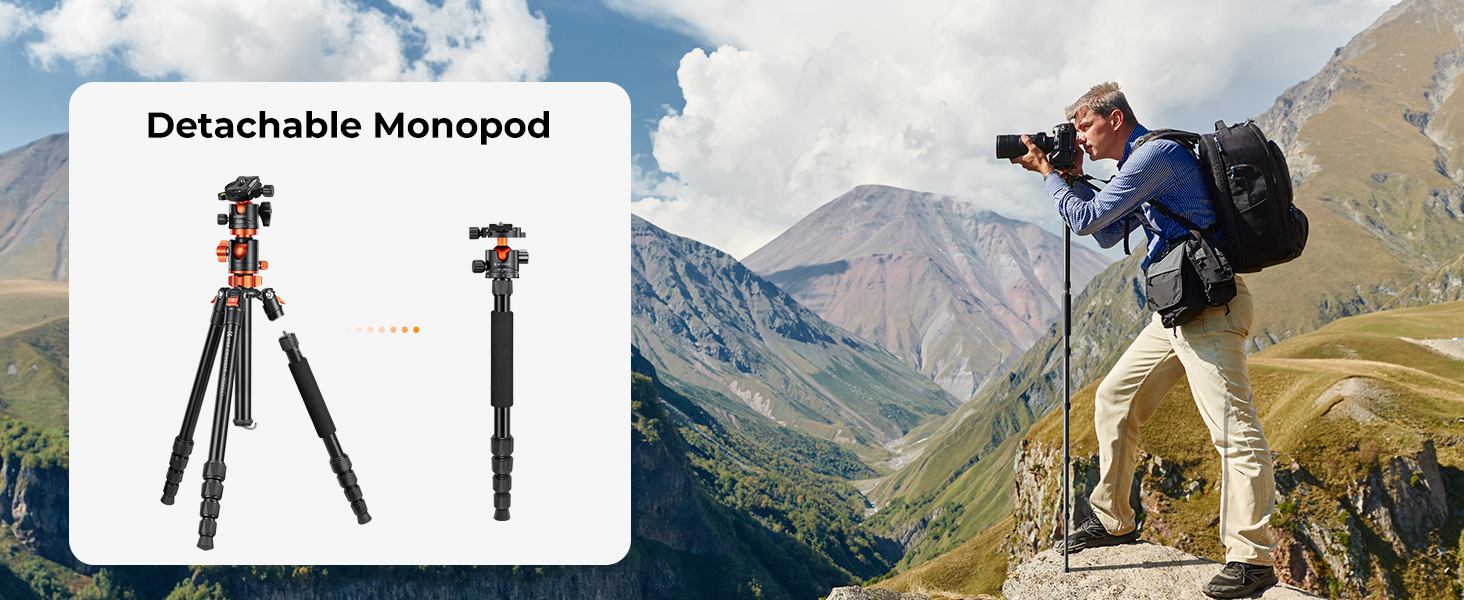
Image 4.6: Illustration of detaching a leg to form a monopod.
5. Maintenance
- Cleaning: Wipe down the tripod with a soft, dry cloth after each use. For stubborn dirt, use a slightly damp cloth and mild soap, then dry thoroughly. Avoid harsh chemicals.
- Lubrication: The moving parts are pre-lubricated. Do not apply additional lubricants unless specifically instructed by K&F Concept support.
- Storage: Store the tripod in its carrying bag in a cool, dry place away from direct sunlight and extreme temperatures.
- Inspection: Periodically check all screws, bolts, and locking mechanisms for tightness. Tighten any loose components.
6. Troubleshooting
- Tripod is unstable: Ensure all leg sections are fully extended and their twist locks are securely tightened. Verify that the leg angles are set appropriately for the terrain. Check that the ball head and camera are securely mounted.
- Leg sections are difficult to extend/retract: Clean the leg sections to remove any dirt or sand. Ensure the twist locks are fully loosened.
- Ball head movement is stiff or loose: Adjust the tension knob on the ball head. If stiff, ensure no debris is obstructing the ball. If loose, ensure the ball lock knob is fully tightened.
- Horizontal column does not move smoothly: Ensure the center column locking knob is fully loosened. Check for any obstructions.
7. Specifications
| Feature | Detail |
|---|---|
| Model Number | T255A4+BH-28L (TM2515T1) |
| Material | Aluminum |
| Leg Sections | 5 |
| Maximum Height | 67 Inches (170 cm) |
| Minimum Height | 22 Inches (56 cm) |
| Folded Length | 16.93 Inches (43 cm) |
| Load Capacity | 22.04 lbs (10 kg) |
| Item Weight | 3.72 lbs (1.69 kg) |
| Leg Diameter | 0.98 Inches (25 mm) |
| Tripod Head Type | Ball Head (BH-28L) |
| Horizontal Center Column | Yes, 0 to 180 degrees, 360 degree rotation |
| Detachable Monopod | Yes |
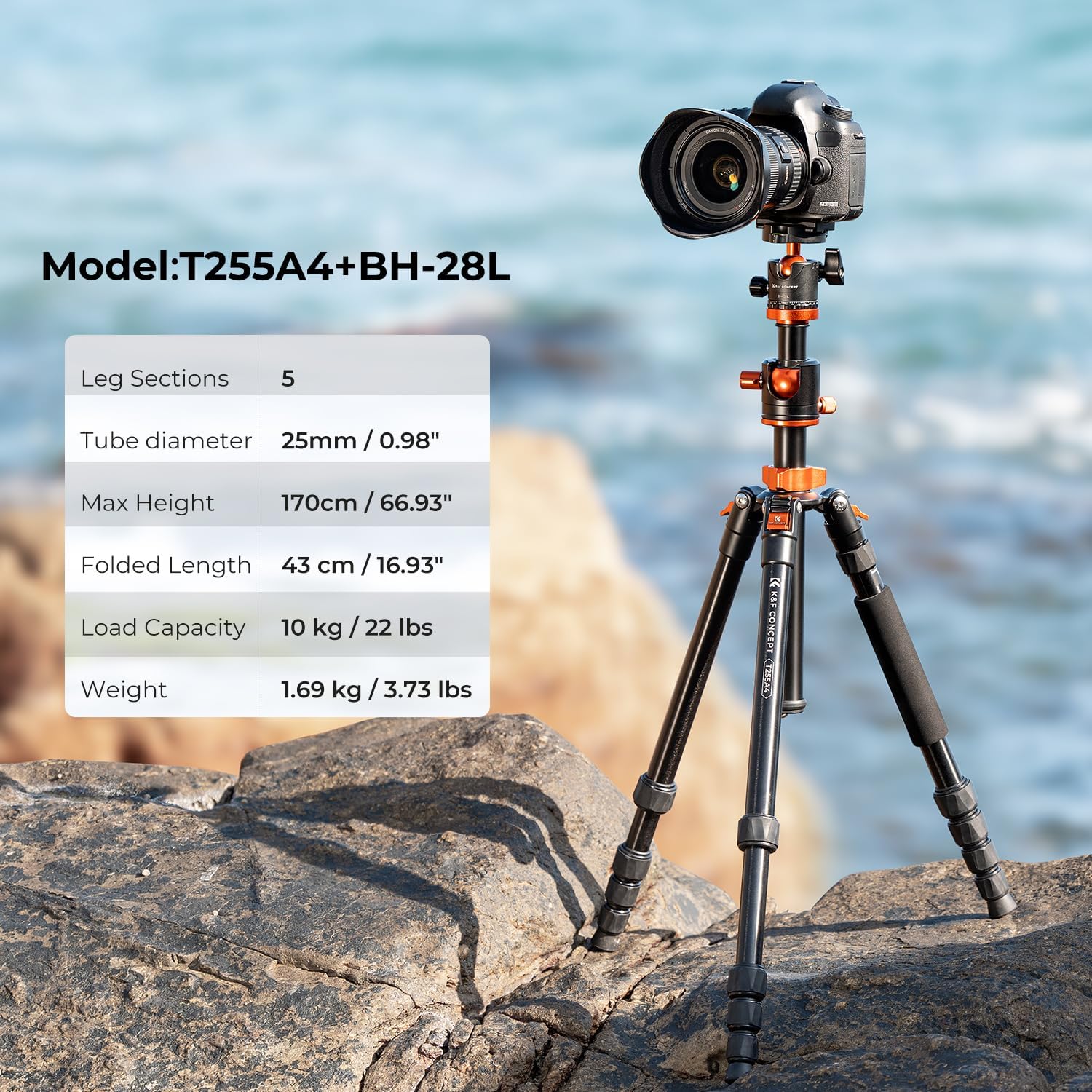
Image 7.1: Key specifications of the K&F Concept T255A4+BH-28L tripod.
8. Warranty and Support
K&F Concept products are manufactured to high-quality standards. For warranty information, please refer to the warranty card included with your product or visit the official K&F Concept website. For technical support, product inquiries, or service, please contact K&F Concept customer service through their official channels.
Official K&F Concept Website: www.kentfaith.com