
GorillaRock B07GKHYSB6
Contents
GorillaRock 4L Food Processor User Manual
Model: B07GKHYSB6
1. Introduction
Thank you for choosing the GorillaRock 4L Food Processor. This high-speed electric food chopper is designed for efficient processing of various ingredients, including meat and vegetables. Constructed with durable 304 stainless steel parts that contact food, it ensures long-lasting performance and reliability for extensive use.
Please read this manual thoroughly before operating the appliance to ensure safe and proper use. Keep this manual for future reference.
2. Important Safety Instructions
WARNING: To reduce the risk of fire, electric shock, or injury, always follow basic safety precautions.
- Read all instructions before using the appliance.
- Do not immerse the motor base in water or other liquids.
- Always unplug the appliance from the outlet when not in use, before assembling or disassembling parts, and before cleaning.
- Avoid contact with moving parts. Keep hands and utensils away from the blade during operation to prevent injury.
- Ensure the lid is securely locked in place before operating.
- Do not operate any appliance with a damaged cord or plug, or after the appliance malfunctions or has been dropped or damaged in any manner.
- The use of attachments not recommended or sold by the manufacturer may cause fire, electric shock, or injury.
- Do not use outdoors.
- Do not let the cord hang over the edge of a table or counter, or touch hot surfaces.
- This appliance is not intended for use by persons (including children) with reduced physical, sensory, or mental capabilities, or lack of experience and knowledge, unless they have been given supervision or instruction concerning use of the appliance by a person responsible for their safety.
3. Product Components
Familiarize yourself with the parts of your GorillaRock Food Processor:
- Motor Base Unit
- 4-Liter Stainless Steel Processing Bowl
- Lid with Feeding Chute
- Interchangeable Stainless Steel Blades (2 types)
- Control Panel (OFF, ON, START, STOP buttons)
- Side Handles (on base unit)
- Wooden Spatula

Image 3.1: Fully assembled GorillaRock 4L Food Processor.
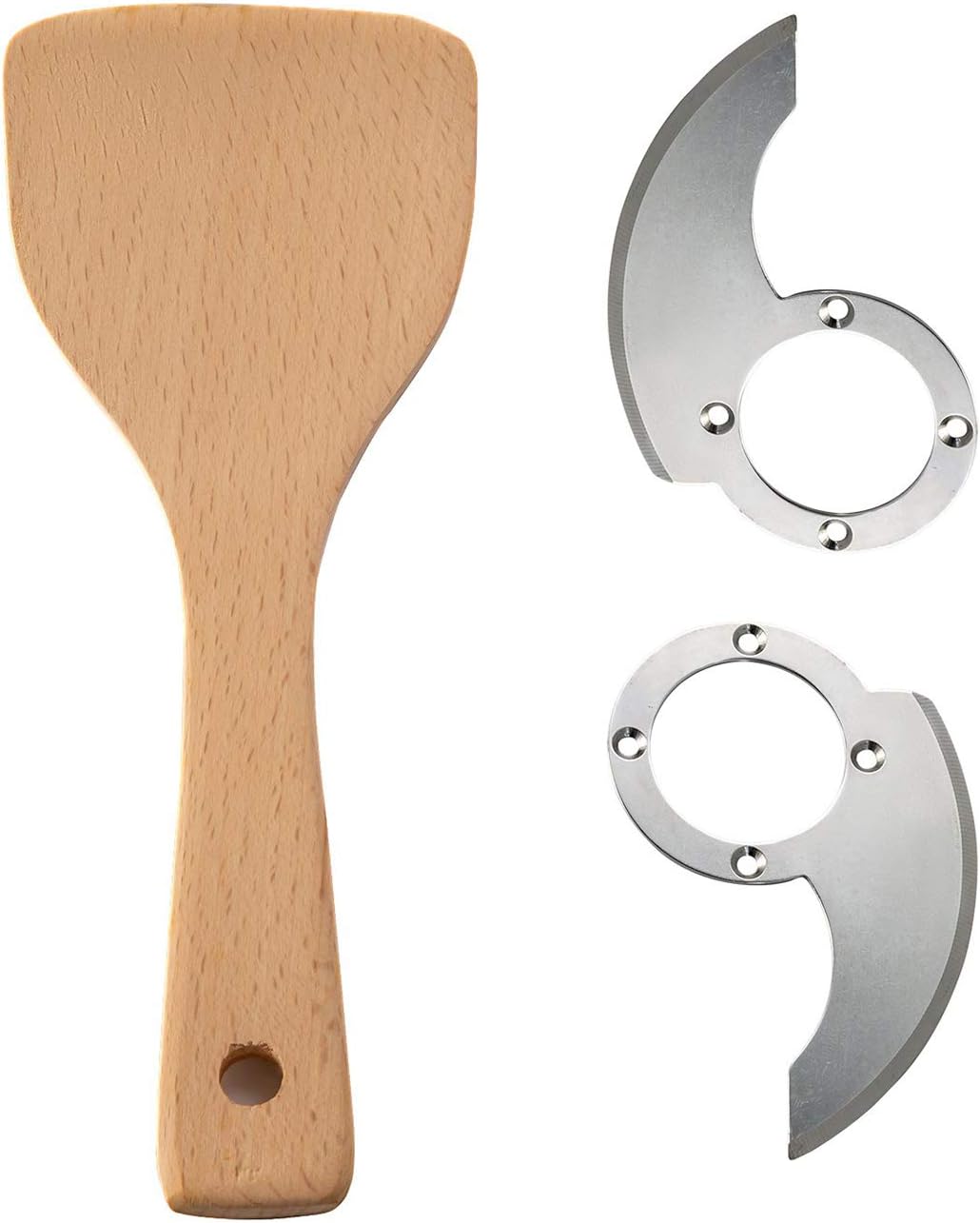
Image 3.2: Included interchangeable blades and wooden spatula.
4. Setup
- Unpack: Carefully remove all components from the packaging. Retain packaging for storage or shipping.
- Clean: Before first use, wash the processing bowl, lid, and blades with warm, soapy water. Rinse thoroughly and dry. Wipe the motor base with a damp cloth.
- Position: Place the motor base unit on a stable, flat, and dry surface. Ensure there is adequate ventilation around the unit.
- Assemble Bowl: Place the 4-liter stainless steel processing bowl onto the motor base, aligning it correctly until it sits firmly.
- Insert Blade: Carefully place the desired interchangeable blade onto the central spindle inside the processing bowl. Ensure it is seated properly.
- Secure Lid: Place the lid onto the processing bowl and rotate it clockwise until it locks securely into position. The appliance will not operate if the lid is not properly secured.
- Connect Power: Plug the power cord into a standard 110-volt electrical outlet.
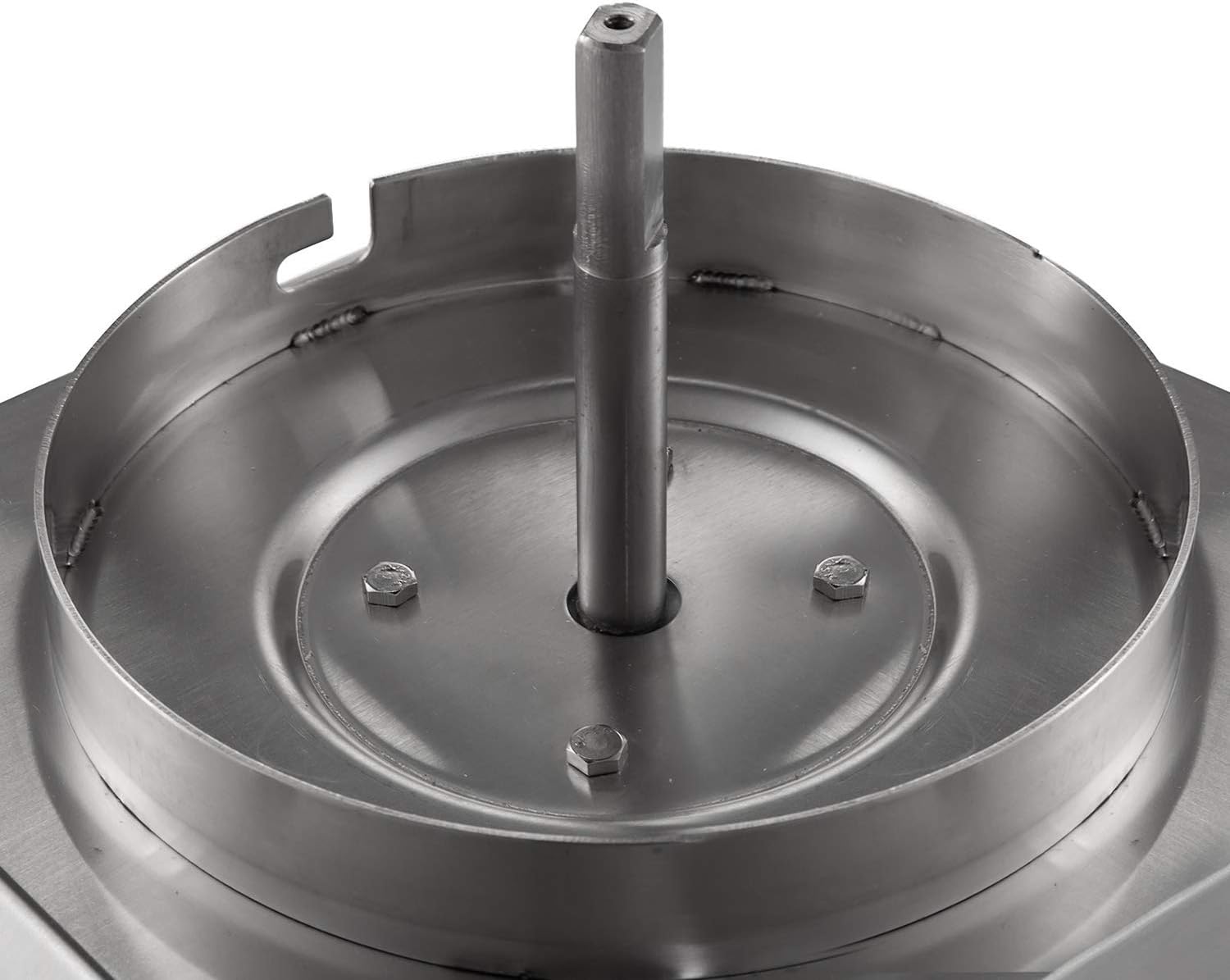
Image 4.1: View of the central spindle on the motor base where the blade attaches.
5. Operating Instructions
Follow these steps to operate your food processor:
- Prepare Ingredients: Cut ingredients into appropriate sizes that fit into the processing bowl and through the feeding chute if adding during operation.
- Load Ingredients: With the appliance unplugged and the blade inserted, place your ingredients into the processing bowl. Do not overfill the bowl beyond the maximum fill line.
- Secure Lid: Place and lock the lid onto the processing bowl.
- Power On: Ensure the main power switch is in the 'OFF' position. Plug the appliance into a 110V power outlet. Turn the main power switch to 'ON'.
- Start Processing: Press the START button to begin processing. The blades will rotate at high speed.
- Monitor: Observe the consistency of your ingredients. For continuous processing, hold the START button. For pulse action, press and release the START button repeatedly.
- Stop Processing: To stop the appliance, press the STOP button.
- Power Off: Once processing is complete, turn the main power switch to 'OFF' and unplug the appliance from the wall outlet.
- Remove Food: Wait for the blades to completely stop. Carefully unlock and remove the lid. Then, carefully remove the blade before emptying the processed food from the bowl. Use the provided wooden spatula to scrape down the sides of the bowl if needed.

Image 5.1: Close-up of the control panel featuring OFF, ON, START, and STOP buttons.

Image 5.2: The lid of the processing bowl, showing the feeding chute for adding ingredients during operation.
6. Cleaning and Maintenance
Proper cleaning and maintenance will ensure the longevity and optimal performance of your food processor.
- Unplug: Always ensure the appliance is unplugged from the power outlet before cleaning.
- Disassemble: Carefully remove the lid, blade, and processing bowl from the motor base.
- Hand Wash Parts: The processing bowl, lid, and blades are hand wash only. Wash them with warm, soapy water. Use a brush for hard-to-reach areas and exercise extreme caution when handling the sharp blades. Rinse thoroughly and dry immediately to prevent water spots or corrosion.
- Clean Motor Base: Wipe the motor base with a damp cloth. Do not immerse the motor base in water or any other liquid.
- Storage: Once all parts are clean and dry, reassemble the food processor or store the components in a safe place. Store the blades in a protective cover if available.
7. Troubleshooting
If you encounter issues with your food processor, refer to the following common problems and solutions:
| Problem | Possible Cause | Solution |
|---|---|---|
| Appliance does not turn on. | Not plugged in; power switch off; lid not secured. | Ensure power cord is securely plugged in. Turn main power switch to 'ON'. Ensure lid is properly locked onto the bowl. |
| Motor runs but blades do not spin. | Blade not properly seated on spindle. | Unplug the appliance. Carefully remove the lid and bowl, then re-seat the blade onto the central spindle. Reassemble and try again. |
| Food is unevenly processed. | Overfilling the bowl; ingredients too large. | Process smaller batches. Cut ingredients into more uniform, smaller pieces before processing. Use pulse function for better control. |
| Appliance stops during operation. | Overload protection activated; power interruption. | Turn off and unplug the appliance. Remove some ingredients if overloaded. Let the motor cool down for 15-20 minutes before restarting. Check power supply. |
8. Specifications
- Brand: GorillaRock
- Model Name: B07GKHYSB6
- Special Feature: Interchangeable Blade
- Product Dimensions (D x W x H): 12.6" x 14.17" x 20.47" (317.5mm x 363.2mm x 520.7mm)
- Color: Silver
- Wattage: 550 watts
- Recommended Uses: Chop
- Included Components: Lid, Blades, Spatula
- Voltage: 110 volts
- Power Source: Electric (AC adapter)
- Material: Stainless Steel, Glass (for lid)
- Product Care Instructions: Hand Wash
- Blade Material: Stainless Steel
- Item Weight: 27 kg
- GTIN (UPC): 610895410848
- ASIN: B07GKHYSB6

Image 8.1: Product dimensions of the GorillaRock 4L Food Processor.
9. Warranty and Support
For warranty information or technical support, please contact GorillaRock customer service. Refer to the product packaging or the official GorillaRock website for contact details.
Please have your model number (B07GKHYSB6) and purchase date available when contacting support.
Documents and downloads
Ask a question about this manual
Ask about setup, troubleshooting, compatibility, parts, safety, or missing instructions. Manuals+ will review the question and use this page’s manual context to help answer it.