
1. Introduction
The MEDLINKET AM801 is a versatile 5-in-1 pulse oximeter designed for comprehensive health monitoring. It accurately measures blood oxygen saturation (SpO2), pulse rate (PR), body temperature, perfusion index (PI), and displays a plethysmograph. This device is suitable for home use, clinics, and hospitals, providing reliable and clinically validated results.
Key features include instant over-limit alerts for SpO2, heart rate, and temperature, clinically validated accuracy, fast results within 8 seconds on a large OLED display, and reliable readings across various skin tones and low circulation conditions. The device is also FSA/HSA eligible.
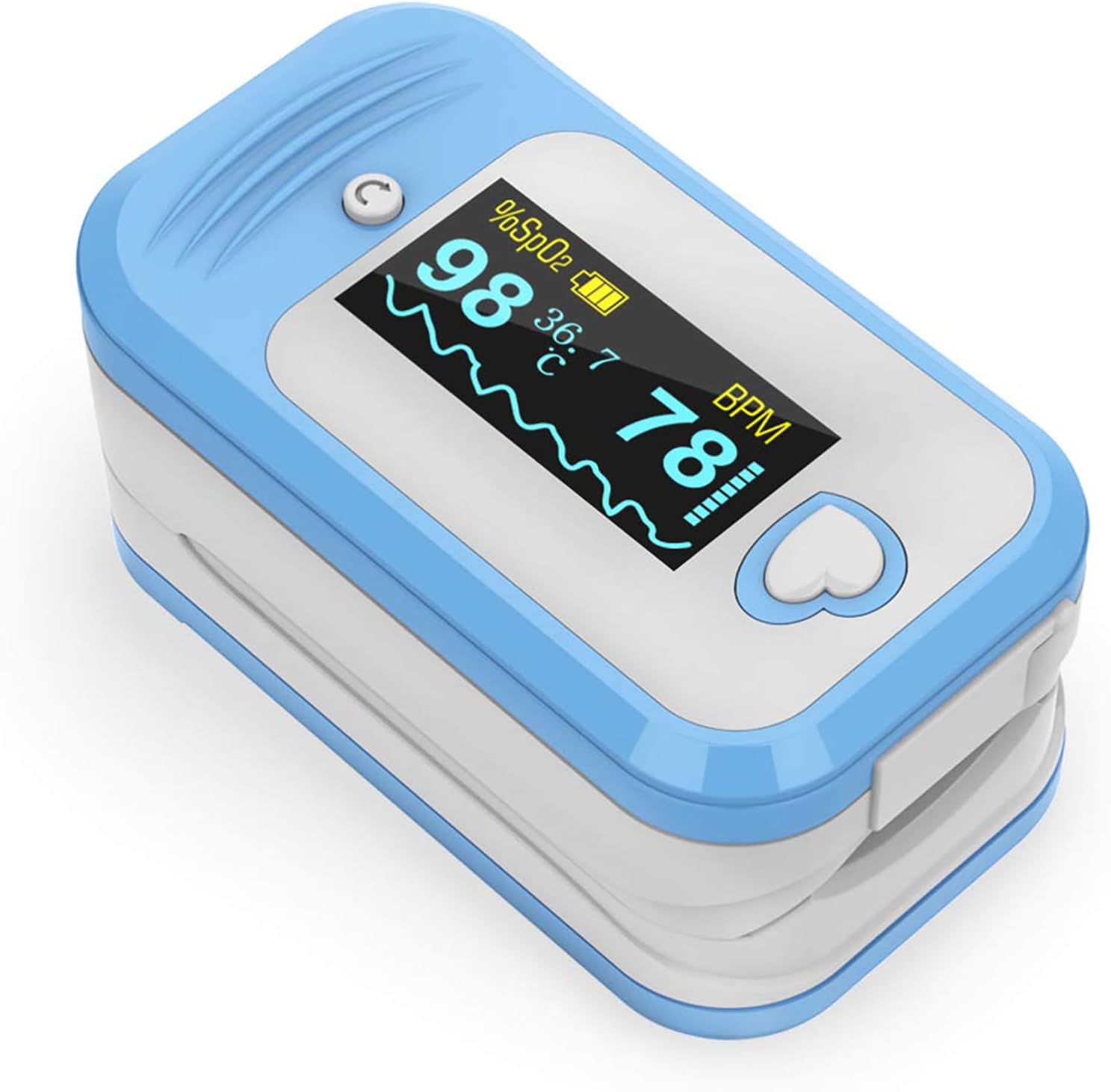
Figure 1: MEDLINKET AM801 5-in-1 Pulse Oximeter

Figure 2: Overview of the 5 vital signs monitored by the AM801.
2. Setup
2.1 Battery Installation
The AM801 Pulse Oximeter requires two AAA alkaline batteries (not included). Ensure correct polarity as indicated inside the battery compartment. Incorrect installation can cause device malfunction.

Figure 3: Proper battery installation for the AM801 Pulse Oximeter.
2.2 Temperature Probe Connection
To measure temperature, connect the external temperature probe to the designated port on the oximeter. The probe should be attached to the measurement site (e.g., armpit) for 5-8 minutes before plugging it into the device to ensure an accurate reading.

Figure 4: Connecting the temperature probe to the AM801.

Figure 5: Example of temperature probe placement for accurate measurement.
3. Operating Instructions
3.1 Taking SpO2 and Pulse Rate Readings
- Insert one finger completely into the oximeter's opening.
- Press the heart-shaped power button to turn on the device.
- Hold your hand still. Readings for SpO2, Pulse Rate (BPM), and Perfusion Index (PI) will appear on the OLED display within 8 seconds.

Figure 6: Proper finger placement for SpO2 and Pulse Rate measurement.
3.2 Display Interpretation and Orientation
The OLED display shows various parameters including SpO2 percentage, Pulse Rate (BPM), Perfusion Index (PI), and a plethysmograph waveform. The display orientation can be adjusted by pressing the small button next to the heart button, allowing for easy viewing from different angles.

Figure 7: The multi-directional OLED display provides clear readings and features like auto-off.
3.3 Alarm Settings
The AM801 features an instant over-limit alert system. You can set high and low thresholds for SpO2, Pulse Rate, and Temperature. If readings fall outside the set limits, an audible alarm will sound within 2 seconds, prompting timely action.

Figure 8: The settings menu allows customization of high/low alert thresholds.
3.4 Automatic Power Off
The device automatically powers off after 8 seconds of inactivity or when a finger is removed from the sensor, conserving battery life.
4. Maintenance
4.1 Cleaning and Disinfection
Regularly clean the surface of the oximeter with a soft cloth dampened with medical alcohol (75% ethanol or 70% isopropanol). Do not immerse the device in liquid. Ensure the device is dry before use.
4.2 Storage
Store the device in a cool, dry place away from direct sunlight, extreme temperatures, and humidity. Remove batteries if the device will not be used for an extended period.
5. Troubleshooting
For detailed troubleshooting steps, please refer to the official Troubleshooting Guide (PDF). Below are some common issues and general advice:
- Device not turning on: Check battery installation and ensure batteries are new or fully charged.
- Inaccurate readings: Ensure finger is properly inserted, still, and clean. Avoid cold fingers or poor circulation by warming the hand.
- Display blinking or unstable: This may be due to movement or weak signal. Remain still during measurement.
6. Specifications
| Parameter | Range | Resolution | Accuracy |
|---|---|---|---|
| SpO2 | 70% to 100% | 1% | 90–100%: ±2%, 70–89%: ±3% |
| Pulse Rate | 30 to 245 bpm | 1 bpm | ±3 bpm |
| Temperature | 77° to 113°F (25℃ to 45℃) | ±0.1℃ | ±0.1℃ |
- Product Dimensions: 2.4 x 1.34 x 1.2 inches; 2.12 ounces
- Batteries: 2 AAA batteries required
- Item Model Number: AM801
- Manufacturer: MED LINKET
- Country of Origin: China

Figure 9: The AM801 is CE & FDA Approved, ensuring clinical validation.
7. Official Product Videos
7.1 Confident to buy MEDLINKET AM801 Pulse Oximeter
This video provides an overview of the MEDLINKET AM801 Pulse Oximeter, highlighting its features and ease of use.
7.2 How about the MEDLINKET AM801 Temp-pulse Oximeter?
This video demonstrates the functionality of the AM801, including its temperature and pulse oximetry capabilities.
7.3 How to measure the temperature correctly?
A detailed guide on how to accurately measure body temperature using the AM801's external probe.
8. Warranty and Support
For any questions or concerns regarding your MEDLINKET AM801 Pulse Oximeter, please refer to the official documentation or contact customer support.
- User Guide (PDF): Download Here
- Instructions for Use (IFU) (PDF): Download Here
- Troubleshooting Guide (PDF): Download Here
Legal Disclaimer: Statements regarding dietary supplements have not been evaluated by the FDA and are not intended to diagnose, treat, cure, or prevent any disease or health condition. As per Amazon policy, this oxygen meter finger pulse oximeter is marketed for sports and aviation use only.


