
DJI CP.MA.00000019.01
DJI Mavic 2 Pro User Manual
Model: CP.MA.00000019.01
Introduction
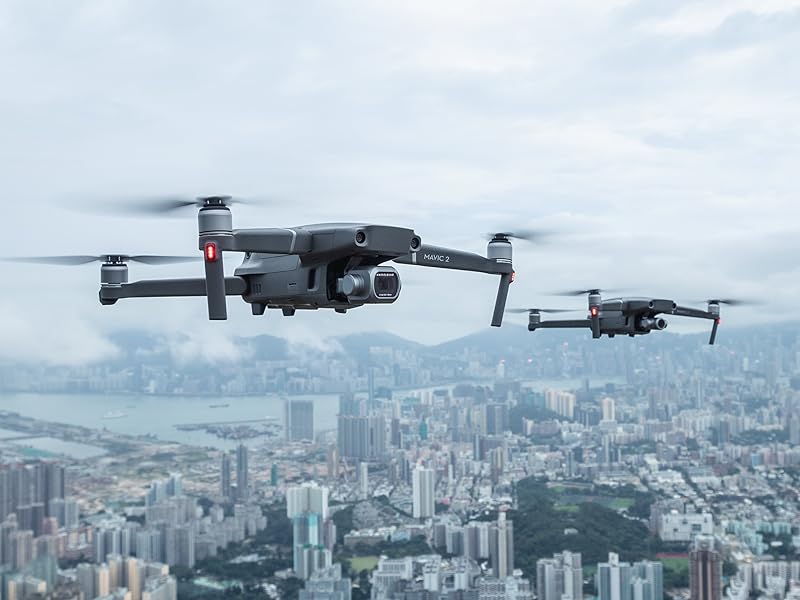
The DJI Mavic 2 Pro is a high-performance drone quadcopter equipped with a Hasselblad L1D-20c camera. It features a 20MP 1-inch CMOS sensor, capable of capturing stunning 4K HDR video and high-resolution aerial photographs. Designed for advanced aerial photography and videography, the Mavic 2 Pro incorporates intelligent flight modes and omnidirectional obstacle sensing for enhanced safety and ease of use.
This manual provides essential information for the safe and effective operation, setup, and maintenance of your DJI Mavic 2 Pro drone.
Product Overview


Setup
Unboxing and Initial Preparation
Upon receiving your DJI Mavic 2 Pro, carefully unbox all components. Ensure all items listed in the "What's in the Box" section are present. Before first use, fully charge the Intelligent Flight Battery and the Remote Controller.
Install the propellers by matching the marked propellers to the corresponding motor arms. Remove the gimbal protector before powering on the aircraft.
Connecting the Remote Controller
Connect your smartphone to the remote controller using the appropriate RC Cable (Lightning, Standard Micro USB, or USB Type-C). Ensure the DJI GO 4 App is installed on your device (requires iOS 10.0.2, Android 5.0 or above).
This video demonstrates the unboxing and initial setup of the Mavic 2 Pro, including how to prepare the drone and remote controller for first use.Operating Instructions
Flight Operation
The Mavic 2 Pro offers a flight time of up to 31 minutes and a maximum speed of 44 mph. Always ensure you have a clear line of sight to the drone during flight. Utilize the DJI GO 4 App for real-time flight data, camera view, and access to intelligent flight modes.
Camera and Gimbal
The integrated 3-axis gimbal ensures steady shots, even during dynamic flight. The Hasselblad L1D-20c camera features an adjustable aperture and supports HDR photos, allowing for versatile image capture in various lighting conditions.
Intelligent Features
- ActiveTrack 2.0: Advanced subject tracking capabilities.
- Omnidirectional Obstacle Sensing: Detects obstacles in multiple directions for safer flight.
- Hyperlapse: Creates stunning time-lapse videos with ease.
- Low-Noise Design: Optimized propellers and motors for quieter operation.
Maintenance
Regular maintenance is crucial for the longevity and performance of your DJI Mavic 2 Pro. After each flight, inspect the propellers for any damage or cracks. Clean the camera lens and sensors with a soft, dry cloth. Store the drone and batteries in a cool, dry place, away from direct sunlight and extreme temperatures. Periodically check for firmware updates via the DJI GO 4 App to ensure optimal performance and access to new features.
Troubleshooting
This section addresses common issues you might encounter with your DJI Mavic 2 Pro. For more detailed troubleshooting, refer to the official DJI support resources.
Common Issues:
- Drone not powering on: Ensure the Intelligent Flight Battery is fully charged and properly inserted. Press the power button once, then press and hold for two seconds to power on.
- No GPS signal: Fly in an open area away from tall buildings or strong magnetic interference. Ensure the drone has a clear view of the sky.
- Gimbal abnormal: Ensure the gimbal protector is removed before powering on. Calibrate the gimbal through the DJI GO 4 App if the issue persists.
- App connectivity issues: Verify your smartphone's operating system meets the minimum requirements (iOS 10.0.2, Android 5.0 or above). Try restarting both the drone, remote controller, and the app.
Specifications
| Feature | Detail |
|---|---|
| Brand | DJI |
| Model Name | DJI Mavic 2 Pro |
| Model Number | CP.MA.00000019.01 |
| Color | Gray |
| Item Weight | 907 Grams (2 pounds) |
| Product Dimensions | 12.7"L x 9.5"W x 3.3"H |
| Video Capture Resolution | 4K |
| Effective Still Resolution | 20 MP |
| Optical Sensor Technology | CMOS (1" sensor) |
| Battery Capacity | 59.29 Amp Hours (1 Lithium Polymer battery included) |
| Max Flight Time | Up to 31 minutes |
| Max Speed | Up to 48 mph |
| Internal Storage | 8GB, SD card Support up to 128 GB |
| Special Features | Advanced Pilot Assistance Systems (APAS), Hasselblad L1D-20c camera, Adjustable Aperture, HDR Photos |
What's in the Box
- DJI Mavic 2 Pro Drone
- Intelligent Flight Battery
- Gimbal Protector
- Remote Controller
- 3x Propellers (Pair)
- Battery Charger
- Power Cable
- Communication Cable (USB3.0 Type-C)
- USB adapter
- Spare Control Sticks (Pair)
- RC Cable (Lightning Connector)
- RC Cable (Standard Micro USB Connector)
- RC Cable (USB Type-C Connector)
Warranty and Support
For detailed warranty information and technical support, please refer to the official DJI website or the comprehensive user manual PDF.
Related documentsCP.MA.00000019.01


Ask a question about this manual
Ask about setup, troubleshooting, compatibility, parts, safety, or missing instructions. Manuals+ will review the question and use this page’s manual context to help answer it.