
Introduction
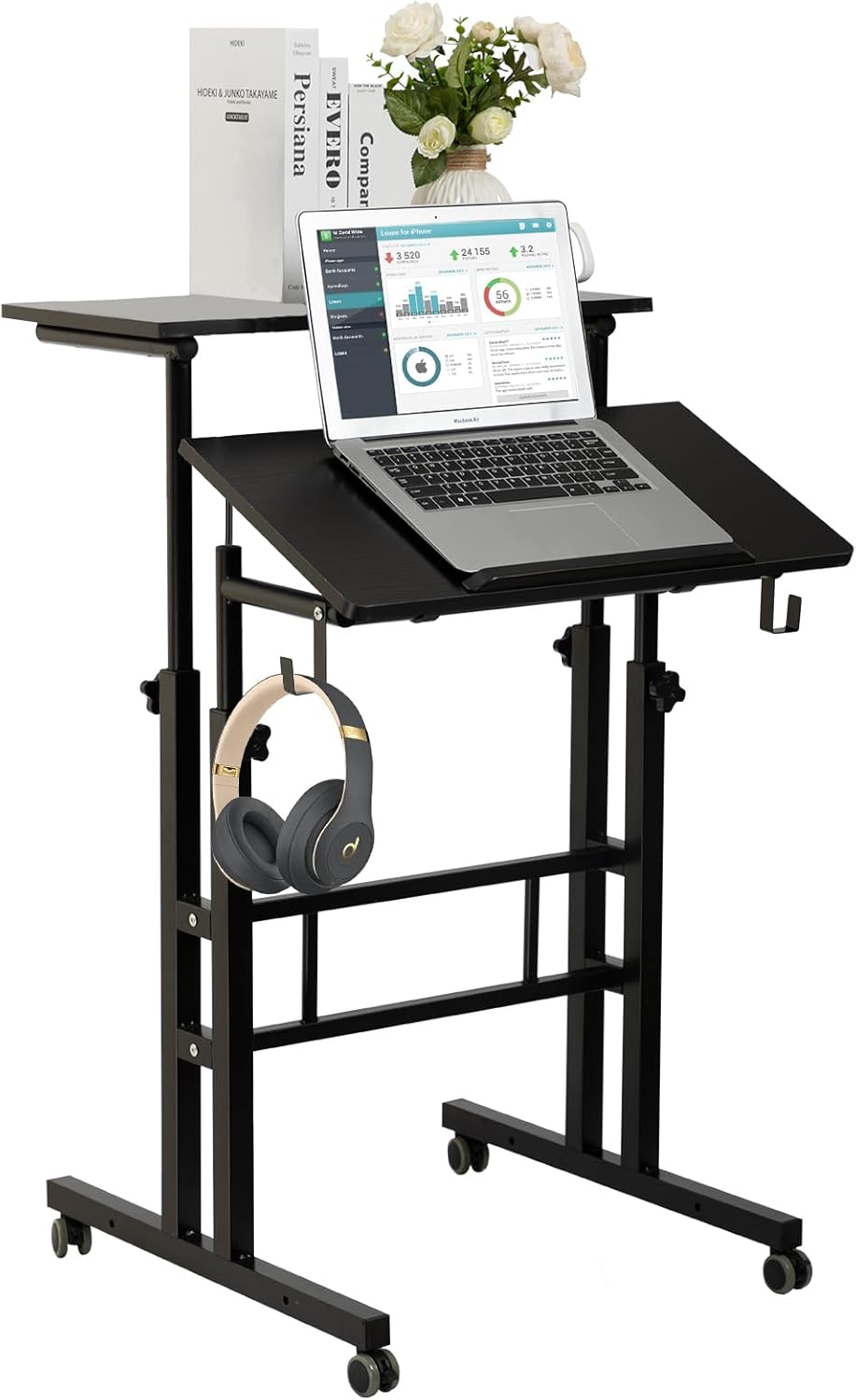
This manual provides comprehensive instructions for the assembly, operation, and maintenance of your SIDUCAL Mobile Standing Desk. This adjustable and portable workstation is designed to facilitate both sitting and standing work positions, featuring smooth-rolling wheels for easy relocation within your home or office environment.
Safety Information
To ensure safe operation and prevent injury or damage, please adhere to the following guidelines:
- Do not exceed the maximum weight capacity of 66 pounds (30 kg) on the desk surfaces.
- Ensure all components are securely fastened during assembly and regularly check for tightness before each use.
- Always engage the wheel locks when the desk is in a stationary position to prevent unintended movement.
- When adjusting the height, ensure no heavy items are on the desk and adjust both sides evenly to maintain stability.
- Follow ergonomic guidelines to maintain proper posture and reduce strain during prolonged use.
Package Contents
Please verify that all the following components are included in your package before beginning assembly. Refer to the detailed parts list provided in your physical instruction manual for specific quantities and identifiers.
- Main Desktop Panel
- Adjustable Desktop Panel
- Vertical Support Poles
- Base Frames
- Wheels (4 units)
- Headphone Hooks
- Barrier Strip for Laptop
- Assembly Hardware (screws, nuts, washers)
- Assembly Tools (screwdriver, wrench)
- Spirit Level
Setup and Assembly
The SIDUCAL Mobile Standing Desk is designed for straightforward assembly. The necessary tools, including a screwdriver and wrench, are provided. For optimal tightening, a larger screwdriver may offer better leverage.
Important Notice: There have been instances of incorrect instructions being included with some items. If the manual you received is printed on ordinary A4 paper, please contact customer service for the correct instructions before proceeding with assembly to avoid potential issues.
Assembly Steps:
- Unpack and Identify Parts: Carefully unpack all components and lay them out on a clean, flat surface. Compare them with the parts list in your manual.
- Assemble Base Frames: Attach the horizontal support bars to the vertical support poles to form the base structure.
- Install Wheels: Securely attach the four wheels to the bottom of the base frames. Ensure they are firmly in place.
- Attach Desktop Panels: Mount the main desktop panel and the smaller, adjustable desktop panel to the vertical support poles using the provided hardware. Pay attention to the orientation of each panel.
- Secure All Connections: Tighten all screws and bolts firmly. Do not overtighten, but ensure there is no looseness.
- Install Accessories: Attach the headphone hooks and the laptop barrier strip to their designated positions.
- Leveling: Use the included spirit level to check if the desk surfaces are level. Adjust the height slightly if necessary to achieve a balanced surface.


Operating Instructions
Height Adjustment:
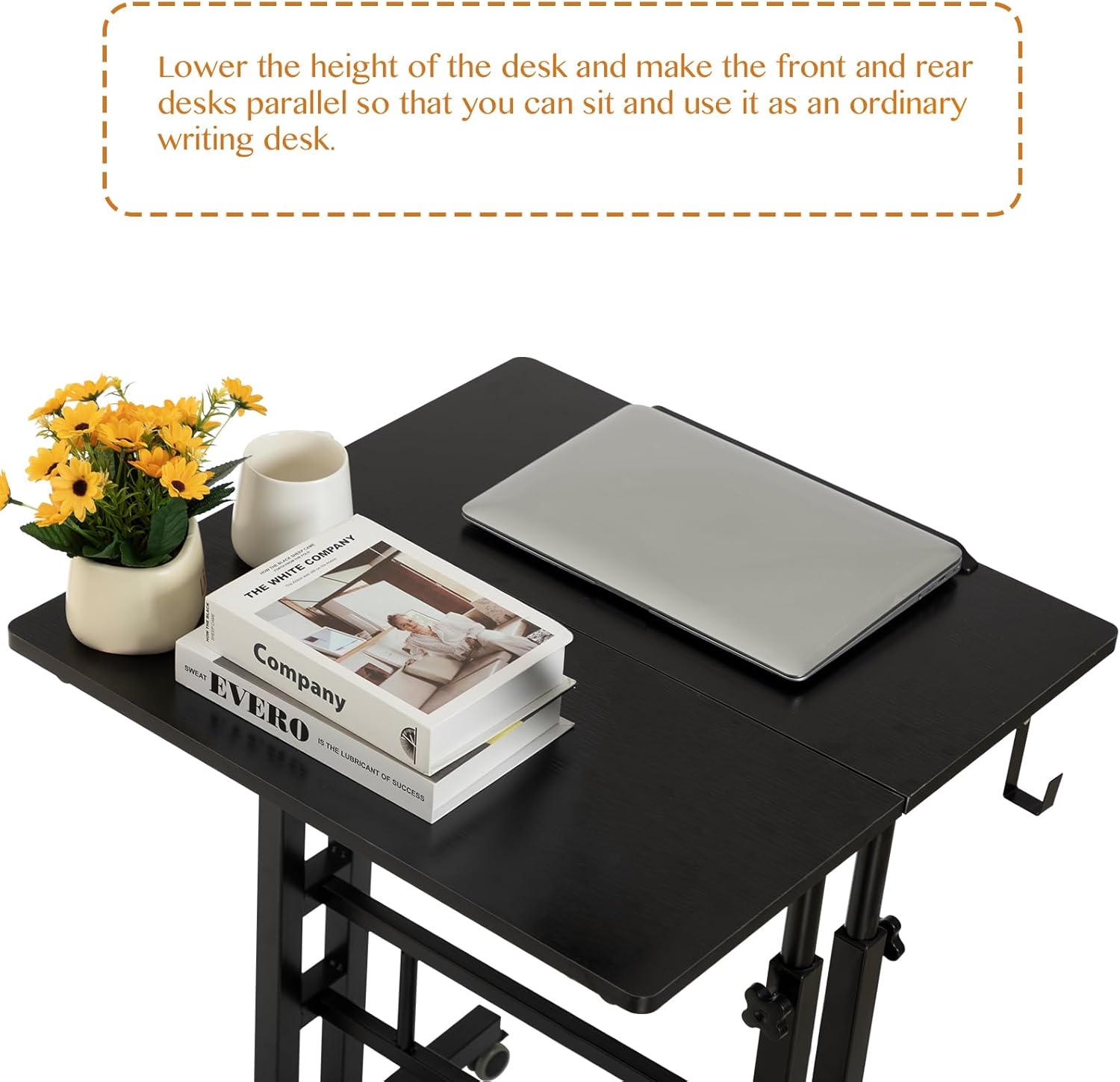
The desk's height can be adjusted from 27.5 inches (69.85 cm) to 45.3 inches (115.06 cm). To adjust, loosen the rotating handles located on the vertical support poles. Carefully raise or lower the desktop to your desired height, ensuring both sides are adjusted evenly. Once the desired height is reached, securely tighten the rotating handles to lock the desk in position.

Desktop Tilt Adjustment:
The smaller desktop section can be tilted to an ergonomic angle, ideal for typing or drawing. Loosen the adjustment knobs beneath the tilting section, set the desired angle, and then firmly tighten the knobs to secure it.
Mobility:
The desk is equipped with four flexible rubber wheels for easy movement. To move the desk, ensure the wheel locks are disengaged. To secure the desk in a stationary position, press down on the levers on each wheel to engage the locks.
Configuration Options:
The two desktop sections can be independently adjusted to different heights for a multi-level setup, or they can be aligned to create a single, continuous flat working surface.

Operational Video:
Video: A demonstration of the SIDUCAL Mobile Standing Desk's height adjustment and mobility features, showing how it can be used for both sitting and standing positions.
Maintenance
Proper maintenance will extend the lifespan and functionality of your SIDUCAL Mobile Standing Desk:
- Cleaning: To clean the desk surfaces, wipe them with a damp cloth. Immediately follow with a clean, dry cloth to prevent moisture damage. Avoid using harsh chemicals or abrasive cleaners.
- Fastener Check: Periodically inspect all screws, bolts, and adjustment knobs to ensure they remain tight. Re-tighten any loose fasteners to maintain stability.
- Wheel Inspection: Regularly check the wheels for any accumulated debris (hair, dust, etc.) that might hinder smooth movement. Clean as necessary.
Troubleshooting
If you encounter any issues with your SIDUCAL Mobile Standing Desk, refer to the following common troubleshooting steps:
- Desk Wobbles:
- Ensure all assembly screws and bolts are fully tightened.
- Verify the desk is placed on a flat, even surface. Uneven flooring can cause instability.
- If the issue persists, carefully re-check all assembly steps to ensure correct installation.
- Difficulty Adjusting Height:
- Ensure the rotating handles on the vertical poles are sufficiently loosened before attempting to adjust the height.
- Avoid adjusting the height with heavy items placed on the desk. Remove items if necessary.
- Adjust both sides of the desk simultaneously and evenly to prevent jamming.
- Wheels Not Rolling Smoothly:
- Check for any debris, such as hair or carpet fibers, caught in the wheel mechanisms. Clean them thoroughly.
- Ensure all wheel locks are fully disengaged.
- If a wheel is damaged, contact customer service for a replacement.
Stability Demonstration Video:
Video: A user demonstrating the stability of the SIDUCAL Mobile Standing Desk, addressing common concerns about wobbling.
Specifications
| Brand | SIDUCAL |
| Model Number | DK-01B |
| Product Dimensions (D x W x H) | 23.62"D x 23.62"W x 27.5"H (60cm x 60cm x 69.85cm) |
| Adjustable Height Range | 27.5" - 45.3" (69.85cm - 115.06cm) |
| Maximum Weight Capacity | 66 pounds (30 kg) |
| Material | Engineered Wood, Alloy Steel |
| Color | Black |
| Special Features | Adjustable Height, Ergonomic, Portable, Rolling Wheels, Headphone Hook, Keyboard Tray |
| Item Weight | 19 pounds (8.6 kg) |
Warranty
The SIDUCAL Mobile Standing Desk (Model DK-01B) is covered by a 1-year free limited warranty from the date of purchase. This warranty covers manufacturing defects and material flaws under normal use. Please retain your original purchase receipt or proof of purchase, as it will be required for any warranty claims. The warranty does not cover damage resulting from misuse, accidents, unauthorized modifications, or normal wear and tear.
Customer Support
For any inquiries, assistance with assembly, operational questions, or warranty claims, please do not hesitate to contact SIDUCAL customer service. You can find the most current contact information, including email and phone numbers, on the official SIDUCAL website or within the product packaging. Our customer service team is available to provide support and ensure your satisfaction with your SIDUCAL Mobile Standing Desk.