
Logitech G 910-005270
Logitech G Pro Wireless Gaming Mouse User Manual
Model: 910-005270
Brand: Logitech G
Introduction
The Logitech G PRO Wireless Gaming Mouse is engineered for esports professionals, combining advanced technologies in an ultra-lightweight design. It features Lightspeed wireless technology for a super-fast 1ms report rate connection and the HERO 25K sensor for pixel-precise targeting. This manual provides essential information for setting up, operating, maintaining, and troubleshooting your device.
Package Contents
Upon unboxing your Logitech G Pro Wireless Gaming Mouse, ensure all the following items are present:
- Logitech G Pro Wireless Gaming Mouse
- Lightspeed Wireless Receiver
- Charging/Data Cable
- Optional Side Buttons (Left and Right)
- Optional Button Covers (Left and Right)
- User Documentation (Quick Start Guide)

Setup
1. Initial Connection
To begin using your mouse, locate the Lightspeed Wireless Receiver. This small USB dongle is typically found within the mouse's magnetic storage compartment on the underside or within the packaging. Plug the receiver into an available USB port on your computer.

2. Software Installation (Logitech G HUB)
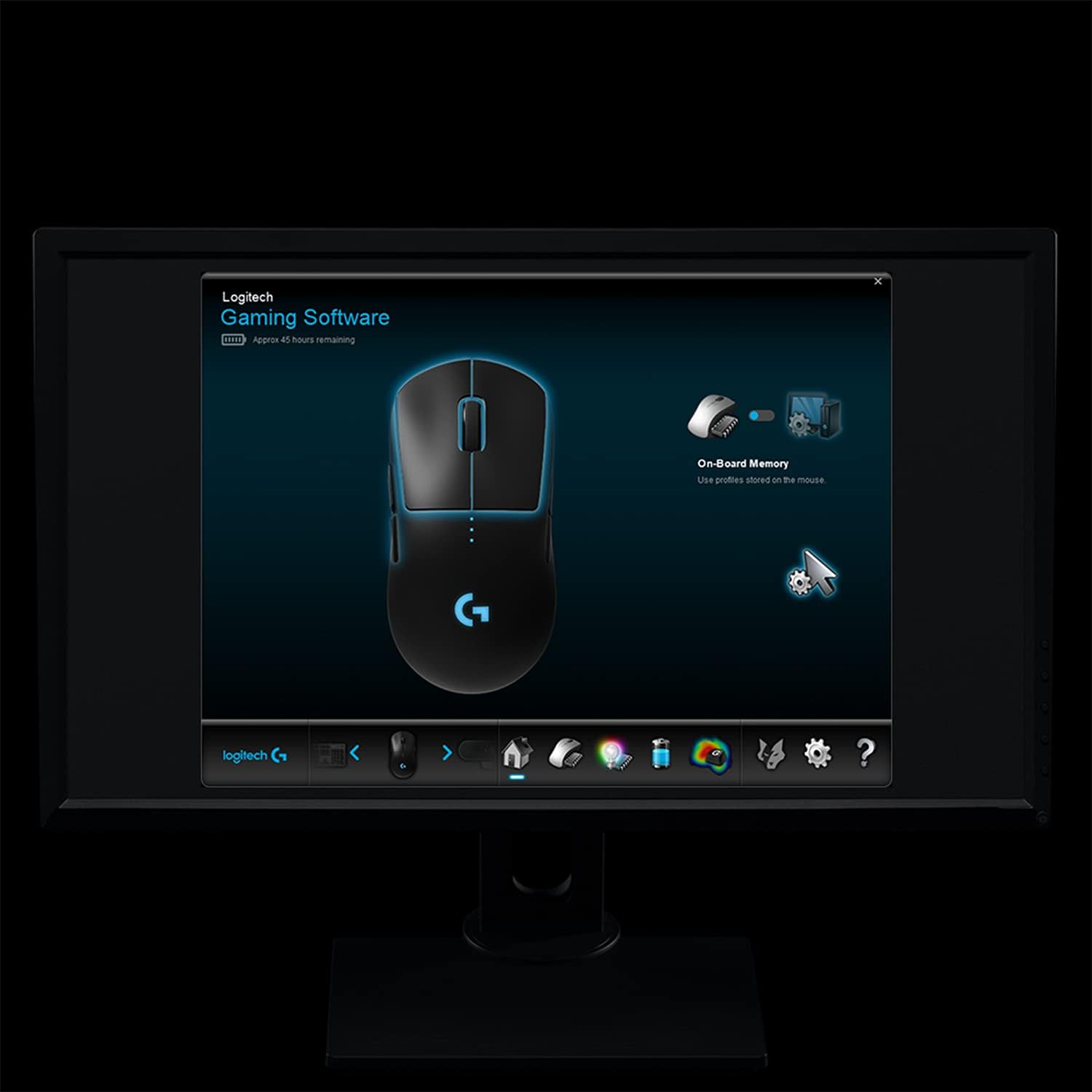
For full customization and optimal performance, it is recommended to install the Logitech G HUB software. This software allows you to customize DPI settings, program buttons, manage LIGHTSYNC RGB lighting, and monitor battery levels.
- Download G HUB from the official Logitech G website.
- Follow the on-screen instructions to complete the installation.
- Once installed, launch G HUB to detect your mouse and begin customization.
Operating the Mouse
Basic Functions
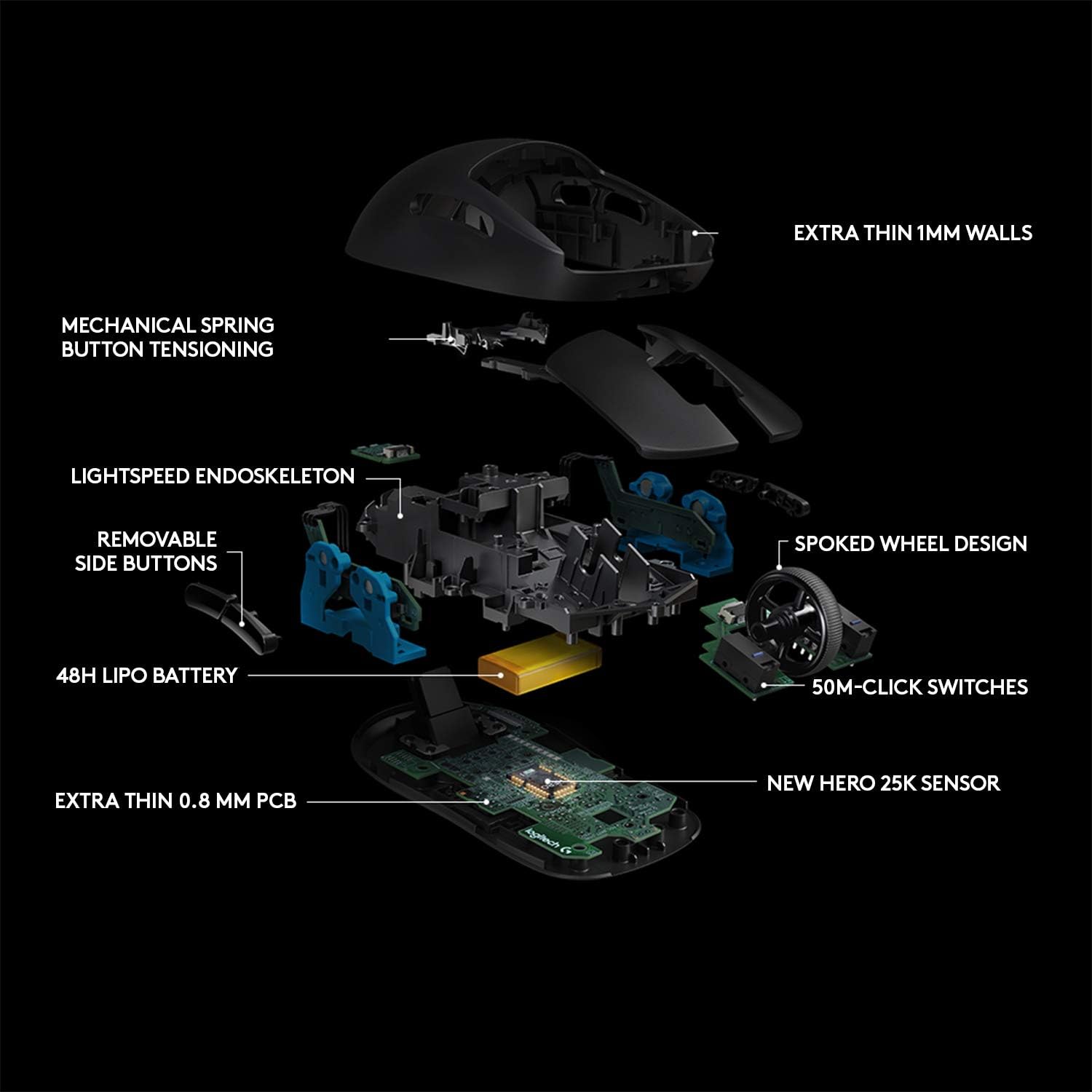
The Logitech G Pro Wireless Gaming Mouse features standard left and right click buttons, a clickable scroll wheel, and two default side buttons on each side for ambidextrous use. The DPI button on the underside allows for on-the-fly sensitivity adjustments.

Customization
The mouse offers extensive customization options through the G HUB software:
- Programmable Buttons: Assign custom commands, macros, or system functions to any of the 4 removable side buttons.
- DPI Settings: Adjust the mouse sensitivity (DPI) up to 25,600 DPI for precise control in various gaming scenarios.
- LIGHTSYNC RGB: Personalize the mouse's lighting with a spectrum of 16.8 million colors and various effects.
- Weight Customization: The mouse features an ultra-lightweight design (80 grams). For users who prefer a heavier feel, additional weights can be inserted into the magnetic compartment on the underside.
Battery Life and Charging
The Logitech G Pro Wireless Gaming Mouse boasts an average battery life of 48 hours on a single charge. When the battery is low, the RGB lighting will indicate a low power state. To charge, connect the included charging/data cable to the front of the mouse and a USB port on your computer. The mouse can be used while charging.
Maintenance
Cleaning
Regular cleaning helps maintain the mouse's performance and longevity. Use a soft, lint-free cloth slightly dampened with water or an electronics-safe cleaner to wipe down the surface. Avoid harsh chemicals or abrasive materials. For the sensor, use a cotton swab lightly dampened with isopropyl alcohol.
PTFE Feet Care
The mouse features low-friction PTFE feet for smooth gliding. Keep these feet clean and free of debris. If the feet become worn, replacement sets are available to maintain optimal glide performance.
Troubleshooting
| Issue | Possible Cause | Solution |
|---|---|---|
| Mouse not responding | Low battery; Receiver disconnected; Software issue. | Charge the mouse; Reconnect the USB receiver; Restart computer; Reinstall G HUB software. |
| Lag or erratic movement | Interference; Dirty sensor; Low battery. | Move receiver closer to mouse; Clean sensor; Charge mouse; Ensure no other wireless devices are causing interference. |
| RGB lighting not working | G HUB settings; Software conflict. | Check LIGHTSYNC settings in G HUB; Update G HUB; Reinstall G HUB. |
For more detailed troubleshooting or advanced issues, please refer to the official User Guide (PDF) or visit the Logitech G support website.
Specifications
- Model: 910-005270
- Connectivity: Lightspeed Wireless (1ms report rate)
- Sensor: HERO 25K (Optical)
- DPI Range: Up to 25,600 DPI
- Weight: 80 grams (without optional weights)
- Dimensions (LxWxH): 4.92 x 2.5 x 1.57 inches (125 x 63.5 x 40 mm)
- Battery Life: Up to 48 hours (with default lighting)
- Cable Length: 1.80 meters
- Compatibility: Windows 7 or later, macOS 10.11 or later, Chrome OS
Warranty and Support
The Logitech G Pro Wireless Gaming Mouse comes with a 1-year hardware limited warranty. For warranty claims or technical assistance, please contact Logitech G customer support or refer to the official user guide.
User Guide (PDF): https://manuals.plus/m/e914f38d683a56ebe25c52d602d649ce3c30604b5b770399fefe3d1e525758b0
Related documents910-005270


Ask a question about this manual
Ask about setup, troubleshooting, compatibility, parts, safety, or missing instructions. Manuals+ will review the question and use this page’s manual context to help answer it.