
XIAOKOA U-81
XIAOKOA U-81 2.4G Wireless Lavalier Microphone System User Manual
1. Introduction
This manual provides detailed instructions for the proper use and maintenance of your XIAOKOA U-81 2.4G Wireless Lavalier Microphone System. Please read this manual thoroughly before operating the device to ensure optimal performance and longevity.
The XIAOKOA U-81 is a 2.4G wireless microphone system designed for clear audio capture in various applications, including conferences, public speaking, teaching, tour guiding, and stage performances. It features automatic pairing, omni-directional sound pickup, and intelligent noise reduction.
2. Package Contents
Verify that all items listed below are present in your package:
- 1 x Wireless Transmitter (with attached lavalier microphone)
- 1 x Wireless Receiver
- 1 x USB Charging Cable (dual-head for simultaneous charging)
- 1 x 3.5mm to 6.5mm Adapter
- 1 x 'Y' Splitter Adapter (for smartphones)
- 1 x User Manual

Image: Components included in the XIAOKOA U-81 Wireless Lavalier Microphone System package. This includes the transmitter, receiver, lavalier microphone, various adapters, and charging cable.
3. Product Overview
The XIAOKOA U-81 system consists of a transmitter unit with an integrated lavalier microphone and a receiver unit. Both units are compact and designed for ease of use.

Image: An overview of the XIAOKOA U-81 wireless microphone system, showing the transmitter with its attached lavalier microphone, the receiver, a 6.5mm adapter, and a 'Y' splitter adapter.
3.1. Transmitter
The transmitter unit features the lavalier microphone, power button, and volume controls. It is designed to be clipped onto clothing for discreet audio capture.

Image: A close-up view of the omnidirectional lavalier microphone with its clip, highlighting its design for clear sound pickup and noise reduction.
3.2. Receiver
The receiver unit plugs directly into your audio input device. It receives the wireless signal from the transmitter and outputs the audio.
4. Setup Instructions
Follow these steps to set up your wireless microphone system:
- Charge the Devices: Ensure both the transmitter and receiver are fully charged before first use. Refer to Section 6 for charging instructions.
- Connect the Receiver: Plug the receiver into the "MIC" input jack of your audio device (e.g., speaker, voice amplifier, PC).
- For devices with a 3.5mm MIC input, plug the receiver directly.
- For devices with a 6.5mm MIC input, attach the provided 3.5mm to 6.5mm adapter to the receiver before plugging it in.
- For smartphones, use the provided 'Y' splitter adapter. Plug the 'Y' splitter into your smartphone's audio jack, then plug the receiver into the microphone input of the 'Y' splitter.
Important: Always plug the receiver into the "MIC" jack, not the "AUX" jack. The system is not compatible with digital audio systems or devices without a dedicated microphone input.
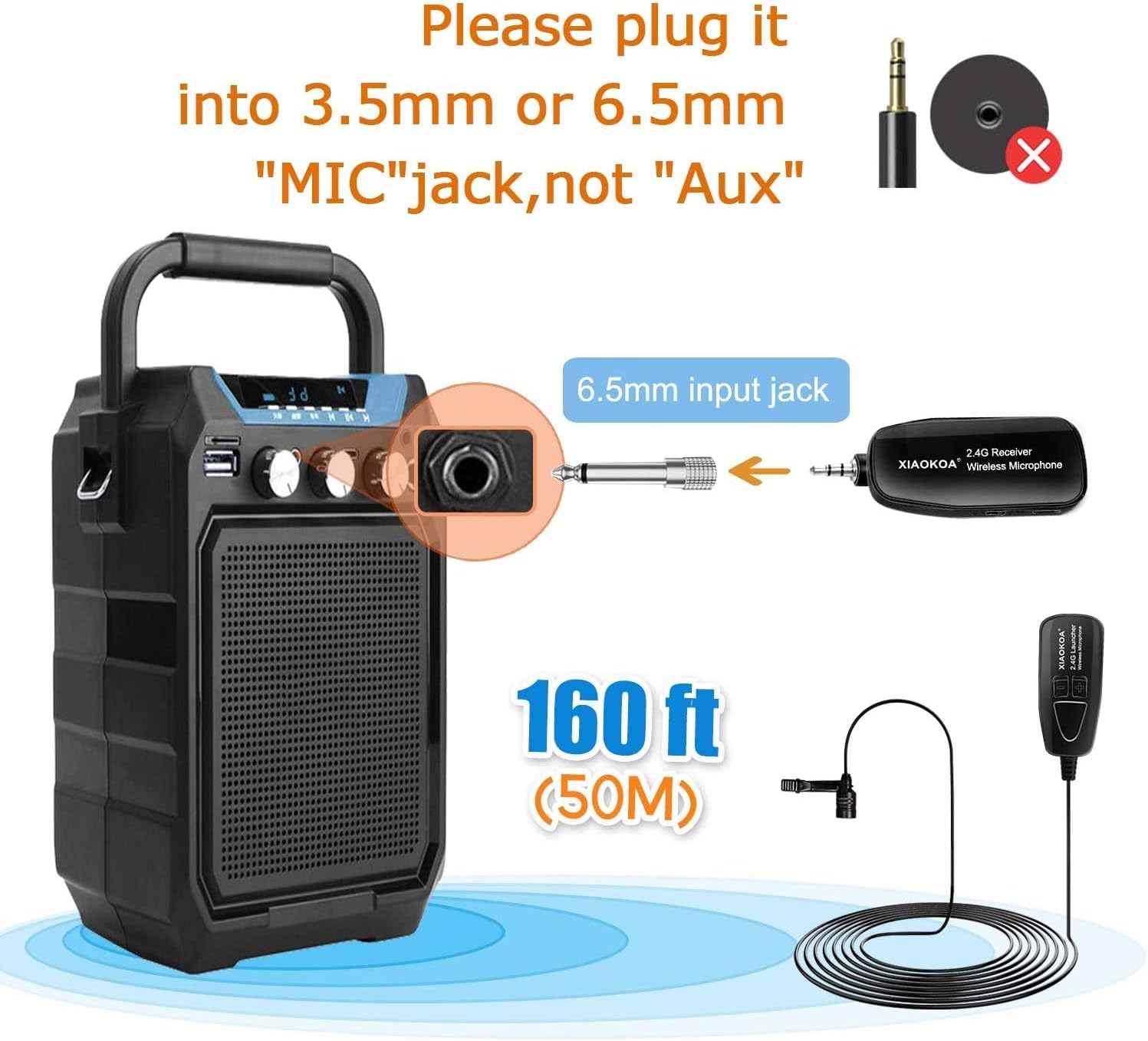
Image: Diagram illustrating how to connect the XIAOKOA U-81 receiver to a speaker's 6.5mm MIC input using the included adapter. It emphasizes connecting to the 'MIC' jack, not 'Aux'.
- Power On: Turn on both the transmitter and the receiver. The indicator lights on both units will illuminate.
- Automatic Pairing: The transmitter and receiver will automatically pair within approximately 3 seconds. A steady indicator light typically signifies a successful connection.
- Position the Microphone: Clip the lavalier microphone to your collar, tie, or pocket, ensuring it is positioned to capture your voice clearly.
5. Operating Instructions
5.1. Power On/Off
- To power on, press and hold the power button on both the transmitter and receiver until the indicator light turns on.
- To power off, press and hold the power button on both units until the indicator light turns off.
5.2. Volume Adjustment
The transmitter unit features volume adjustment buttons (+ and -). Use these to fine-tune the microphone's input level. Adjust the volume on your connected audio device as well for optimal sound.
5.3. Wireless Transmission
The system utilizes 2.4G wireless technology for stable and continuous frequency transmission. It automatically connects upon power-up, providing a reliable audio link up to 160 feet (50 meters) in open areas.

Image: Diagram illustrating the automatic connection and wireless transmission between the XIAOKOA U-81 transmitter and receiver, highlighting signal and frequency stabilization.
6. Charging Instructions
Both the transmitter and receiver are equipped with built-in 400mAh rechargeable lithium-ion batteries.
- Charging Time: Approximately 2-3 hours for a full charge.
- Operating Time: Up to 5-6 hours on a full charge.
- Charging Indicator: A red light will illuminate during charging. The red light will turn off once the device is fully charged.
- Simultaneous Charging: Use the provided dual-head USB charging cable to charge both the transmitter and receiver simultaneously.
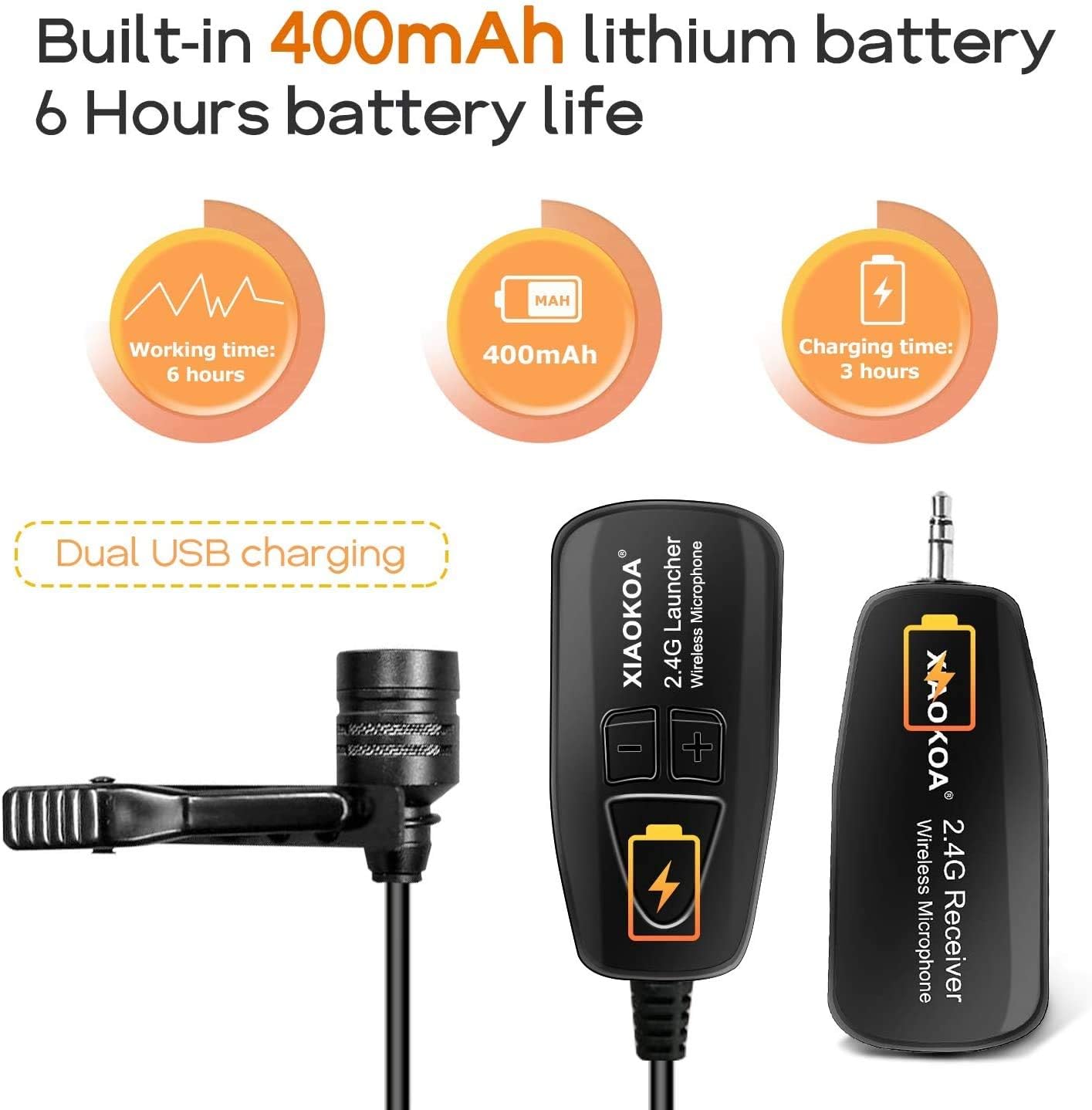
Image: Visual representation of the XIAOKOA U-81's battery specifications, showing 6 hours working time, 400mAh capacity, and 3 hours charging time, along with the dual USB charging feature.
7. Compatibility
The XIAOKOA U-81 system is designed for broad compatibility with devices that have a dedicated "MIC" input.
7.1. Compatible Devices
- Smartphones (requires 'Y' splitter adapter)
- Personal Computers (PC)
- Voice Amplifiers (e.g., >15W models)
- PA Systems
- Speakers (e.g., Bus Speakers, Outdoor Speakers, 2.0 Active Speakers)
- Mixers
- Home Theatre Systems
- Cameras
7.2. Incompatible Devices
- Auxiliary (AUX) input systems
- Digital audio systems
- Devices without Bluetooth capability (the system itself is 2.4G wireless, not Bluetooth, but some devices may require Bluetooth for external mic input)
- MacBooks/Laptops (unless they have a dedicated microphone input and are not solely reliant on digital audio or Bluetooth for external mics)
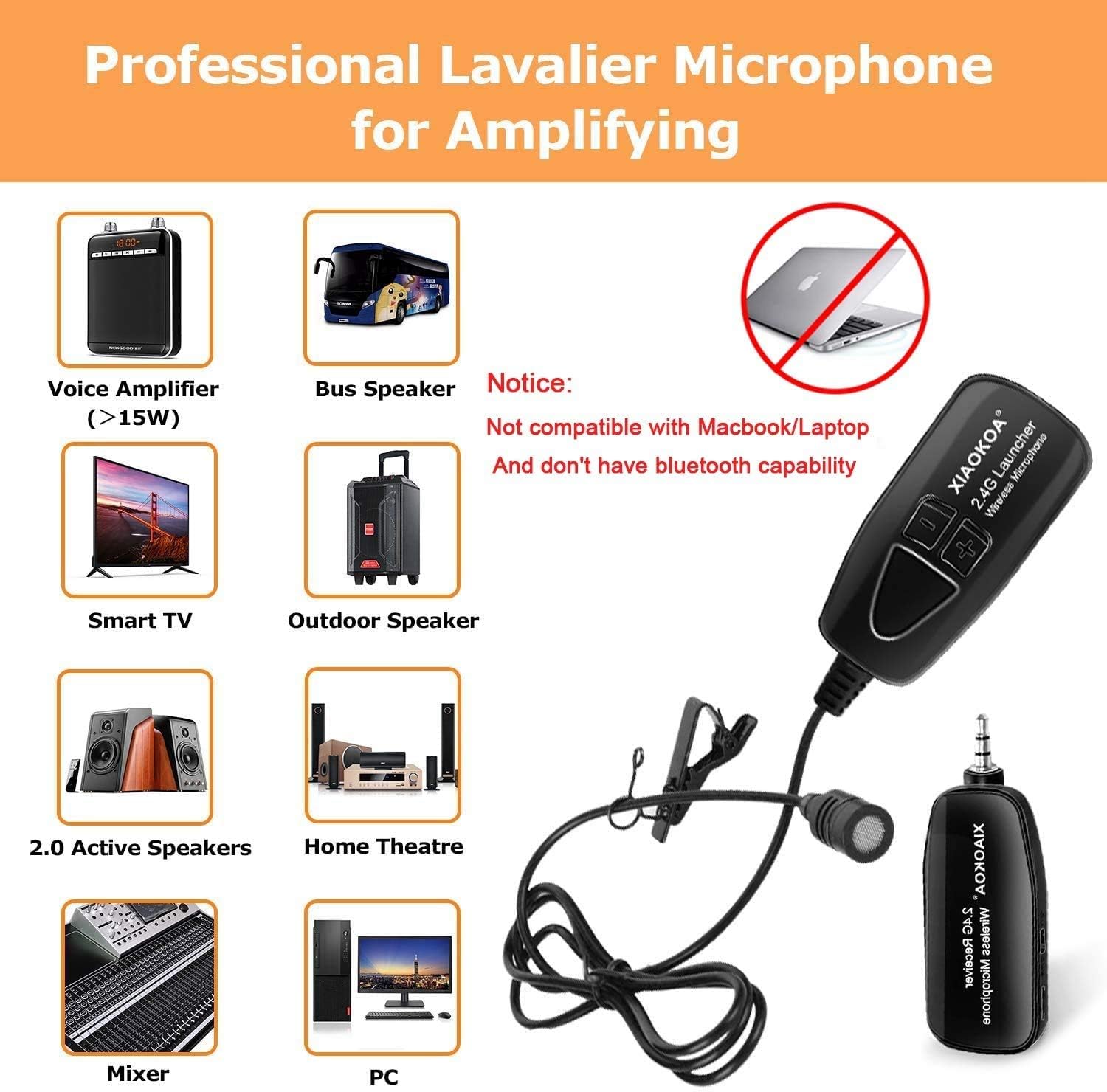
Image: A visual guide to the compatibility of the XIAOKOA U-81 wireless microphone, showing various compatible devices like voice amplifiers, speakers, mixers, and PCs, along with a notice about incompatibility with Macbooks/Laptops without Bluetooth capability.
8. Specifications
| Feature | Specification |
|---|---|
| Model Name | U-81 |
| Connectivity Technology | 2.4G Wireless |
| Connector Type | 3.5 mm Jack (with 6.5mm adapter included) |
| Polar Pattern | Omnidirectional |
| Frequency Response | 20 KHz |
| Signal-to-Noise Ratio | 120 dB |
| Number of Channels | 1 |
| Battery Type | Lithium Ion (400mAh) |
| Charging Time | Approx. 2-3 hours |
| Operating Time | Approx. 5-6 hours |
| Material | Metal |
| Item Weight | 4.9 ounces |
| Wireless Range | Up to 160 ft (50m) in open areas |
9. Troubleshooting
If you encounter issues with your XIAOKOA U-81 system, please refer to the following common solutions:
- No Sound Output:
- Ensure both the transmitter and receiver are powered on and fully charged.
- Verify that the receiver is plugged into the correct "MIC" input jack of your audio device, not "AUX".
- Check the volume levels on both the transmitter and your audio device.
- Confirm that the transmitter and receiver have successfully paired (indicator lights should be steady).
- Poor Sound Quality / Static:
- Ensure the microphone is positioned correctly and not obstructed.
- Reduce the distance between the transmitter and receiver.
- Check for potential sources of interference (e.g., Wi-Fi routers, other 2.4G devices).
- Ensure the batteries are not low, as this can affect signal quality.
- Device Not Pairing:
- Power off both units, then power them back on simultaneously to re-initiate the automatic pairing process.
- Ensure they are within close proximity during pairing.
10. Maintenance
To ensure the longevity and optimal performance of your XIAOKOA U-81 Wireless Lavalier Microphone System, follow these maintenance guidelines:
- Cleaning: Use a soft, dry cloth to clean the exterior of the transmitter and receiver. Do not use liquid cleaners or solvents.
- Storage: Store the device in a cool, dry place away from direct sunlight and extreme temperatures.
- Battery Care: Avoid fully discharging the batteries frequently. If storing for an extended period, charge the devices to about 50% every few months.
- Handling: Handle the microphone and units with care to prevent physical damage. Avoid dropping or subjecting them to strong impacts.
11. Warranty and Support
For warranty information or technical support, please refer to the warranty card included in your product packaging or contact XIAOKOA customer service directly. Contact details can typically be found on the official XIAOKOA website or through your purchase platform.
Ask a question about this manual
Ask about setup, troubleshooting, compatibility, parts, safety, or missing instructions. Manuals+ will review the question and use this page’s manual context to help answer it.