Product Overview
The Scosche LPCR25 Link+ Radio Replacement Interface Adapter is designed to seamlessly integrate an aftermarket stereo into select 2013-2018 Chrysler, Dodge, Jeep, and RAM vehicles equipped with UConnect 3.0 Display. This interface ensures the retention of essential factory features such as steering wheel controls and safety/warning chimes, providing a professional and functional installation.

Image: The Scosche LPCR25 interface module and accompanying wiring harnesses.
What's in the Box
- SWC Interface (Steering Wheel Control Interface)
- Wiring Harness
- Instruction Manual (This document)
Compatibility
The Scosche LPCR25 is specifically designed for the following vehicles with UConnect 3.0 Display:

Image: Detailed compatibility guide for the LPCR25 interface.
| Make | Model | Year |
|---|---|---|
| Chrysler | 200 LX | 2015-2017 |
| Dodge | Dart | 2013-2016 |
| Jeep | Cherokee | 2014-2018 |
| RAM | Truck 1500 | 2013-2018 |
| Truck 2500 | 2013-2018 | |
| Truck 3500 | 2013-2018 | |
| Promaster | 2013-2014 | |
| Promaster Base | 2015-2018 |
Installation Notes: Only compatible with vehicles equipped with UConnect 3.0 (3 Line Display). No fade control for factory amplified vehicles. See installation manual for special wiring instructions to accommodate audio for hands-free calling via Bluetooth.
Setup and Installation
Follow these steps for proper installation of your Scosche LPCR25 interface:
- Disconnect Battery: Before beginning any electrical work, disconnect the negative battery terminal of your vehicle to prevent electrical shorts or damage.
- Identify Components: The kit includes the interface module, a vehicle harness that plugs into your car's factory wiring, and a harness that connects to your new aftermarket stereo. There are also connections for steering wheel controls.
- Wire Connections: Using splice connectors, connect the wires from the interface harness to the corresponding wires on your new stereo's harness. Match colors carefully. Some wires, such as amplifier turn-on, parking sense, and specific steering wheel control connections, may not connect directly to the vehicle harness and require separate connections.
- Connect Harnesses: Plug the vehicle harness into the vehicle's factory wiring and the radio harness into the new aftermarket radio. Ensure all connections are secure.
- Install Radio: Secure the new radio into the dashboard opening.
- Reconnect Battery: Reconnect the negative battery terminal.
- Test Functions: Turn on the radio and test all functions, including audio output, steering wheel controls, and any other integrated features.
Video: Scosche Interface Installation Guide. This video demonstrates the wiring and installation process for the interface.

Image: The compact Scosche LPCR25 interface module.

Image: Electronics Industry Association (EIA) Wire Color Code Chart. This chart provides standard color codes for car stereo connector harnesses.
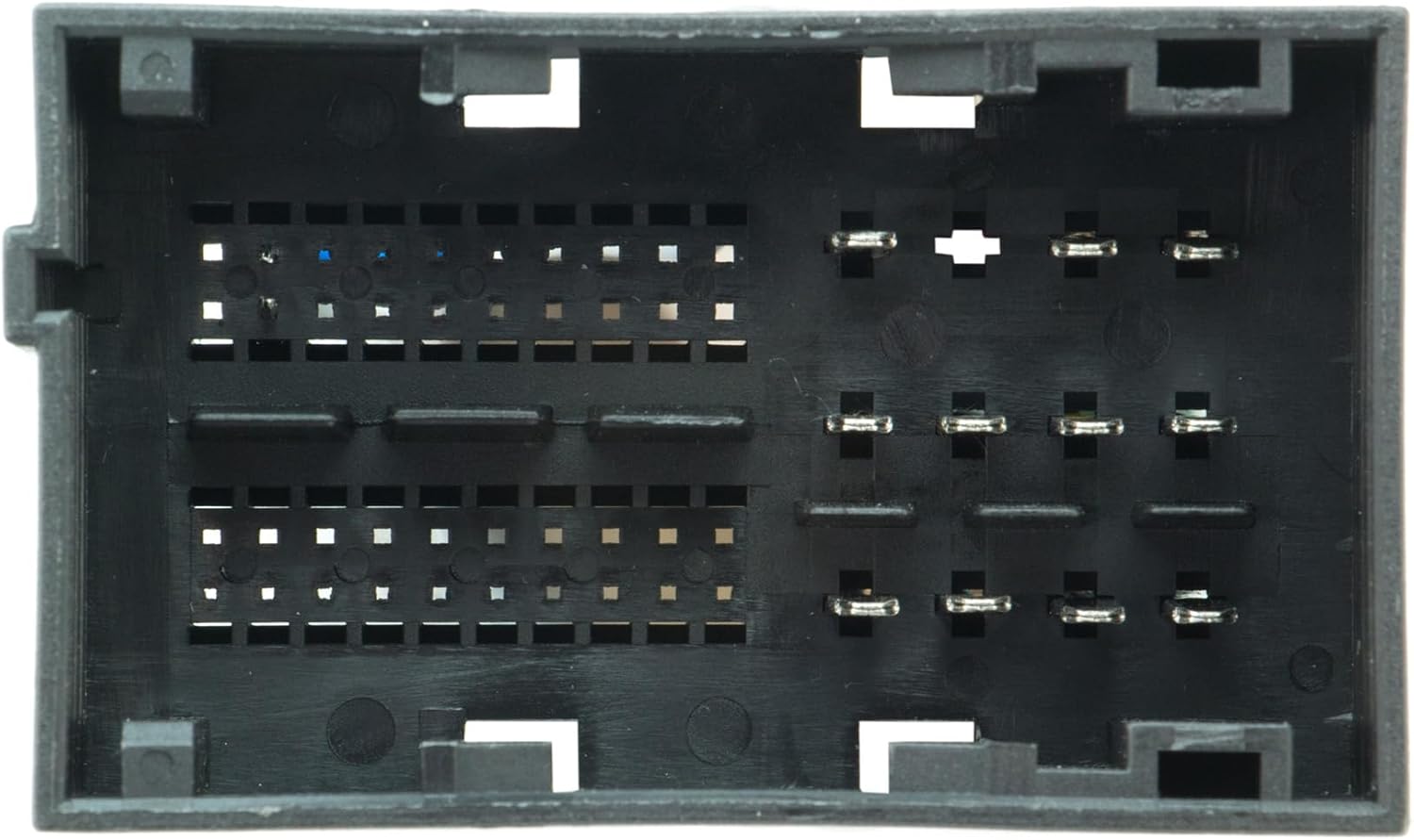
Image: A typical vehicle harness connector, which the LPCR25 interfaces with.
Operating Instructions
Once installed, the Scosche LPCR25 interface operates automatically to retain your vehicle's factory features with your new aftermarket stereo.
- Steering Wheel Controls: Your factory steering wheel controls (volume, track, mode, etc.) will function as they did with the original radio. Refer to your new stereo's manual for any specific programming or mapping of these controls if needed.
- Safety & Warning Chimes: The interface ensures that all factory safety and warning chimes are retained and audible through your vehicle's audio system.
- Amplifier Turn-On: If your vehicle has a factory amplifier, the interface provides the necessary signal to turn it on, ensuring proper audio output.
Maintenance
The Scosche LPCR25 interface is designed for long-term reliability and typically requires no routine maintenance. Ensure all connections remain secure and free from moisture or corrosion. If you experience any issues, re-check the wiring connections as per the installation instructions.
Troubleshooting
- No Power to Radio:
- Check battery connections.
- Verify all power and ground wires are correctly connected and secure.
- Check vehicle fuses.
- Steering Wheel Controls Not Working:
- Ensure the steering wheel control wires are correctly connected to the interface module and the aftermarket radio.
- Consult your aftermarket radio's manual for specific steering wheel control programming steps.
- No Audio Output:
- Verify speaker wire connections are correct and secure.
- Check if the amplifier turn-on wire (if applicable) is properly connected.
- Chimes Not Heard:
- Ensure the interface module is receiving power and is correctly connected to the vehicle's data bus.
For further assistance, refer to the detailed PDF user guide available online or contact Scosche customer support.
Specifications
- Brand: Scosche
- Model: Link+ LPCR25
- Item Weight: 10.7 ounces
- Package Dimensions: 10.71 x 6.77 x 2.24 inches
- Item Model Number: LPCR25
- Manufacturer Part Number: LPCR25
- Cable Type: USB (Note: This refers to the general product category, not necessarily a USB cable included with the interface)
- Connector Type: USB (Note: This refers to the general product category, not necessarily a USB connector on the interface)
- UPC: 033991068605
Warranty and Support
Scosche is committed to innovation, quality, safety, and value. For detailed warranty information and customer support, please visit the official Scosche website or refer to the original packaging. An additional user guide in PDF format is available for download for more comprehensive instructions and troubleshooting.


