
Introduction
This manual provides essential instructions for the proper use and maintenance of your UGREEN USB 3.0 to USB Type C cable, model ACBUGN20882. This cable is designed for efficient charging and high-speed data transfer between compatible devices.
Safety Information
- Do not expose the cable to extreme temperatures, direct sunlight, or corrosive liquids.
- Avoid bending or twisting the cable excessively, as this may damage internal wires.
- Keep out of reach of children.
- Disconnect the cable by pulling the plug, not the cord.
- If the cable appears damaged, discontinue use immediately.
Package Contents
- 1x UGREEN USB 3.0 to USB Type C Cable (1 Meter, 3A, Black)
Product Overview
The UGREEN USB 3.0 to USB Type C cable features a standard USB 3.0 (Type-A) connector on one end and a reversible USB Type C connector on the other. It is designed for robust performance, supporting fast charging up to 3A and high-speed data transfer at 5 Gigabits per second.
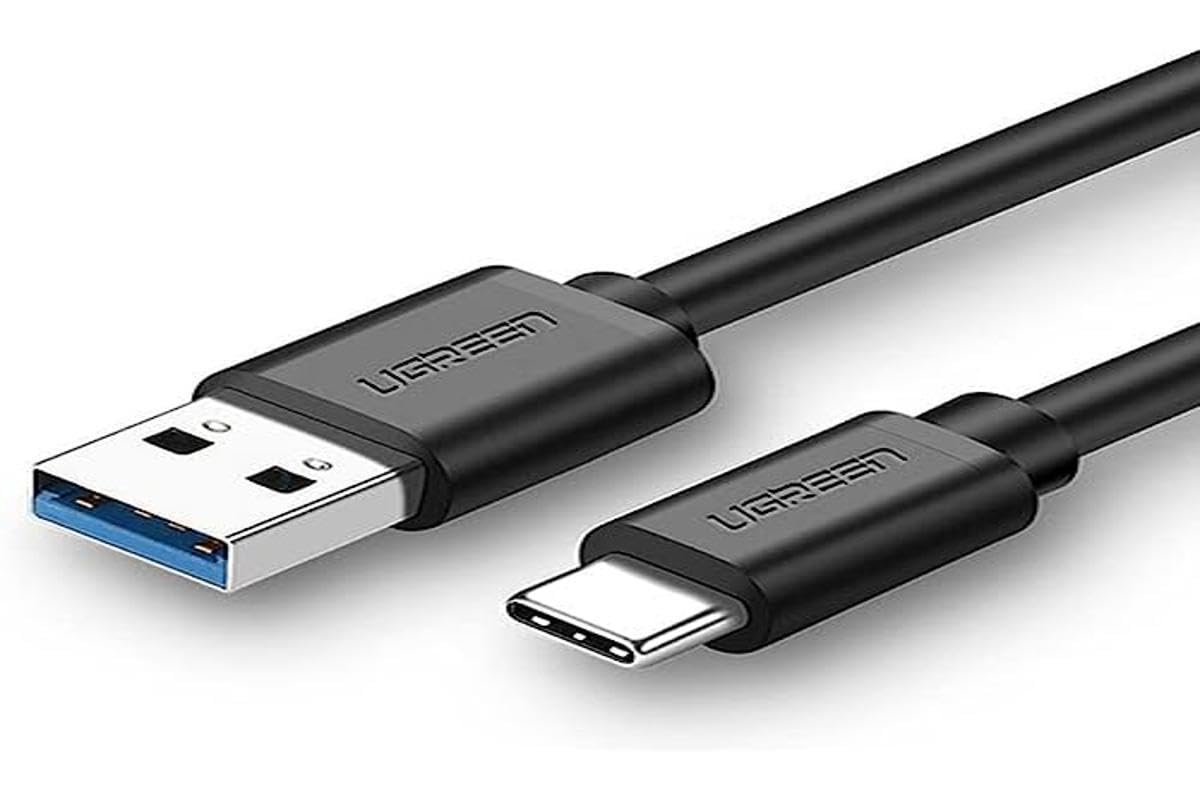
Image: UGREEN USB 3.0 to USB Type C Cable. This image displays the black cable with its USB-A and USB-C connectors.
Setup
Connecting your UGREEN USB 3.0 to USB Type C cable is straightforward:
- Identify the USB Type C port on your device (e.g., smartphone, tablet, laptop).
- Identify a compatible USB 3.0 (Type-A) port on your charging adapter, computer, or other host device.
- Insert the USB Type C connector into your device's Type C port.
- Insert the USB 3.0 (Type-A) connector into the corresponding port on your charging adapter or computer.
- Ensure both connections are secure.
Operating Instructions
Charging
Once connected to a compatible power source (e.g., wall charger, power bank) and your device, the cable will facilitate charging. The cable supports up to 3 Amps of current for fast charging, provided your power source and device also support this rate.
Data Transfer
When connected to a computer or other data host device, the cable enables data transfer. It supports USB 3.0 speeds, allowing for data transfer rates of up to 5 Gigabits per second. This is ideal for transferring large files such as photos, videos, and documents quickly.
Maintenance
- Clean the cable and connectors periodically with a dry, soft cloth.
- Store the cable in a cool, dry place when not in use.
- Avoid wrapping the cable too tightly to prevent internal wire damage.
- Do not use harsh chemicals or abrasive cleaners on the cable.
Troubleshooting
| Problem | Solution |
|---|---|
| Device not charging. | Ensure both ends of the cable are securely connected. Verify that the power adapter and device are functioning correctly. Try a different power outlet or adapter. |
| Slow charging speed. | Confirm that your power adapter supports fast charging (e.g., 3A output). Ensure your device also supports fast charging. Close background applications on your device. |
| Data transfer not working or slow. | Check if the cable is properly connected to both the device and the computer. Ensure your device is set to "File Transfer" mode (not "Charging Only"). Try a different USB port on your computer. Verify that your computer's USB port supports USB 3.0 for optimal speeds. |
| Cable appears damaged. | Discontinue use immediately to prevent potential hazards. Contact customer support for assistance. |
Specifications
| Feature | Detail |
|---|---|
| Model Number | ACBUGN20882 |
| Connectors | USB 3.0 (Type-A) Male, USB Type C Male |
| Cable Type | USB |
| Length | 1 Meter (100 Centimeters) |
| Color | Black |
| Current Output | Up to 3 Amps |
| Data Transfer Rate | Up to 5 Gigabits Per Second (USB 3.0) |
| Special Feature | Data Transfer |
| Compatible Devices | Charging Adapters, devices with USB Type C ports (e.g., smartphones, tablets, laptops) |
| Material | Strong plastic (as per product description) |
| Item Weight | 40 Grams |
| Country of Origin | China |
Warranty and Support
UGREEN products are designed for reliability and performance. For warranty information or technical support, please refer to the official UGREEN website or contact your local retailer. Keep your purchase receipt for warranty claims.