
1. Introduction
This manual provides essential information for the installation, operation, and maintenance of your Swann PRO-T852 1080p Multi-Purpose Day/Night Security Camera. Please read these instructions carefully before using the product to ensure proper functionality and safety. This camera is designed for both indoor and outdoor surveillance, offering 1080p video quality and night vision capabilities.
2. Package Contents
Verify that all items listed below are present in your package. If any items are missing or damaged, please contact Swann customer support.
- Swann PRO-T852 1080p Security Camera
- 60ft (18m) BNC Cable
- Power Adapter
- Mounting Screws and Wall Plugs
- Security Warning Stickers

Image 2.1: Contents of the Swann PRO-T852 camera package, including the camera, BNC cable, power adapter, mounting hardware, and security stickers.
3. Product Overview
The Swann PRO-T852 camera is a robust surveillance solution featuring a durable aluminum casing and advanced imaging technology.
3.1 Camera Components
- Lens: Captures video footage.
- Infrared LEDs: Provide night vision illumination up to 100ft (30m).
- Mounting Stand: Adjustable stand for flexible positioning.
- BNC Connector: For video signal transmission.
- Power Input: For connecting the power adapter.
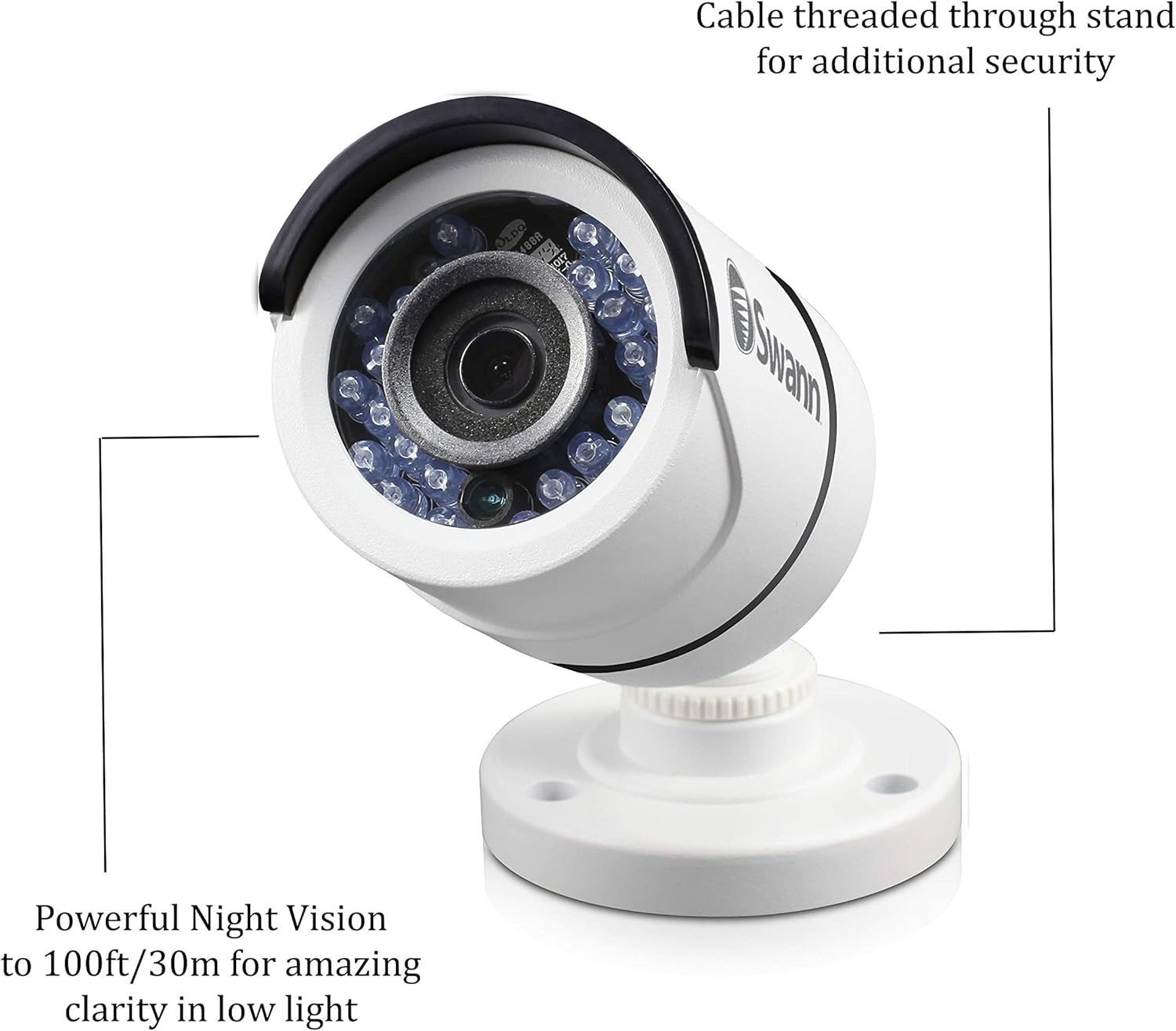
Image 3.1: A detailed view of the camera highlighting the powerful night vision LEDs and the design feature where the cable is threaded through the stand for enhanced security and protection.
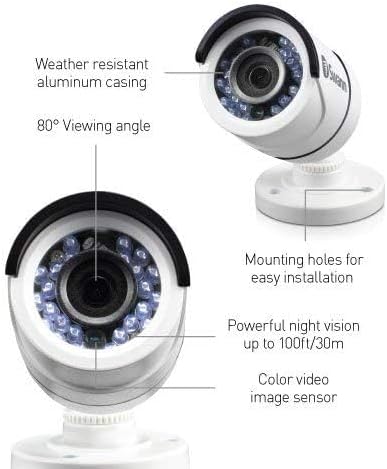
Image 3.2: This image illustrates key features of the Swann PRO-T852 camera, including its weather-resistant aluminum casing, 80-degree viewing angle, powerful night vision up to 100ft/30m, color video image sensor, and mounting holes for easy installation.
4. Setup and Installation
Follow these steps to properly install your security camera.
4.1 Choosing a Location
Select a location that provides the desired viewing angle and is within reach of the BNC cable and power source. The camera is weatherproof (IP66 rated) and suitable for both indoor and outdoor use. Consider mounting the camera in a position that deters tampering, such as under an eave or on a high wall.

Image 4.1: The Swann PRO-T852 camera is shown mounted on the exterior of a building, demonstrating a typical outdoor installation scenario for professional HD surveillance.
4.2 Mounting the Camera
- Position the camera in the desired location and mark the screw holes using the camera base as a template.
- Drill pilot holes into the marked spots. If mounting on masonry or drywall, insert the provided wall plugs.
- Secure the camera base to the surface using the mounting screws.
- Adjust the camera angle to cover the desired area.
4.3 Connecting the Camera
- Connect one end of the BNC cable to the camera's BNC connector.
- Connect the other end of the BNC cable to a compatible Swann DVR (e.g., DVR-4575, 4580, 5580, 4980).
- Connect the power adapter to the camera's power input, then plug the adapter into a power outlet.
- Ensure all connections are secure.
5. Operating the Camera
Once installed and connected to a compatible Swann DVR, the camera will begin transmitting video. Refer to your DVR's instruction manual for details on viewing, recording, and managing footage.
5.1 Day/Night Vision
The camera automatically switches between day (color) and night (black and white infrared) modes based on ambient light conditions. The infrared LEDs activate in low light to provide clear night vision up to 100ft (30m).
5.2 Motion Detection
The camera supports motion detection features when connected to a compatible DVR. Configure motion detection settings, including sensitivity and recording schedules, through your DVR's interface.
6. Maintenance
Regular maintenance ensures optimal performance and longevity of your camera.
- Cleaning: Periodically clean the camera lens and casing with a soft, damp cloth. Avoid abrasive cleaners.
- Cable Inspection: Check cables for any signs of wear, damage, or loose connections.
- Firmware Updates: Refer to the Swann website or your DVR manual for information on camera firmware updates, if applicable.
7. Troubleshooting
If you encounter issues with your camera, consult the following common problems and solutions.
| Problem | Possible Cause | Solution |
|---|---|---|
| No video signal | Loose cable connection, no power, incompatible DVR. | Check BNC and power connections. Ensure power adapter is plugged in. Verify DVR compatibility (DVR-4575, 4580, 5580, 4980). |
| Poor image quality | Dirty lens, low light, cable interference. | Clean the camera lens. Ensure adequate lighting or check night vision functionality. Use high-quality BNC cables. |
| Night vision not working | Insufficient power, IR sensor obstruction. | Ensure stable power supply. Clear any obstructions from the IR LEDs and light sensor. |
If the problem persists, contact Swann customer support for further assistance.
8. Specifications
| Feature | Detail |
|---|---|
| Model Number | PRO-T852CAM |
| Video Quality | 1080p (2 Megapixels) |
| Night Vision Range | Up to 100 ft (30m) |
| Viewing Angle | 80 Degrees |
| Weatherproof Rating | IP66 |
| Indoor/Outdoor Usage | Yes |
| Material | Aluminum |
| Power Source | Corded Electric (9 watts) |
| Compatible DVRs | DVR-4575, 4580, 5580, 4980 |

Image 8.1: This graphic highlights key features of the Swann PRO-T852 camera: 1080p superior video quality, compatibility exclusively with Swann's Professional HD Digital Video Recorders for high-definition surveillance, and a weatherproof IP66 casing.
9. Warranty and Support
For warranty information and technical support, please visit the official Swann website or contact their customer service department. Keep your purchase receipt as proof of purchase for warranty claims.
Swann Official Website: www.swann.com
Customer Support: Refer to the Swann website for regional contact details.


