
Introduction
This manual provides essential instructions for the safe and efficient use of your Batmax AHDBT-401 battery and 3-slot USB charger. This product is designed for use with GoPro HERO4 Black and GoPro HERO4 Silver action cameras. Please read this manual thoroughly before use and retain it for future reference.
Package Contents
- 3 x Batmax AHDBT-401 Replacement Batteries (1680mAh, 3.7V)
- 1 x 3-Slots LED USB Charger with Type-C port
- 1 x USB Charging Cable
- 1 x User Manual
Safety Information
WARNING: Failure to follow these safety instructions could result in fire, electric shock, injury, or damage to the product or property.
- Do not connect improperly. Ensure correct polarity when inserting batteries.
- Do not dispose of batteries in fire as they may explode. Batteries may also explode if damaged.
- Do not expose the battery or charger to liquid.
- Avoid subjecting the battery or charger to strong mechanical shocks.
- Do not disassemble or modify the batteries or charger.
- Do not store in temperatures over 60°C (140°F).
- Keep out of reach of children.
Setup
1. Connecting the Charger
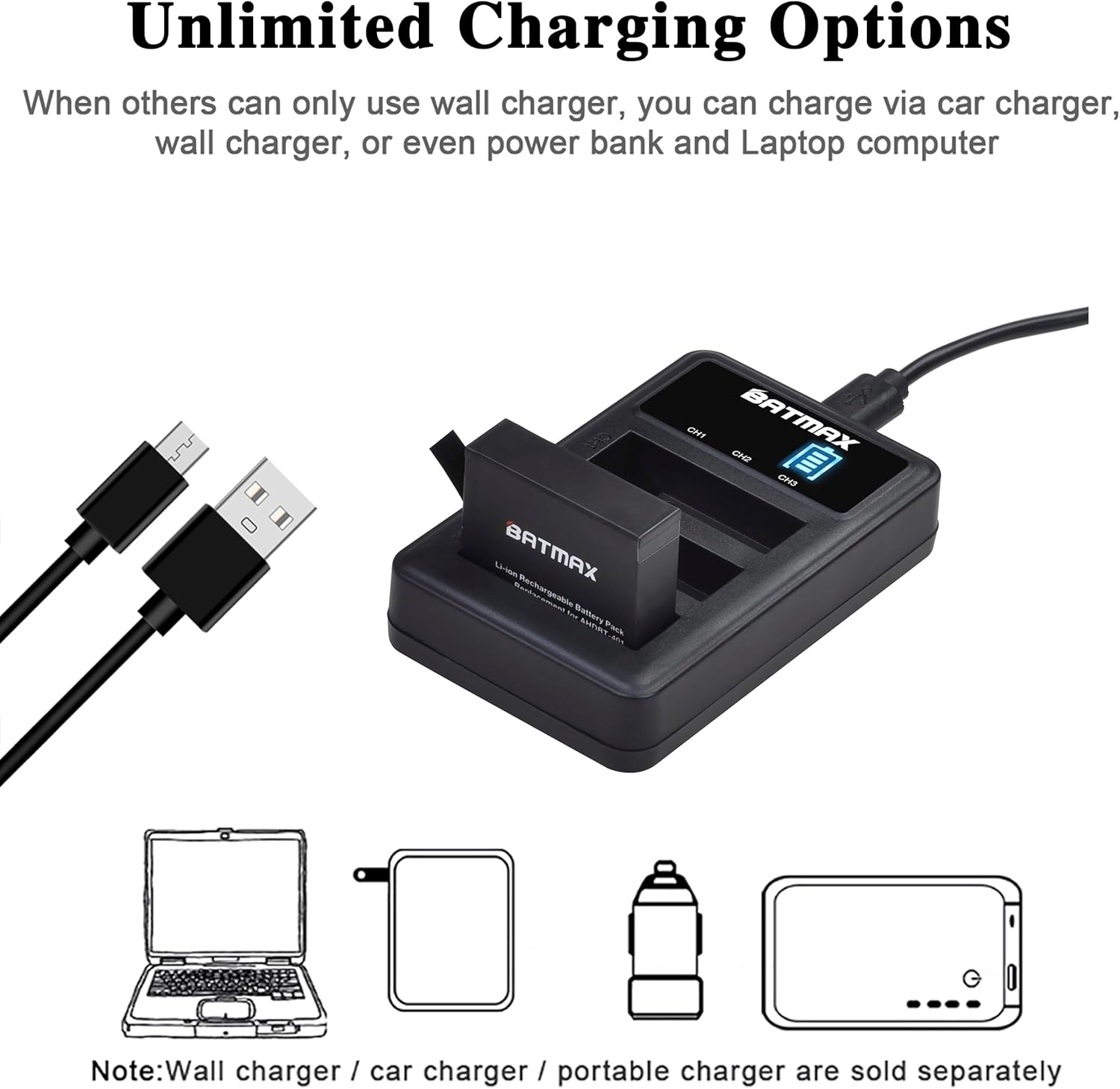
Connect the provided USB charging cable to the Type-C port on the 3-slot LED USB charger. Plug the other end of the USB cable into a compatible USB power source such as a wall adapter, car charger, power bank, or laptop computer. The charger's LED display will illuminate upon connection.

2. Inserting Batteries
Carefully insert up to three Batmax AHDBT-401 batteries into the designated slots on the charger. Ensure the battery contacts align correctly with the charger pins. The charger's LED display will show the charging status for each inserted battery.

Operating Instructions
Charging Process
Once batteries are inserted and the charger is connected to a power source, the LED display will indicate the charging status for each channel (CH1, CH2, CH3). The display typically shows a battery icon with segments filling up to indicate the charge level. When a battery is fully charged, its corresponding indicator will show a full battery icon.

Charging Options
The charger offers versatile charging options. You can power it using various USB sources, including standard wall chargers, car chargers, portable power banks, or laptop USB ports. This flexibility allows you to charge your batteries conveniently in different environments.
Maintenance
- Keep the charger and batteries clean and dry. Use a soft, dry cloth to wipe surfaces.
- Avoid storing batteries fully charged for extended periods to prolong their lifespan. A charge level of around 50% is ideal for long-term storage.
- Store the charger and batteries in a cool, dry place away from direct sunlight and extreme temperatures.
- Regularly inspect the charging cable for any signs of damage. Replace if necessary.
Troubleshooting
Charger Not Lighting Up / Batteries Not Charging
- Check Power Source: Ensure the USB cable is securely connected to both the charger and a functional USB power source. Try a different USB port or power adapter.
- Battery Insertion: Verify that the batteries are inserted correctly into the charger slots, with contacts properly aligned.
- Cable Integrity: Inspect the USB charging cable for any visible damage. Try using a different USB cable if available.
- Battery Condition: If only one battery is not charging, it might be faulty. Try charging other batteries to isolate the issue.
Slow Charging
- Power Source Output: Ensure your USB power source provides sufficient current (e.g., 5V/2A). Lower current sources may result in slower charging times.
- Cable Quality: Use the original or a high-quality USB cable to ensure optimal power delivery.
Specifications
| Feature | Detail |
|---|---|
| Battery Model | AHDBT-401 |
| Battery Capacity | 1680mAh |
| Battery Voltage | 3.7V |
| Charger Input | 5V/2A 10W |
| Charger Output | 4.35V/0.5A 2W*3 (per slot) |
| Battery Cell Composition | Lithium Ion |
| Compatible Cameras | GoPro HERO4 Black, GoPro HERO4 Silver |
Warranty and Support
Batmax products are CE certified and tested by the manufacturer to meet OEM product standards. This product includes:
- 30-Day Money-Back Guarantee: If you are not satisfied with your purchase, you may return it within 30 days for a full refund.
- Two Years Warranty: This product is covered by a two-year warranty against manufacturing defects. For warranty claims or technical support, please contact Batmax customer service through the retailer where you purchased the product.