
1. Introduction
Thank you for choosing the BLACK+DECKER MX600B Helix Performance Premium 5-Speed Hand Mixer. This appliance is designed for efficient and versatile mixing tasks in your kitchen. Its advanced helix beater design ensures thorough mixing by maximizing beater overlap and engaging ingredients from multiple directions. This manual provides essential information for safe and effective use, maintenance, and troubleshooting.
2. Important Safety Information
When using electrical appliances, basic safety precautions should always be followed to reduce the risk of fire, electric shock, and/or injury, including the following:
- Read all instructions before using the appliance.
- To protect against electrical hazards, do not immerse the mixer body, cord, or plug in water or other liquids.
- Close supervision is necessary when any appliance is used by or near children.
- Unplug from outlet when not in use, before putting on or taking off parts, and before cleaning.
- Avoid contact with moving parts. Keep hands, hair, and clothing, as well as spatulas and other utensils, away from beaters during operation to prevent injury and/or damage to the mixer.
- Do not operate any appliance with a damaged cord or plug, or after the appliance malfunctions or has been dropped or damaged in any manner. Contact customer service for examination, repair, or electrical or mechanical adjustment.
- The use of attachments not recommended or sold by the manufacturer may cause fire, electric shock, or injury.
- Do not use outdoors.
- Do not let cord hang over edge of table or counter or touch hot surfaces.
- Do not place on or near a hot gas or electric burner, or in a heated oven.
- Do not use appliance for other than intended use.
- Do not attempt to service this appliance yourself. Refer to the Warranty section for service information.
3. Product Overview
The BLACK+DECKER MX600B Hand Mixer comes with a powerful 250-watt motor and a variety of attachments to handle different mixing needs.
Included Components:
- BLACK+DECKER MX600B Hand Mixer Unit
- 2 Helix Beaters (reinforced nylon)
- 2 Dough Hooks
- 1 Wire Whisk
- Snap-on Storage Case

Image: The BLACK+DECKER MX600B Hand Mixer shown with all its included accessories: two helix beaters, two dough hooks, one wire whisk, and the snap-on storage case.
Key Features:
- Helix Beaters: Designed with reinforced nylon, these beaters offer 2X the surface area for maximum overlap and efficient mixing in multiple directions.
- 5 Speeds + Turbo Boost: Provides precise control for various mixing tasks, from slow stirring to high-speed whipping. The Turbo Boost button offers an extra burst of power at any speed.
- Heel and Bowl Rest: Allows the mixer to sit upright on the edge of a bowl, preventing messes and keeping your countertop clean.
- Snap-on Storage Case: Conveniently stores all attachments and the power cord, with the mixer itself acting as the cover.
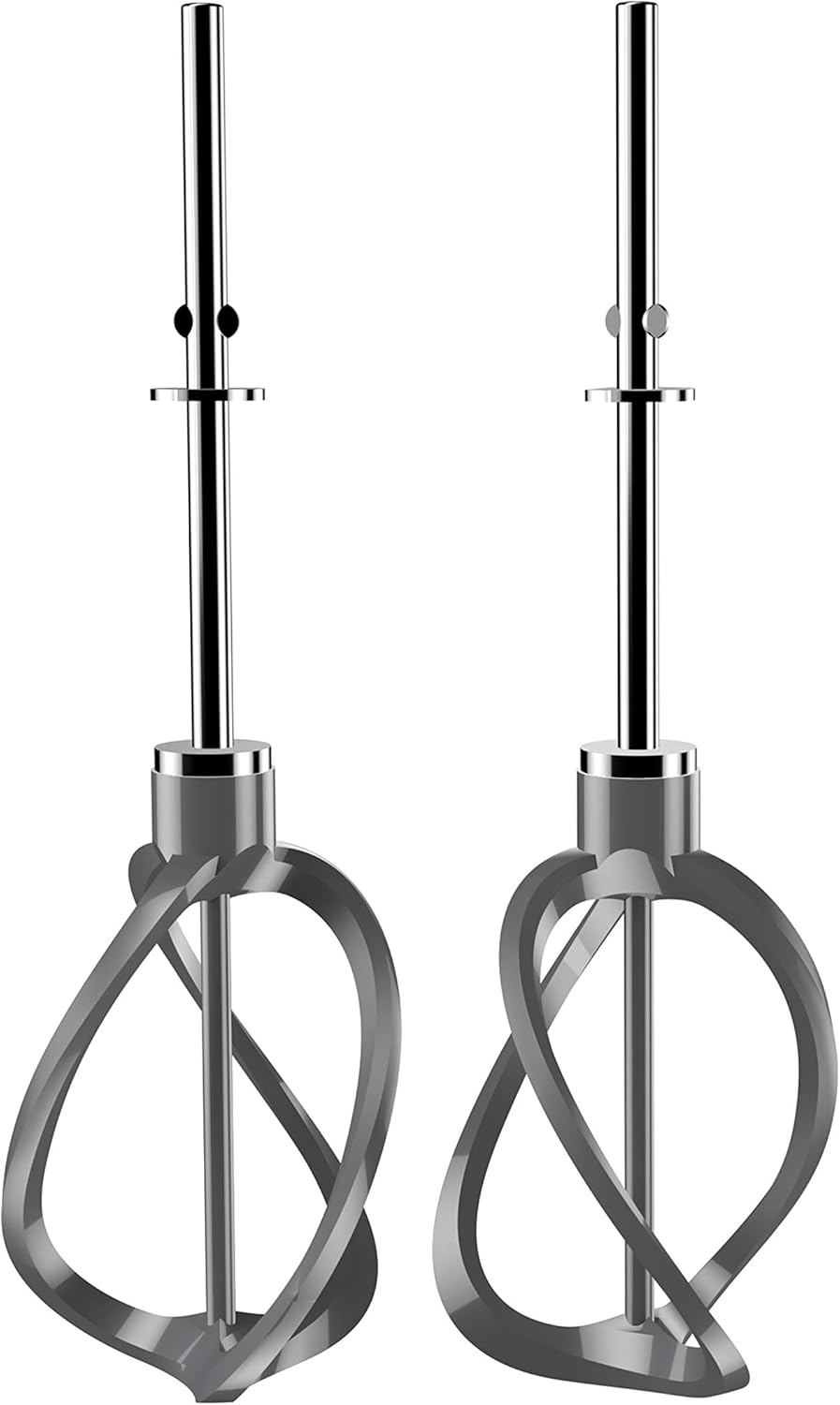
Image: A close-up view of the reinforced nylon helix beaters, highlighting their unique design for improved mixing.

Image: A detailed view of the mixer's control panel, featuring the 5-speed selector and the Turbo Boost button.

Image: The hand mixer demonstrating its heel and bowl rest feature, allowing it to sit securely on the rim of a mixing bowl.
4. Setup
Attaching Beaters/Dough Hooks/Whisk:
- Ensure the mixer is unplugged from the electrical outlet.
- Identify the correct slots for each attachment. The helix beaters and dough hooks are designed to fit into specific openings (keyed slots). The wire whisk can typically fit into either slot.
- Insert the stem of each attachment into the corresponding opening on the bottom of the mixer. Push firmly and rotate slightly until the attachment clicks securely into place.

Image: The BLACK+DECKER MX600B Hand Mixer with the helix beaters properly inserted and ready for use.
Power Connection:
Once attachments are securely in place, plug the mixer into a standard 110-volt electrical outlet.
5. Operation
Selecting Speed:
- With the mixer plugged in and attachments inserted, hold the mixer firmly.
- Slide the speed control switch to the desired setting (1-5). Start with a lower speed to prevent splattering, especially with dry ingredients, and gradually increase as needed.
- The 250-watt motor provides ample power for various tasks.
Using Turbo Boost:
For an extra burst of power to mix thick ingredients or to quickly finish a task, press and hold the Turbo Boost button located near the speed control. Release the button to return to the selected speed.
Mixing Tips:
- Use helix beaters for general mixing, batters, and creams.
- Use dough hooks for kneading bread doughs and other heavy mixtures.
- Use the wire whisk for whipping egg whites, cream, or light batters.
- Always ensure ingredients are at room temperature unless otherwise specified by a recipe for optimal mixing results.

Image: The hand mixer actively mixing a light-colored batter in a glass bowl, demonstrating the helix beaters in action.
6. Cleaning and Maintenance
Detaching Accessories:
After use, ensure the mixer is unplugged. Press the auto-eject button (usually located near the speed control) to release the beaters, dough hooks, or whisk.
Cleaning:
- All mixing attachments (helix beaters, dough hooks, wire whisk) are dishwasher-safe for easy cleaning.
- Wipe the mixer body with a damp cloth. Do not immerse the mixer body in water or any other liquid.
- The snap-on storage case can be washed with warm, soapy water and air-dried.
Storage:
Store the mixer and its attachments in the provided snap-on storage case to keep them organized and protected. The mixer unit itself forms the cover for the case.
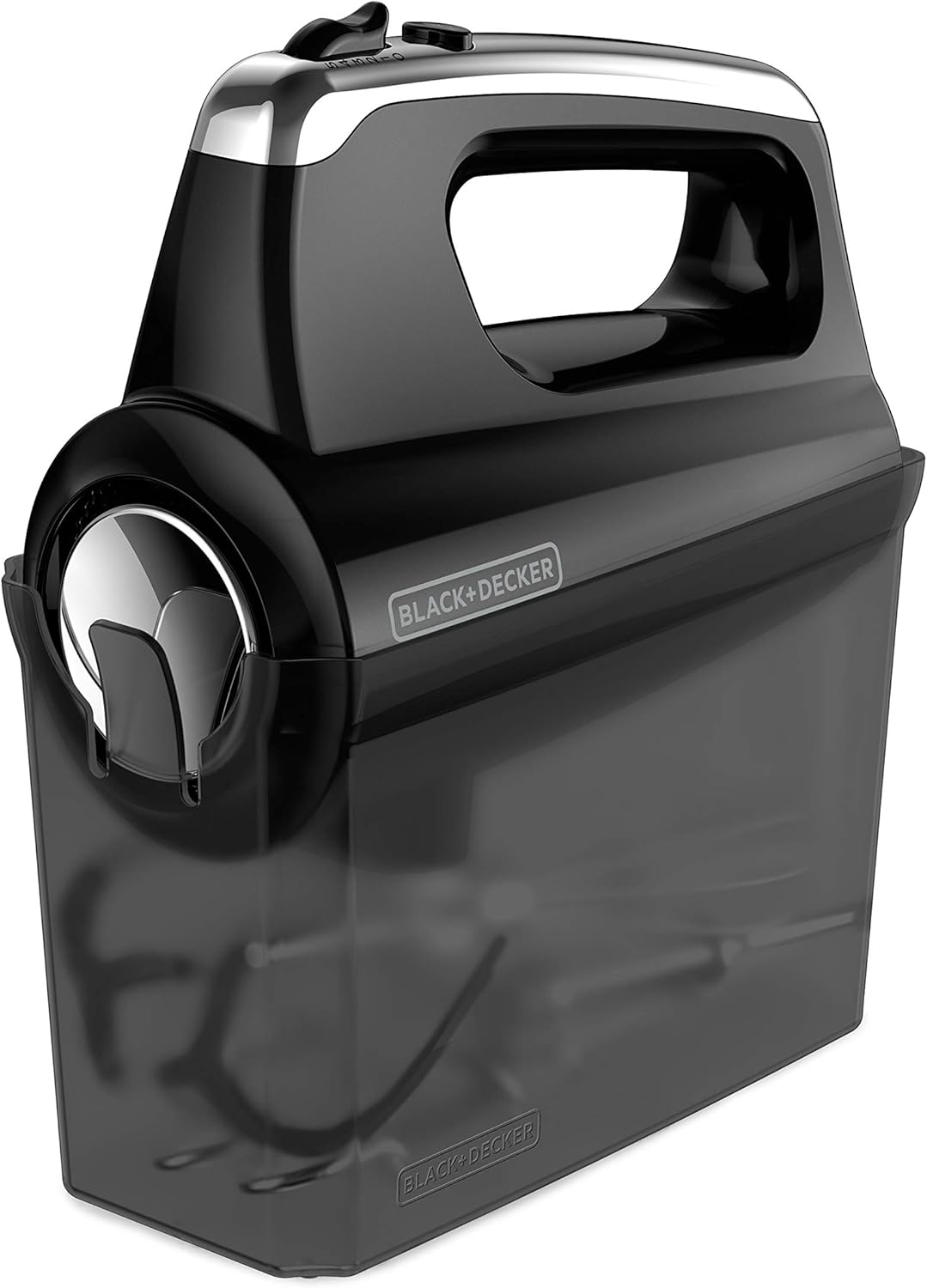
Image: The hand mixer unit securely attached to its transparent snap-on storage case, which holds all the accessories.
7. Troubleshooting
- Mixer does not turn on: Ensure the mixer is securely plugged into a working electrical outlet. Check if the speed control is set to an active speed (not '0' or off).
- Attachments are difficult to insert/remove: Ensure the mixer is unplugged. For insertion, align the keyed shafts of the attachments with the corresponding holes and push firmly until they click. For removal, press the auto-eject button completely.
- Mixer seems underpowered or slows down: This can occur with very thick mixtures. Use the Turbo Boost feature for extra power. If consistently underpowered, ensure the wattage (250W) is sufficient for your task. Avoid overworking the motor.
- Splattering during mixing: Always start mixing at the lowest speed (Speed 1) and gradually increase the speed as ingredients combine and the mixture thickens. Use a deep mixing bowl.
8. Specifications
| Brand | BLACK+DECKER |
| Model Name | MX600B |
| Color | Black |
| Product Dimensions | 3.8"D x 10.87"W x 9.8"H |
| Material | Nylon (for beaters) |
| Voltage | 110 volts |
| Wattage | 250 watts |
| Number of Speeds | 5 |
| Controls Type | Push Button |
| Included Components | 2 Helix Beaters, 2 Dough Hooks, 1 Wire Whisk, Snap-on Storage Case |
9. Warranty and Support
This BLACK+DECKER MX600B Hand Mixer comes with a 1 Year Manufacturer Limited Warranty. For warranty claims, technical support, or service inquiries, please refer to the contact information provided in your product packaging or visit the official BLACK+DECKER website.


