
Benro GH5C
Benro GH5C Carbon Fiber Gimbal Head User Manual
Model: GH5C
1. Introduction
The Benro GH5C Carbon Fiber Gimbal Head is designed for photographers and videographers using long and heavy lenses. Its carbon fiber construction provides a lightweight yet robust solution for dynamic shooting, such as wildlife and sports photography. This manual provides essential information for the proper setup, operation, and maintenance of your GH5C gimbal head.

Figure 1: Front view of the Benro GH5C Carbon Fiber Gimbal Head.
2. Product Features
- Lightweight Carbon Fiber Construction: Weighing only 2.4 lb (1.1 kg), the GH5C is strong and easy to transport.
- High Load Capacity: Supports up to 66.0 lb (30.0 kg), accommodating long and heavy lenses for various photography applications.
- Arca-Swiss Compatible Camera Plate/Clamp: Enables quick and secure attachment and release of your camera and lens.
- Vertical and Panoramic Scales: Provides precision for repeatable movements and accurate adjustments.
- Separate Pan & Tilt Lock Knobs: Features comfortable, rubberized knobs for independent control over panning and tilting motions.

Figure 2: Top view of the Benro GH5C, showing the integrated bubble level and Benro GH5C branding.
3. What's in the Box
Upon unboxing, please ensure all components are present:
- Benro Carbon Fiber Gimbal Head (GH5C)
- PL100LW Quick Release Plate
4. Setup
4.1 Attaching to a Tripod
- Ensure your tripod is stable and capable of supporting the combined weight of the gimbal head, camera, and lens.
- Locate the 3/8"-16 threaded mounting hole at the base of the GH5C gimbal head.
- Screw the gimbal head onto the tripod's mounting screw until it is securely fastened. Do not overtighten.
4.2 Mounting Camera and Lens
- Attach the PL100LW quick release plate to the tripod collar foot of your lens (or camera body if not using a lens with a collar) using the provided screw. Ensure it is tightly secured.
- Loosen the quick release clamp knob on the gimbal head.
- Slide the quick release plate with your camera/lens into the clamp.
- Tighten the quick release clamp knob until the camera/lens assembly is firmly secured. Verify that it cannot accidentally slide out.

Figure 3: Detail of the Arca-Swiss compatible quick release plate and clamp mechanism.
4.3 Balancing the Setup
Proper balancing is crucial for smooth operation and to prevent strain on the gimbal head and your equipment.
- Vertical Balance: Adjust the vertical position of the camera/lens assembly by sliding the quick release plate forward or backward within the clamp. Loosen the clamp knob slightly to allow movement, then tighten once balanced. The goal is for the lens to remain horizontal when the tilt lock is disengaged.
- Horizontal Balance: Adjust the horizontal position of the camera/lens by sliding the entire vertical arm assembly along the horizontal axis of the gimbal head. Loosen the blue knob on the side of the vertical arm to allow movement, then tighten once balanced. The goal is for the camera/lens to remain stationary when the pan lock is disengaged.

Figure 4: Side view illustrating the vertical adjustment scale for balancing.
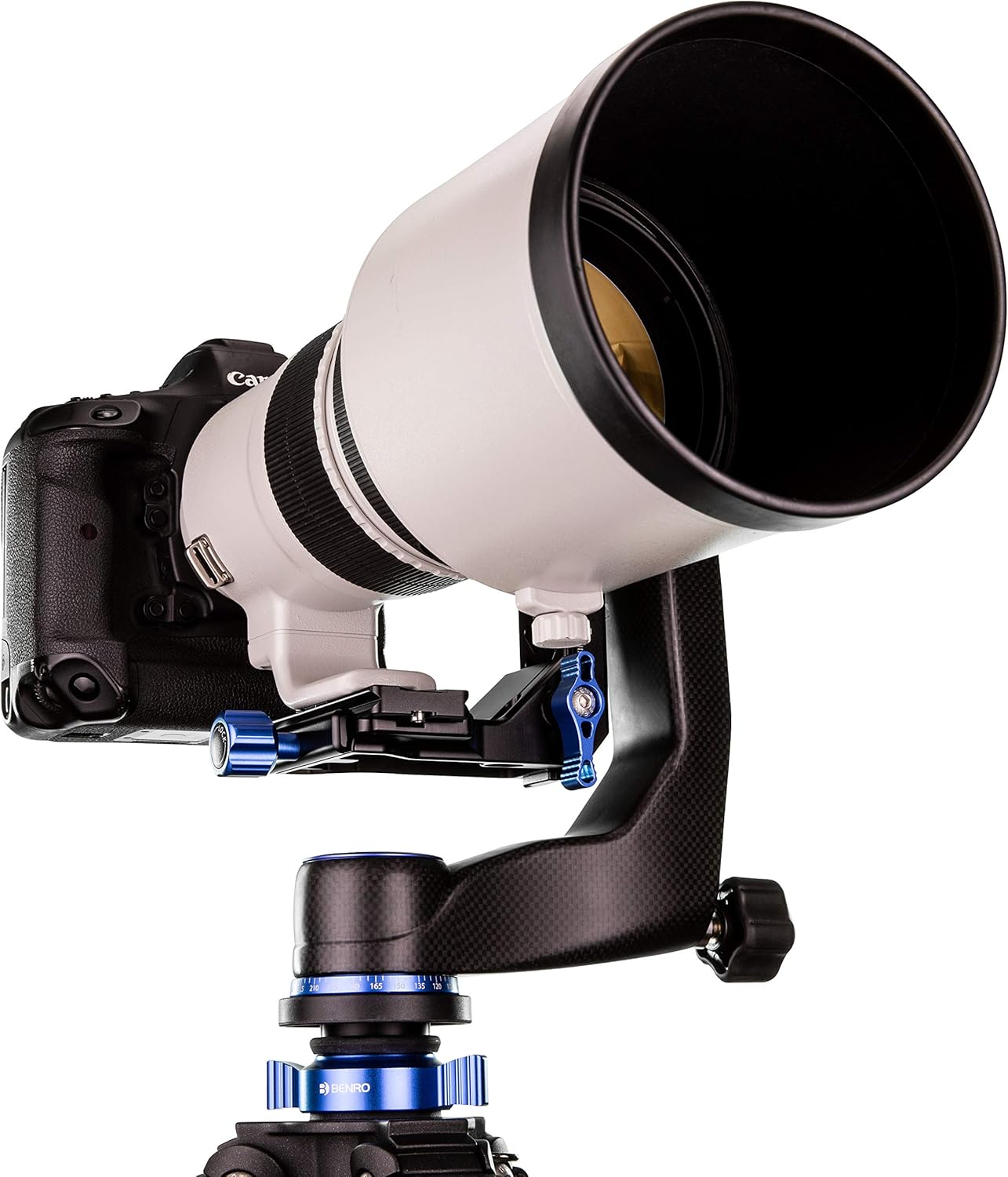
Figure 5: The GH5C gimbal head with a camera and large telephoto lens mounted, demonstrating its capacity.
5. Operation
5.1 Pan and Tilt Control
The GH5C features separate knobs for controlling pan and tilt movements:
- Pan Lock Knob: Located at the base of the gimbal head, this knob controls the 360-degree horizontal panning motion. Loosen to pan smoothly, tighten to lock the horizontal position.
- Tilt Lock Knob: This large pivot tension knob controls the vertical tilting motion. Loosen to allow smooth tilting, tighten to lock the vertical angle.
5.2 Using Scales for Precision
- Vertical Scale: A scale on the vertical arm allows for precise and repeatable vertical adjustments of the camera/lens. Note your settings for consistent positioning.
- Panoramic Scale: A 360-degree scale at the base of the gimbal head assists in precise panoramic photography, allowing you to record and repeat specific pan angles.
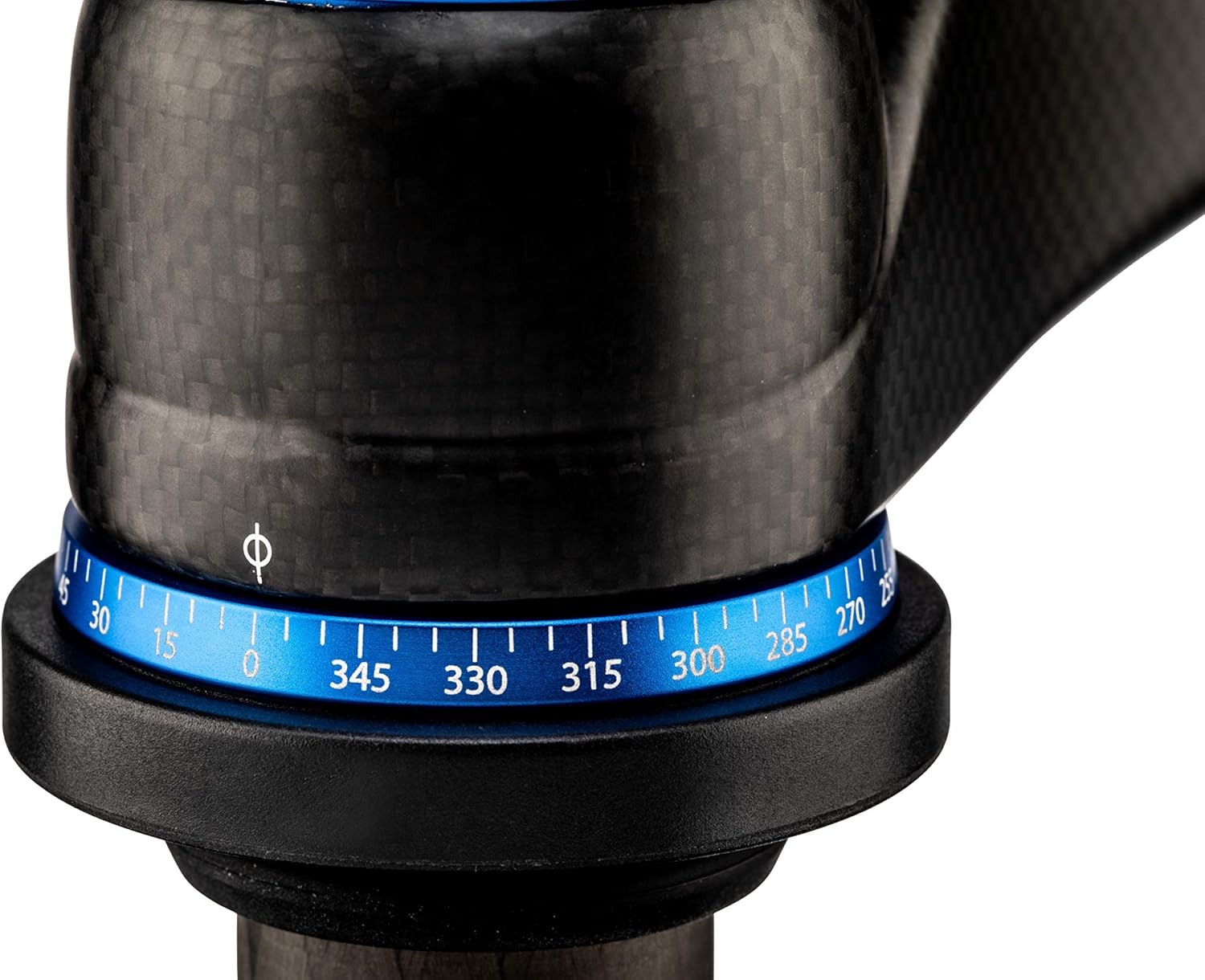
Figure 6: Detail of the 360-degree panoramic scale for precise horizontal movements.
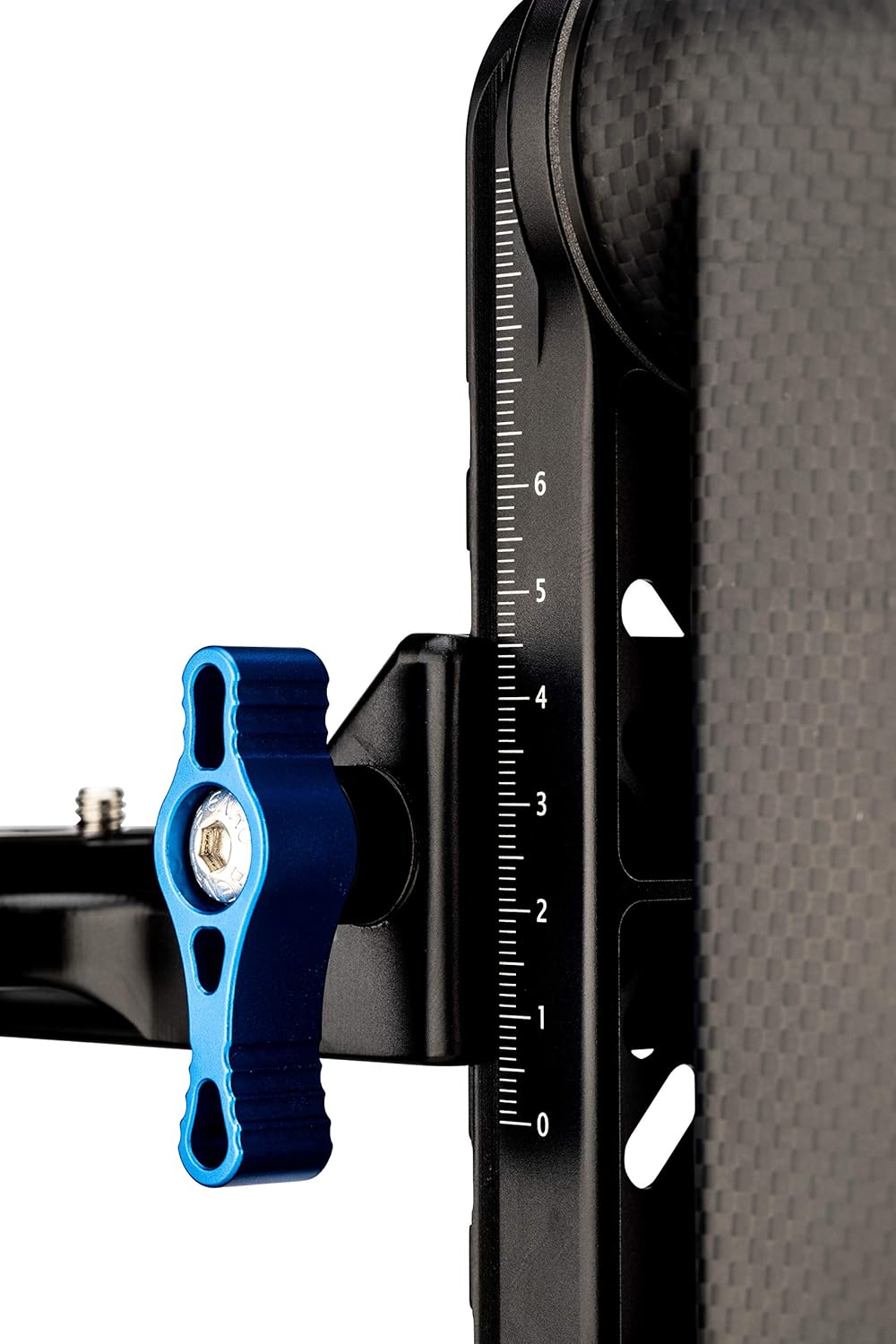
Figure 7: Detail of the vertical adjustment knob and scale for precise vertical positioning.
6. Maintenance
To ensure the longevity and optimal performance of your Benro GH5C Gimbal Head, follow these maintenance guidelines:
- Cleaning: Use a soft, dry cloth to wipe down the gimbal head after each use. For stubborn dirt, a slightly damp cloth can be used, followed by immediate drying. Avoid harsh chemicals or abrasive materials.
- Lubrication: The gimbal head is designed for smooth operation without user lubrication. Do not apply oils or greases to any moving parts unless specifically instructed by Benro support.
- Storage: Store the gimbal head in a clean, dry environment, away from extreme temperatures and humidity.
- Inspection: Periodically check all screws and knobs to ensure they are secure. Do not overtighten.
7. Troubleshooting
If you encounter issues with your Benro GH5C Gimbal Head, consider the following common solutions:
- Stiffness in Movement: Ensure all lock knobs (pan and tilt) are fully disengaged. Check for any debris or obstructions in the moving parts.
- Instability/Wobble: Verify that the gimbal head is securely mounted to the tripod and that the camera/lens assembly is properly balanced and tightened on the quick release plate. Ensure your tripod is stable and on a level surface.
- Quick Release Plate Slipping: Ensure the quick release clamp knob is fully tightened. Confirm that the quick release plate is correctly seated in the clamp.
For issues not resolved by these steps, please contact Benro customer support.
8. Specifications
| Feature | Specification |
|---|---|
| Model Number | GH5C |
| Product Dimensions (D x W x H) | 11.2 x 3.5 x 11 inches (28.4 x 8.9 x 27.9 cm) |
| Item Weight | 2.38 pounds (1.08 kg) |
| Maximum Weight Recommendation | 66 Pounds (30 kg) |
| Color | Black |
| Compatible Devices | Camera |
| Manufacturer | MacGroup |
| First Available Date | August 1, 2018 |
9. Warranty and Support
Specific warranty terms and detailed support contact information are not provided within this manual. Please refer to the official Benro website or your product's packaging for the most current warranty details and customer support contacts.
Related documentsGH5C


Ask a question about this manual
Ask about setup, troubleshooting, compatibility, parts, safety, or missing instructions. Manuals+ will review the question and use this page’s manual context to help answer it.