
INIU BI-B41
INIU 10000mAh Portable Power Bank User Manual
Model: BI-B41
1. Introduction
Thank you for choosing the INIU 10000mAh Portable Power Bank. This device is designed to provide reliable and high-speed charging for your electronic devices on the go. Its slim and lightweight design makes it an ideal companion for travel and daily use. Please read this manual carefully to ensure proper use and maintenance of your power bank.
2. Product Overview
2.1 Key Features
- Ultra-Slim Design: At only 0.5 inches thick, it is one of the slimmest 10000mAh power banks available, easily fitting into pockets or bags.
- High Capacity: 10000mAh provides multiple charges for smartphones, tablets, and other devices.
- USB-C In & Out: Features a versatile USB-C port for both charging the power bank and charging your devices.
- Triple 3A High-Speed Charging: Equipped with multiple output ports to charge up to three devices simultaneously at high speed.
- 15-Layer SmartProtect System: Advanced safety features protect against overcharge, over-discharge, short-circuit, and overheating.
- Built-in Flashlight: A convenient integrated flashlight for emergencies or low-light conditions.
- Paw Indicator: Unique LED paw print indicator to show remaining battery level.
2.2 Package Contents
Upon opening your package, please ensure all items are present:
- INIU 10000mAh Portable Charger (BI-B41)
- 0.3M/1ft USB-A to USB-C Cable
- Travel Pouch
- User Manual

Image: Contents of the INIU Power Bank package, showing the power bank, USB-C cable, travel pouch, and user guide.
2.3 Product Diagram

Image: Front view of the INIU Power Bank, highlighting the illuminated paw print battery indicator.

Image: Top view of the INIU Power Bank, displaying the USB-C input/output port, two USB-A output ports, and the integrated flashlight.
2.4 Portability and Design
The INIU Power Bank is designed for maximum portability, being exceptionally thin and light. Its compact size allows it to be easily carried in pockets or small bags, making it ideal for travel.

Image: The INIU Power Bank held in a hand, illustrating its remarkably thin profile.

Image: Demonstrations of the INIU Power Bank easily fitting into various pockets and bags, highlighting its compact and lightweight nature.
Video: This video demonstrates the slim design and portability of the INIU Power Bank, showing how easily it fits into pockets and bags.
3. Initial Setup
3.1 First Use
Before using your INIU Power Bank for the first time, it is recommended to fully charge it. This ensures optimal battery performance and longevity.
3.2 Checking Battery Level
The power bank features a unique paw print LED indicator that shows the remaining battery level. Press the power button once to activate the indicator. Each illuminated paw pad represents approximately 25% of the battery capacity.
- 4 Paws Lit: 75% - 100% charged
- 3 Paws Lit: 50% - 75% charged
- 2 Paws Lit: 25% - 50% charged
- 1 Paw Lit: 0% - 25% charged (Recharge soon)
4. Operation
4.1 Recharging the Power Bank
To recharge your INIU Power Bank, connect it to a power source (such as a wall adapter or computer USB port) using the provided USB-A to USB-C cable, or a USB-C to USB-C cable if your adapter supports it. The paw print indicator will flash during charging and remain solid when fully charged.

Image: Comparison illustrating the INIU Power Bank's USB-C port supports both input and output, unlike some others that are input-only.
Video: This video demonstrates the high-speed charging capabilities and the versatility of the USB-C input/output port for both recharging the power bank and charging devices.
4.2 Charging Your Devices
Connect your device to the power bank using a compatible USB cable. The power bank will automatically detect your device and begin charging. You can charge up to three devices simultaneously using the available USB-C and USB-A ports.

Image: A smartphone connected to the INIU Power Bank, showing a rapid increase in battery percentage, illustrating the 3A high-speed charging.

Image: An illustration showing the number of charges the 10000mAh power bank can provide for different devices like iPhone, Samsung, iPad mini, and AirPods Pro.
4.3 Using the Flashlight
To turn on the flashlight, double-press the power button. Double-press again to turn it off. The flashlight is useful for low-light situations or emergencies.

Image: The INIU Power Bank being used as a flashlight in a dark, outdoor setting, demonstrating its utility for travel and emergencies.
5. Maintenance
5.1 Cleaning
Wipe the power bank with a soft, dry cloth. Do not use harsh chemicals or abrasive materials. Keep ports free of dust and debris.
5.2 Storage
Store the power bank in a cool, dry place away from direct sunlight and extreme temperatures. If storing for extended periods, recharge it every 3-6 months to maintain battery health.
5.3 Safety Precautions
- Do not expose the power bank to water or moisture.
- Do not disassemble, modify, or attempt to repair the device.
- Avoid dropping or subjecting the power bank to strong impacts.
- Keep out of reach of children.
- Do not expose to fire or high temperatures.
- Use only certified cables and adapters.
6. Troubleshooting
6.1 Power Bank Not Charging
- Ensure the charging cable is securely connected to both the power bank and the power source.
- Try a different charging cable or wall adapter.
- Verify the power source is active.
6.2 Device Not Charging
- Ensure your device's charging cable is securely connected to both the power bank and your device.
- Try a different charging cable.
- Check if the power bank has sufficient charge.
- Some devices may require the power button to be pressed to initiate charging.
6.3 Slow Charging
- Ensure you are using a high-quality cable that supports fast charging.
- Charging multiple devices simultaneously may reduce individual charging speeds.
- Verify your device supports the power bank's fast charging protocols.
6.4 Flashlight Not Working
- Ensure the power bank has sufficient charge.
- Double-press the power button firmly to activate/deactivate the flashlight.
7. Specifications
| Feature | Detail |
|---|---|
| Model Number | BI-B41 |
| Battery Capacity | 10000mAh |
| Product Dimensions | 13.6 x 12 x 1.9 cm |
| Item Weight | 198 g |
| Input Port | USB-C |
| Output Ports | USB-C, 2x USB-A |
| Special Features | Flashlight, USB-C In & Out, Triple 3A Output, 15-Layer SmartProtect System |
| Manufacturer | INIU |

Image: The INIU Power Bank with its key dimensions (length, width, thickness) indicated.
8. Warranty and Support
INIU provides an industry-leading 3-Year iNiu Care for this product. For any questions, technical support, or warranty claims, please contact the INIU customer service team. You can find contact information in the user manual included in your package, on the product packaging, or on the official INIU website.
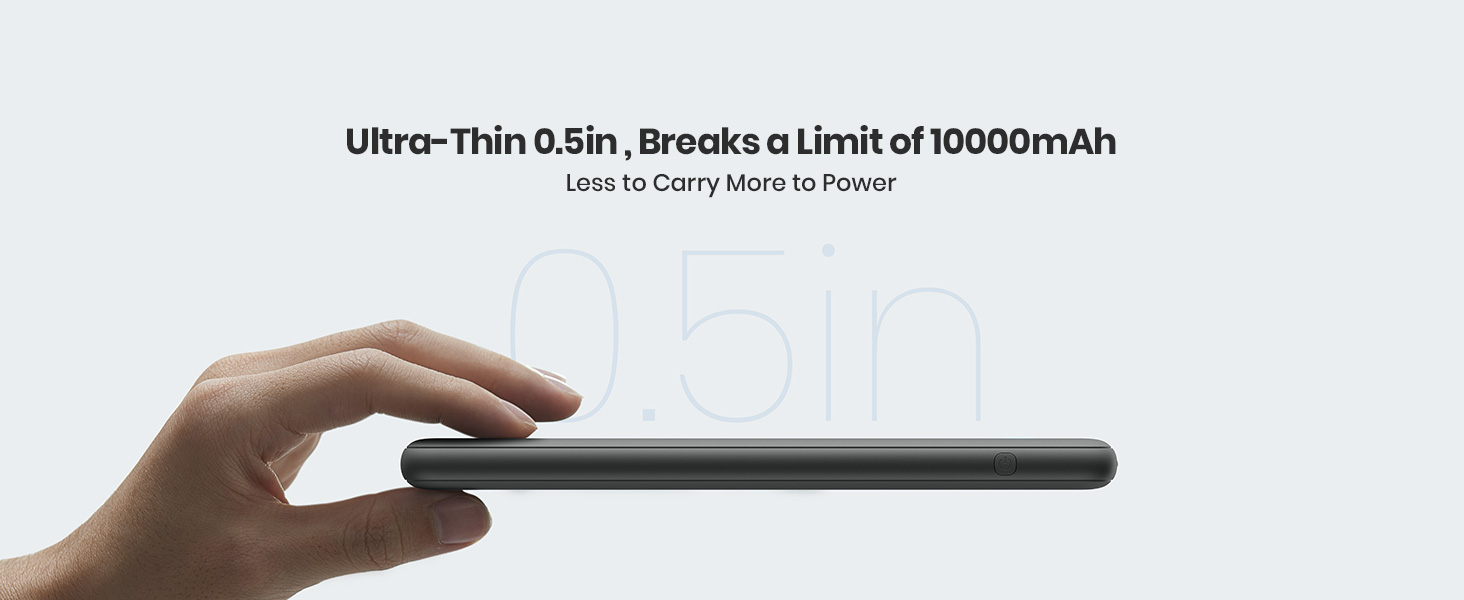
Image: Information regarding INIU's 3-Year Care Coverage, emphasizing customer support.
Related documentsBI-B41


Ask a question about this manual
Ask about setup, troubleshooting, compatibility, parts, safety, or missing instructions. Manuals+ will review the question and use this page’s manual context to help answer it.