
1. Introduction
The Safco Soar Electric Sit/Stand Desk Converter 2192WH is designed to transform a traditional sit-down desk into an adjustable sit-stand workstation. This unit features motorized height adjustments, a single monitor mount, and integrated power outlets and USB ports to enhance your workspace flexibility and promote an active workday.
This manual provides essential information for the safe assembly, operation, and maintenance of your Safco Soar Electric Sit/Stand Desk Converter.
2. Safety Information
- Read all instructions before use: Ensure you understand all assembly and operating instructions before using the desk converter.
- Weight Capacity: Do not exceed the maximum weight capacities: 15 lbs (6.8 kg) for the monitor mount and 10 lbs (4.5 kg) for the platform. Overloading can cause instability and damage.
- Power Source: Connect the unit to a grounded AC outlet. Do not use extension cords or adapters that are not rated for the unit's power requirements.
- Cable Management: Ensure all cables (power, monitor, USB) are routed safely to prevent pinching or entanglement during height adjustments.
- Clearance: Maintain clear space around the desk converter during operation to avoid obstructions or collisions.
- Children and Pets: Keep children and pets away from the unit during operation to prevent injury.
- Proposition 65 Warning: This product contains chemicals known to the State of California to cause cancer and birth defects or other reproductive harm. Wash hands after handling.
3. Setup
3.1 Unpacking and Inspection
Carefully remove all components from the packaging. Inspect all parts for any damage. If any parts are damaged or missing, do not proceed with assembly. Contact Safco customer support immediately.
3.2 Assembly
The Safco Soar Electric Sit/Stand Desk Converter requires some assembly. Follow the detailed instructions provided in the separate assembly guide included with your product. Key assembly steps include:
- Attaching the base to the main column.
- Securing the work platform.
- Mounting the monitor arm to the central column.
Ensure all fasteners are tightened securely before use.
3.3 Monitor Installation
Attach your monitor to the provided mount on the central column. The mount supports one monitor up to 27 inches in size and a maximum weight of 15 lbs (6.8 kg). Ensure the monitor is securely fastened to prevent accidental detachment.
3.4 Power Connection
Connect the desk converter's power cord to a standard grounded AC outlet. The unit features two grounded AC outlets and two USB ports on the back of its base for convenient power and charging of your monitor, computer, and other peripherals.
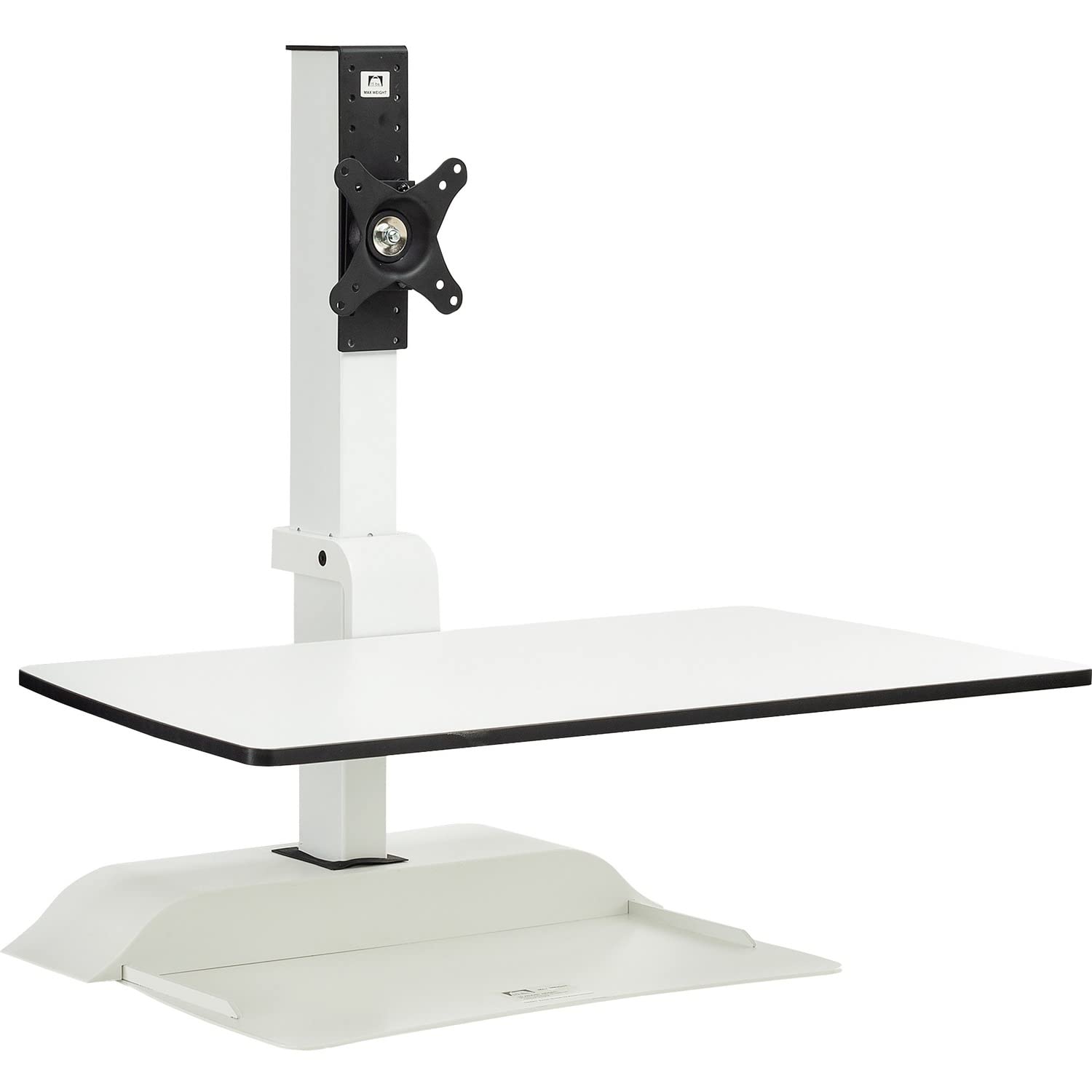
Image 1: The Safco Soar Electric Sit/Stand Desk Converter in a typical setup, showing the monitor, keyboard, and mouse on the platform.
4. Operating Instructions
4.1 Adjusting Height
The desk converter features motorized height adjustment. Use the handheld remote control to raise or lower the platform:
- Press the UP button to raise the platform.
- Press the DOWN button to lower the platform.
The platform has a vertical adjustment range of 17.5 inches (44.45 cm), allowing you to transition smoothly between sitting and standing positions. The monitor will move synchronously with the platform, maintaining a consistent distance from your keyboard.
4.2 Programming Presets
The remote control allows you to program up to three custom height presets for quick access:
- Adjust the platform to your desired height using the UP/DOWN buttons.
- Press and hold one of the preset buttons (e.g., '1', '2', or '3') until the unit beeps or the display confirms the setting.
- Repeat for other desired heights.
To recall a saved height, simply press the corresponding preset button.
4.3 Remote Control Storage
The remote control is magnetic and can be conveniently attached to the metal base of the desk converter when not in use, ensuring it is always within reach.
4.4 Using Integrated Power and USB Ports
Utilize the two AC outlets and two USB ports located on the back of the base to power your monitor, computer, and charge mobile devices directly from your desktop.
5. Maintenance
5.1 Cleaning
Wipe surfaces with a soft, damp cloth. Avoid abrasive cleaners or solvents that may damage the laminate platform or powder-coated steel base. Ensure the unit is unplugged before cleaning.
5.2 Regular Checks
Periodically check all screws and fasteners to ensure they remain tight. Inspect the power cord for any signs of damage. Do not operate the unit if the power cord is damaged.
6. Troubleshooting
- Unit does not move:
- Check if the power cord is securely plugged into a grounded AC outlet.
- Ensure the power outlet is functional.
- Verify that all cables are properly connected.
- Unusual noises during operation:
- Stop operation immediately.
- Inspect for any obstructions or loose components.
- If the noise persists, contact customer support.
- Monitor not powering on:
- Ensure the monitor's power cable is securely plugged into one of the desk converter's AC outlets.
- Check the monitor's own power button and settings.
For issues not covered here, please contact Safco customer support.
7. Specifications
| Model Number | 2192WH |
| Overall Dimensions (Lowest) | 27.75" W x 22" D x 18.5" H (70.49 cm W x 55.88 cm D x 46.99 cm H) |
| Overall Dimensions (Highest) | 27.75" W x 22" D x 36" H (70.49 cm W x 55.88 cm D x 91.44 cm H) |
| Platform Height Range | 1.25" - 18.75" (3.18 cm - 47.63 cm) |
| Product Weight | 42.6 lbs (19.32 kg) |
| Monitor Mount Capacity | One monitor up to 27", max 15 lbs (6.8 kg) |
| Platform Capacity | Up to 10 lbs (4.5 kg) for computer equipment |
| Material | Alloy Steel, Laminate |
| Color | White |
| Power Outlets | 2 x Grounded AC Outlets |
| USB Ports | 2 x USB Ports |
| Assembly Required | Yes |
8. Warranty & Support
8.1 Warranty Information
For specific warranty details regarding your Safco Soar Electric Sit/Stand Desk Converter, please refer to the warranty card included with your product or visit the official Safco website. Keep your proof of purchase for warranty claims.
8.2 Customer Support
If you have any questions, require assistance with assembly, or encounter any issues with your product, please contact Safco customer support. Contact information can typically be found on the Safco website or on the product packaging.
Safco Store: Visit the Safco Store on Amazon