Introduction
The Polaroid Mint Instant Print Digital Camera combines the convenience of a digital camera with the instant gratification of physical prints. This compact device allows you to capture 16-megapixel photos and print them instantly on 2x3 inch Zink Zero Ink sticky-backed photo paper. Designed for ease of use, it features multiple picture modes, a self-timer, and a selfie mirror, making it ideal for capturing and sharing memories on the go.
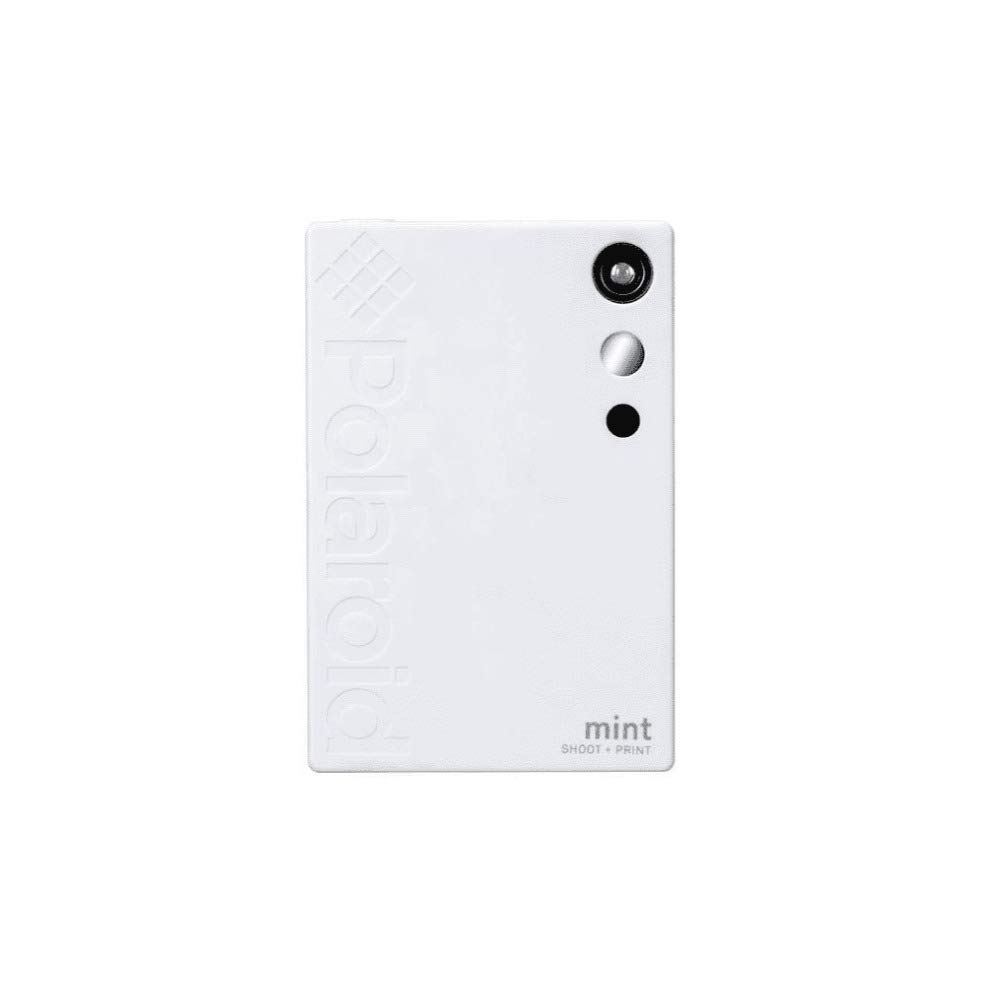
Image: The Polaroid Mint camera in white, with a printed photo emerging from the side.
Safety Information
Please read all safety instructions before using the Polaroid Mint camera to ensure safe operation and prevent damage to the device. Keep the camera away from water and extreme temperatures. Do not attempt to disassemble or repair the device yourself. Use only approved accessories and charging cables.
What's in the Box
- Polaroid Mint Instant Print Digital Camera
- Micro USB Cable
- Quick Start Guide
- Starter Pack of Zink Sticky-Back Paper (includes blue color calibration sheet)
Setup
1. Charging the Device
Before first use, fully charge your Polaroid Mint camera using the provided Micro USB cable. Connect the cable to the camera's charging port and a compatible USB power source. The battery indicator light will show charging status. A full charge provides power for approximately 40 prints.
2. Loading Zink Paper
- Open the hatch on the back of the camera.
- Insert the Zink photo paper pack with the glossy side facing up. Ensure the blue color calibration sheet is at the bottom of the stack, facing down.
- Close the hatch securely. The blue calibration sheet will print out automatically to prepare the camera for optimal print quality.

Image: Loading Zink paper into the Polaroid Mint camera. The blue calibration sheet is visible.
3. Powering On/Off
To turn the camera on or off, press and hold the power button located on the side of the device for a few seconds until the indicator lights illuminate or turn off.

Image: Side view of the Polaroid Mint camera, highlighting the power button and mode selection buttons.
Operating Instructions
1. Taking Photos
Hold the camera vertically, similar to a smartphone. Aim the lens at your subject and press the shutter button to capture a photo. The camera will automatically print the photo shortly after capture.

Image: A hand holding the Polaroid Mint camera as it prints a photo.
2. Changing Picture Modes
The Polaroid Mint offers three picture modes: Color, Black & White (B&W), and Sepia. To cycle through these modes, press the 'MODE' button on the side of the camera. An indicator light will illuminate next to the selected mode.

Image: Detail of the camera's side buttons, illustrating how to select between Color, Black & White, and Sepia modes.
3. Using the Polaroid Frame Effect
To add a classic Polaroid border to your photos, press the 'FRAME' button. The indicator light next to 'FRAME' will light up when activated. This effect can be combined with any picture mode.
4. Using the Self-Timer
For group photos or selfies, activate the 10-second self-timer by pressing the '10 SEC' button. The indicator light will confirm activation. The camera will take a photo after a 10-second countdown.

Image: Detail of the camera's side buttons, showing the 'FRAME' and '10 SEC' (self-timer) options.
5. Selfie Mirror and LED Flash
The camera includes an integrated selfie mirror next to the lens for easy self-portraits. An automatic LED flash is also built-in to assist in low-light conditions.
6. Micro SD Card Slot
The Polaroid Mint supports Micro SD cards up to 256GB for storing digital copies of your photos. Insert the Micro SD card into the designated slot on the side of the camera.
Maintenance
- Cleaning: Use a soft, dry cloth to clean the camera's exterior. Do not use liquid cleaners or solvents.
- Storage: Store the camera in a cool, dry place away from direct sunlight when not in use.
- Paper Handling: Handle Zink paper carefully to avoid smudges or damage. Store unused paper in its original packaging.
Troubleshooting
- Camera not turning on: Ensure the battery is charged. Connect to a power source and try again.
- Poor print quality: Check if the Zink paper is loaded correctly with the glossy side up. Ensure the blue calibration sheet was printed.
- Paper jam: Open the paper hatch, carefully remove any jammed paper, and reload.
- No photo printing: Verify that Zink paper is loaded and the battery has sufficient charge.
Specifications
| Product Dimensions | 3 x 0.5 x 1 inches |
| Item Weight | 7.2 ounces (0.45 Pounds) |
| Model Number | POL-SP02W |
| Film Format Type | 2x3 inch Zink Sticky-Back Photo Paper |
| Battery | 1 Lithium Polymer battery (included), approx. 40 prints per charge |
| Special Feature | Lightweight, Compact, Instant Print, Selfie Mirror, LED Flash |
| Micro SD Support | Up to 256GB |
Official Product Video
Video: An official product video demonstrating the features and operation of the Polaroid Mint camera, including paper loading, mode selection, and instant printing.
Warranty and Support
For warranty information and customer support, please refer to the official Polaroid website or contact their customer service department. Keep your proof of purchase for warranty claims.


