1. Introduction
Thank you for purchasing the Powerextra NB-13L Battery and Charger Set. This product provides a reliable power solution for your compatible Canon PowerShot cameras. It includes two high-capacity 1700mAh lithium-ion batteries and a dual USB charger, designed for convenience and safety.
This manual provides essential information on the setup, operation, maintenance, and safety precautions for your new battery and charger set. Please read it thoroughly before use and retain it for future reference.
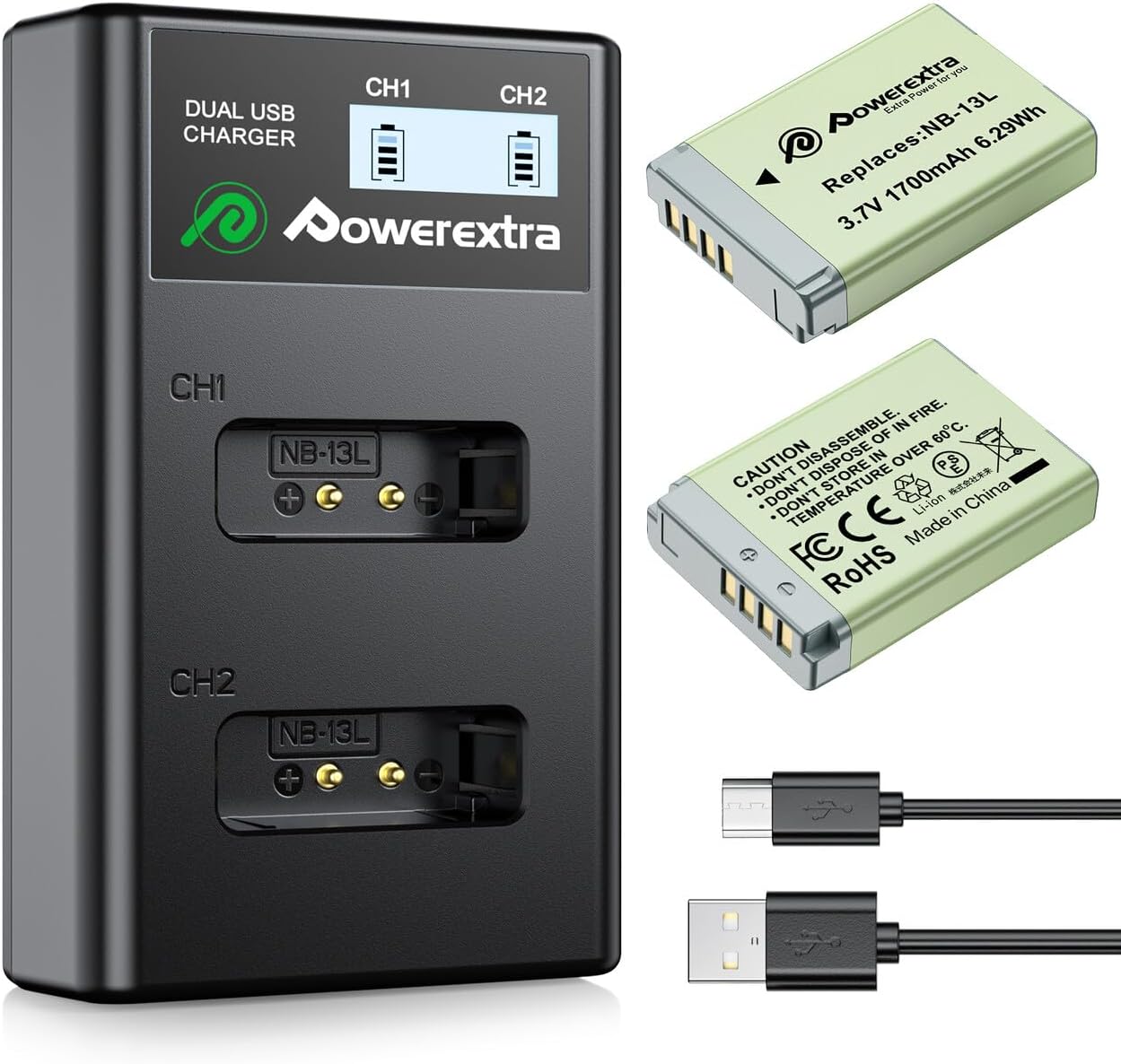
Image 1: The Powerextra NB-13L Battery and Dual USB Charger Set, including two batteries and two USB cables.
2. Product Specifications
| Brand | Powerextra |
| Model Number | NB-13L-2(2 units)+DS-NB13L-JP |
| Battery Type | Lithium Ion |
| Battery Capacity | 1700mAh (each battery) |
| Battery Voltage | 3.7V |
| Charger Type | Dual USB LCD Charger |
| Package Dimensions | 15.6 x 9.7 x 3.7 cm |
| Item Weight | 160 grams |
| Recommended Use | Camera |
3. Compatibility
This Powerextra NB-13L battery and charger set is compatible with the following Canon PowerShot camera models:
- Canon PowerShot G5X
- Canon PowerShot G7X
- Canon PowerShot G7X Mark II
- Canon PowerShot G9X
- Canon PowerShot G9X Mark II
- Canon PowerShot SX620 HS
- Canon PowerShot SX720 HS
- Canon PowerShot SX730 HS
- Canon PowerShot G1 X Mark III
- Canon PowerShot G7 X Mark III
- Canon PowerShot SX740 HS

Image 2: An example of a compatible Canon PowerShot camera with the NB-13L battery.
4. Setup and Charging Instructions
4.1 Initial Setup
- Unpack the Powerextra NB-13L batteries and dual USB charger from their packaging.
- Inspect all components for any visible damage.
4.2 Charging the Batteries
The dual USB charger allows for convenient and flexible charging of your NB-13L batteries.
- Insert one or two NB-13L batteries into the designated slots (CH1, CH2) on the charger. Ensure the battery contacts align correctly with the charger pins.
- Connect the charger to a power source using the provided Micro USB cable. You can use:
- A standard USB wall adapter (not included)
- A mobile power bank
- A laptop or computer USB port
- A solar charger
- A car charger
- The LCD screen on the charger will display the charging status for each battery, indicating the charge level (0-25%, 25-50%, 50-75%, 75-100%).
- Once charging is complete, the LCD indicator will show a full battery icon. Disconnect the charger from the power source and remove the batteries.

Image 3: The dual USB charger with batteries, illustrating the LCD screen and charging process.

Image 4: Illustration of convenient charging options including USB adapter, mobile battery, laptop, and car charger.
Note: These batteries can also be charged using a genuine Canon charger, and the remaining charge will be displayed.
5. Operating Instructions
5.1 Installing Batteries in Your Camera
- Ensure your camera is turned off before installing or removing batteries.
- Open the battery compartment cover on your Canon PowerShot camera.
- Insert a fully charged Powerextra NB-13L battery into the compartment, ensuring it is oriented correctly according to the markings inside the camera.
- Close the battery compartment cover securely.
- Turn on your camera and verify that the battery is recognized.
5.2 Maximizing Battery Life
- Always carry spare charged batteries for extended shooting sessions.
- When not in use, store batteries in a cool, dry place.
- Avoid exposing batteries to extreme temperatures.
- For optimal performance, fully charge batteries before first use.

Image 5: A user capturing moments with a camera powered by Powerextra batteries.
6. Maintenance and Safety Information
6.1 General Maintenance
- Keep batteries and charger clean and dry.
- Wipe contacts with a clean, dry cloth if they become dirty.
- Do not disassemble, crush, or puncture the batteries.
- Avoid dropping the batteries or charger.
6.2 Safety Features
The Powerextra NB-13L batteries and charger are equipped with multiple protection systems to ensure safe operation:
- Overcurrent Protection: Prevents damage from excessive current flow.
- Overcharge Protection: Stops charging once the battery reaches full capacity.
- Overdischarge Protection: Prevents the battery from discharging too deeply, extending its lifespan.
- Short Circuit Protection: Automatically cuts off power in case of a short circuit.
- High Temperature Protection: Monitors and regulates temperature to prevent overheating.
- Surge Protection: Guards against sudden voltage spikes.
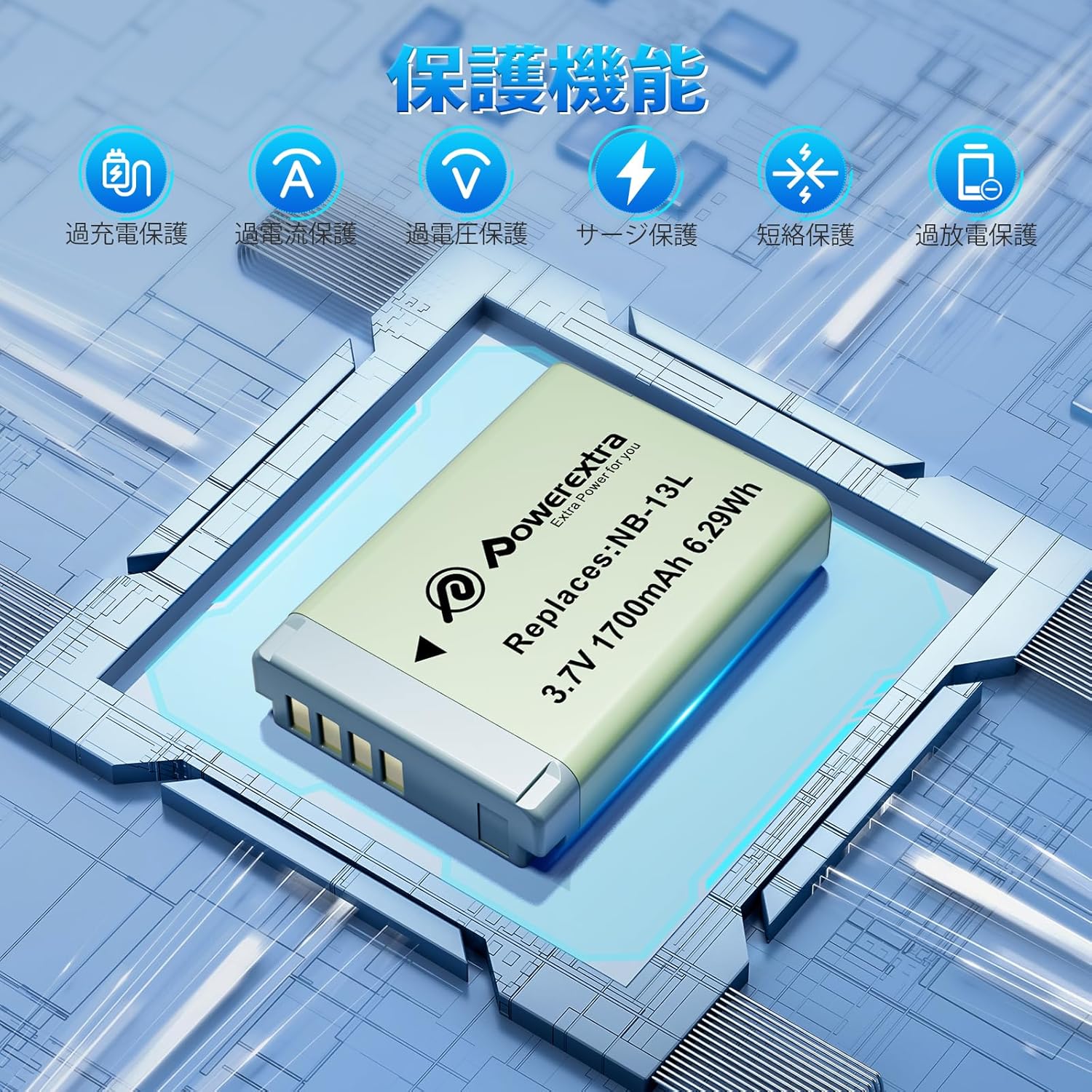
Image 6: Visual representation of the multi-layered protection system integrated into Powerextra batteries.
6.3 Important Safety Warnings
- Do not expose batteries to fire or extreme heat.
- Do not dispose of batteries in household waste; follow local recycling guidelines.
- Keep batteries out of reach of children.
- If a battery appears damaged, swollen, or leaks, discontinue use immediately and dispose of it properly.
7. Troubleshooting
If you encounter issues with your Powerextra NB-13L battery and charger set, please refer to the following common troubleshooting steps:
- Battery not charging:
- Ensure the charger is securely connected to a working power source.
- Verify that the batteries are correctly inserted into the charger slots with contacts aligned.
- Try a different USB cable or power adapter.
- Clean the battery contacts and charger pins with a dry cloth.
- Camera not recognizing battery:
- Ensure the battery is fully charged.
- Re-insert the battery into the camera, ensuring proper orientation and a secure fit.
- Clean the battery contacts on both the battery and the camera.
- Test with another fully charged battery if available.
- Short battery life:
- Ensure batteries are fully charged before use.
- Operating in very cold environments can reduce battery performance.
- Frequent use of features like LCD screen, flash, or video recording can consume power quickly. Adjust camera settings for power saving if needed.
If these steps do not resolve the issue, please contact Powerextra customer support for further assistance.
8. Warranty and Support
Powerextra provides a 1-year quality warranty from the date of purchase for this product. We are confident in the quality of our products, but in the unlikely event of any defect occurring within one year of purchase, please contact us immediately for prompt assistance.
Customer satisfaction is our priority. Returns and refunds may be possible depending on customer circumstances. For any inquiries or support, please visit the official Powerextra store on Amazon or contact our customer service team.
Powerextra Official Store: View Powerextra Store


