
Hatteker RSCX-7568D
Hatteker Electric Shaver Rotary Razor User Manual
Model: RSCX-7568D
Brand: Hatteker
1. Introduction and Overview
Thank you for choosing the Hatteker Electric Shaver. This rotary razor is designed to provide a fast, close, and comfortable shave for men, featuring advanced technology for optimal performance. Its waterproof design allows for versatile wet or dry shaving, and the integrated pop-up trimmer offers precision for detailing beards and sideburns. This manual provides essential information for the safe and effective use, maintenance, and troubleshooting of your new shaver.
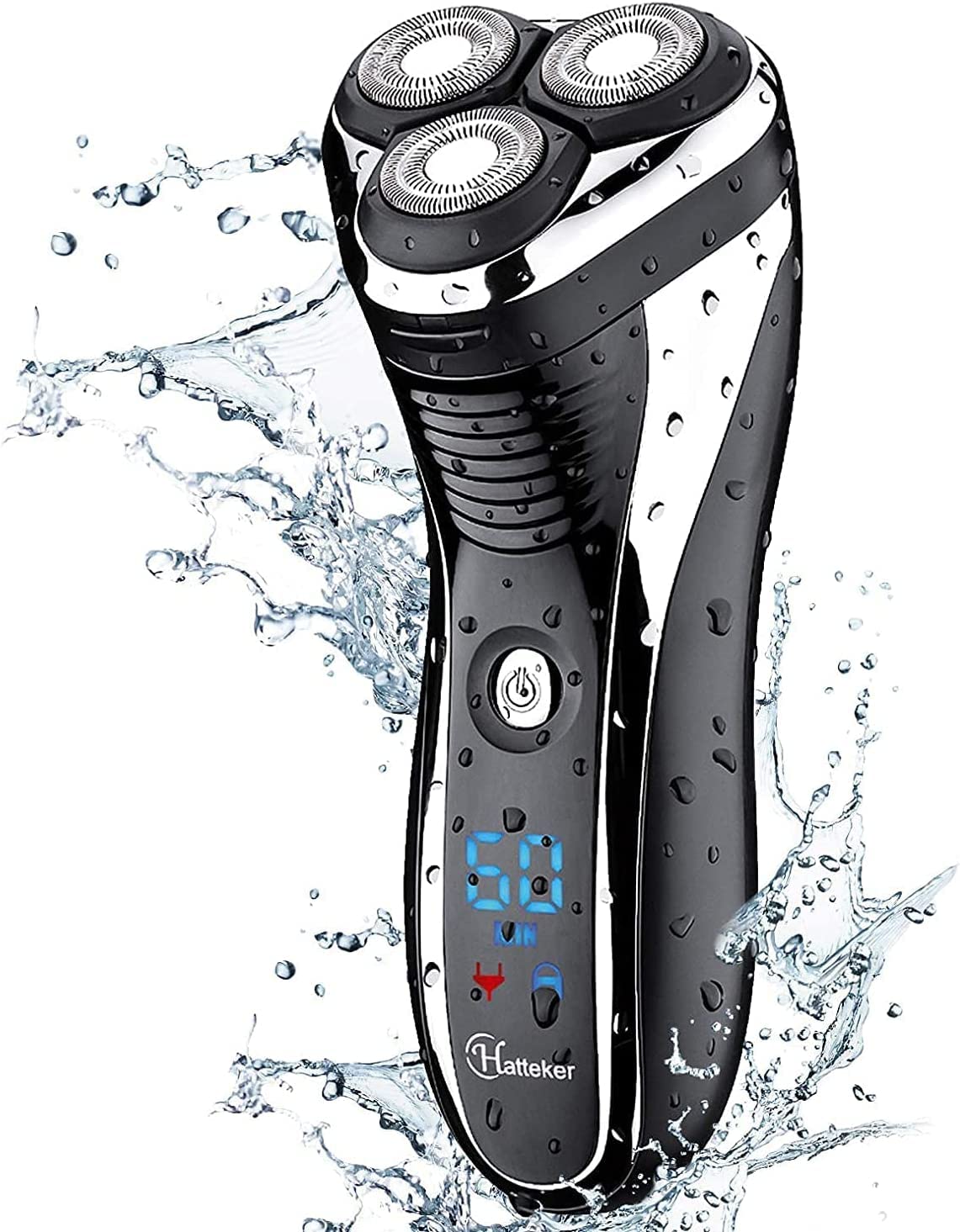
Figure 1: Hatteker Electric Shaver in use, highlighting its waterproof design.
2. Safety Information
Always use the shaver over a sink or in a place where it can be easily cleaned. Be careful when using the pop-up trimmer, especially on long beards, to avoid cuts. Never use the shaver while it is charging to prevent electrical hazards. Always follow the cleaning instructions to prevent bacterial growth.
3. Product Features
- 4-DIRECTION FLOATING ULTRA-ADVANCED SHAVING HEAD: The 3D rotary shaver head follows every contour of your face to remain in close contact with the skin for a fast shave that's also gentle on the skin.
- POP-UP TRIMMER: Trim and detail your beard and sideburns for a clean-cut look to complete your facial hair grooming routine.
- WATERPROOF/WET DRY SHAVE: Fully washable design for easy cleaning, allows you to shave wet with gel or foam for extra skin protection or dry for convenience.
- USB CHARGE & MAXLITHIUM POWER: Charge your shaver anyplace & anytime. Provide 60 minutes of cordless runtime after just 90 minutes of charging.
- LCD DISPLAY / ONE-KEY LOCK: Battery capacity (charging state of the battery is displayed in percent) / Lock Symbol.
4. What's Included
Your Hatteker Electric Shaver package includes the following items:
- Hatteker Electric Shaver (Model: RSCX-7568D)
- Shaver Cap
- USB Charging Cable
- Cleaning Brush
- Storage Bag

Figure 2: Package Contents of the Hatteker Electric Shaver.
5. Setup
5.1 Initial Charging
Before first use, fully charge your shaver. Connect the USB charging cable to the shaver's charging port and plug the other end into a compatible USB power adapter (not included) or a computer USB port. The LCD display will show the battery percentage increasing during charging. A full charge takes approximately 90 minutes and provides up to 60 minutes of cordless runtime.
5.2 Attaching/Detaching Shaver Head
The shaver head is designed to be easily detachable for cleaning. To detach, gently pull the head upwards from the shaver body. To reattach, align the head with the body and press down until it clicks into place.

Figure 3: Detailed view of the 3D floating rotary heads.
6. Operating Instructions
6.1 Power On/Off
Press the power button located on the front of the shaver to turn it on or off. The LCD display will illuminate when the shaver is active.
6.2 Wet or Dry Shaving
The Hatteker Electric Shaver can be used for both dry and wet shaving. For a dry shave, ensure your face is clean and dry. For a wet shave, apply shaving gel or foam to your face before use. The waterproof design allows for safe use in the shower.

Figure 4: Dry shaving with the Hatteker Electric Shaver.

Figure 5: Wet shaving with the Hatteker Electric Shaver and shaving foam.
6.3 Using the Pop-Up Trimmer
To activate the pop-up trimmer, slide the trimmer release button located on the back of the shaver upwards. Use the trimmer for precise detailing of sideburns, mustaches, or beards. Push the button back down to retract the trimmer when finished.

Figure 6: Pop-up trimmer in extended position.

Figure 7: Using the pop-up trimmer for beard detailing.
6.4 LCD Display Indicators
The LCD display provides important information:
- Battery Percentage: Shows the remaining battery life.
- Charging Indicator: Appears when the shaver is connected to power.
- Lock Symbol: Indicates if the one-key lock function is active, preventing accidental power-on during travel. To activate/deactivate, press and hold the power button for 3 seconds.
7. Maintenance & Cleaning
Regular cleaning ensures optimal performance and hygiene of your shaver.
7.1 Daily Cleaning
After each use, especially for dry shaving, turn off the shaver and remove the shaver head. Rinse the shaver head and the underlying hair chamber thoroughly under running tap water. Shake off excess water and allow the parts to air dry before reattaching the head and placing the protective cap.

Figure 8: Cleaning the shaver under running water.
7.2 Deep Cleaning (Weekly/Bi-weekly)
For a more thorough cleaning, detach the shaver head and carefully remove the individual rotary blades. Use the provided cleaning brush to remove any trapped hair or debris from the blades and the shaver's internal components. Rinse all parts under running water. Ensure all parts are completely dry before reassembling. Do not use abrasive cleaning agents or harsh chemicals.
8. Troubleshooting
If you encounter any issues with your Hatteker Electric Shaver, please refer to the following common problems and solutions:
| Problem | Possible Cause | Solution |
|---|---|---|
| Shaver does not turn on. | Low battery; Travel lock activated. | Charge the shaver; Press and hold the power button for 3 seconds to deactivate the lock. |
| Poor shaving performance. | Blades are dull or clogged with hair; Improper shaving technique. | Clean the shaver head thoroughly; Replace shaver heads if necessary; Ensure gentle, circular motions. |
| Shaver makes unusual noise. | Hair trapped in the blades; Damaged shaver head. | Perform a deep clean; Inspect shaver head for damage and replace if needed. |
| LCD display not working. | Shaver is off; Internal malfunction. | Turn on the shaver; If problem persists, contact customer support. |
9. Specifications
| Feature | Detail |
|---|---|
| Product Dimensions | 1.97 x 1.97 x 1.97 inches; 9.17 ounces |
| Item Model Number | RSCX-7568D |
| Batteries | 1 AA batteries required (included) |
| UPC | 645312946709 710328343566 |
| Manufacturer | Hatteker |
| ASIN | B07FZ2C3JX |
| Country of Origin | China |
| Brand | Hatteker |
| Recommended Uses | Beard, Face |
| Special Feature | Detachable Head, Floating Head, Pop-Up Trimmer |
| Power Source | Battery Powered |
| Model Name | 7568D |
10. Warranty and Support
Hatteker products are manufactured to high-quality standards. For warranty information, technical support, or any inquiries regarding your shaver, please refer to the contact information provided in your product packaging or visit the official Hatteker website. Please retain your proof of purchase for warranty claims.
Ask a question about this manual
Ask about setup, troubleshooting, compatibility, parts, safety, or missing instructions. Manuals+ will review the question and use this page’s manual context to help answer it.