
1. Introduction
This manual provides essential information for the safe and efficient operation of your TCL 40D3000 Full HD LED TV. Please read it thoroughly before using the product and retain it for future reference.
2. Safety Information
Observe the following safety precautions to prevent fire, electric shock, or injury:
- Do not expose the TV to rain or moisture.
- Do not open the TV casing; refer all servicing to qualified personnel.
- Ensure proper ventilation around the TV.
- Use only the power cord supplied with the TV.
- Keep batteries out of reach of children.
3. What's in the Box
Carefully unpack the box and ensure all items are present:
- 1 x TCL 40D3000 LED TV
- 1 x Table Top Stand
- 1 x Wall Mount Bracket (Note: For TVs above 55 inches, wall mount is provided at installation)
- 1 x User Manual (this document)
- 1 x Warranty Card
- 1 x Remote Control
- 2 x AAA Batteries (for remote control)
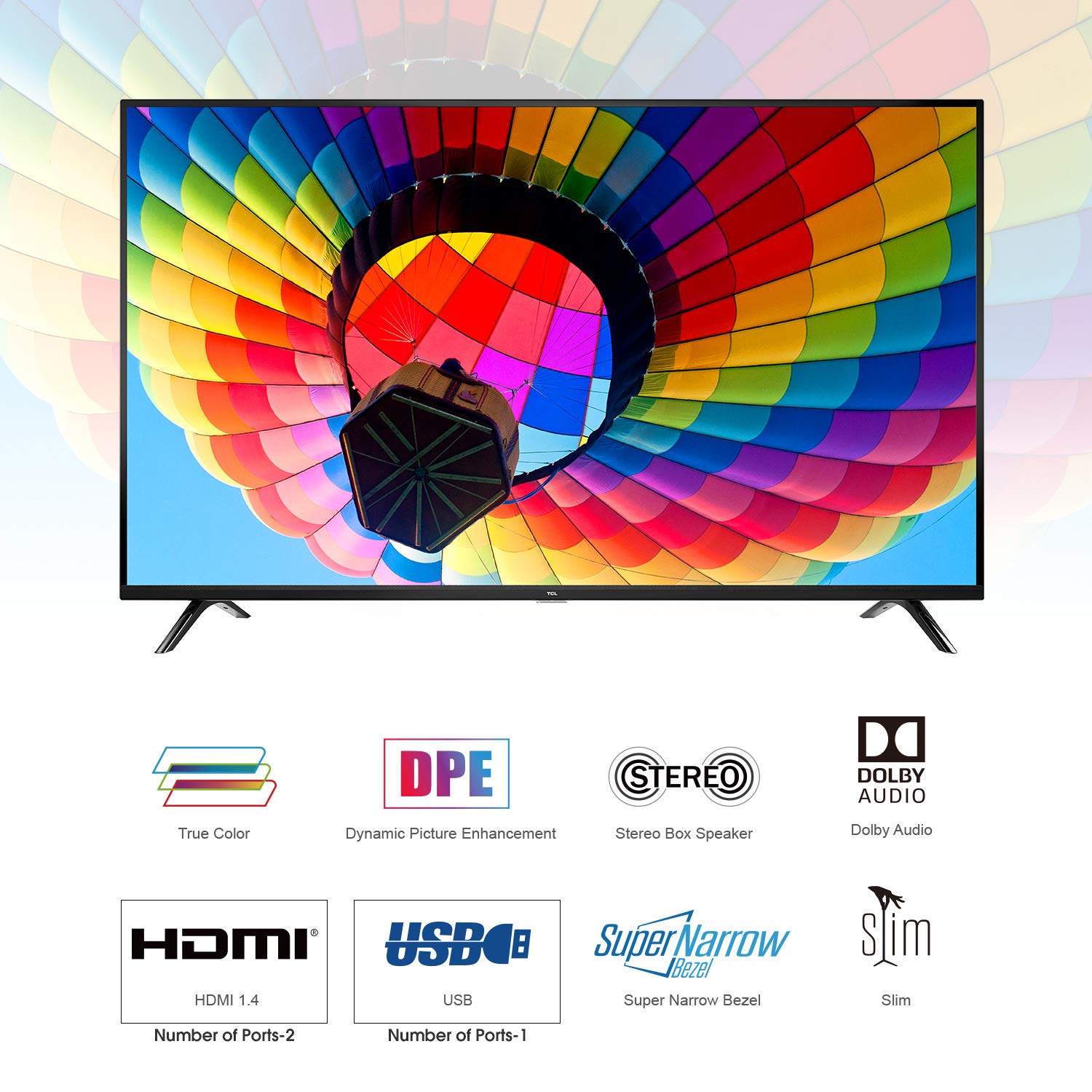
Image: The TCL 40D3000 LED TV displaying a vibrant image, with icons below indicating features like True Color, Dynamic Picture Enhancement (DPE), Stereo Box Speaker, Dolby Audio, HDMI (2 ports), USB (1 port), Super Narrow Bezel, and Slim design.
4. Setup
4.1 Attaching the Stand
- Place the TV screen-down on a soft, flat surface to prevent damage.
- Align the stand with the mounting holes on the bottom of the TV.
- Secure the stand using the provided screws.

Image: A close-up view of the sleek, black stand securely attached to the base of the television, indicating readiness for tabletop placement.
4.2 Wall Mounting
If you choose to wall mount your TV, ensure you use a compatible wall mount bracket and follow the instructions provided with the bracket. Professional installation is recommended.
4.3 Connecting Peripherals
Your TV features multiple ports for connecting external devices:
- HDMI Ports (x2): Connect Blu-ray players, gaming consoles, set-top boxes, etc.
- USB Port (x1): Connect USB drives for media playback.
- Antenna/Cable Input: Connect your antenna or cable TV signal.

Image: The side view of the TV, highlighting the accessible input/output ports such as HDMI, USB, and antenna input, located on the right side of the television panel.
4.4 Powering On
- Connect the power cord to the TV and then to a power outlet.
- Press the power button on the TV or the remote control to turn on the TV.
4.5 Initial Setup Wizard
Upon first power-on, the TV will guide you through an initial setup process. This includes language selection, country, time zone, and channel scanning. Follow the on-screen instructions.
5. Operating the TV
5.1 Remote Control Functions
The remote control allows you to access all TV functions. Insert the two AAA batteries into the remote control, observing polarity.
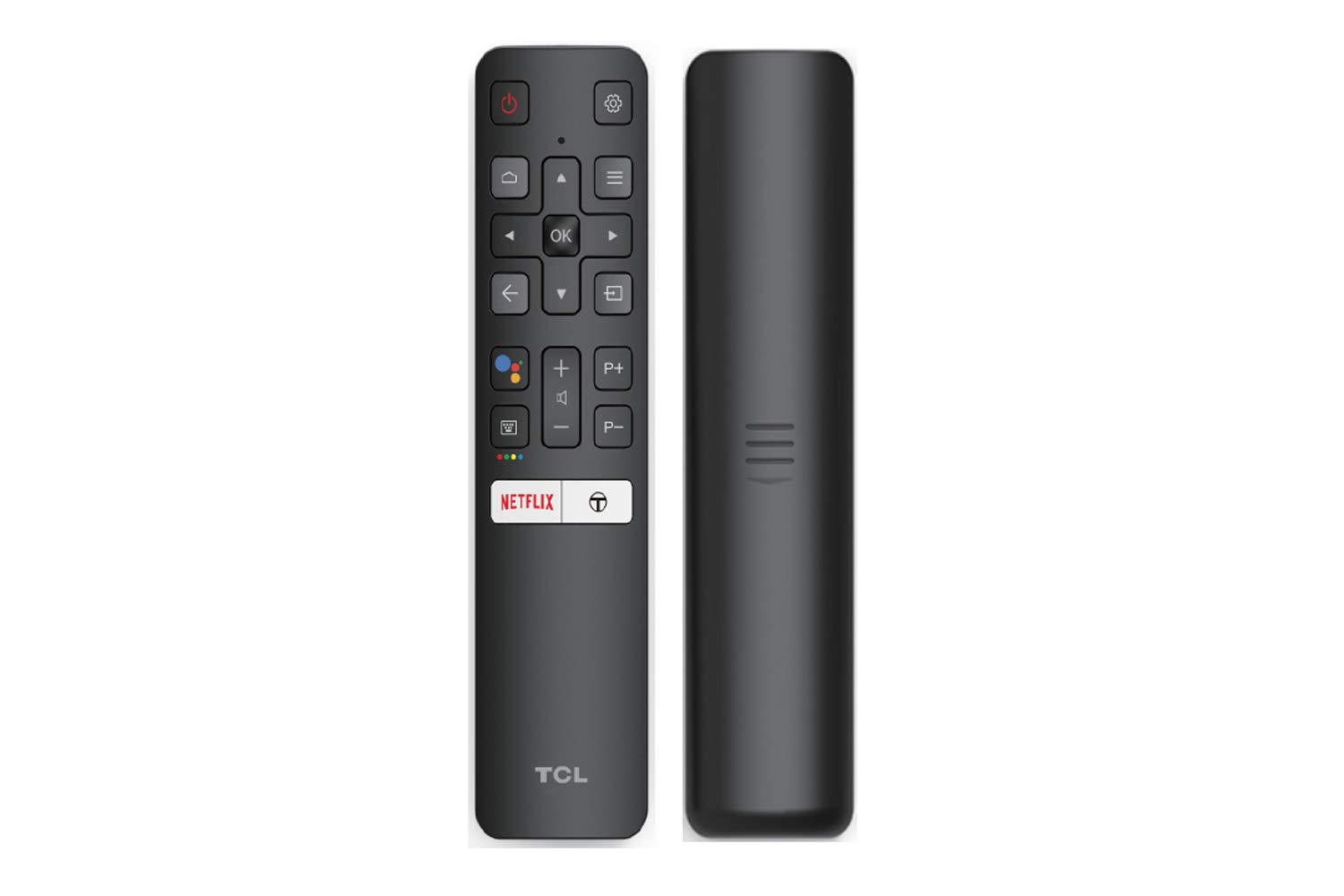
Image: The front and back of the TCL remote control. The front shows various buttons including power, navigation, volume, channel, input, and dedicated buttons for Netflix and other services. The back is plain black.
5.2 Basic TV Functions
- Power: Press the Power button to turn the TV on or off.
- Volume: Use the VOL +/- buttons to adjust the volume.
- Channel: Use the CH +/- buttons to change channels.
- Mute: Press the Mute button to temporarily turn off the sound.
5.3 Input Source Selection
Press the Source button on the remote control to cycle through available input sources (HDMI 1, HDMI 2, USB, TV, etc.).
5.4 Picture and Sound Settings
Access the TV's menu to adjust picture and sound settings:
- Picture Modes: Standard, Dynamic, Movie, User. Adjust brightness, contrast, color, and sharpness.
- Sound Modes: Standard, Music, Movie, User. Adjust bass, treble, and balance.
- Dolby Audio: Enhance your audio experience with Dolby Audio processing.
6. Maintenance
6.1 Cleaning the TV
- Always unplug the TV before cleaning.
- Use a soft, dry cloth to wipe the screen and cabinet.
- For stubborn marks, use a screen cleaner specifically designed for TVs, applied to the cloth, not directly to the screen.
- Do not use abrasive cleaners or solvents.
6.2 Remote Control Care
- Replace batteries when the remote control becomes unresponsive.
- Do not mix old and new batteries, or different types of batteries.
- Keep the remote control away from direct sunlight and heat sources.
7. Troubleshooting
If you encounter issues with your TV, refer to the following common problems and solutions:
| Problem | Possible Solution |
|---|---|
| No power | Check if the power cord is securely connected. Ensure the power outlet is working. |
| No picture, but sound is present | Check the input source selection. Ensure external devices are powered on and connected correctly. |
| No sound, but picture is present | Check the volume level and ensure the TV is not muted. Check audio cables for external devices. |
| Remote control not working | Replace the batteries. Ensure there are no obstructions between the remote and the TV's IR sensor. |
| Picture is distorted or unclear | Check antenna/cable connection. Adjust picture settings (brightness, contrast, sharpness). |
8. Specifications
Key technical specifications for the TCL 40D3000 Full HD LED TV:

Image: A table detailing the TV's features: Screen (40 Inches | Full HD (1920 x 1080)), Connectivity ports (2 HDMI port | 1 USB port), Display (A+ Grade FHD Panel | 60 Hertz | Wide Viewing Angle), Sound (20 Watts Output | Dolby Audio | Smart Sound), and Warranty (Yes, Brand Warranty).
| Feature | Specification |
|---|---|
| Model | 40D3000 |
| Screen Size | 101.6 cm (40 inches) |
| Resolution | Full HD (1920 x 1080p) |
| Refresh Rate | 60 Hz |
| HDMI Ports | 2 |
| USB Ports | 1 |
| Audio Output | 20 W |
| Sound Technology | Stereo Surrounding Sound Box Speaker, Dolby Audio, Smart Sound |
| Viewing Angle | 178 Degrees |
| Response Time | 6 Milliseconds |
| Product Dimensions (LxWxH) | 90.5 x 18.5 x 57.7 cm |
| Item Weight | 6.1 kg |

Image: A technical diagram illustrating the precise dimensions of the TCL 40D3000 LED TV, including width (90.5 CM), height (518.4 CM for screen, 57.7 CM total with stand), and depth (18.5 CM with stand, 39.9 CM for screen thickness).
9. Warranty Information
Your TCL 40D3000 Full HD LED TV comes with an 18-month warranty provided by the manufacturer from the date of purchase. Please retain your purchase receipt and warranty card for any warranty claims.
10. Customer Support
For installation, wall mounting, or product demonstration requests, please contact TCL customer support:
- Toll-Free Numbers: 18004190622, 18001020622
Note: For TVs above 55 inches, the wall mount is not included in the box but will be provided at the time of installation by the service technician.


