
1. Introduction
This manual provides detailed instructions for the safe and effective operation of the LOMVUM T28B Professional Digital Multimeter. The LOMVUM T28B is a versatile instrument designed for precise electrical measurements in various applications. It features a 6000-count display and automatic ranging, simplifying the measurement process for both professionals and enthusiasts.
The multimeter is capable of measuring:
- AC and DC Voltage
- AC and DC Current
- Resistance
- Capacitance
- Frequency and Duty Cycle
- Diode and Continuity
- Temperature
It also includes a Non-Contact Voltage (NCV) detection function for enhanced safety.
2. Safety Information
WARNING: To avoid electric shock or personal injury, read all safety information before using this product.
- Always ensure the multimeter is in good working condition before use. Do not use if the device or test leads appear damaged.
- Never exceed the maximum input values specified for each measurement range. The LOMVUM T28B complies with 600V CAT IV and 1000V CAT III safety requirements.
- Ensure test leads are properly seated in the correct input jacks for the desired measurement.
- Disconnect power to the circuit under test before measuring resistance, capacitance, or continuity.
- Be cautious when working with voltages above 30V AC RMS, 42V peak, or 60V DC. These voltages pose a shock hazard.
- Do not operate the multimeter in explosive gas, vapor, or dusty environments.
- Replace batteries immediately when the low battery indicator appears to ensure accurate readings.
3. Product Overview
The LOMVUM T28B Digital Multimeter is designed for durability and ease of use. It features a large LCD display, a rotary switch for function selection, and various input jacks for test leads.

Figure 3.1: LOMVUM T28B Digital Multimeter with key dimensions and display details.
The multimeter is encased in a protective rubber cover, providing enhanced durability and a comfortable grip during operation.

Figure 3.2: The LOMVUM T28B Digital Multimeter with its protective rubber casing, designed for durability and comfortable handling.
4. Setup
4.1 Battery Installation
The LOMVUM T28B requires four 1.5V AAA batteries for operation. To install or replace batteries:
- Ensure the multimeter is turned off and test leads are disconnected.
- Locate the battery compartment on the back of the device.
- Unscrew the battery cover and remove it.
- Insert four 1.5V AAA batteries, observing the correct polarity (+/-).
- Replace the battery cover and secure it with the screw.
4.2 Connecting Test Leads
Always connect the black test lead to the "COM" (common) input jack. Connect the red test lead to the appropriate input jack based on the desired measurement:
- VΩHzC: For voltage, resistance, frequency, capacitance, diode, and continuity measurements.
- mA: For milliampere current measurements.
- 20A: For high current (up to 20A) measurements.
CAUTION: Incorrect connection of test leads can damage the multimeter or the circuit under test.
5. Operating Instructions
5.1 General Operation
Turn the rotary switch to the desired function. The multimeter features automatic ranging, which means it will automatically select the appropriate measurement range for most functions. The display will show the measured value and the corresponding unit symbol.
5.2 Measuring DC Voltage
To measure DC voltage:
- Turn the rotary switch to the "V" position (DC voltage).
- Connect the black test lead to the "COM" jack and the red test lead to the "VΩHzC" jack.
- Connect the test probes across the component or circuit where you want to measure the voltage.
- Read the voltage value on the display.

Figure 5.1: Measuring DC voltage, typically across a battery or DC power source.
5.3 Measuring AC Voltage
To measure AC voltage:
- Turn the rotary switch to the "V" position (AC voltage).
- Connect the black test lead to the "COM" jack and the red test lead to the "VΩHzC" jack.
- Connect the test probes across the AC source or component.
- Read the voltage value on the display.
5.4 Measuring Resistance
To measure resistance:
- Turn the rotary switch to the "Ω" (resistance) position.
- Connect the black test lead to the "COM" jack and the red test lead to the "VΩHzC" jack.
- Ensure the circuit or component is de-energized.
- Connect the test probes across the resistor or component.
- Read the resistance value on the display.

Figure 5.2: Measuring resistance on a circuit board. Always ensure the circuit is powered off before testing resistance.
5.5 NCV (Non-Contact Voltage) Function
The NCV function allows for non-contact detection of AC voltage, providing an audible and visual indication of live wires.
- Turn the rotary switch to the "NCV" position.
- Move the top end of the multimeter close to the wire or outlet you want to test.
- If AC voltage is detected, the indicator light will illuminate, and the buzzer will sound with varying frequencies depending on the signal strength.
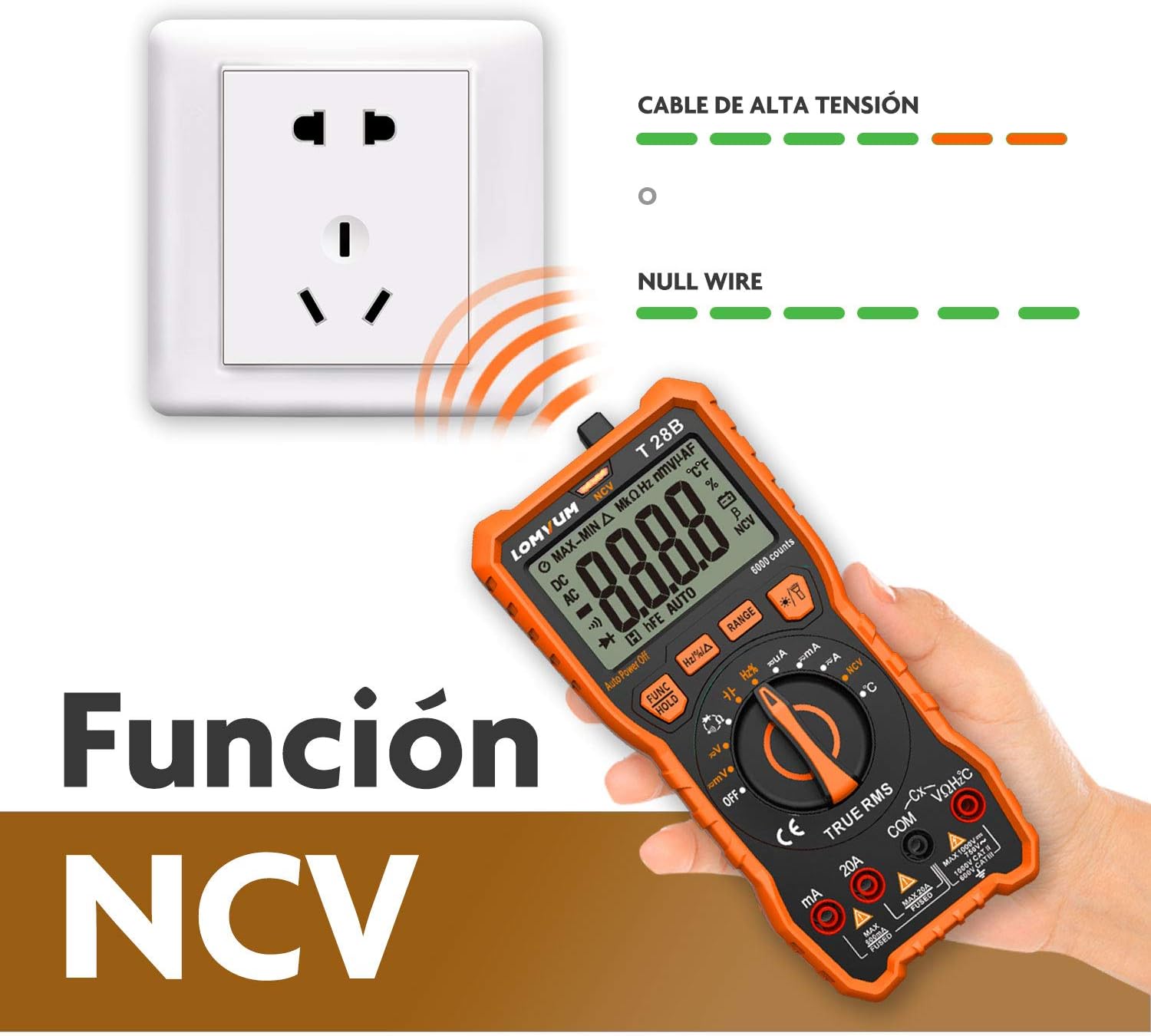
Figure 5.3: Using the NCV function to detect the presence of AC voltage in an electrical outlet without direct contact.
5.6 Measuring Temperature
The LOMVUM T28B can measure temperature using the included K-type thermocouple.
- Turn the rotary switch to the "°C/°F" (temperature) position.
- Connect the K-type thermocouple to the appropriate input jacks (usually marked for temperature).
- Place the tip of the thermocouple on or in the object whose temperature you wish to measure.
- Read the temperature value on the display.

Figure 5.4: Measuring the temperature of a liquid using the K-type thermocouple connected to the multimeter.
5.7 Data Hold Function
The Data Hold function allows you to freeze the current reading on the display for easier viewing, especially in hard-to-reach areas.
- Perform your desired measurement.
- Press the "FUNC / HOLD" button to activate the data hold function. The display will show "HOLD".
- Press the "FUNC / HOLD" button again to release the hold and resume live measurements.

Figure 5.5: The Data Hold function activated, showing a frozen reading on the multimeter display.
5.8 Other Functions
The LOMVUM T28B also supports:
- Capacitance Measurement: For testing capacitors.
- Frequency and Duty Cycle Measurement: For analyzing signal characteristics.
- Diode Test: For checking diode functionality.
- Continuity Test: For checking circuit continuity with an audible buzzer.
Refer to the specific markings on the rotary switch and the "FUNC" button for selecting these modes.
6. Maintenance
6.1 Cleaning
Wipe the case with a damp cloth and mild detergent. Do not use abrasives or solvents. Keep the input terminals free of dirt and moisture.
6.2 Battery Replacement
When the low battery indicator appears on the display, replace the batteries as described in Section 4.1. Always use four new 1.5V AAA batteries.
6.3 Fuse Replacement
If the current measurement function stops working, the fuse may need replacement. The LOMVUM T28B uses ceramic fuses and includes spare fuses in the package. To replace a fuse:
- Ensure the multimeter is turned off and test leads are disconnected.
- Unscrew the back cover of the multimeter.
- Carefully locate and replace the blown fuse with a new one of the correct rating.
- Reassemble the back cover securely.
7. Troubleshooting
- No Display / Faint Display: Check battery installation and charge. Replace batteries if necessary.
- Incorrect Readings:
- Ensure test leads are correctly connected to the appropriate input jacks.
- Verify the rotary switch is set to the correct measurement function.
- Check for damaged test leads.
- For current measurements, check if the fuse is blown (see Section 6.3).
- NCV Function Not Responding: Ensure the NCV mode is selected and the multimeter is brought close enough to a live AC source.
If problems persist, contact customer support.
8. Specifications
| Feature | Specification |
|---|---|
| Brand | Lomvum |
| Model Number | T28B |
| Display Counts | 6000 Counts |
| Capacitance Range | Up to 2000uF |
| Safety Rating | 600V CAT IV, 1000V CAT III |
| Power Source | 4 x 1.5V AAA Batteries |
| Compatible Devices | Electrical devices, home appliances, wiring, electronic devices |
| UPC | 743022992068 |
9. Warranty and Support
The LOMVUM T28B Digital Multimeter comes with a 24-month warranty from the date of purchase. This warranty covers manufacturing defects and ensures the product meets its specified performance standards.
For warranty claims, technical support, or any inquiries regarding the product, please contact LOMVUM customer service through your retailer or the official LOMVUM website. Please have your purchase receipt and product model number (T28B) available when contacting support.