
1. Introduction
This user manual provides essential information for the safe and effective operation, maintenance, and care of your Kendo 450mm Bolt Cutter. Please read this manual thoroughly before using the tool and retain it for future reference. This tool is designed for cutting bolts, chains, threaded rods, and thick wires up to 40 HRC hardness.
2. Safety Instructions
Always observe the following safety precautions when using the Kendo 450mm Bolt Cutter:
- Wear Eye Protection: Always wear safety glasses or goggles to protect against flying debris.
- Wear Hand Protection: Use work gloves to protect hands from sharp edges and pinching.
- Inspect Tool Before Use: Check the bolt cutter for any damage, loose parts, or wear before each use. Do not use a damaged tool.
- Secure Workpiece: Ensure the material to be cut is stable and secured to prevent movement during cutting.
- Proper Grip: Maintain a firm grip on both handles to ensure control.
- Avoid Overloading: Do not attempt to cut materials beyond the tool's specified capacity (max. 8mm diameter, up to 40 HRC). Forcing the tool can cause damage or injury.
- Keep Clear: Ensure hands, fingers, and other body parts are clear of the cutting jaws during operation.
- Store Safely: Store the bolt cutter in a dry, secure place, out of reach of children.
- Use for Intended Purpose: This tool is designed for cutting metal rods, bolts, and chains. Do not use it for electrical work or other unintended applications.
3. Product Overview
The Kendo 450mm Bolt Cutter is a robust tool designed for efficient cutting of various metal materials. It features durable construction and ergonomic handles for comfortable use.
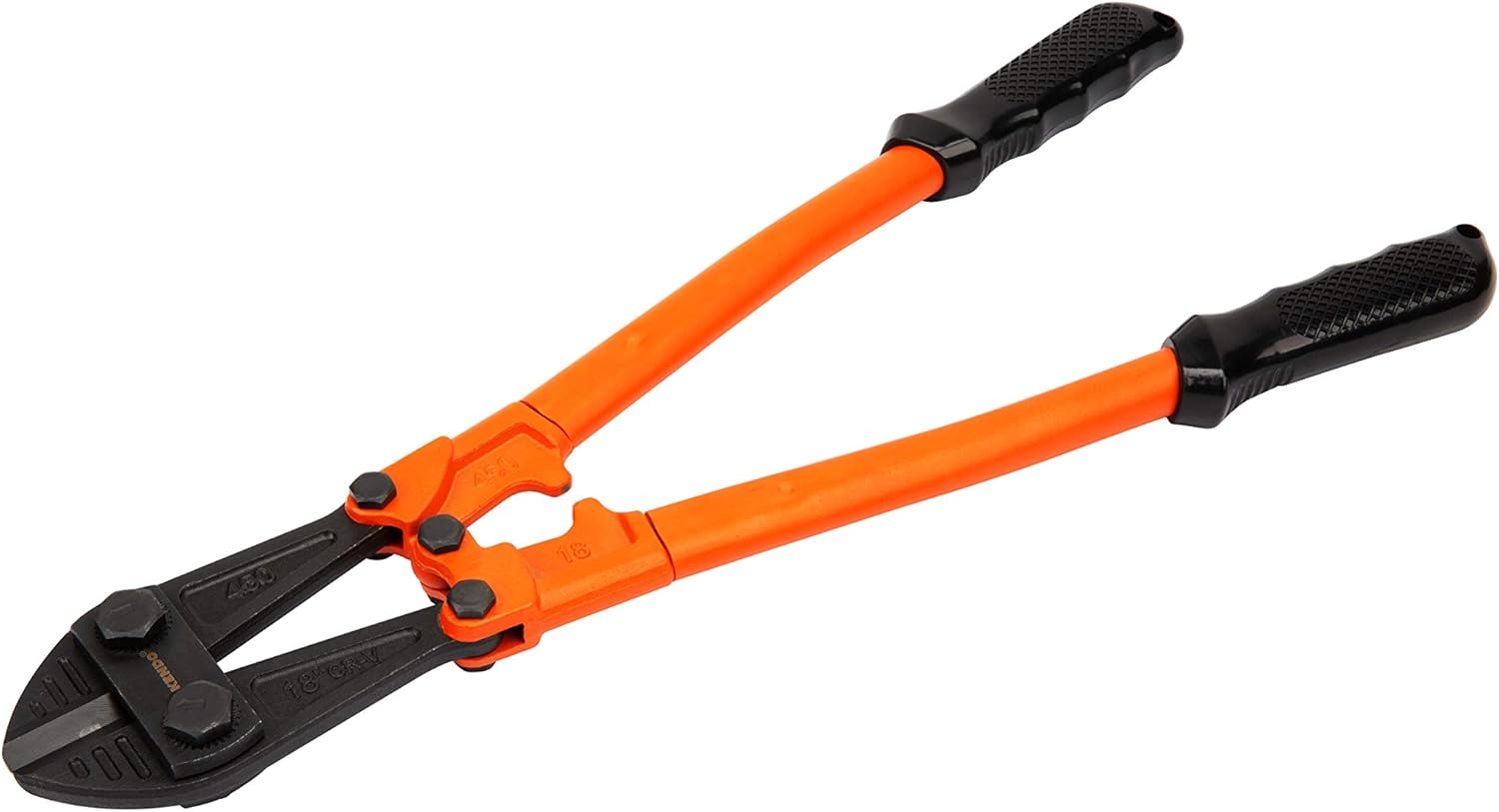
Figure 3.1: Overall view of the Kendo 450mm Bolt Cutter, showing its orange handles and black cutting jaws.

Figure 3.2: Detailed view highlighting key features including the overall length of 450mm, maximum cutting capacity of 8mm, rubberized handles for grip, and black oxide coating for corrosion protection. It also shows its suitability for bolts, chains, threaded rods, and thick wires up to 40 HRC.

Figure 3.3: Close-up of the hardened steel cutting jaws, showing the Kendo branding and the robust pivot points.
Components:
- Cutting Jaws: Made from high-strength Chrome-Vanadium steel for durability and cutting performance.
- Handles: Long, orange-coated handles with black rubberized grips for leverage and comfort.
- Pivot Points: Robust connections ensuring smooth operation and strength.
4. Setup
The Kendo 450mm Bolt Cutter requires minimal setup. It is ready for use directly out of the packaging.
- Unpack: Carefully remove the bolt cutter from its packaging.
- Inspect: Before first use, and before every subsequent use, visually inspect the tool for any signs of damage, cracks, or excessive wear on the cutting jaws or handles. Ensure all bolts and pivot points are secure.
- Clean: Wipe off any protective oils or debris from the cutting jaws and handles.
5. Operating Instructions
Follow these steps for safe and effective cutting:
- Prepare Work Area: Ensure your work area is clear of obstructions and well-lit. Identify the material to be cut and confirm it is within the tool's capacity.
- Wear PPE: Put on appropriate personal protective equipment, including safety glasses and work gloves.
- Position Material: Place the material to be cut as deep as possible into the cutting jaws. This maximizes leverage and reduces strain on the jaws. Avoid cutting at the very tip of the jaws.
- Apply Pressure: With a firm grip on both handles, apply steady, even pressure to close the jaws. Use your body weight if necessary to generate sufficient force.
- Complete Cut: Continue applying pressure until the material is completely severed.
- Release and Inspect: Once the cut is complete, release the handles and remove the severed material. Inspect the cut edges for sharpness and the tool for any signs of stress or damage.

Figure 5.1: Demonstrating the Kendo Bolt Cutter in action, cutting a metal rod. Note the firm grip and proper positioning of the material within the jaws.
6. Maintenance
Proper maintenance will extend the life of your Kendo Bolt Cutter:
- Cleaning: After each use, wipe down the tool with a clean, dry cloth to remove dirt, dust, and metal shavings.
- Lubrication: Periodically apply a light machine oil to the pivot points and cutting jaws to ensure smooth operation and prevent rust.
- Storage: Store the bolt cutter in a dry environment to prevent corrosion. Keep the jaws closed when not in use to protect the cutting edges.
- Inspection: Regularly inspect the cutting edges for nicks or dullness. While sharpening is possible, it often requires specialized equipment and expertise.
7. Troubleshooting
| Problem | Possible Cause | Solution |
|---|---|---|
| Difficulty cutting material | Material is too hard or too thick; jaws are dull or damaged; insufficient leverage. | Ensure material is within specifications (max 8mm, 40 HRC). Position material deeper in jaws. Apply more force or consider a larger tool for harder materials. Inspect jaws for damage. |
| Jaws stick or move stiffly | Lack of lubrication; dirt/debris in pivot points. | Clean pivot points and jaws thoroughly. Apply a light machine oil to all moving parts. |
| Handles feel loose | Loose bolts at pivot points. | Check and tighten all bolts. If bolts are stripped or damaged, discontinue use and seek professional repair or replacement. |
8. Specifications
| Brand | Kendo |
| Model Number | KE001395031 |
| Tool Type | Bolt Cutter |
| Overall Length | 450 mm |
| Max. Cutting Capacity | 8 mm (diameter) |
| Material Hardness Capacity | Up to 40 HRC |
| Weight | Approx. 1.4 kg |
| Manufacturer | Brütsch/Rüegger Tools GmbH Deutschland |
9. Warranty and Support
For information regarding warranty coverage, spare parts, or technical support, please contact your retailer or the manufacturer directly. Keep your proof of purchase for any warranty claims.
Please note that information on spare parts availability is not provided in the product specifications.